When browsing the web, nothing feels more frustrating than a sudden “401 Unauthorized” message blocking access to a page you expected to load. Whether you’re managing a personal blog or a business website hosted on platforms like XenaxCloud, understanding the 401 error meaning is essential for maintaining uptime and delivering a seamless user experience.
In this detailed guide, we’ll explore what a 401 error means, how it affects your website, and simple steps to fix it. We’ll also discuss why choosing a secure Indian hosting solution can help prevent such issues through better authentication, caching, and server management.

Why Indian Hosting Servers Are a Smart Global Choice
India has rapidly become a data center powerhouse, offering cost-effective hosting with low latency across Asia and reliable global connectivity. For international businesses, Indian servers deliver:
- Affordability: Hosting costs in India are 30–50% lower than most Western providers.
- Speed: Modern Indian data centers provide optimized routing and fiber connectivity for faster global response times.
- Security & Compliance: Data privacy standards and ISO certifications ensure full protection of user data.
- Scalability: From startups to global enterprises, Indian hosting infrastructure is built to scale smoothly.
With providers like XenaxCloud, you get enterprise-grade servers, full DDoS protection, and 24/7 expert support — all backed by a 15-day money-back guarantee.
What is a 401 Error? Understanding the Status Code 401
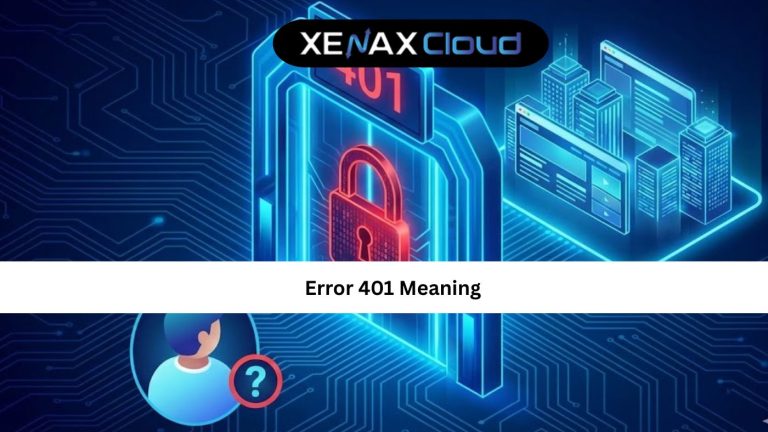
The 401 error meaning refers to an HTTP status code that indicates “Unauthorized Access.” It occurs when a user or system tries to access a web resource that requires authentication but fails to provide valid credentials.
In simple terms, your browser is trying to reach a protected page, but the server refuses because it doesn’t recognize your login credentials.
For example:
When visiting a private admin page, you might see —401 Unauthorized: Access is denied due to invalid credentials.
The 401 status code is different from 403 Forbidden (which means you’re authenticated but not permitted). A 401 error means the authentication itself failed.
Common causes include:
- Expired or incorrect login credentials
- Invalid API tokens
- Cached authentication data
- Misconfigured .htaccess or server settings
- Firewall or proxy interference
How to Fix the 401 Error (Step-by-Step)
Solving a 401 error depends on whether you’re a user or a website administrator. Here’s how to troubleshoot effectively:
1. For Users
- Check login credentials: Ensure your username and password are correct.
- Clear browser cache and cookies: Cached tokens might cause login loops.
- Try Incognito/Private mode: This bypasses stored sessions.
- Contact the site admin: If the issue persists, the server might have revoked your access.
2. For Website Owners
- Reset authentication tokens or API keys for apps or plugins.
- Verify .htaccess configuration — a single line of miscode can block authentication.
- Check CMS or plugin permissions — especially if using WordPress or Joomla.
- Monitor server logs for clues about which requests are denied.
- Flush DNS and restart the server to ensure no cached authentication conflicts.
If you’re using VPS or dedicated hosting, running the following command can help clear cached credentials:
sudo systemctl restart apache2
sudo systemctl restart nginxf
Scalability Options for Startups and Agencies
Startups, agencies, and SaaS providers need hosting that grows with their needs. With XenaxCloud VPS and Dedicated Servers, scaling is seamless — you can upgrade CPU, storage, or RAM instantly without downtime.
Recommended plans:
- Speed KVM VPS 3 — 8 Vcore CPU, 16GB RAM, 70GB storage (for medium businesses)
- Gold KVM VPS 5 — 16 Vcore CPU, 32GB RAM, 100GB storage (for high-traffic apps)
This flexibility ensures consistent performance during heavy authentication requests — one of the root causes behind recurring status code 401 issues.
Real-World Use Cases
- Developers using APIs:
Secure authentication with tokens reduces 401 errors and improves connection stability. - E-commerce stores:
Proper session management avoids expired tokens and unauthorized access loops. - Corporate websites:
Using VPS hosting ensures protected admin access and reliable backend connections.
With XenaxCloud VPS Hosting, users can enjoy full control, security, and authentication reliability across global applications.
FAQs
1. What is the difference between Indian VPS and foreign VPS?
2. Can Indian servers handle global website traffic?
3. Is Indian hosting cost-effective for international users?
4. How reliable is XenaxCloud hosting?
5. How to choose the right server for my business?
Conclusion
Understanding the 401 error meaning helps you maintain secure and accessible websites. With XenaxCloud’s robust infrastructure, 24/7 technical support, and scalable VPS hosting, you can prevent unauthorized access issues while keeping your site running smoothly.
Whether you’re running a startup or managing enterprise applications, XenaxCloud offers flexible hosting solutions — all backed by a 15-day money-back guarantee.
Visit the XenaxCloud Offers Page to grab the latest deals and launch your project today.
Recommended Plans:
- Speed KVM VPS 2 — 4 Vcore CPU, 8GB RAM, 50GB Storage, 2TB Bandwidth (current pricing)
- Shared Hosting Gold — 3 Websites, 25GB Storage, 500GB Bandwidth (current pricing)
Internal Link Used: XenaxCloud VPS Hosting