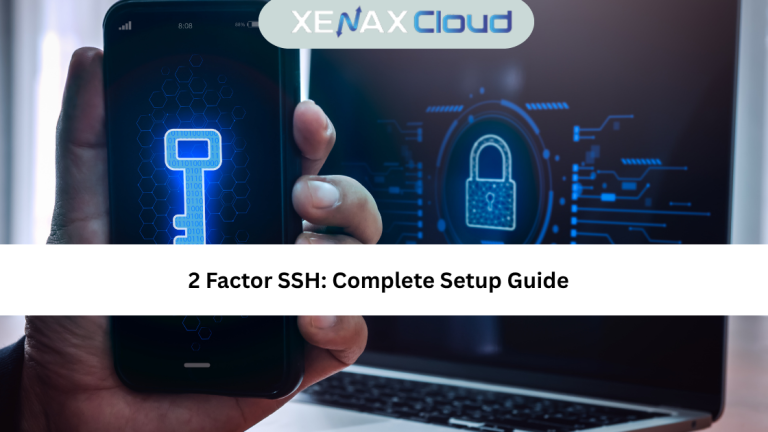
Remote server access is one of the most critical parts of Linux administration. Whether you’re managing a VPS, dedicated server, cloud instance, or production application, Secure Shell (SSH) allows administrators to control servers from anywhere. However, relying only on passwords creates security risks. This is where 2 factor SSH becomes essential. By adding a second authentication step, you significantly reduce the chances of unauthorized server access, even if a password is compromised.
A traditional SSH login requires only a username and password or an SSH key. With 2 factor SSH, users must also verify their identity using a one-time authentication code generated by an authentication application or hardware token. This additional security layer protects servers against brute-force attacks, credential theft, and unauthorized login attempts.
In this 2 factor SSH guide, you’ll learn what two-factor SSH authentication is, why it matters, how to configure it on Linux servers, and how to choose the right VPS for secure server administration.

What Is 2 Factor SSH?
2 factor SSH is an authentication method that requires two separate forms of identity verification before allowing users to access a Linux server through Secure Shell (SSH).
Instead of relying only on a password or SSH key, two-factor authentication requires users to provide an additional verification code generated by an authentication application such as Google Authenticator or Microsoft Authenticator.
The login process typically includes:
- Username
- Password or SSH key
- One-time verification code
Even if an attacker discovers your password, they cannot access the server without the second authentication factor.
Using 2 factor SSH significantly improves server security and is widely recommended for production Linux environments.
Why Enable Two-Factor Authentication for SSH?
Implementing 2 factor SSH offers several important security benefits beyond traditional password authentication.
Stronger Account Protection
Even if passwords are stolen through phishing or data breaches, attackers still need the second authentication factor to access the server.
Protection Against Brute-Force Attacks
Automated password guessing attacks become far less effective because successful logins require an additional verification code.
Improved Regulatory Compliance
Many organizations implement multi-factor authentication to satisfy security standards and compliance requirements.
Better Administrative Security
Developers, DevOps engineers, and system administrators often manage production servers remotely. Two-factor authentication greatly reduces the risk of unauthorized administrative access.
Increased Confidence
Knowing that server access requires two independent authentication methods provides greater confidence when managing critical business infrastructure.
How to Configure 2 Factor SSH on Linux
Setting up 2 factor SSH on Linux usually involves installing a PAM authentication module and configuring SSH to require a verification code during login.
Install Google Authenticator
On Ubuntu or Debian:
sudo apt update
sudo apt install libpam-google-authenticator
On CentOS or Rocky Linux:
sudo dnf install google-authenticator
Configure Google Authenticator
Run:
google-authenticator
The utility generates a QR code and emergency recovery codes.
Scan the QR code using:
- Google Authenticator
- Microsoft Authenticator
- Authy
Store the recovery codes safely before continuing.
Configure PAM
Edit:
/etc/pam.d/sshd
Add:
auth required pam_google_authenticator.so
This enables two-factor authentication during SSH login.
Update SSH Configuration
Edit:
/etc/ssh/sshd_config
Enable:
ChallengeResponseAuthentication yes
UsePAM yes
Then restart SSH:
sudo systemctl restart ssh
The next SSH login will require both the normal authentication method and the verification code.
How to Choose the Right VPS for Secure SSH Access
A secure SSH environment depends on both proper server configuration and reliable hosting infrastructure.
Choose SSD Storage
SSD-powered VPS hosting improves operating system performance, application responsiveness, and authentication speed.
Select Dedicated Resources
Dedicated CPU and RAM ensure stable server performance during authentication and administrative tasks.
Prioritize Security
Choose a VPS provider offering:
- Enterprise firewall protection
- DDoS mitigation
- Secure virtualization
- Infrastructure monitoring
- Reliable networking
These features provide a secure foundation for implementing 2 factor SSH.
Plan for Future Growth
Choose a VPS platform that allows easy upgrades as server workloads increase.
For Linux servers, Docker environments, production applications, secure SSH access, and enterprise workloads, explore XenaxCloud VPS Hosting.
Internal Link: https://xenaxcloud.com/vps-server/
Recommended Plan
NORMAL KVM VPS 2
- 4 Vcore CPU
- 16GB RAM
- 50GB Storage
- 4TB Bandwidth
- $10.79
This plan is ideal for secure Linux administration, production applications, Docker environments, databases, web hosting, and businesses implementing 2 factor SSH for enhanced server security.
Real-World Use Cases
Businesses and developers use 2 factor SSH in many production environments to improve server security.
Production Web Servers
System administrators protect Linux web servers from unauthorized access while managing websites and applications remotely.
Cloud Infrastructure
Organizations secure cloud-hosted Linux instances used for hosting applications, APIs, and internal services.
DevOps Environments
Development teams use 2 factor SSH to secure deployment pipelines and production environments.
Database Servers
Administrators protect MySQL, PostgreSQL, MongoDB, and other database servers from unauthorized administrative access.
Enterprise Remote Administration
Companies allow employees to manage servers remotely while maintaining strong authentication standards.
Scalability Options for Startups and Agencies
As businesses expand, server security becomes increasingly important. An 2 factor SSH implementation scales easily across multiple Linux servers, cloud environments, and VPS instances. Startups can begin with a single VPS and later upgrade CPU, RAM, storage, and bandwidth without changing their authentication strategy. Agencies managing multiple client servers can also enforce two-factor authentication across all systems to improve security while maintaining centralized server administration.
Frequently Asked Questions
What is the difference between Indian VPS and foreign VPS?
Can Indian servers handle global website traffic?
Is Indian hosting cost-effective for international users?
How reliable is XenaxCloud hosting?
How to choose the right server for my business?
Conclusion
Implementing 2 factor SSH is one of the most effective ways to strengthen Linux server security. By requiring both standard credentials and a one-time verification code, businesses can significantly reduce the risk of unauthorized access, brute-force attacks, and compromised passwords. Combined with reliable VPS hosting, two-factor authentication provides a secure foundation for managing production servers, cloud applications, and critical business services.
XenaxCloud VPS Hosting delivers enterprise-grade SSD infrastructure, advanced security, scalable resources, and dependable Linux hosting for developers and businesses. Every VPS plan includes a 15-day money-back guarantee, giving you confidence when deploying secure server environments. The latest discounts and exclusive offers are always available on the XenaxCloud Offers Page, helping you choose the right VPS for secure Linux administration.