Learning linux rm files commands is one of the first skills every Linux user should master. Whether you’re managing a VPS, maintaining a web server, or organizing development files, the rm command helps remove unwanted files and directories efficiently. Because Linux permanently deletes files without sending them to a recycle bin, understanding how to use this command safely is essential for beginners and experienced administrators alike.
Reliable hosting also plays a major role in Linux server management. Indian hosting infrastructure has become a preferred choice for businesses worldwide thanks to its cost-effectiveness, low latency across Asia, enterprise-grade security, dependable uptime, and scalable resources. Combined with Linux VPS hosting, these advantages create a powerful environment for developers, system administrators, and growing businesses.
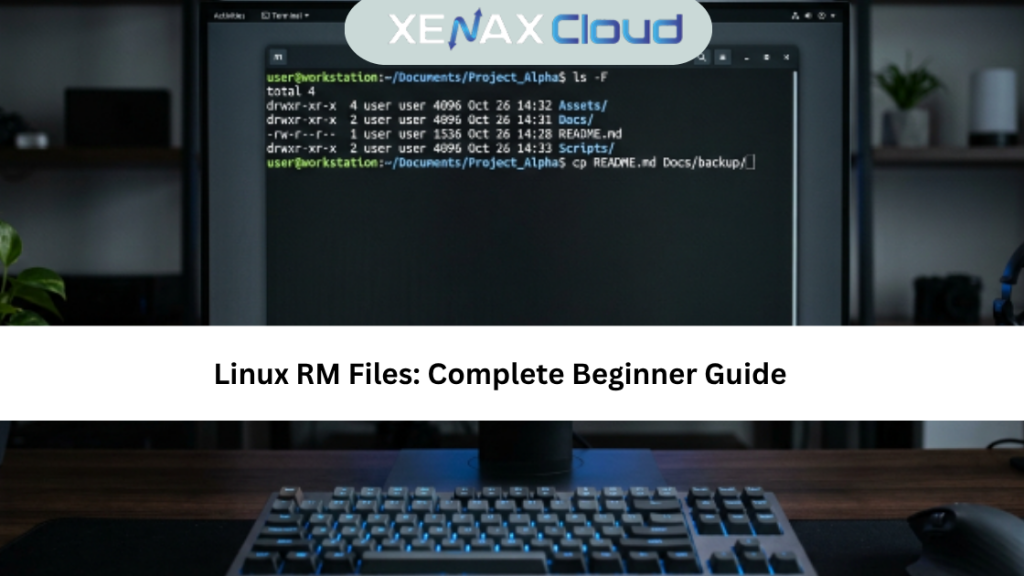
Linux RM Files: What Does the RM Command Do?
The linux rm files command removes files and directories directly from the command line. Unlike desktop operating systems, Linux deletes files immediately, so it’s important to double-check commands before pressing Enter.
Some common examples include:
rm file.txt
Delete multiple files:
rm file1.txt file2.txt
Delete an empty directory:
rmdir foldername
Delete a directory and its contents:
rm -r foldername
Force deletion without confirmation:
rm -rf foldername
If you’re managing Linux servers regularly, reliable Linux VPS Hosting from XenaxCloud provides the performance and flexibility needed for command-line administration.
How to Choose the Right Linux VPS
Before working with linux rm files, choosing the right Linux VPS makes server management much easier. A quality VPS offers dedicated resources, fast SSD storage, secure SSH access, and stable performance for command-line operations.
When selecting a VPS, consider:
- Linux operating system support
- SSD or NVMe storage
- Dedicated CPU and RAM
- Root access
- SSH connectivity
- Automatic backups
- Reliable uptime
- Scalable infrastructure
Following this linux rm files tutorial ensures you have the right environment to safely manage files, configure applications, and maintain your Linux server.
Recommended VPS Plan
For developers, server administrators, and businesses managing Linux environments, the following plan offers an excellent balance between performance and affordability.
SPEED KVM VPS 2
- 4 Vcore CPU
- 8GB RAM
- 50GB Storage
- 2TB Bandwidth
- $8.39/month
Recommended for:
- Linux administration
- Web hosting
- Development environments
- Database servers
- DevOps projects
- Application deployment
- Small business websites
Why Indian Linux Hosting Is a Smart Choice
Indian data centers provide an excellent foundation for Linux hosting because they combine modern infrastructure with competitive pricing. Businesses serving customers across Asia benefit from lower latency, while international organizations enjoy reliable connectivity to global markets.
Key benefits include:
- Cost-effective Linux hosting
- Excellent performance across Asia
- Strong global network connectivity
- Enterprise-grade security
- High uptime
- Easy scalability
- Professional technical support
Whether you’re following a linux rm files guide or managing production servers, reliable Linux hosting helps you work efficiently while keeping your infrastructure secure and responsive.
Speed, Uptime, and Security Advantages
Mastering linux rm files is only one part of effective Linux server management. Your hosting environment also plays a major role in overall system performance. A high-performance VPS with SSD storage, dedicated CPU resources, and optimized networking ensures Linux commands execute quickly and efficiently.
Security is equally important. Features like SSH authentication, firewalls, regular backups, malware protection, and operating system updates help keep your server secure while reducing the risk of accidental data loss. Although the rm command permanently removes files, having reliable backups gives administrators peace of mind. Following this linux rm files guide allows users to manage files confidently while maintaining a secure Linux environment.
Real-World Use Cases
The linux rm files command is used daily by developers, system administrators, and businesses running Linux servers. It helps maintain clean file systems and improves overall server organization.
Common use cases include:
- Removing temporary files
- Deleting outdated backups
- Cleaning application logs
- Managing website files
- Removing unused software files
- Organizing development environments
- Server maintenance
- Automated cleanup scripts
These linux rm files tutorial examples help users perform routine maintenance while keeping Linux servers efficient and clutter-free.
Scalability for Businesses and Developers
As websites and applications grow, Linux servers need to handle increasing storage requirements, higher traffic, and additional services. Scalable VPS hosting makes it easy to upgrade CPU, RAM, storage, and bandwidth without moving to a completely new environment.
Whether you’re hosting a business website, deploying applications, or managing multiple client projects, scalable Linux hosting provides the flexibility needed for future growth. Developers also benefit from root access, complete server control, and compatibility with modern development tools, making Linux VPS an ideal platform for startups, agencies, and enterprise workloads.
Comparison: Indian Servers vs Other Regions
| Feature | India | USA | Canada | Germany | UAE |
|---|---|---|---|---|---|
| Linux Server Performance | Excellent | Excellent | Excellent | Excellent | Very Good |
| Asia Latency | Excellent | Moderate | Moderate | Good | Excellent |
| 24/7 Technical Support | Available | Available | Available | Available | Available |
| Fast Provisioning | Excellent | Excellent | Excellent | Excellent | Very Good |
| Uptime & Reliability | High | High | High | High | High |
Frequently Asked Questions
What does the linux rm files command do?
The rm command permanently removes files and directories from a Linux system without moving them to a recycle bin.
Is the rm command reversible?
No. Once files are deleted using rm, they are generally not recoverable unless backups or specialized recovery tools are available.
Can I delete directories using rm?
Yes. Use the rm -r option to delete directories and their contents recursively.
Can Indian servers handle global website traffic?
Yes. Modern Indian data centers provide reliable connectivity, low latency across Asia, and excellent performance for global audiences.
How reliable is XenaxCloud hosting?
XenaxCloud provides reliable Linux VPS hosting with SSD storage, high uptime, scalable resources, and responsive technical support.
How do I choose the right Linux VPS?
Choose a VPS based on CPU, RAM, storage, bandwidth, scalability, root access, and the workload you plan to run.
Conclusion
Learning linux rm files is an essential step toward becoming comfortable with Linux server administration. When used correctly, the rm command helps keep servers organized, improves maintenance, and simplifies file management. This linux rm files tutorial and linux rm files guide provide the knowledge needed to use the command safely and efficiently.
For the best Linux hosting experience, choose XenaxCloud VPS Hosting. With enterprise-grade infrastructure, fast SSD storage, scalable resources, and a 15-day money-back guarantee, XenaxCloud gives developers and businesses the performance they need. Don’t forget to check the latest discounts and exclusive deals on the XenaxCloud Offers page before choosing your VPS plan.