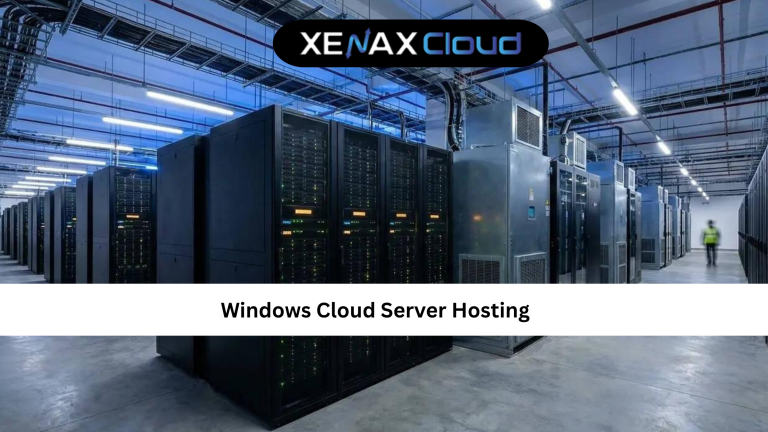
Businesses today rely on cloud infrastructure to keep applications, websites, and remote teams running smoothly. If you’re looking for a hosting solution that combines Windows compatibility with enterprise-grade reliability, understanding windows cloud server hosting is the perfect place to start. It offers dedicated resources, excellent scalability, and remote accessibility while supporting popular Microsoft technologies such as IIS, ASP.NET, Microsoft SQL Server, and Remote Desktop Services.
Indian hosting infrastructure has also become a preferred choice for businesses across the globe. Modern Indian data centers provide affordable hosting, low latency throughout Asia, enterprise-grade security, reliable compliance standards, and scalable cloud resources. Whether you’re serving local customers or an international audience, Indian cloud hosting offers an excellent balance of performance and value.

What Is Windows Cloud Server Hosting?
To understand windows cloud server hosting, imagine a Windows Server operating system running inside a cloud-based virtual infrastructure rather than on a single physical machine. Unlike traditional hosting, cloud hosting distributes resources across multiple servers, helping improve uptime and reduce the impact of hardware failures.
A Windows cloud server offers several important advantages:
- Full administrator access
- Windows Server environment
- Microsoft application compatibility
- High availability
- Dedicated CPU and RAM
- SSD storage
- Easy scalability
- Remote Desktop access
- Better disaster recovery
- Enterprise-grade security
Following this windows cloud server hosting guide helps businesses understand why cloud-based Windows servers have become one of the most popular solutions for modern workloads.
How to Choose the Right Windows Cloud Hosting Plan
Choosing the right windows cloud server hosting solution depends on your workload, number of users, software requirements, and future growth. Small businesses may only need a lightweight server, while enterprise applications require significantly more CPU power, RAM, and storage.
Before selecting a hosting plan, consider:
- Windows Server compatibility
- Number of virtual CPU cores
- Available RAM
- SSD storage
- Monthly bandwidth
- Remote Desktop support
- Backup services
- Security features
- Scalability
- Technical support availability
Selecting the proper resources ensures your cloud server continues performing efficiently as your business expands. This windows cloud server hosting tips guide recommends planning for future growth instead of choosing a server that only meets today’s requirements.
Recommended Hosting Plan
For business applications, Remote Desktop, ERP software, accounting systems, and Windows-based development environments, XenaxCloud recommends:
Normal KVM VPS 2
- 4 VCore CPU
- 16GB RAM
- 50GB Storage
- 4TB Bandwidth
- $10.79/month
This VPS configuration is ideal for:
- Windows Server hosting
- Microsoft SQL Server
- ASP.NET applications
- Business software
- Remote Desktop users
- Development environments
- Cloud business applications
Why Indian Servers Are a Smart Choice
Modern Indian cloud infrastructure combines affordability with enterprise-grade reliability. Businesses benefit from significantly lower operational costs while maintaining excellent connectivity across Asia and competitive global performance. Advanced networking, SSD storage, secure facilities, and professional monitoring ensure cloud applications remain available around the clock.
Indian data centers also comply with modern security standards while providing flexible infrastructure that grows alongside your business. Whether you’re launching a startup, hosting enterprise applications, or supporting remote employees, Indian cloud hosting delivers reliable performance without unnecessary infrastructure costs.
Following this windows cloud server hosting guide allows businesses to take advantage of secure cloud technology while serving customers across multiple regions efficiently.
Scalability Options for Startups and Agencies
One of the biggest advantages of windows cloud server hosting is scalability. As your organization grows, cloud infrastructure allows you to increase CPU cores, RAM, storage, and bandwidth without replacing physical hardware or performing complex migrations.
Startups can begin with modest cloud resources and upgrade seamlessly as website traffic or business requirements increase. Agencies managing multiple client projects benefit from isolated cloud environments, centralized administration, and flexible resource allocation. Developers can also create testing, staging, and production environments while maintaining consistent performance across every deployment. This windows cloud server hosting guide helps businesses prepare for future growth without unnecessary infrastructure limitations.
Comparison: Indian Servers vs Foreign Regions
| Feature | India | USA | Canada | Germany | UAE |
|---|---|---|---|---|---|
| Cloud Performance | Excellent | Excellent | Excellent | Excellent | Very Good |
| Asia Latency | Excellent | Moderate | Moderate | Good | Excellent |
| 24/7 Technical Support | Available | Available | Available | Available | Available |
| Fast Provisioning | Excellent | Excellent | Excellent | Excellent | Very Good |
| Uptime & Reliability | High | High | High | High | High |
Best Practices for Windows Cloud Server Hosting
To maximize the performance of your windows cloud server hosting, keep Windows Server updated with the latest security patches, enable automatic backups, monitor CPU and memory usage, use strong administrator passwords, enable multi-factor authentication where possible, and regularly review firewall rules. Routine maintenance helps prevent security issues while ensuring your cloud server remains fast, stable, and reliable.
Frequently Asked Questions
What is the difference between Indian VPS and foreign VPS?
Can Indian servers handle global website traffic?
Is Indian hosting cost-effective for international users?
How reliable is XenaxCloud hosting?
How to choose the right server for my business?
Is Windows Cloud Server Hosting better than traditional hosting?
Conclusion
Understanding windows cloud server hosting helps businesses choose a hosting platform that combines flexibility, security, and enterprise-grade performance. Whether you’re hosting Microsoft applications, business software, Remote Desktop environments, or enterprise databases, cloud infrastructure provides the scalability and reliability needed for long-term growth. This windows cloud server hosting guide gives you the knowledge required to confidently select the right cloud solution.
For dependable cloud hosting, choose XenaxCloud’s VPS solutions powered by SSD storage, enterprise-grade infrastructure, scalable resources, and professional technical support. Every eligible hosting plan includes a 15-day money-back guarantee, allowing you to deploy your Windows workloads with confidence. Before placing your order, visit the XenaxCloud Offers page to explore the latest discounts and exclusive hosting deals available for new and existing customers.