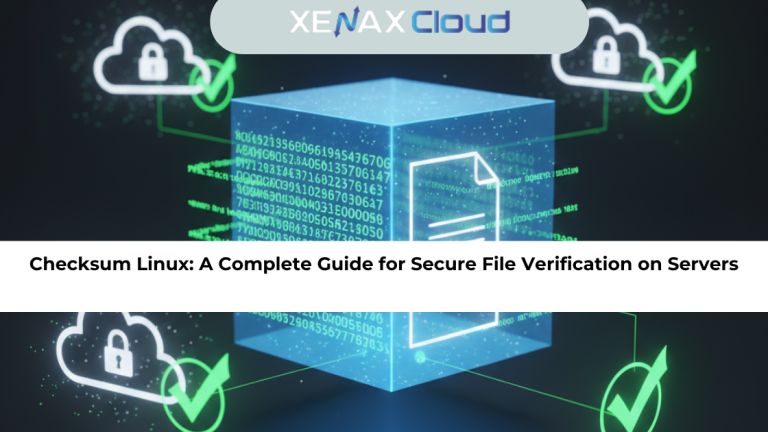
Data moves across global networks every second, and even a small file corruption can break an application or damage a deployment. This is why developers and system admins rely on checksum Linux commands to verify file integrity. A checksum validates that a file is exactly what it claims to be, ensuring it hasn’t changed during transfer, download, or storage.

When you work on cloud environments or VPS servers, using checksum Linux becomes even more important. Hosting infrastructure plays a major role here. Modern Indian servers are increasingly becoming a smart choice for developers worldwide because they offer cost-effective resources, low-latency connectivity within Asia, and competitive performance globally. India-based data centers follow strict security policies, which helps reduce risk during deployments and code transfers. For businesses scaling internationally, these servers deliver reliable uptime and flexible provisioning, helping teams verify, upload, and distribute files efficiently.
This guide explains checksum Linux in simple terms, shows how to use it on a server, and highlights why file integrity matters when deploying applications on VPS or cloud systems.
What Is Checksum Linux and Why Is It Important?
A checksum is a small alphanumeric value generated from a file using a hashing algorithm. In Linux, checksum tools help verify whether a file has been altered. When you download software from a website, the publisher often provides a checksum value. You compare your system-generated checksum with the official one. If both match, the file is clean and unmodified.
Checksum Linux commands are widely used during:
- Server migrations
- Software installations
- Website deployments
- Data transfers between local systems and cloud environments
- Security audits and integrity checks
Because servers often handle repeated deployments, checksum verification becomes essential. It prevents corrupted packages, ensures that backup files are intact, and protects against tampered downloads.
How Checksum Works in Linux
Linux uses hashing algorithms like MD5, SHA1, SHA256, and SHA512 to compute checksums. These algorithms convert a file into a fixed-length string.
Example:
A 10 MB file and a 100 MB file both produce a checksum of the same length, but each checksum is unique to its content. If even one character inside the file changes, the checksum changes completely. This makes it easy to spot manipulation or corruption.
Checksum Linux is especially useful on servers running production workloads. Before moving a build to a XenaxCloud VPS, for example, developers often generate a checksum to ensure the build is safe and unchanged.
Using Checksum Linux Commands (Step-by-Step)
1. MD5 Checksum (md5sum)
MD5 is fast, but not recommended for security-sensitive operations. It is still commonly used for quick integrity testing.
Generate checksum:
md5sum filename.iso
Verify checksum:
md5sum -c filename.iso.md5
2. SHA256 Checksum (sha256sum)
SHA256 is more secure and widely used for Linux distributions, ISO files, and large application packages.
Generate checksum:
sha256sum app.tar.gz
Verify checksum:
sha256sum -c app.tar.gz.sha256
3. SHA512 Checksum (sha512sum)
SHA512 provides a stronger and longer hash, ideal for security-critical workloads.
Generate checksum:
sha512sum data.zip
Verify checksum:
sha512sum -c data.zip.sha512
4. Comparing Two Checksum Values
Once the checksum Linux tool generates a value, compare it with the official checksum provided by the software vendor. If both match, the file is safe to use.
Why Checksum Linux Matters on Cloud Servers
When handling deployments, a checksum informs you whether your build arrived intact. For example, if you upload a WordPress backup to a XenaxCloud VPS and the checksum doesn’t match, you know the file was corrupted during transfer.
Checksum Linux matters because servers handle:
- Automated backups
- Website clones
- Application packages
- System updates
- Security patches
Even minor corruption can cause broken websites, failed installations, or unexpected downtime. That’s why using checksum commands before applying changes is good practice.
Recommended Hosting Plans for Checksum-Heavy Workloads
If you’re performing repeated uploads, deployments, and verification tasks, you need stable compute performance.
The most relevant plans are:
- KVM VPS 1 — 2 Vcore CPU, 8GB RAM, 40GB Storage, 2TB Bandwidth (current pricing)
- KVM VPS 2 — 4 Vcore CPU, 16GB RAM, 50GB Storage, 4TB Bandwidth (current pricing)
These plans offer enough processing power to run checksum operations quickly while handling multiple system tasks.
Internal link placement:
For users managing file deployments, explore XenaxCloud’s VPS Hosting:
https://xenaxcloud.com/vps-server/
Real-World Use Cases for Developers and Businesses
Checksum Linux plays a vital role across multiple environments:
1. Web Developers Deploying Websites
Before uploading compressed project folders to a VPS, developers generate a checksum. This prevents broken CSS, missing files, or corrupted JavaScript.
2. IT Teams Handling Backups
Checksum Linux ensures backups remain intact during transfers between local machines and cloud nodes.
3. Software Distribution
Open-source projects publish checksum values so users can confirm safe downloads.
4. Server Migration
Checksum confirmation during migration avoids broken databases or missing data blocks.
5. DevOps CI/CD Pipelines
Checksum ensures that artifacts used during deployment are exactly the same across environments.
FAQs
Can Indian servers handle global website traffic?
Is Indian hosting cost-effective for international users?
How to choose the right server for my business?
What is the difference between Indian VPS and foreign VPS?
Conclusion
Checksum Linux is one of the simplest yet most powerful tools for file verification. Whether you’re deploying websites, transferring backups, or managing CI/CD pipelines, checksum commands ensure that your files remain safe, intact, and unchanged. When paired with a stable VPS environment, these verification steps become even more reliable.
Choosing Indian servers amplifies these benefits through low-latency routing, strong security compliance, and cost-effective scaling. XenaxCloud’s VPS plans offer the performance needed to run checksum Linux operations smoothly, backed by 24/7 support and a 15-day money-back guarantee.
To explore the latest deals and upgrade your workflow, visit the XenaxCloud Offers Page for current discounts and promotions.