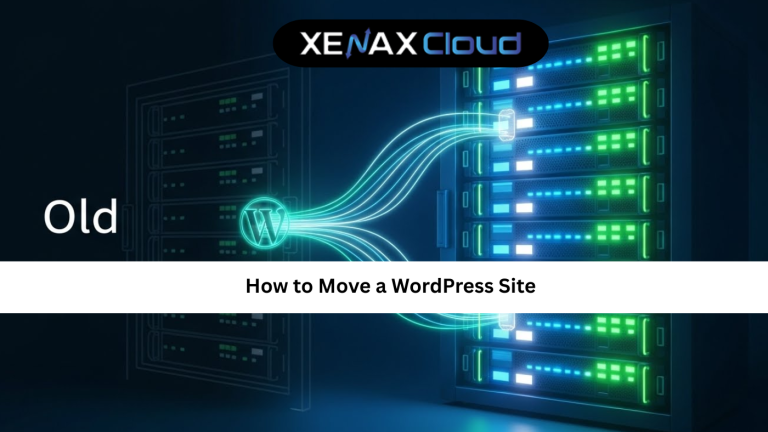
Moving a WordPress website is like moving a live shop from one busy street to another. It must stay open, customers should not get lost, and nothing should break on the way. If you want to move WordPress site to new server without downtime or data loss, you need a clear plan and the right hosting platform in place.
This is not just a local concern anymore. WordPress powers millions of sites across the world. From small blogs to global brands, owners often need to change hosting because of speed, security, pricing or growth needs. A smooth migration lets you improve performance, upgrade resources and reach new markets without rebuilding everything from zero.
That is where modern Indian hosting infrastructure becomes a serious advantage. Indian servers today are cost effective, offer low latency across Asia, deliver competitive speeds worldwide, and follow strict security and compliance practices. For many site owners, using an Indian data centre to move WordPress site to new server gives them better performance for their main audience and stable speeds for global traffic.
Indian servers are a smart choice for four key reasons:
- Cost effectiveness – You get enterprise grade resources at pricing that makes business sense, even when you run multiple WordPress sites or client projects.
- Low latency in Asia with global reach – Visitors in India, UAE and Southeast Asia see very fast responses, while users in Europe and North America still get competitive load times.
- Security, reliability and compliance – Modern Indian data centres follow robust security standards, backed by XenaxCloud hardening, monitoring and backup options.
- Scalability for international businesses – You can start small on shared hosting and scale to VPS or even higher plans as traffic and complexity increase.
In this detailed guide we will walk through how to move WordPress site to new server, why Indian hosting is ideal for your migration, which XenaxCloud plans fit different use cases, and how to keep performance, uptime and security strong during and after the move.
Why You Might Need to Move WordPress Site to New Server
There are many reasons to move WordPress site to new server. Some are technical, others are business driven.
You might be facing slow page loads, frequent downtime, limited resources, or strict limits on plugins and server settings. Maybe your audience has shifted to a different region and your current server location no longer makes sense. Sometimes you simply outgrow a starter host and need more control or better support.
All of these are good reasons to migrate to XenaxCloud Indian infrastructure. For example:
- A growing blog can move from basic shared hosting to Shared Hosting Silver or Gold and see better performance and stability.
- A busy WooCommerce store can shift to KVM VPS 2 or Speed KVM VPS 3 and gain dedicated CPU, RAM and bandwidth.
- Agencies managing many client sites can build a portfolio on Budget Hosting ProScale or higher shared tiers, then push high traffic sites to VPS.
Whatever the reason, the migration process itself should be predictable and repeatable. That is why it helps to treat it as a series of simple steps.

How to Move WordPress Site to New Server: Step by Step
This is the core part of our move WordPress site to new server guide. The idea is simple. First you prepare, then you copy files and database, update configuration, test, and finally switch DNS.
1. Pre migration checklist
Before you move anything, confirm a few basics:
- You have login details for your current hosting account, WordPress admin and database.
- You have ordered a suitable new plan at XenaxCloud. For most sites, Shared Hosting Gold – 3 Websites, 25GB Storage, 500GB Bandwidth, 2.39 USD is a very safe minimum.
- Your domain is under your control, or you can update its nameservers or DNS records.
At this point, choose your target plan. For simple blogs and company sites, Mini Hosting Professional – 1 Website, 5GB Storage, 20GB Bandwidth, 1.20 USD or Budget Hosting StartUpHost – 2 Websites, 5GB Storage, 25GB Bandwidth, 0.59 USD can be enough. For stores, membership sites or sites with heavy plugins, start from Shared Hosting Silver or KVM VPS 1 upward.
2. Take a full backup of your existing site
To safely move WordPress site to new server, you must have a complete backup. This includes the WordPress files and the database.
You can create this backup in several ways:
- Via your current hosting control panel file manager and phpMyAdmin.
- Using an SFTP client to download files and an export of the database.
- Using a backup or migration plugin within WordPress.
Whichever method you choose, save the backup somewhere safe until you have confirmed that the new site is working perfectly.
3. Upload WordPress files to your XenaxCloud server
Once your new XenaxCloud account is active, connect using the file manager or an SFTP client. Upload the WordPress files into the correct directory, usually public_html for the primary domain or a folder for addon domains.
On a shared plan such as Shared Hosting Platinum – 10 Websites, 100GB Storage, 1000GB Bandwidth, 4.19 USD, this is straightforward. On a VPS, you have more flexibility and can set custom paths, but the idea stays the same. You are simply copying the WordPress core files, themes, plugins and uploads.
4. Import your database and update wp config
Next, create a new database on your XenaxCloud server. Through cPanel or a similar panel, you can create:
- A database
- A database user
- A secure password
Import the database backup into this new database using phpMyAdmin or another tool. Then open wp-config.php in your WordPress file base and update:
- Database name
- Database user
- Database password
- Database host (often
localhost)
This is the heart of your move WordPress site to new server tutorial. Once the database is connected correctly, your site should be ready to load.
5. Update site URL if required
If you are also changing the domain, or if your old host used a temporary domain or path, update the site URL.
This can be done in two ways:
- From the WordPress admin panel under Settings once the site loads on the new server.
- Or with a small search and replace inside the database, carefully updating references to the old URL.
If the domain remains the same, this step is usually simpler.
6. Test the site on the new server
Before you change DNS, test the migrated site on XenaxCloud. Many users do this with a temporary URL, a hosts file tweak, or a staging subdomain.
Check:
- Home page and key landing pages
- Login, checkout and forms
- Media, images and downloads
- Plugin functions and custom code
If something breaks, you can troubleshoot on the new server while the old site is still live. This is one of the safest ways to move WordPress site to new server without disruption.
7. Update DNS and go live
The final step is to point your domain to XenaxCloud. Update nameservers or A records at your domain registrar so they point to your new XenaxCloud hosting.
During propagation, both old and new servers may receive traffic for a short time. This is normal. To reduce confusion, avoid publishing new content or making big changes during this window.
Once DNS has fully propagated, your site is now running on your XenaxCloud Indian server.
Speed, Uptime and Security Advantages When You Move to Indian Servers
Many people decide to move WordPress site to new server mainly because of speed and uptime. Hosting on modern Indian infrastructure gives you a real practical edge here.
Speed and performance
When your main audience is in India, the Middle East or Asia, hosting closer to them cuts network distance. Pages load faster, API responses are quicker, and checkout flows feel smoother.
On top of that, XenaxCloud plans use strong CPU, RAM and storage allocation. For example, Speed KVM VPS 2 – 4 Vcore CPU, 8GB RAM, 50GB Storage, 2TB Bandwidth, 8.39 USD is a powerful base for high performance WordPress with caching and optimisation in place.
Uptime and reliability
Every time your site goes offline, you lose trust and possibly revenue. XenaxCloud builds around high uptime, redundant infrastructure and careful monitoring. When you move WordPress site to new server on XenaxCloud, you are stepping into a more stable environment than many budget hosts provide.
Security and compliance
Security is built in at several levels:
- Isolated accounts or VPS instances
- Regular updates on the infrastructure side
- Options for backups and restoration
You can then add your own WordPress hardening, firewall plugins and secure login policies on top. This layered approach meets the expectations of international clients and supports compliance in regulated sectors.
Real World Use Cases for Businesses and Developers
This move WordPress site to new server tutorial is not just theory. Here are some real world patterns where XenaxCloud Indian hosting shines.
Agencies managing multiple client sites
A digital agency may start with several small clients on Budget Hosting GrowGrid or ProScale. As one client grows, the agency moves that site to Shared Hosting Platinum for more bandwidth and storage. When traffic and complexity continue to grow, the agency migrates again to KVM VPS 2 or KVM VPS 3, keeping everything inside the XenaxCloud ecosystem.
E commerce brands targeting India and nearby regions
An online store initially hosted overseas may be slow for Indian buyers. The owner decides to move WordPress site to new server in India, choosing Shared Hosting Gold or Platinum first. As orders increase, they move again to Speed KVM VPS 3 or higher for more consistent performance during sales and festive campaigns.
Developers maintaining staging and production
Developers often run separate staging and production sites. They can host smaller staging sites on Mini Hosting Starter or Budget Hosting StartUpHost and keep production on Shared Hosting Silver or a dedicated VPS node. Migrating from staging to live becomes easier when both environments sit on the same provider.
Scalability Options for Startups and Agencies
One of the strongest reasons to move WordPress site to new server on XenaxCloud is the easy path to scale.
Scaling resources as you grow
You might start with:
- Mini Hosting Professional for a single project
- Move to Shared Hosting Gold when traffic rises
- Upgrade again to KVM VPS 2 or Speed KVM VPS 3 as you add more features and users
For agencies, a typical stack looks like:
- Many small clients on Budget Hosting ProScale
- Medium clients on Shared Hosting Platinum
- High traffic or sensitive clients on KVM VPS 3, KVM VPS 4 or Speed KVM VPS 5
Because all of these are part of the same XenaxCloud family, migrating upward is smoother. You avoid vendor lock in and major re architecture work.
Planning for future enterprise or heavy workloads
If you expect serious growth, you can plan for higher tiers from the start. Speed KVM VPS 7 – 24 Vcore CPU, 48GB RAM, 150GB Storage, 10TB Bandwidth, 35.99 USD or GOLD KVM VPS 8 – 32 Vcore CPU, 64GB RAM, 200GB Storage, 10TB Bandwidth, 59.99 USD can handle demanding projects.
This means your decision to move WordPress site to new server at XenaxCloud is not just about today. It is an investment in a platform that can follow your growth for years.
FAQ Section
What is the difference between Indian VPS and foreign VPS?
Can Indian servers handle global website traffic?
How reliable is XenaxCloud hosting?
How to choose the right server for my business?
Is it hard to move WordPress site to new server by myself?
Conclusion: Move WordPress Site to New Server Confidently With XenaxCloud
Learning how to move WordPress site to new server is one of the most valuable skills for any site owner, developer or agency. When you pair a solid migration process with powerful Indian hosting, you gain faster load times for your main audience, strong uptime, secure infrastructure and a clear path to scale.
XenaxCloud gives you a complete range of plans for every stage. From Mini Hosting Beginner and Budget Hosting StartUpHost for small sites, through Shared Hosting Gold and Platinum for growing brands, up to KVM VPS 2, KVM VPS 3 and Speed KVM VPS 5 for high traffic WordPress installs, you can always find a plan that matches your needs.
You also get a 15 day money back guarantee, so you can move WordPress site to new server, test performance and stability, and continue only if you are satisfied. For ongoing savings, the latest deals and discounts are always listed on the XenaxCloud Offers Page.
If you are ready to give your WordPress site the speed, reliability and global reach it deserves, this is the right time to move it to a new XenaxCloud Indian server and grow with confidence.