Server security has become one of the most important concerns for businesses, developers, and digital agencies worldwide. As more infrastructure moves to cloud and VPS environments, protecting server access is no longer optional. This is where ssh two factor authentication plays a critical role in modern hosting security.
SSH is the primary method used to access Linux servers remotely. While it is secure by design, relying only on passwords or keys is no longer enough. Attackers now use automated tools, leaked credentials, and brute force methods to gain unauthorized access. Adding an extra verification layer significantly reduces these risks.
Indian hosting infrastructure has gained global attention due to its cost-effectiveness, reliable connectivity across Asia, competitive international speeds, and strong compliance standards. When combined with advanced security practices like ssh two factor authentication, Indian servers become a smart choice for global businesses that want both performance and protection at scale.

What Is SSH Two Factor Authentication and Why It Matters
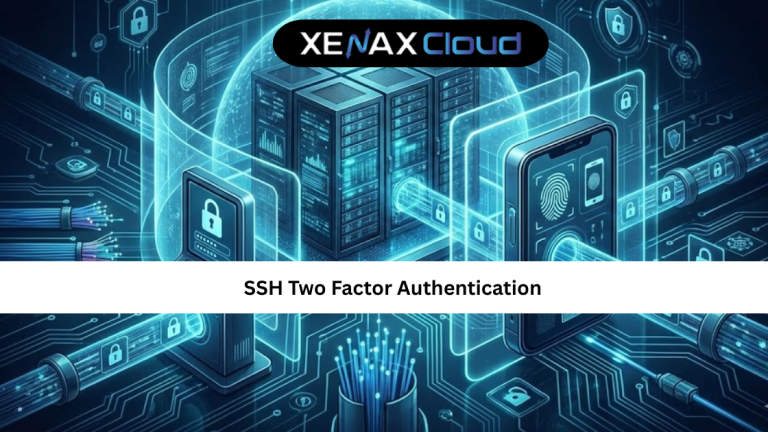
SSH two factor authentication is a security method that requires two separate forms of verification before granting server access. The first factor is something you know, such as a password or SSH key. The second factor is something you have, usually a temporary code generated on a trusted device.
This approach ensures that even if login credentials are compromised, attackers cannot access the server without the second factor. It dramatically reduces the success rate of brute force attacks and credential misuse.
For hosting environments that store sensitive data, customer information, or business-critical applications, this additional layer is essential. It aligns with modern security best practices and is increasingly expected in compliance-driven industries.
By implementing ssh two factor authentication, server administrators gain better control, visibility, and confidence over who can access their infrastructure.
SSH Two Factor Authentication Guide for VPS and Cloud Servers
A proper ssh two factor authentication guide focuses on ease of use, compatibility, and recovery planning. Most Linux servers support two factor authentication through PAM modules that integrate seamlessly with SSH.
The process usually involves installing an authentication module, linking it with a time-based code generator, and updating SSH configuration files. Once enabled, each login requires a temporary code in addition to the standard credentials.
For VPS and cloud servers, this setup works reliably without additional hardware. Administrators can assign separate authentication devices to each user, improving accountability and access control.
This method is widely adopted across cloud platforms because it is simple to maintain and highly effective against unauthorized access attempts.
SSH Two Factor Authentication Tutorial for Beginners
This ssh two factor authentication tutorial explains the concept without complex technical language. First, the server is configured to accept SSH keys instead of plain passwords. This alone improves security.
Next, a two factor authentication module is installed. During setup, users scan a QR code using an authenticator app on their phone. The app then generates time-based codes that refresh every few seconds.
After setup, every SSH login requires both the SSH credential and the temporary code. Even if someone steals the password or key, access remains blocked without the second factor.
Beginners should always keep backup recovery codes and test access carefully before enforcing the setup on production servers.
Scalability Options for Startups and Agencies
Scalability is not just about increasing CPU or RAM. It also involves maintaining consistent security as infrastructure grows. SSH two factor authentication scales easily across multiple servers.
VPS environments allow seamless upgrades without changing authentication settings. Agencies can onboard new team members by assigning individual authentication devices rather than sharing passwords.
Dedicated servers offer even more control, allowing custom access policies and advanced monitoring. This scalability ensures that security does not become a bottleneck during growth.
As businesses expand globally, maintaining a uniform security framework becomes easier with two factor authentication.
Secure SSH Hosting with XenaxCloud Infrastructure
XenaxCloud offers VPS, RDP, and dedicated server environments designed for security-focused workloads. Their infrastructure supports full SSH customization, firewall rules, and authentication modules.
For implementing ssh two factor authentication, VPS hosting is the most suitable option. You can explore VPS solutions here:
https://xenaxcloud.com/vps-server/
This environment allows administrators to deploy advanced SSH security without restrictions.
Best Hosting Plans for SSH Two Factor Authentication
For secure SSH access, VPS plans provide the best balance of control and performance.
The Normal KVM VPS 1 with 2 Vcore CPU, 8GB RAM, and 40GB Storage is ideal for small production servers and development environments.
For higher traffic and multi-user access, Normal KVM VPS 2 with 4 Vcore CPU and 16GB RAM offers better concurrency.
Performance-focused applications benefit from Speed KVM VPS 3 with 8 Vcore CPU and 16GB RAM, ensuring smooth authentication and application performance.
These plans allow secure scaling without changing authentication architecture.
Frequently Asked Questions
What is the difference between Indian VPS and foreign VPS?
Can Indian servers handle global website traffic?
Is Indian hosting cost-effective for international users?
How reliable is XenaxCloud hosting?
How to choose the right server for my business?
Conclusion
Implementing ssh two factor authentication is one of the most effective ways to protect server access in today’s cloud-driven environment. It safeguards infrastructure against unauthorized logins, supports compliance, and builds long-term trust.
Indian hosting infrastructure offers a strong mix of affordability, global connectivity, and reliability. When combined with XenaxCloud’s VPS solutions, businesses gain a secure and scalable foundation for global operations.
With a 15-day money-back guarantee and transparent hosting plans, XenaxCloud makes secure server hosting accessible for startups, agencies, and enterprises. The latest deals and discounts are always available on the XenaxCloud Offers Page: https://xenaxcloud.com/vps-server/.