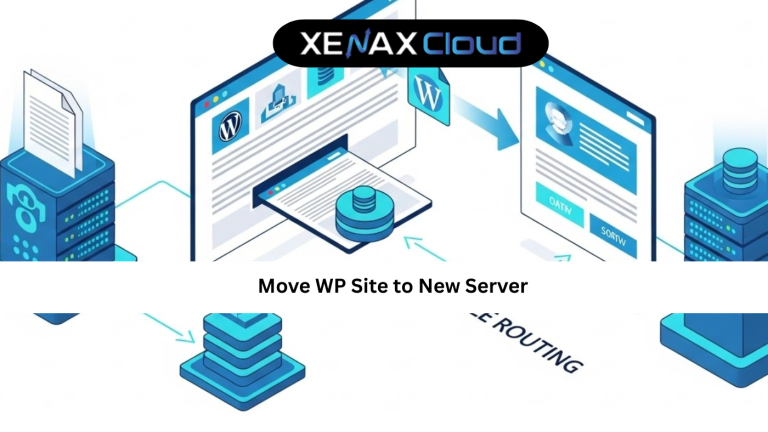
Moving a WordPress website to a new server can feel risky if you have never done it before. Many website owners worry about downtime, broken pages, lost data, or SEO impact. That is exactly why learning how to move WP site to new server the right way is so important.
Globally, businesses migrate WordPress sites to improve speed, security, scalability, or reliability. Indian hosting infrastructure has become a popular choice because it offers cost-effective plans, low latency across Asia, competitive global performance, strong security compliance, and flexible scalability for international websites.
In this guide, you will learn how to move WP site to new server safely, understand which hosting plan suits your needs, and avoid common migration mistakes.

Move WP Site to New Server: Why Website Migration Matters
When your website grows, your hosting must grow with it. A slow server affects page speed, SEO rankings, and user experience. Many WordPress users decide to move WP site to new server when traffic increases or performance drops.
Migration also becomes necessary when switching from shared hosting to VPS or dedicated resources. Better servers provide faster load times, improved uptime, and stronger security.
Indian servers are now capable of handling global traffic efficiently. With modern infrastructure and reliable support, moving your WordPress site to an Indian data center is a smart long-term decision for businesses worldwide.
Step-by-Step Guide to Move WP Site to New Server
The safest way to move WP site to new server is by following a structured process.
First, back up your entire WordPress site including files and database. This ensures you can restore everything if needed.
Next, set up WordPress on the new server. Create a database and configure basic settings.
Upload your website files to the new server using FTP or a migration plugin. Import the database carefully and update the wp-config file with new credentials.
Finally, update your domain DNS to point to the new server. DNS propagation may take a few hours, but your site remains accessible during this time.
Following these steps reduces risk and ensures a smooth WordPress migration.
Real-World Use Cases for WordPress Migration
Businesses often move WP site to new server when launching marketing campaigns or expanding globally. Faster servers support higher traffic and better conversions.
Developers migrate sites when clients need improved performance or staging environments. VPS hosting allows customization and resource control.
Agencies managing multiple WordPress sites benefit from scalable servers that handle client growth efficiently.
In all cases, proper migration planning prevents downtime and protects SEO rankings.
Why Indian Servers Handle Global Traffic Efficiently
Indian data centers are strategically positioned to serve Asia-Pacific users with low latency. International traffic also benefits from optimized routing and modern infrastructure.
For WordPress sites using caching and CDN integration, Indian servers perform competitively across regions like the USA, Europe, and the Middle East.
Cost-effective pricing allows businesses to upgrade resources without overspending. This makes Indian hosting ideal for global WordPress projects.
Scalability Options for Startups and Agencies
Scalability is crucial after you move WP site to new server. Traffic growth should not break your website.
Shared hosting supports early growth, but VPS hosting allows easy upgrades. For example, Speed KVM VPS 3 with 8 Vcore CPU and 16GB RAM supports high-traffic WordPress websites.
Agencies managing multiple client sites benefit from scalable VPS plans that adapt as demand increases.
Scalable hosting ensures long-term stability and performance.
Best Practices After You Move WP Site to New Server
Test your website thoroughly after migration.
Check page speed, links, and forms.
Enable caching and security plugins.
Monitor performance for the first few days.
These steps ensure your migrated site performs at its best.
FAQs
What is the difference between Indian VPS and foreign VPS?
Can Indian servers handle global website traffic?
Is Indian hosting cost-effective for international users?
How to choose the right server for my business?
How to choose the right server for my business?
Conclusion
Learning how to move WP site to new server is essential for growing WordPress websites. A well-planned migration improves speed, security, and scalability without risking downtime or SEO.
XenaxCloud’s Indian hosting infrastructure offers cost-effective, reliable, and globally competitive solutions for WordPress users. With flexible plans, strong support, and a 15-day money-back guarantee, XenaxCloud makes WordPress migration simple and safe.
The latest deals and offers are always available on the XenaxCloud Offers Page:
https://xenaxcloud.com/vps-server/