Moving files securely between systems is a daily task for developers, system administrators, and businesses. If you work with servers, cloud hosting, or remote machines, understanding secure copy Windows becomes essential. File transfers often involve sensitive data such as backups, configuration files, or databases, and sending them without encryption can be risky.
In this secure copy Windows guide, we will explain how secure copy works on Windows, why it matters, and how to use it correctly for safe and efficient file transfers.

What Is Secure Copy and Why It Matters on Windows
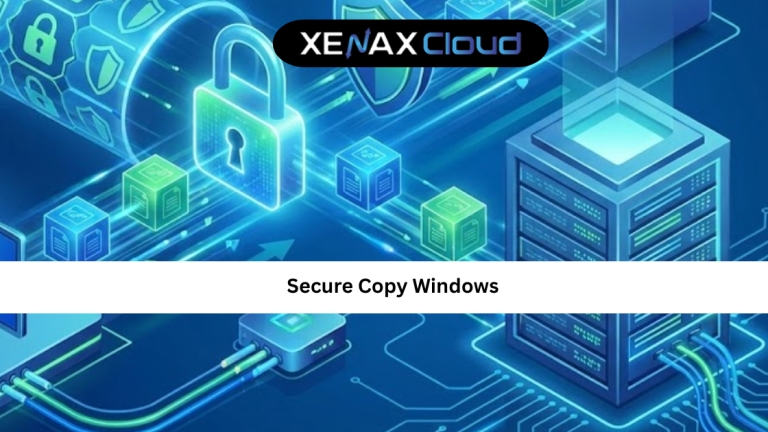
Secure copy is a method of transferring files securely between a local machine and a remote server using SSH encryption. When people talk about secure copy Windows, they usually refer to using SCP tools on a Windows system to move files to or from Linux servers.
Unlike traditional FTP, SCP encrypts both the data and authentication details. This makes it ideal for transferring confidential information over public networks.
For Windows users managing VPS, cloud servers, or dedicated machines, secure copy ensures that files are not intercepted or altered during transfer. It is widely used for server backups, application deployments, and log transfers.
Understanding the secure copy Windows tutorial basics helps reduce security risks and improves workflow efficiency.
How Secure Copy Works on Windows Systems
Secure copy uses the SSH protocol in the background. SSH establishes a secure channel between your Windows machine and the remote server.
Once the connection is authenticated, SCP transfers files over this encrypted tunnel. This ensures confidentiality and integrity.
On Windows, SCP is commonly used through tools like OpenSSH, PowerShell, or third-party clients. Modern Windows versions support SCP natively through OpenSSH, making it easier than ever to perform secure transfers.
The main advantage is simplicity. A single command can securely copy files without additional configuration.
How to Choose the Right Hosting Plan for Secure File Transfers
Choosing the right hosting environment directly affects secure file transfer reliability. If you frequently use secure copy Windows, your server must support SSH access and stable networking.
Shared hosting may limit SSH access, making SCP unreliable for advanced tasks. VPS hosting is a better choice for secure copy operations because it offers full SSH access and better performance.
XenaxCloud VPS hosting provides secure SSH access, stable uptime, and global connectivity, making file transfers smooth and secure:
https://xenaxcloud.com/vps-server/
For users who regularly transfer large files or manage applications, VPS hosting ensures consistent SCP performance.
Speed, Uptime, and Security Advantages
Speed and uptime play a major role in secure copy operations. Slow servers can interrupt transfers, while unstable uptime can corrupt files.
Indian data centers now offer modern networking infrastructure, ensuring fast SSH connections and minimal packet loss. This improves SCP transfer speed, especially for users in Asia and nearby regions.
Security is another advantage. Indian hosting providers follow strict compliance standards and use updated server environments. This reduces vulnerabilities that could compromise file transfers.
Reliable uptime also ensures that long file transfers complete without interruption, which is crucial for backups and migrations.
Real-World Use Cases of Secure Copy on Windows
The secure copy Windows guide becomes practical when applied to real-world scenarios.
Developers use SCP to upload application files from Windows to Linux servers. System administrators rely on it to download logs and configuration files for troubleshooting.
Businesses use secure copy to move backups between servers safely. Agencies managing multiple client sites often automate SCP for deployments and updates.
In all these cases, secure copy provides encrypted, reliable transfers without complex setup.
Scalability Options for Startups and Agencies
As startups grow, file transfer needs increase. What starts as occasional SCP usage can become daily automation.
VPS hosting allows scaling resources such as CPU, RAM, and bandwidth, which improves secure copy performance. Agencies managing multiple servers benefit from scalable environments that support automation and scripting.
With VPS hosting, you can integrate SCP into deployment pipelines, backup routines, and monitoring systems without limitations.
How to Use Secure Copy on Windows (Basic Tutorial)
Using secure copy on Windows is straightforward once SSH is set up. Windows PowerShell now supports SCP commands natively.
You authenticate using your server credentials, then specify the source and destination paths. SCP handles encryption automatically.
For beginners, starting with small files is recommended. Once comfortable, larger transfers and automation can be implemented.
This secure copy Windows tutorial approach ensures safe learning without risk.
FAQs
What is secure copy Windows used for?
Is secure copy safe for sensitive data?
Can beginners use secure copy on Windows?
Does XenaxCloud support secure copy?
Which hosting is best for secure copy tasks?
Conclusion
Understanding secure copy Windows is essential for anyone managing servers, applications, or cloud infrastructure. SCP provides encrypted, reliable file transfers that protect sensitive data and simplify workflows.
With strong Indian hosting infrastructure, XenaxCloud offers secure, scalable, and globally reliable environments for secure copy operations. Backed by a 15-day money-back guarantee, XenaxCloud is a trusted choice for businesses and developers worldwide.
The latest deals and offers are always available on the XenaxCloud Offers Page:
https://xenaxcloud.com/vps-server/