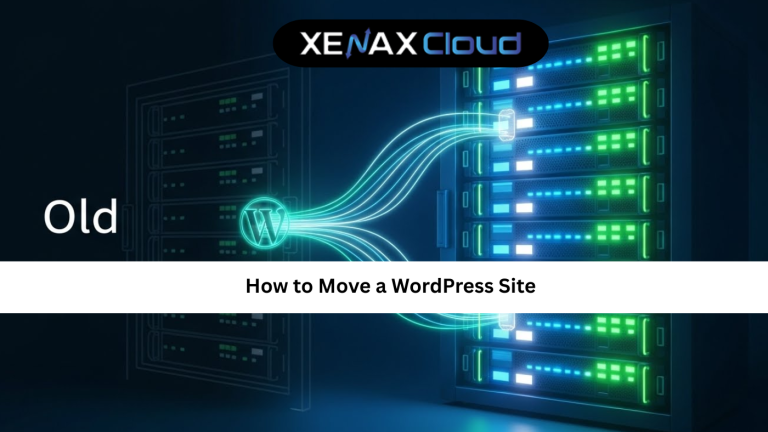
Moving a WordPress website can feel risky, especially when your business depends on uptime, traffic, and search rankings. Yet, there are many valid reasons to migrate, better performance, stronger security, lower costs, or access to scalable infrastructure. Knowing how to move a WordPress site correctly helps you avoid broken pages, lost data, and unnecessary downtime.

Understanding What It Means to Move a WordPress Site
When people ask how to move a WordPress site, they usually mean migrating all website files, databases, themes, plugins, and settings from one hosting environment to another. This process must preserve design, content, SEO structure, and functionality.
A proper how to move a WordPress site tutorial focuses on planning, backups, testing, and DNS handling. Skipping any of these steps can cause broken links, missing images, or search engine ranking drops. Migration is not just copying files, it is about recreating the site environment correctly.
How to Choose the Right Hosting Plan Before Migration
Choosing the right hosting plan is the most important decision before migration. Shared hosting may work for small sites, but it often limits performance and scalability. As traffic grows, resource limitations become visible.
VPS hosting provides isolated resources, better control, and stable performance, making it ideal for WordPress migrations. Dedicated servers suit enterprise websites with heavy traffic and custom requirements.
Most contextually relevant internal link:
https://xenaxcloud.com/vps-server/
Preparing Your WordPress Site for Migration
Preparation is the foundation of a successful migration. Start by updating WordPress core, themes, and plugins. Remove unused plugins and clean unnecessary data to reduce migration complexity.
Create a full backup of your files and database. This ensures you can restore your site if anything goes wrong. Note down login credentials, database details, and DNS settings.
This preparation phase is a critical part of any how to move a WordPress site guide because it minimizes unexpected errors during migration.
Methods to Move a WordPress Site Safely
There are two main ways to migrate a WordPress site. The first is using migration plugins, which automate file and database transfer. These tools are user-friendly and suitable for most websites.
The second method is manual migration, involving FTP access, database exports, and configuration updates. While this provides full control, it requires technical knowledge.
For most users, plugin-based migration is recommended due to speed, safety, and reversibility.
Speed, Uptime, and Security Benefits After Migration
After moving to better hosting, WordPress sites often load faster and handle traffic more efficiently. Improved server resources reduce load times and prevent crashes during peak usage.
Security also improves when hosting environments include firewalls, malware protection, and regular monitoring. Indian data centers combine these features with reliable infrastructure, supporting global traffic efficiently.
This makes migration a performance and security upgrade, not just a location change.
Real-World Use Cases for WordPress Migration
Businesses migrate WordPress sites when expanding into new markets or launching high-traffic campaigns. Faster servers improve conversion rates and user experience.
Developers move client websites to VPS hosting to gain control over configurations and updates. Agencies migrate multiple sites to centralized environments for easier management.
These scenarios show why understanding how to move a WordPress site is valuable for long-term growth.
Scalability Options After Moving a WordPress Site
Once migration is complete, scalability becomes essential. VPS hosting allows seamless upgrades of CPU, RAM, and storage without downtime.
This flexibility helps startups grow and agencies manage multiple client sites efficiently. Indian hosting platforms support smooth scaling for global websites, ensuring performance consistency.
Best Hosting Plans for WordPress Migration
For small websites, Shared Hosting – Gold (3 Websites, 25GB Storage) is suitable for entry-level WordPress use.
Growing websites benefit from KVM VPS 2 – 4 Vcore CPU, 16GB RAM, 50GB Storage, offering stability and isolation.
High-traffic WordPress projects should consider Dedicated Servers for full control and predictable performance.
FAQs
What is the difference between Indian VPS and foreign VPS
Can Indian servers handle global website traffic
Is Indian hosting cost-effective for international users
Conclusion
Learning how to move a WordPress site correctly helps businesses upgrade performance, security, and scalability without risking downtime or SEO loss. When paired with strong Indian hosting infrastructure, migration becomes a strategic advantage rather than a technical challenge.
XenaxCloud provides scalable, secure hosting solutions backed by reliable Indian data centers. With transparent plans, expert support, and a 15-day money-back guarantee, XenaxCloud is a smart choice for WordPress users worldwide.
The latest deals and discounts are always available on the XenaxCloud Offers Page:
https://xenaxcloud.com/wordpress-hosting/