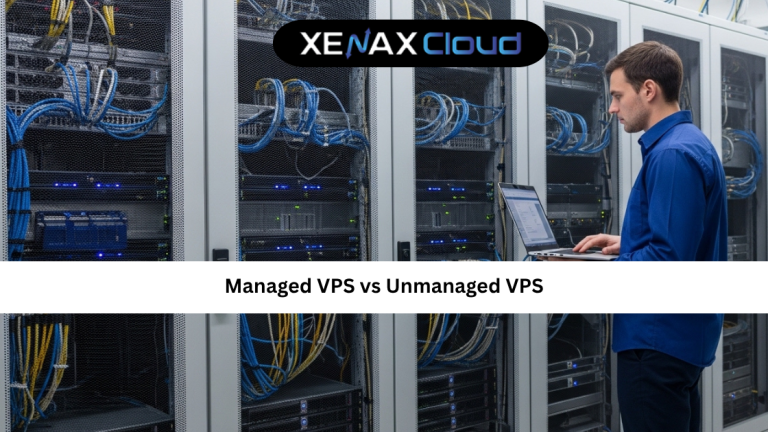
Unmanaged VPS hosting is a service where Xenax Cloud provides the physical hardware, network connectivity, and KVM virtualisation, but you maintain everything from the operating system upward. You get full root access to your server, meaning you are responsible for security, updates, and software configuration.
This guide explains the operational duties of an unmanaged server, who should choose this path, and the exact technical steps required to secure a Linux instance in an Indian data centre.
What does unmanaged vps hosting actually make you responsible for?
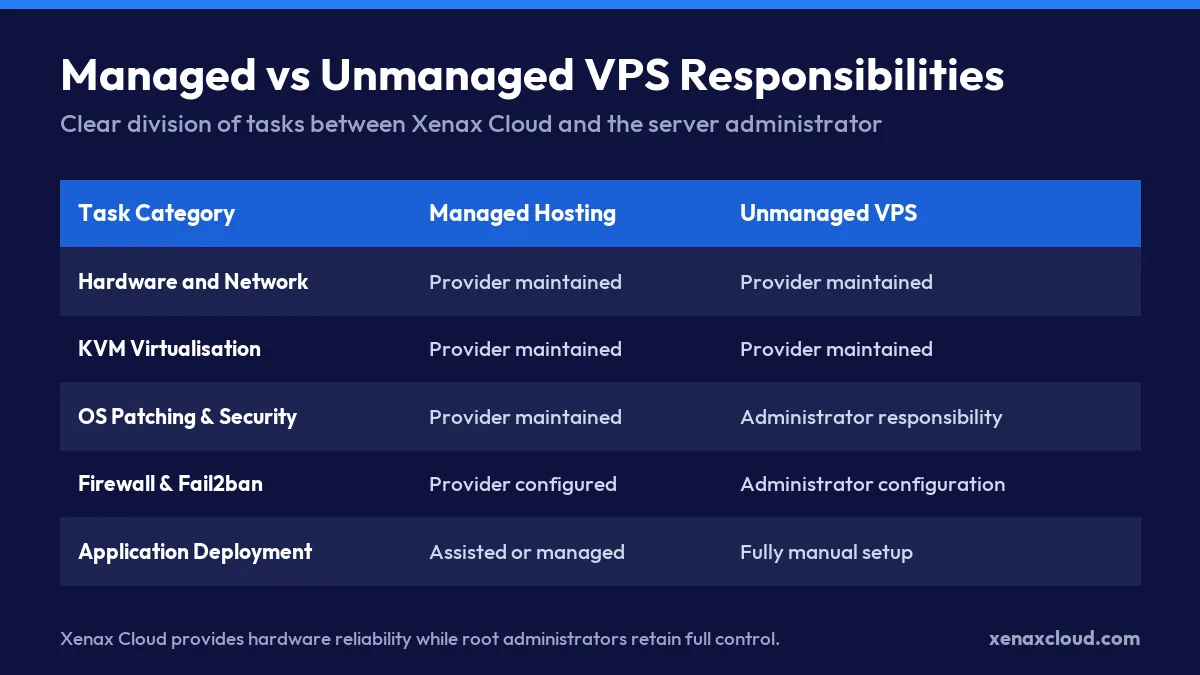
Unmanaged VPS hosting means the provider ensures the physical server is powered and the hypervisor is running, but you own the entire software stack. You are the system administrator, responsible for the OS, the web server, databases, and every security patch in between.
To understand the scale of this responsibility, consider a Jaipur handicraft e-commerce enterprise running a custom Node.js backend to track inventory. If their site slows down because the Node process is consuming 100% of the 4 GB RAM available on a Speed KVM VPS 1, Xenax Cloud ensures the hardware is healthy, but the user must identify the memory leak and restart the service.
System updates and remote security patches
You must manually manage the lifecycle of your operating system. This includes kernel updates and patching vulnerabilities that are discovered in real time. If a critical remote-code execution bug is released on a Friday, you cannot wait for the provider to fix it.
You can automate some of this on Ubuntu 24.04 by installing the unattended-upgrades package. To check if your system is currently configured to install security updates automatically, you can run:
systemctl status unattended-upgradesIf the output shows active (running), your server is pulling security patches without manual intervention. If it is inactive, your server remains vulnerable until you manually run apt upgrade.
Firewall rules and active monitoring
A public IP address in a Tier-III data centre is scanned by bots within minutes of activation. You are responsible for configuring the firewall to block unauthorized traffic and monitoring resource usage to prevent crashes.
The following checklist represents the minimum operational baseline for an unmanaged server:
- Configure UFW (Uncomplicated Firewall) to allow only SSH, HTTP, and HTTPS.
- Set up a monitoring tool to alert you when disk space exceeds 80%.
- Establish a verified backup routine for your databases.
- Install Fail2Ban to block IPs that attempt brute-force SSH logins.
- Manage SSL certificate renewals via Certbot or a similar tool.
Who should buy unmanaged vps hosting and who should avoid it?
Unmanaged VPS hosting is best for users who possess strong Linux command line skills and require full control over their server environment. It is a strategic choice for those who prioritize custom software configurations over the convenience of provider-led maintenance.
Ideal developer use cases
You should choose an unmanaged VPS server if you are running applications that do not fit into a standard control panel. This includes Node.js apps, Python scripts, game servers, or custom database clusters. Developers often prefer this setup because it allows them to install specific versions of a software stack without the provider restricting the environment.
For a developer deciding on resources, the choice depends on the application’s memory footprint. If you are running a lightweight API and a small database, a Speed KVM VPS 1 is sufficient. However, if you are running multiple Docker containers, you will need more headroom.
| Application Type | Recommended Plan | vCPU | RAM | Ideal Use Case |
|---|---|---|---|---|
| Lightweight API | Speed KVM VPS 1 | 2 | 4 GB | Single Node.js app + SQLite |
| Medium Web App | Speed KVM VPS 2 | 4 | 8 GB | WordPress + MySQL + Redis |
| Heavy Workload | Speed KVM VPS 3 | 8 | 16 GB | Multiple Docker containers |
When managed hosting is a safer choice
If your primary goal is to keep a website online without spending hours in a terminal, avoid unmanaged linux vps hosting. If you cannot comfortably edit a configuration file via Vim or Nano, or if you are unfamiliar with how to read system logs to diagnose a 500 Internal Server Error, a managed solution is better.
The real cost of an unmanaged server is your time. If a server crashes at 3 a.m., you are the only person who can fix it. If that risk is too high for your business, we recommend comparing these options in our guide on managed vps vs unmanaged vps or reviewing our VPS Hosting details. For alternative configurations, check our guide on cheap web hosting.
| Plan | vCPU | RAM | SSD storage | Bandwidth | Price |
|---|---|---|---|---|---|
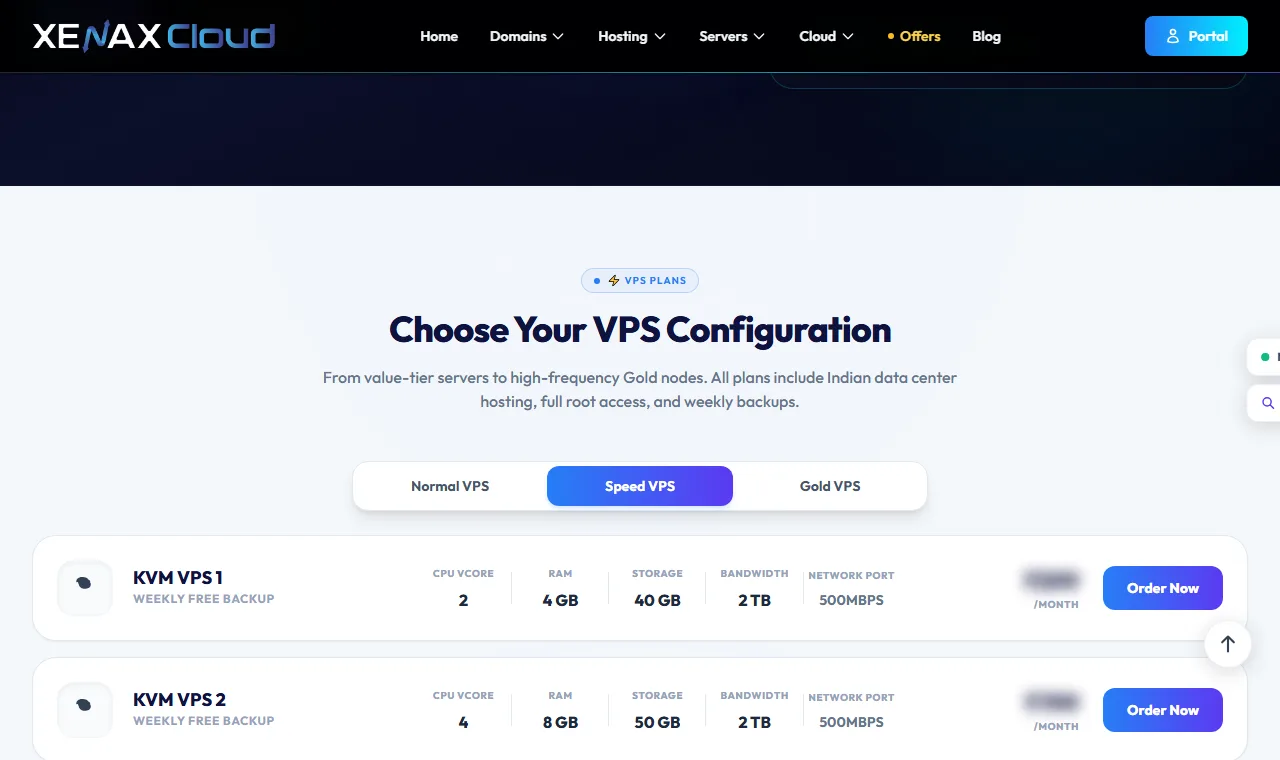
| Speed KVM VPS 1 | 2 | 4 GB | 40 GB | 2 TB | ₹599/mo |
| Speed KVM VPS 2 | 4 | 8 GB | 50 GB | 2 TB | ₹799/mo |
| Speed KVM VPS 3 | 8 | 16 GB | 70 GB | 4 TB | ₹1,399/mo |
| Speed KVM VPS 4 | 12 | 24 GB | 80 GB | 6 TB | ₹1,799/mo |
| Speed KVM VPS 5 | 16 | 32 GB | 100 GB | 8 TB | ₹2,399/mo |
| Speed KVM VPS 6 | 20 | 40 GB | 120 GB | 10 TB | ₹2,999/mo |
| Speed KVM VPS 7 | 24 | 48 GB | 150 GB | 10 TB | ₹3,499/mo |
| Speed KVM VPS 8 | 32 | 64 GB | 200 GB | 10 TB | ₹4,599/mo |
Every Speed VPS: KVM, full root, 500 Mbps port, weekly backup included, Indian data centre. Monthly, billed in INR. cPanel licence not included.
What specs do you get with Xenax Cloud unmanaged vps servers?
Xenax Cloud provides unmanaged VPS servers based on KVM virtualisation, NVMe storage, and high-speed networking in a Tier-III data centre in India. These servers offer full root access, allowing you to configure the kernel and the operating system exactly as requested.
KVM virtualisation versus container limits
Unlike OpenVZ or other container-based virtualisation, Xenax Cloud uses KVM (Kernel-based Virtual Machine). KVM provides a dedicated kernel for each VPS, which means your server does not share a kernel with the host.
This is critical for an unmanaged linux vps hosting environment where you need to install custom modules or modify system parameters. For example, if you are running a custom Node.js backend for a Jaipur handicraft e-commerce enterprise, you can install specific kernel-level optimizations for your inventory tracker without affecting other users on the host.
NVMe storage and weekly snapshots
Every unmanaged vps server from Xenax Cloud uses NVMe storage, which delivers significantly higher IOPS (Input/Output Operations Per Second) compared to standard SSDs. This ensures that database queries and high-traffic sites load faster.
To manage the risk of an unmanaged environment, we include weekly snapshots at no extra cost. A snapshot is a point-in-time image of your entire server, which you can restore if a configuration change goes wrong.
| Plan | vCPU | RAM | SSD storage | Bandwidth |
|---|---|---|---|---|
| Speed KVM VPS 1 | 2 | 4 GB | 40 GB | 2 TB |
| Speed KVM VPS 2 | 4 | 8 GB | 50 GB | 2 TB |
| Speed KVM VPS 3 | 8 | 16 GB | 70 GB | 4 TB |
| Speed KVM VPS 4 | 12 | 24 GB | 80 GB | 6 TB |
| Speed KVM VPS 5 | 16 | 32 GB | 100 GB | 8 TB |
For more detailed specifications, visit our VPS Hosting page.
How do you secure your new unmanaged vps in the first hour?
Securing an unmanaged vps hosting instance requires immediate action because automated bots begin scanning your public IP for open ports within minutes of activation. You must harden the operating system layer before installing any applications to prevent your server from being compromised.
Disabling password authentication and root login
The most critical step is moving away from password-based logins, which are vulnerable to brute-force attacks. You should create a dedicated sudo user and configure SSH to accept only cryptographic keys.
First, create your user and grant them administrative privileges:
adduser xenaxadmin
usermod -aG sudo xenaxadmin
Next, edit the SSH configuration file:
sudo nano /etc/ssh/sshd_configChange the following lines to no:
PermitRootLogin noPasswordAuthentication no
After restarting the service with sudo systemctl restart ssh, any attempt to log in as root or using a password will be rejected. The output of ssh -v will now show the server requesting a public key rather than a password prompt.
Configuring firewalls and fail2ban
A secure unmanaged vps server must only expose necessary ports. Use the Uncomplicated Firewall (UFW) to block all incoming traffic except for SSH and your web services.
Run these commands to secure the network:
sudo ufw default deny incoming
sudo ufw allow 22/tcp
sudo ufw allow 80/tcp
sudo ufw allow 443/tcp
sudo ufw enable
To handle persistent attackers, install fail2ban. This tool monitors system logs and creates temporary firewall rules to ban IPs that show malicious patterns.
| Security Layer | Tool | Primary Action | Impact |
|---|---|---|---|
| Access Control | SSH Keys | Disables passwords | Prevents brute-force |
| Network Filter | UFW | Closes unused ports | Reduces attack surface |
| Intrusion Prevention | fail2ban | Bans repeat offenders | Stops automated bots |
Can you run unmanaged vps hosting with cPanel?
Yes, you can install cPanel on an unmanaged VPS, but you are responsible for purchasing the license and performing the installation. Xenax Cloud provides the raw infrastructure and root access, while the control panel layer is managed entirely by you.
Installing control panels manually
To install cPanel on a fresh Ubuntu or AlmaLinux instance, you must first ensure the server has a clean OS and a valid hostname. Since you have full root access on our KVM virtual machines, you can run the installation script directly.
Run the following command to start the process:
cd /home && curl -o latest -L https://securedownloads.cpanel.net/latest && sh latestThe output will show the installation progress and eventually provide a login URL. If you are running a resource-heavy site, we recommend a plan with at least 8 GB of RAM to ensure the panel and your applications do not compete for memory.
| Plan | RAM | Recommended Use Case |
|---|---|---|
| Speed KVM VPS 1 | 4 GB | Light sites, basic panels |
| Speed KVM VPS 2 | 8 GB | cPanel with 2 to 5 active sites |
| Speed KVM VPS 3 | 16 GB | High-traffic sites, multiple databases |
Running stacks natively without a panel
Many developers prefer to avoid the overhead of a control panel to maximize performance. You can run your stack natively by installing Nginx, MariaDB, and PHP (LEMP) or Node.js directly via the terminal. This approach is ideal for the Jaipur handicraft example, as it removes the RAM consumption of a GUI, leaving more resources for the inventory tracker.
For complete root control and high-performance hardware in an Indian data centre, deploy a Speed KVM VPS 1 plan today.
Xenax Cloud VPS Hosting vs the usual alternatives
| Feature | Xenax Cloud | Typical Indian shared host | Global budget host |
|---|---|---|---|
| Starting price | ₹599/mo | ₹199/mo | ₹149/mo (renews ₹499) |
| Storage | 40 GB SSD storage | 10 GB SSD | 25 GB SSD |
| DDoS protection | 100 Gbps, always on | Basic | Cloudflare only |
| Support | 24×7, in-house engineers | Tickets, business hours | Chat, outsourced |
| Data centre | India (NVMe) | India | Singapore / US |
| Control panel | cPanel / WHM included | cPanel | Custom panel |
Entry-level plans, list prices including GST where shown. Check each provider before buying — prices change.
See VPS Hosting plansUnmanaged VPS Hosting: FAQs
What does unmanaged vps mean?
Unmanaged VPS means Xenax Cloud provides the server infrastructure and root access, but you are responsible for all software installation, security, and maintenance. You handle the operating system updates, firewall configuration, and application management without provider intervention.
Is unmanaged vps hosting cheaper?
Unmanaged plans typically cost less because you take over the administrative tasks usually performed by a support team. To see the live price in the plan box, please visit our VPS hosting page.
Do I need Linux command line experience for an unmanaged vps?
Yes, you need strong Linux command line skills to manage an unmanaged VPS. You must be comfortable using a terminal to edit configuration files via Vim or Nano and diagnose system logs to fix errors.
Does an unmanaged vps include automatic backups?
Xenax Cloud includes weekly snapshots for every unmanaged VPS server. These point-in-time images allow you to restore your entire server if a manual configuration change causes a failure.
How do I secure an unmanaged linux vps after installation?
You should immediately disable root login and password authentication in favor of SSH keys. Additionally, you must configure the UFW firewall to block unnecessary ports and install Fail2Ban to stop brute-force attacks.