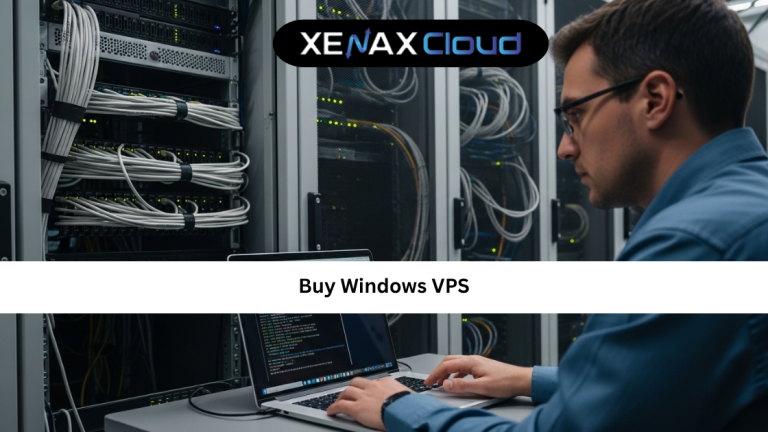
If you’re planning to host business applications, run remote desktop workloads, deploy ASP.NET websites, manage databases, or create a development environment, the decision to buy Windows VPS can significantly improve your hosting experience.
Unlike shared hosting, a Windows VPS provides dedicated resources, better security, full administrative control, and the flexibility to install custom applications. Whether you’re a developer, business owner, agency, or IT professional, Windows VPS hosting offers a balance between affordability and performance.
Today, businesses around the world are increasingly choosing Indian hosting infrastructure because of its excellent value. Modern Indian data centers provide cost-effective solutions, low latency across Asia, enterprise-grade security, high uptime, regulatory compliance, and scalable infrastructure capable of supporting global traffic.
In this comprehensive buy Windows VPS guide, you’ll learn how Windows VPS hosting works, how to select the right plan, why Indian servers are an excellent choice, and how to maximize performance for your applications and websites.

Why Businesses Choose to Buy Windows VPS
As businesses grow, hosting requirements become more demanding.
Shared hosting environments often create limitations such as:
- Resource restrictions
- Limited software installation
- Reduced customization
- Performance bottlenecks
This is why many organizations decide to buy Windows VPS hosting.
A Windows VPS provides:
- Dedicated CPU resources
- Dedicated RAM
- Private storage allocation
- Administrative access
- Improved performance
Unlike shared hosting, your resources are isolated from other users, resulting in more predictable and reliable performance.
What Is a Windows VPS?
A Windows VPS (Virtual Private Server) is a virtualized server environment running the Windows operating system.
Virtualization technology divides a physical server into multiple independent virtual servers.
Each VPS receives its own:
- CPU allocation
- Memory resources
- Storage space
- Network resources
This setup provides many benefits of a dedicated server while maintaining affordability.
A proper buy Windows VPS tutorial starts with understanding that a VPS gives users significantly more flexibility than traditional shared hosting.
Businesses commonly use Windows VPS hosting for:
- ASP.NET applications
- MSSQL databases
- Remote desktop access
- Business software
- Development environments
Buy Windows VPS Guide: Features You Should Consider
Before purchasing a VPS, evaluate the features that directly affect performance and reliability.
CPU Resources
Processor power affects:
- Application speed
- Website performance
- Database responsiveness
More CPU resources generally improve overall server performance.
RAM Capacity
Memory is essential for:
- Multitasking
- Database operations
- Application stability
Businesses running multiple applications should prioritize higher RAM allocations.
Storage Performance
Fast SSD storage improves:
- Boot times
- File access
- Website loading speeds
- Database performance
Bandwidth Availability
Adequate bandwidth helps support traffic growth and prevents service interruptions.
Administrative Control
Windows VPS hosting provides the flexibility to install custom software and configure server settings according to business needs.
Buy Windows VPS Tutorial: Common Deployment Scenarios
A successful buy Windows VPS tutorial should explain real-world applications.
Remote Desktop Environments
Many organizations use Windows VPS hosting to provide remote desktop access for employees and teams.
Website Hosting
Windows VPS hosting supports:
- ASP.NET applications
- MSSQL databases
- Business websites
Software Development
Developers frequently deploy testing and staging environments on Windows VPS infrastructure.
Business Applications
Organizations use Windows VPS solutions to run:
- CRM platforms
- Accounting software
- Enterprise applications
These use cases highlight the versatility of Windows VPS hosting.
Scalability Options for Startups and Agencies
One of the strongest benefits of Windows VPS hosting is scalability.
Start Small
Businesses can begin with entry-level VPS plans.
Upgrade Resources Easily
As demand increases, users can add:
- CPU power
- RAM
- Storage
- Bandwidth
without major disruptions.
Support Business Growth
Growing businesses can expand applications and services without migrating to a new platform.
Long-Term Flexibility
Scalable VPS hosting helps organizations adapt quickly to changing requirements.
Latest discounts and promotions are available through the XenaxCloud Offers Page.
Best Recommended Plans
Best Entry-Level Windows VPS
SPEED KVM VPS 1
2 Vcore CPU, 4GB RAM, 40GB Storage, 2TB Bandwidth — see current pricing
Best Business Windows VPS
SPEED KVM VPS 3
8 Vcore CPU, 16GB RAM, 70GB Storage, 4TB Bandwidth — see current pricing
Best Enterprise Windows VPS
NORMAL KVM VPS 3
8 Vcore CPU, 32GB RAM, 80GB Storage, 5TB Bandwidth — see current pricing
Frequently Asked Questions
What is the difference between Indian VPS and foreign VPS?
Can Indian servers handle global website traffic?
Is Indian hosting cost-effective for international users?
How reliable is XenaxCloud hosting?
How to choose the right server for my business?
Is Windows VPS suitable for remote desktop access?
Conclusion
Choosing to buy Windows VPS hosting is a smart investment for businesses that require reliable performance, administrative control, scalability, and enhanced security. Whether you’re following a buy Windows VPS guide or a buy Windows VPS tutorial, understanding your workload requirements is the key to selecting the right solution.
Modern Indian hosting infrastructure offers an excellent combination of affordability, enterprise-grade performance, low latency, and global connectivity. Combined with XenaxCloud’s scalable VPS solutions, businesses gain access to hosting environments designed for long-term success.
If you’re ready to deploy applications, host business software, run remote desktops, or support growing workloads, XenaxCloud provides powerful VPS solutions backed by a 15-day money-back guarantee. Explore XenaxCloud VPS Hosting today and discover why businesses worldwide trust Indian infrastructure for reliable, high-performance hosting. The latest deals and offers are always available on the XenaxCloud Offers Page.