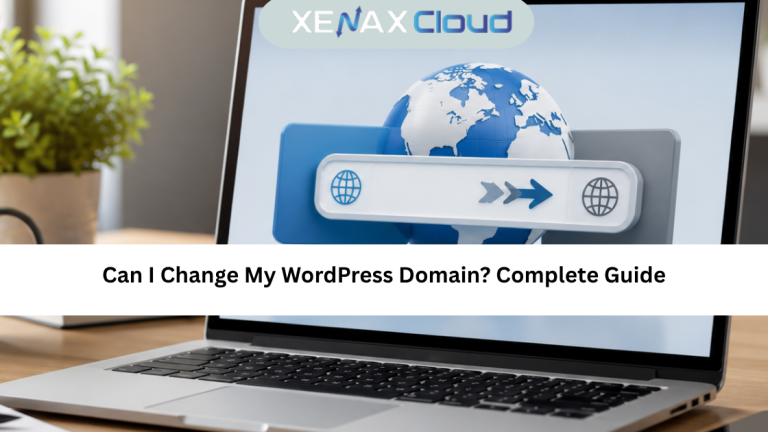
Changing your website’s domain name is a common requirement for businesses, bloggers, and online stores. You may rebrand your business, switch to a shorter domain, or move to a more professional web address. If you’ve been wondering, can I change my WordPress domain, the answer is yes. However, the process requires careful planning to avoid broken links, SEO issues, and website downtime.
A WordPress domain change involves updating your website address, configuring redirects, updating internal links, and ensuring search engines recognize the new domain. When done correctly, visitors can continue accessing your website without interruption, and your search engine rankings can be preserved.
Modern Indian hosting infrastructure provides an excellent foundation for WordPress websites. Enterprise-grade WordPress hosting, SSD-powered storage, advanced security, low latency across Asia, and scalable infrastructure help businesses migrate websites smoothly while maintaining excellent performance for visitors worldwide.
In this can I change my WordPress domain guide, you’ll learn when changing a domain is necessary, the preparation required before migration, the complete process for changing a WordPress domain, and how to choose the right WordPress hosting for long-term success.

Can I Change My WordPress Domain?
If you’re asking can I change my WordPress domain, the answer is absolutely yes. WordPress allows website owners to change their domain name while keeping existing content, themes, plugins, users, and media files intact.
Changing a domain usually involves updating your WordPress Address (URL), Site Address (URL), DNS records, database references, and redirects. The process may sound technical, but with proper planning, it can be completed safely.
Businesses commonly change domains for reasons such as:
- Company rebranding
- Shorter and memorable domain names
- Better SEO opportunities
- New business identity
- International expansion
- Switching to a premium domain
- Merging multiple websites
- Correcting an outdated domain name
Learning can I change my WordPress domain helps website owners prepare for a successful migration while minimizing SEO risks.Yes, you can change my WordPress domain safely by following the correct migration process, updating URLs, and configuring proper redirects.
Things to Do Before Changing Your WordPress Domain
Before changing your domain, preparation is extremely important.
Create a Complete Backup
Always create a full backup of:
- WordPress files
- Database
- Themes
- Plugins
- Media uploads
A backup allows you to restore your website if anything goes wrong. Before starting the migration, always understand can I change my WordPress domain safely by preparing backups, DNS settings, and redirects.
Register the New Domain
Purchase and configure the new domain before beginning the migration.
Verify:
- Domain ownership
- DNS access
- SSL certificate availability
- Hosting compatibility
Lower DNS TTL
Reducing the DNS Time To Live (TTL) before migration helps speed up DNS propagation after the new domain becomes active.
Record Current SEO Performance
Before migration, document:
- Indexed pages
- Organic traffic
- Top-ranking keywords
- Backlinks
- Search Console reports
This information helps monitor SEO performance after changing the domain.
Step-by-Step Guide to Change a WordPress Domain
If you’re still wondering can I change my WordPress domain, these steps will help you perform the migration safely.
Update WordPress Address
Navigate to:
Settings General
Update:
- WordPress Address (URL)
- Site Address (URL)
Save the changes.
Update Database URLs
Many internal links still reference the old domain.
Use a trusted search-and-replace tool to update:
- Internal links
- Media URLs
- Plugin settings
- Theme references
- Following these steps answers the question can I change my WordPress domain while keeping website content, visitors, and SEO intact.
Configure 301 Redirects
Permanent redirects help visitors and search engines automatically reach the new domain.
A proper 301 redirect preserves SEO value while preventing broken links.
Update DNS Records
Point the new domain to your hosting server by updating:
- A Records
- CNAME Records
- Nameservers
Wait for DNS propagation to complete.
Verify Website Functionality
After migration, check:
- Homepage
- Internal pages
- Images
- Forms
- Login page
- SSL certificate
- Mobile responsiveness
Testing ensures visitors experience a smooth transition.
How to Choose the Right WordPress Hosting Plan
Reliable hosting makes WordPress domain changes much easier.
Choose SSD Hosting
SSD-powered hosting improves loading speed before and after migration.
Prioritize Security
Choose hosting that includes:
- Malware protection
- Enterprise firewall
- DDoS mitigation
- Daily backups
- SSL support
These features help protect your website during the migration process.Reliable hosting makes can I change my WordPress domain much easier because DNS updates, SSL certificates, and redirects are easier to manage.
Select Scalable Hosting
As website traffic grows, scalable hosting ensures consistent performance without requiring another migration.
Choose Expert WordPress Support
Professional support can quickly resolve migration, DNS, SSL, and configuration issues.
For blogs, business websites, WooCommerce stores, and professional WordPress projects, explore XenaxCloud WordPress Hosting.
Internal Link: https://xenaxcloud.com/wordpress-hosting/
Recommended Plan
WordPress Hosting – Business
This plan is ideal for growing business websites, WooCommerce stores, blogs, agencies, and professional WordPress projects requiring reliable performance, advanced security, and scalable resources.
Real-World Use Cases
A cPanel licence is widely used across different industries because it simplifies website and server management.
Business Websites
Companies use cPanel to manage websites, email accounts, SSL certificates, and databases from one dashboard.
Reseller Hosting
Hosting providers create and manage multiple customer accounts efficiently through WHM and cPanel.
Web Development Agencies
Agencies host and maintain client websites while providing separate hosting accounts for each customer.
E-commerce Stores
Online businesses use cPanel to manage domains, databases, email services, backups, and security features.
Educational Institutions
Schools and training organizations host multiple websites and learning platforms using centralized server management.
Developers
Developers deploy applications, create staging environments, and manage databases using cPanel’s intuitive interface.
Scalability Options for Startups and Agencies
One major advantage of using a cPanel licence with VPS hosting is flexibility as your business grows.
Startups can begin with a small VPS running cPanel and later increase CPU, RAM, storage, or bandwidth without rebuilding the server.
Digital agencies benefit because they can host multiple client websites, each with separate cPanel accounts, while maintaining centralized server administration through WHM.
This scalability makes VPS hosting an excellent long-term solution for businesses expecting steady growth.
Indian Hosting vs Foreign Hosting
| Feature | India | US | Canada | Germany | UAE |
|---|---|---|---|---|---|
| Latency Across Asia | Excellent | Moderate | Moderate | Moderate | Good |
| Global Connectivity | Very Good | Excellent | Excellent | Excellent | Good |
| 24/7 Technical Support | Available | Available | Available | Available | Available |
| Fast Provisioning | Yes | Yes | Yes | Yes | Yes |
| Enterprise Security | Excellent | Excellent | Excellent | Excellent | Excellent |
| Scalability | Excellent | Excellent | Excellent | Excellent | Good |
| Reliable Uptime | Excellent | Excellent | Excellent | Excellent | Excellent |
Best VPS Plans for cPanel Hosting
If you’re using a cPanel licence, selecting a VPS with dedicated resources ensures smooth website management and future scalability.
For personal websites, development environments, and small business hosting:
NORMAL KVM VPS 1 — 2 Vcore CPU, 8GB RAM, 40GB Storage, 2TB Bandwidth — see current pricing
Growing businesses, agencies, and multiple website hosting can benefit from:
NORMAL KVM VPS 2 — 4 Vcore CPU, 16GB RAM, 50GB Storage, 4TB Bandwidth — see current pricing
For reseller hosting, enterprise websites, virtualization, and larger cPanel deployments:
NORMAL KVM VPS 3 — 8 Vcore CPU, 32GB RAM, 80GB Storage, 5TB Bandwidth — see current pricing
The latest discounts and promotional offers are always available on the XenaxCloud Offers page.
Frequently Asked Questions
What is the difference between Indian VPS and foreign VPS?
Can Indian servers handle global website traffic?
Is Indian hosting cost-effective for international users?
How reliable is XenaxCloud hosting?
How do I choose the right server for my business?
Conclusion
A cPanel licence simplifies Linux server administration by providing an intuitive interface for managing websites, databases, email accounts, domains, backups, and security settings. Whether you’re running a personal website, business application, reseller hosting platform, or multiple client projects, cPanel helps reduce administrative complexity while improving productivity. Choosing the right licence and pairing it with reliable VPS hosting creates a strong foundation for long-term growth.If you are still asking can I change my WordPress domain, following this guide and choosing reliable WordPress hosting will help ensure a successful migration.
XenaxCloud enhances your cPanel experience with secure, scalable, and high-performance VPS Hosting powered by modern Indian data centers. With enterprise-grade infrastructure, premium connectivity, and flexible VPS plans, XenaxCloud provides everything needed to host websites with confidence. Every VPS plan includes a 15-day money-back guarantee, allowing you to get started risk-free. Visit the XenaxCloud Offers page to explore the latest deals and choose the VPS solution that best fits your hosting requirements.