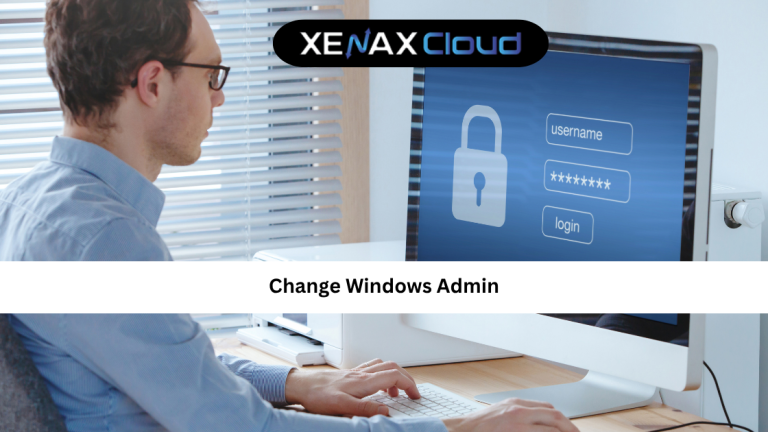
Managing user access is one of the most important parts of maintaining any system. Whether you are running a personal computer, a business workstation, or a remote server, knowing how to change windows admin access is essential.
Administrator privileges give full control over the system. If managed properly, they improve security and efficiency. If misused, they can create serious risks.
If you are looking for a simple and practical change windows admin guide, this article will walk you through everything step by step.

What Does Change Windows Admin Mean and Why It Matters
To change windows admin means modifying administrator privileges on a Windows system.
This includes:
- Changing admin account
- Assigning admin rights
- Removing admin access
- Managing user permissions
This is important because admin accounts have full system control.
A proper change windows admin tutorial helps you:
- Improve system security
- Control user access
- Prevent unauthorized changes
- Manage multiple users efficiently
For businesses and developers, this is a critical skill.
How to Choose the Right Hosting Plan for Windows Admin Management
If you are managing Windows systems remotely, your hosting environment matters.
Explore remote Windows solutions here:
https://xenaxcloud.com/indian-rdp/
For beginners:
- KVM RDP 1 — 2 Vcore CPU, 8GB RAM, 40GB Storage, 2TB Bandwidth — see current pricing
For growing users:
- KVM RDP 2 — 4 Vcore CPU, 16GB RAM, 50GB Storage, 4TB Bandwidth — see current pricing
These plans are ideal for handling change windows admin tasks efficiently.
For advanced use:
- KVM RDP 3 — 8 Vcore CPU, 32GB RAM, 80GB Storage, 5TB Bandwidth — see current pricing
- KVM RDP 4 — 16 Vcore CPU, 64GB RAM, 100GB Storage, 10TB Bandwidth — see current pricing
These support enterprise-level administration.
Step-by-Step Change Windows Admin Guide
Here is a simple change windows admin guide you can follow.
1. Using Settings
Go to Settings Accounts Family & other users
Select user Change account type Administrator
2. Using Control Panel
Open Control Panel User Accounts
Select user Change account type
3. Using Command Prompt
Run as administrator and use commands to assign admin rights
4. Using Computer Management
Go to Local Users and Groups Add user to Administrators group
These methods are part of a complete change windows admin tutorial.
Speed, Uptime, and Security Advantages
Proper admin management improves system performance and security.
Speed
Efficient user management reduces system conflicts.
Uptime
Prevents accidental changes that could crash systems.
Security
Restricts access to critical settings.
Indian hosting infrastructure enhances this with:
- High-speed servers
- Stable connectivity
- Advanced security features
This makes your change windows admin tips more effective.
Real-World Use Cases for Change Windows Admin
Understanding real-world use cases makes change windows admin easier to apply.
1. Business Environments
Control employee access to systems.
2. Remote Servers
Manage admin rights on RDP servers.
3. Development Systems
Assign admin rights to developers.
4. Security Management
Restrict access to sensitive data.
Example:
A business using
KVM RDP 2 — 4 Vcore CPU, 16GB RAM, 50GB Storage, 4TB Bandwidth — see current pricing
can manage multiple users securely.
Why Indian Servers Handle Windows Admin Tasks Efficiently
Indian data centers are ideal for managing Windows systems.
Low Latency
Fast access for remote users.
Strong Infrastructure
Reliable performance for admin tasks.
Cost Efficiency
Affordable remote server solutions.
Global Reach
Access systems from anywhere in the world.
This makes Indian hosting perfect for a change windows admin guide.
Scalability Options for Startups and Agencies
As your team grows, you need more control over users.
Start small:
- KVM RDP 1 — 2 Vcore CPU, 8GB RAM, 40GB Storage, 2TB Bandwidth — see current pricing
Scale up:
- KVM RDP 2 — 4 Vcore CPU, 16GB RAM, 50GB Storage, 4TB Bandwidth — see current pricing
For large teams:
- KVM RDP 4 — 16 Vcore CPU, 64GB RAM, 100GB Storage, 10TB Bandwidth — see current pricing
These plans support growing administrative needs.
Comparison: Indian Servers vs Global Regions
| Feature | India | USA | Germany | UAE | Canada |
|---|---|---|---|---|---|
| Latency (Asia) | Very Low | Medium | Medium | Low | High |
| Speed | High | High | High | Moderate | High |
| Uptime | 99.5%+ | High | High | Moderate | High |
| Support | 24/7 Human Support | 24/7 | 24/7 | Limited | 24/7 |
| Provisioning | Fast | Moderate | Moderate | Fast | Moderate |
Indian servers offer reliable and efficient performance for Windows administration.
FAQ Section
What is the difference between Indian VPS and foreign VPS?
Can Indian servers handle global website traffic?
Is Indian hosting cost-effective for international users?
How reliable is XenaxCloud hosting?
How to choose the right server for my business?
Conclusion: Manage Access Smartly with Windows Admin Control
Learning how to change windows admin access is essential for managing systems securely and efficiently.
It helps you:
- Control user permissions
- Improve security
- Prevent errors
- Manage systems effectively
With Indian hosting infrastructure, you get reliable performance, cost efficiency, and global accessibility.
XenaxCloud provides powerful RDP and hosting solutions for businesses and developers worldwide.
Explore the latest offers here: https://xenaxcloud.com/shared-hosting/
With a 15-day money-back guarantee, you can start risk-free.
Choose XenaxCloud today and take full control of your Windows systems with confidence.