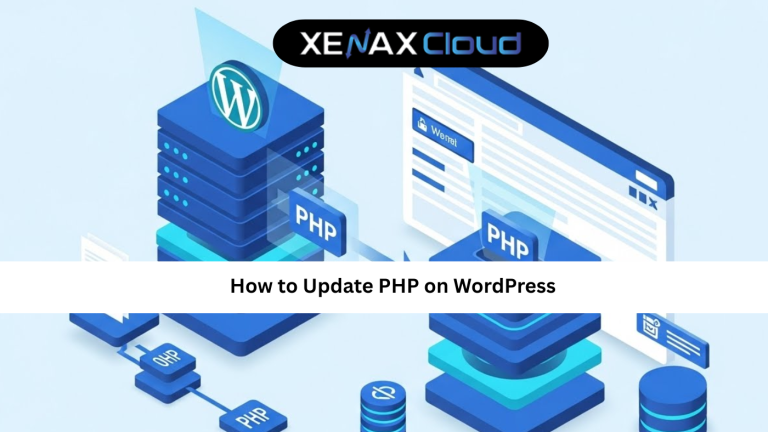
Running an outdated PHP version is one of the most common reasons WordPress websites become slow, vulnerable, and incompatible with modern plugins. If you’re managing a WordPress website, learning how to wordpress upgrade php properly is essential for maintaining performance, security, and long-term stability.
PHP is the programming language that powers WordPress behind the scenes. Every page load, plugin function, database query, and theme feature depends on PHP working efficiently. When your website uses an older PHP version, it may miss important security patches, performance improvements, and compatibility updates.
Website owners across the world are now prioritizing PHP upgrades as part of routine website maintenance. At the same time, choosing reliable hosting infrastructure has become equally important. Modern Indian hosting infrastructure offers cost-effective resources, excellent connectivity across Asia, enterprise-grade security, and scalable performance for businesses serving both local and global audiences.
This comprehensive wordpress upgrade php guide explains why PHP upgrades matter, how to perform them safely, how to avoid common mistakes, and how reliable hosting can simplify the entire process.

What Is PHP and Why Does WordPress Need It?
PHP is the server-side scripting language that powers WordPress.
Whenever a visitor accesses your website, PHP processes requests, retrieves information from the database, and generates the page displayed in the browser.
WordPress core, plugins, and themes all rely heavily on PHP.
Without PHP, WordPress cannot function properly.
Because PHP continues to evolve, newer versions deliver:
- Better performance
- Improved security
- Enhanced compatibility
- Reduced server resource usage
This is why the wordpress upgrade php process is considered a critical maintenance task.
Why You Should Upgrade PHP in WordPress
Many website owners delay updates because their websites appear to function normally.
However, outdated PHP versions often create hidden risks.
Improved Website Speed
New PHP releases are optimized for performance.
Many websites experience noticeably faster loading times after upgrading.
Better Security
Older PHP versions eventually stop receiving security updates.
Running unsupported versions increases exposure to vulnerabilities.
Plugin Compatibility
Popular plugins regularly update their requirements.
Using an outdated PHP version may cause compatibility issues.
Better Resource Efficiency
Modern PHP versions process requests more efficiently, reducing server load.
Future-Proofing Your Website
Regular updates ensure your website remains compatible with future WordPress releases.
These benefits make upgrading PHP one of the most valuable maintenance activities available.
How to Check Your Current PHP Version
Before beginning a wordpress upgrade php tutorial, you should verify your current PHP version.
Method 1: WordPress Site Health
Navigate to:
Tools Site Health Info Server
You’ll find your current PHP version listed there.
Method 2: Hosting Control Panel
Most hosting providers display PHP information inside:
- cPanel
- DirectAdmin
- Plesk
Method 3: WordPress Plugins
Several plugins can display server information, including PHP version details.
Knowing your current version helps determine whether an upgrade is necessary.
How to Perform a WordPress Upgrade PHP Safely
Upgrading PHP is straightforward when performed correctly.
Step 1: Create a Full Backup
Always back up:
- Website files
- Database
- Themes
- Plugins
Backups provide protection if unexpected issues occur.
Step 2: Update WordPress Core
Ensure WordPress is running the latest stable version.
Step 3: Update Plugins and Themes
Outdated plugins are one of the most common causes of PHP compatibility issues.
Step 4: Verify Compatibility
Review plugin and theme documentation to confirm support for newer PHP versions.
Step 5: Change PHP Version
Most hosting providers allow PHP changes through the hosting control panel.
Select the latest stable version supported by your website.
Step 6: Test Website Functionality
After upgrading:
- Check pages
- Test forms
- Verify plugins
- Confirm checkout functionality (for eCommerce sites)
This process forms the foundation of a safe wordpress upgrade php guide.
Common Problems After PHP Upgrades
Although upgrades are generally smooth, issues can occasionally occur.
Plugin Conflicts
Older plugins may not support newer PHP versions.
Theme Compatibility Issues
Custom themes sometimes require updates.
Deprecated Functions
Legacy code may stop functioning correctly after upgrades.
White Screen Errors
Fatal errors can occur if incompatible code exists.
Most issues can be resolved by updating plugins, themes, or custom code.
This is another reason why reliable hosting and regular maintenance are important.
Scalability Options for Startups and Agencies
Website growth often requires infrastructure flexibility.
Start Small
New WordPress websites can begin on shared hosting plans.
Upgrade as Traffic Grows
Additional resources can be added without major disruption.
Agency-Friendly Hosting
Agencies managing multiple websites benefit from scalable hosting environments.
VPS Upgrades
For resource-intensive WordPress installations:
NORMAL KVM VPS 2
- 4 Vcore CPU
- 16GB RAM
- 50GB Storage
- 4TB Bandwidth
- $10.79
This plan provides greater control over PHP configurations and server performance.
The latest hosting discounts and promotions are available on the XenaxCloud Offers Page.
Frequently Asked Questions
What is WordPress upgrade PHP?
What is the difference between Indian VPS and foreign VPS?
Can Indian servers handle global website traffic?
Is Indian hosting cost-effective for international users?
How reliable is XenaxCloud hosting?
Conclusion
Completing a wordpress upgrade php process is one of the simplest and most effective ways to improve WordPress performance, security, and compatibility. Keeping PHP updated helps protect your website, supports modern plugins, reduces server resource usage, and creates a better experience for visitors.
When combined with reliable Indian hosting infrastructure, PHP upgrades become even more beneficial. Businesses gain access to fast, secure, and scalable hosting environments that support long-term growth.
XenaxCloud provides hosting solutions designed specifically for modern WordPress websites. Whether you’re managing a personal blog, business website, or high-traffic online store, XenaxCloud delivers reliable infrastructure, strong performance, and professional support. With a 15-day money-back guarantee, you can upgrade your website with confidence. The latest offers and discounts are always available on the XenaxCloud Offers Page.