Shared hosting alternatives India are usually needed when a website has outgrown the resource, site, storage or control limits of shared hosting. The right alternative may be another shared tier, WordPress hosting, a VPS or dedicated hardware, depending on what is actually limiting the website.
Shared hosting places multiple hosting accounts on the same physical server environment. That makes it practical for many websites, but resource allocation and account limits can become relevant as a website grows.
Xenax Cloud operates one Tier-III data centre in Banda, Uttar Pradesh, India. Its shared hosting uses cPanel and LiteSpeed, with Let’s Encrypt SSL and DDoS protection included.
What Are Shared Hosting Alternatives India?
Shared hosting alternatives India are hosting options that provide more sites, resources, control or physical isolation than a basic shared account.
The first alternative is often not a different product. Moving from one shared tier to another can solve a site-count, storage, bandwidth or mailbox limitation without adding server administration.
For example, Xenax Cloud’s shared hosting range includes Silver, Gold, Platinum and Diamond configurations. Silver supports one site, Gold supports three, Platinum supports ten, while Diamond supports unlimited sites, disk, bandwidth and mailboxes.
The next step is WordPress hosting when the workload is specifically WordPress and the included WordPress environment better matches the site’s requirements. Xenax Cloud’s WordPress plans support from one site and 10 GB storage through five sites and 100 GB storage, with weekly backups included.
A VPS is a bigger change because you receive a virtual server rather than only a cPanel hosting account. A KVM VPS is a virtual server that provides an isolated operating-system environment with full root access.
A dedicated server goes further by assigning physical hardware to the workload.
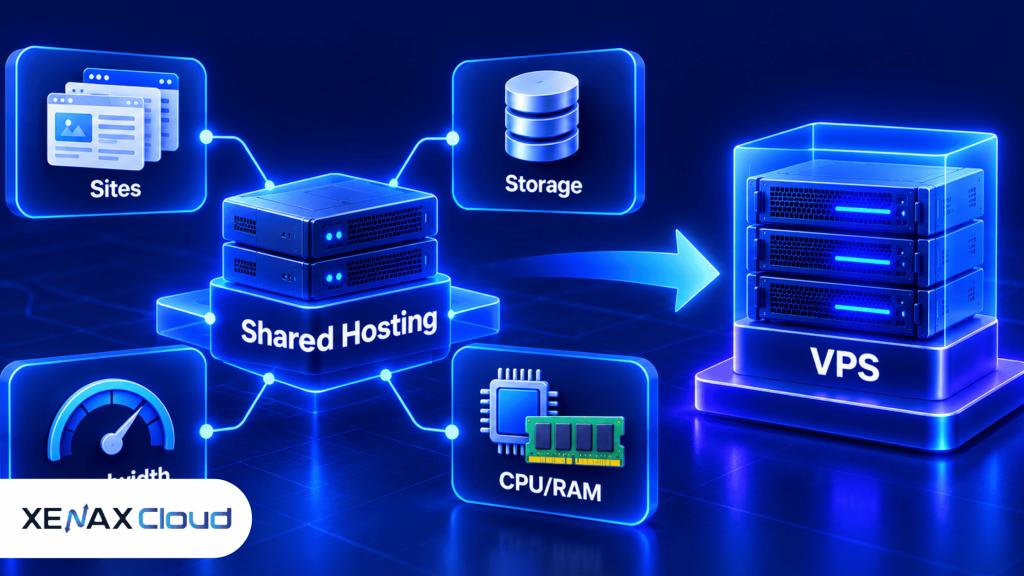
The practical hierarchy is therefore:
Shared tier → WordPress hosting → VPS → Dedicated server
The correct step depends on the limitation rather than the website’s age or size alone.
What Are Shared Hosting Limits?
Shared hosting limits are the defined boundaries for websites, storage, bandwidth, mailboxes and server resources within a hosting account.
Xenax Cloud’s shared hosting plans have different limits, so the phrase “shared hosting” does not describe one fixed resource configuration.
| Plan | Sites | Storage | Bandwidth | Mailboxes |
| Silver | 1 | 5 GB | 50 GB | 3 |
| Gold | 3 | 15 GB | 100 GB | 6 |
| Platinum | 10 | 100 GB | 1,000 GB | 25 |
| Diamond | Unlimited | Unlimited | Unlimited | Unlimited |
JetBackup 5 backups are included with the shared hosting range.
The resource limit that matters depends on the website. A portfolio may hit storage first because of large media files, while an agency may hit the site limit because it hosts several client websites.
Server-level resource controls can also exist independently of disk or bandwidth quotas. CloudLinux documents controls for CPU, physical memory, input/output, processes and concurrent connections in shared hosting environments. CloudLinux Docs
This is why increasing disk space does not necessarily solve a CPU or memory constraint.
A useful way to diagnose shared hosting limits is to identify the first resource that repeatedly becomes restrictive. The next hosting tier or a different hosting architecture should address that specific constraint.
When to Upgrade From Shared Hosting?
You should upgrade from shared hosting when a recurring site, storage, bandwidth or resource constraint cannot be solved by normal website optimisation.
The phrase when to upgrade from shared hosting should be answered with measurements rather than a fixed visitor number.
Consider an upgrade when one or more of these conditions persist:
- The account needs more sites than the selected plan permits.
- Storage remains close to its allocated limit.
- Bandwidth requirements repeatedly approach the plan allowance.
- CPU or memory limits are repeatedly reached.
- The website needs server-level configuration unavailable in shared hosting.
- The application requires software or services that cannot be installed through the shared environment.
- You need root access for operating-system or application administration.
The correct response depends on the problem.
If you need another website but the existing workload is healthy, moving to a higher shared tier may be enough. If the website needs root access or persistent server-level configuration, a VPS is a more appropriate alternative.
A common mistake is to upgrade hardware before identifying the bottleneck. A website that is limited by an inefficient plugin, oversized images or unnecessary database queries may need application optimisation rather than a larger server.
How Do You Know Shared Hosting Is No Longer Enough?
Shared hosting is no longer enough when the account’s recurring resource requirements exceed the available configuration or require controls unavailable in shared hosting.
Start with the cPanel metrics available to your account. Look for repeated resource-limit events rather than one isolated spike.
CloudLinux’s resource monitoring documentation describes CPU, memory, I/O, processes and concurrent-connection measurements that can be used to identify which resource is being constrained. CloudLinux Docs
For storage and bandwidth, compare current usage with the limits of the selected hosting plan.
For application control, ask whether you need root access, custom system packages, server-level caching or a background service. Those requirements point toward a VPS rather than another shared tier.
A useful decision rule is:
Choose a higher shared tier if the problem is sites, storage, bandwidth or mailboxes. Choose WordPress hosting if the workload is WordPress-specific. Choose a VPS if the problem is server control or sustained resource demand. Choose dedicated hardware if physical isolation is required.
How to Upgrade From Shared Hosting?
You can upgrade from shared hosting by identifying the constraint, selecting the next suitable environment and testing the website before changing production settings.
- Measure current storage, bandwidth and resource usage.
- Identify the first recurring limit or configuration constraint.
- Compare the current tier with the next suitable hosting environment.
- Back up website files, databases and configuration data.
- Test the application in the new environment where possible.
- Update DNS or deployment settings after the new environment is ready.
- Monitor the website after the change for errors and resource pressure.
For a WordPress site, confirm that the database, PHP configuration, plugins and file permissions work correctly after migration.
For a custom application, check required PHP, Node.js, Python or other runtime components before selecting the destination environment.
The safety step matters because a hosting upgrade is also a configuration change. Keep an independent copy of important files and databases before making DNS or server changes.
Which Shared Hosting Alternative Fits Your Website?
The best shared hosting alternative depends on whether you need more account capacity, WordPress-specific hosting, server control or physical hardware.
| Requirement | Suitable direction | Why |
| More websites | Higher shared tier | Adds site capacity without server administration |
| More storage or bandwidth | Higher shared tier | Solves account-level limits |
| WordPress-focused workload | WordPress hosting | Provides WordPress-specific plan structures |
| Root access | VPS | Provides operating-system control |
| Physical server resources | Dedicated server | Provides dedicated hardware |
| Multiple client cPanel accounts | Reseller hosting | Designed for separate hosting accounts |
The shared hosting option remains sensible if the website fits its account limits and does not require root access.
WordPress hosting is more specific to WordPress workloads. A VPS is a stronger choice when you need operating-system control, while a dedicated server is appropriate when physical hardware is part of the requirement.
Xenax Cloud’s shared cPanel hosting is the relevant product when your website still fits a shared environment but needs a suitable shared plan.
Worked Example: A Jaipur Agency With Six Client Websites
A Jaipur agency with six small client websites fits Xenax Cloud’s Platinum shared plan because the plan supports ten sites and 100 GB storage.
Assume the agency manages six WordPress websites, the combined website data remains below 100 GB, and the sites do not need root access or custom operating-system software.
The Silver plan cannot fit the requirement because it supports only one site. Gold also cannot fit because it supports three sites.
Platinum supports ten sites, 100 GB storage, 1,000 GB bandwidth and 25 mailboxes, giving the agency room for the six current websites within the defined account limits.
The agency does not need a VPS simply because it operates several websites. A VPS becomes more appropriate if the six sites begin hitting CPU or memory constraints or require server-level configuration.
The decision rule is concrete:
Choose Platinum when you need up to ten sites and the workload fits its stated storage, bandwidth and mailbox limits. Choose VPS when root access or sustained server-resource demand becomes the limiting factor.
When Is a VPS Better Than Another Shared Plan?
A VPS is better than another shared plan when the website needs root access, custom server software or resources that cannot be addressed by moving to a higher shared tier.
A KVM VPS from Xenax Cloud provides full root access, one IPv4 address, weekly backups and a 500 Mbps port.
The Speed VPS family uses NVMe storage and ranges from 2 vCPU with 4 GB RAM and 40 GB storage up to 32 vCPU with 64 GB RAM and 200 GB storage.
General VPS provides more RAM per vCPU, beginning at 2 vCPU with 8 GB RAM and extending to 16 vCPU with 64 GB RAM.
Gold VPS uses high-frequency Xeon Gold processors and extends to configurations with 32 vCPU and 64 GB RAM.
That range gives you a choice based on workload characteristics rather than simply selecting the largest available machine.
A VPS is not the right choice if you only need another website slot and your existing shared environment has sufficient CPU, memory and storage. In that case, moving to a suitable shared tier avoids unnecessary server administration.
Can Shared Hosting Handle a Growing Website?
Shared hosting can handle a growing website while the site’s workload remains within its account and resource limits.
Growth itself is not a reason to leave shared hosting. A small business website can remain on shared hosting as long as its site count, storage, bandwidth and resource requirements fit the selected plan.
The point at which shared hosting stops making sense is workload-specific.
For example, a content website with efficient caching and moderate dynamic processing may remain comfortable on shared hosting. A web application that needs background workers, custom services and root-level configuration may outgrow shared hosting much earlier.
This is also why a visitor-count threshold is a poor universal upgrade rule. Two websites with the same number of visitors can create very different CPU, memory and database workloads.
Shared Hosting Alternatives India: FAQs
What are the best shared hosting alternatives India?
The practical shared hosting alternatives India are a higher shared tier, WordPress hosting, a VPS or a dedicated server. A higher shared tier fits capacity problems, while a VPS fits workloads needing root access or server-level control.
When to upgrade from shared hosting?
You should upgrade from shared hosting when recurring resource limits or configuration requirements cannot be solved within the current environment. Check CPU, memory, storage, bandwidth, site count and application requirements before changing products.
What are the main shared hosting limits?
The main shared hosting limits are usually site count, storage, bandwidth, mailboxes and server-resource controls. Xenax Cloud’s shared plans use different site, storage, bandwidth and mailbox allowances, so the exact limit depends on the selected plan.
Is VPS better than shared hosting for WordPress?
A VPS is better for WordPress when the website needs root access, custom server configuration or resources beyond the shared environment. A shared or WordPress hosting plan remains simpler when the site’s workload fits the available account limits.
Can I stay on shared hosting if my website is growing?
Yes, you can stay on shared hosting while the website remains within its resource and account limits. Review usage regularly and upgrade only when a recurring constraint affects the website or a required configuration cannot be provided.
How do I know if my shared hosting is using too many resources?
Check available cPanel resource metrics for repeated CPU, memory, I/O, process or concurrent-connection constraints. CloudLinux documents these resource measurements for supported shared hosting environments. CloudLinux Docs
When should I choose dedicated hosting instead of VPS?
Choose dedicated hosting when the workload requires physical hardware, dedicated CPU and RAM, specialised hardware or more capacity than a suitable VPS can provide. A VPS is generally the more appropriate step when the requirement is mainly root access and flexible server configuration.
If your website still fits shared hosting, select the shared tier that matches its site, storage, bandwidth and mailbox requirements. If recurring resource constraints or root-level requirements remain after optimisation, move to a VPS rather than continuing to stretch the shared environment.