If your WordPress site feels slow or your plugins keep warning you about old PHP versions, it is time for a WordPress PHP update. This one technical step can transform your website’s speed, security and SEO, no matter where your visitors come from.
For a global audience, every millisecond counts. Search engines reward faster, more secure sites, and modern plugins assume you are running a recent PHP release. When you avoid updating, you do the opposite: you keep performance low, increase risk and limit what your site can do.
Indian hosting infrastructure has become a very smart base for modern WordPress projects. Data centers in India give you:
- Cost effectiveness so you are not overpaying for PHP capable servers.
- Low latency across Asia and very competitive speeds globally.
- Security, reliability and compliance designed for serious businesses.
- Scalability that lets you move from shared hosting to powerful KVM VPS as your site grows.
In this detailed WordPress PHP update guide, we will walk through how PHP and WordPress work together, how to choose the right XenaxCloud hosting plan, how to perform an update safely, and why Indian servers are a strong choice for both local and international traffic.
What Is A WordPress PHP Update And Why It Matters
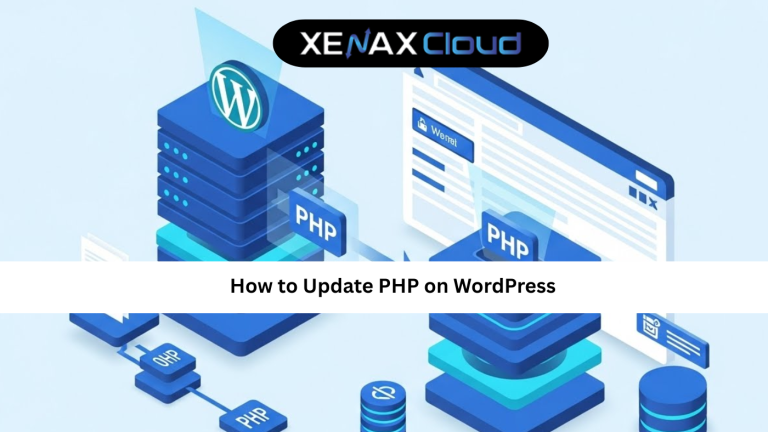
WordPress is built in PHP, which is a server side scripting language. When you perform a WordPress PHP update, you are not changing WordPress itself, but the PHP engine that runs underneath it on your hosting account or server.
Think of PHP as the engine in your car and WordPress as the body and interior. Updating WordPress but keeping an old engine will always limit performance. You may see messages like:
- “Your site is running an insecure version of PHP.”
- “This plugin requires a higher PHP version.”
- “PHP version is approaching end of life.”
A proper WordPress PHP update tutorial will help you:
- Improve page load times and backend responsiveness.
- Reduce the chance of security vulnerabilities being exploited.
- Unlock new plugin and theme features that require newer PHP.
- Align with Google’s expectations for fast, secure sites.
On XenaxCloud’s Indian servers, updated PHP versions are optimized for shared hosting, VPS and WordPress environments, so you can upgrade confidently and still enjoy cheap web hosting with serious performance.

Step By Step WordPress PHP Update Guide (Safe Method)
Now let us walk through a practical WordPress PHP update guide that works on most XenaxCloud environments. The exact screens may vary, but the process is similar: prepare, update, test, then finalize.
Step 1: Check your current PHP and WordPress version
Inside your WordPress dashboard, go to “Tools Site Health Info.” You will see the PHP version WordPress is running on. Make a note of it. Also verify that WordPress core, themes and plugins are up to date, because outdated code is more likely to break when you update PHP.
Step 2: Take full backups
Before any WordPress PHP update, create:
- A file backup of your entire site (public_html or the specific domain folder).
- A database backup of your WordPress database.
You can do this through your control panel, a backup plugin, or by using tools provided with your XenaxCloud hosting. Store backups in a safe location so you can roll back if needed.
Step 3: Review plugin and theme compatibility
Most modern plugins list the minimum PHP version they support. Check the documentation of critical plugins such as page builders, WooCommerce, payment gateways and security tools. If they support the target PHP version, you are ready to proceed with this WordPress PHP update tutorial.
Step 4: Change PHP version in the hosting control panel
On XenaxCloud shared or Mini/Budget Hosting, you usually have a “Select PHP Version” or “MultiPHP Manager” type option. The typical process is:
- Log in to your hosting control panel.
- Find the PHP version manager.
- Select your domain or subdomain.
- Change the PHP version to the latest stable version recommended.
- Save or apply changes.
On a VPS, you might use a panel or manage PHP through the package manager. In either case, update PHP using best practices for your chosen operating system.
Step 5: Test the site front end and admin
Visit your site in another tab and navigate through key pages: home, blog, store, forms, login. Then log in to the dashboard, create a draft post, and test forms or checkout if you run ecommerce.
If problems appear, you can:
- Temporarily switch to a default theme to isolate theme issues.
- Disable plugins one by one to identify conflicts.
- Check error logs in your control panel or VPS.
In many cases, updating a problem plugin or adjusting a setting will resolve issues after a WordPress PHP update.
Step 6: Finalize and repeat for other sites
Once a site is stable on the new PHP version, you can follow the same WordPress PHP update guide for your other domains on the same server. Doing it step by step keeps risk low, especially when you host multiple WordPress installs on Indian servers for clients or different brands.
Speed, Uptime And Security Advantages Of Updating WordPress PHP
A modern WordPress PHP update is not only about compatibility. It directly affects your speed, uptime and security profile.
Speed benefits
Newer PHP versions execute code more efficiently. That means:
- Faster page generation times.
- Lower CPU usage for the same traffic.
- Better ability to handle traffic spikes.
On XenaxCloud’s Indian data centers, these gains are multiplied because network latency is already low for nearby regions. Combining updated PHP, caching and optimized hosting gives a very strong performance baseline for global SEO.
Uptime and resource stability
Old PHP versions can leak memory or struggle under load. When you update, you reduce the chance of random crashes caused by outdated engines. This is especially important on shared plans like Shared Hosting Gold or Platinum, where many WordPress sites share physical hardware but each benefits from a stable PHP runtime.
Security advantages
Security patches are one of the main reasons to follow a WordPress PHP update tutorial regularly. Unsupported PHP versions no longer receive fixes for new vulnerabilities. That can expose your site even if WordPress itself is updated.
When you combine current PHP with strong passwords, two factor authentication, firewalls and regular backups, your WordPress install on XenaxCloud becomes much harder to compromise.
This is also a good place to later add an outbound link to an independent security benchmark or PHP support lifecycle site, so readers can verify which PHP versions are still supported.
Real World Use Cases For Businesses And Developers
A WordPress PHP update is not a theoretical task. Different kinds of teams rely on it to keep their sites and applications healthy.
Small business sites and blogs
A local business on Shared Hosting Silver or a blogger on Mini Hosting Starter might not care about PHP versions day to day. But once they follow a WordPress PHP update guide, they often notice faster dashboards, smoother page builders and fewer plugin complaints. This improves their daily workflow and long term SEO.
WooCommerce and membership sites
Stores and membership platforms usually run more complex code. They often sit on Shared Hosting Platinum or KVM VPS 1 / 2. For them, a WordPress PHP update reduces checkout slowdowns and cart errors, and keeps payment integrations compatible with new security standards.
Agencies and freelancers
Agencies hosting dozens of client sites on Shared Hosting Diamond, Budget ProScale or VPS clusters build PHP updates into their maintenance plans. They may test sites on staging servers, update PHP there, then apply the same changes to production once everything passes. Indian servers help them serve clients in India, Asia and beyond with reliable performance.
Developers and custom plugins
Developers creating custom plugins or themes use newer PHP features to write cleaner, faster code. They often use KVM VPS 3 or higher to run advanced stacks. For them, a WordPress PHP update tutorial is also a coding guideline: they know which language features are safe to use because their servers and clients are on current PHP.
Scalability Options For Startups And Agencies After Updating PHP
Once you have completed a WordPress PHP update, you might realise your site is ready to grow. Scalability on XenaxCloud is straightforward, especially when you have already aligned your stack with recent PHP standards.
Startups
A startup might:
- Launch a minimum viable product on Mini Hosting Professional with updated PHP.
- Upgrade to Shared Hosting Platinum as features and traffic expand.
- Move the main app to KVM VPS 2 or KVM VPS 3 for custom tuning, advanced caching and background jobs.
Because all these steps happen on Indian servers, users see consistent performance, while the team enjoys predictable costs and easy management.
Agencies and resellers
Agencies can:
- Host many small client sites on Shared Hosting Diamond or Budget ProScale.
- Offer premium performance plans on KVM VPS 4 or Gold KVM VPS options for heavy WooCommerce or membership sites.
- Integrate WordPress PHP update tasks into their support retainers, using staging environments on VPS or Speed KVM VPS for testing.
Whenever you plan such upgrades, it is worth checking current deals and bundles on the XenaxCloud Offers page:
https://xenaxcloud.com/indian-rdp/
That way you can combine good infrastructure choices with attractive pricing, especially if you manage many WordPress projects.
FAQs
What is the difference between Indian VPS and foreign VPS?
Can Indian servers handle global website traffic?
Is Indian hosting cost effective for international users?
How reliable is XenaxCloud hosting?
How to choose the right server for my business?
Will a WordPress PHP update break my site?
Conclusion
A WordPress PHP update is one of the highest value tasks you can perform for your site. It improves speed, strengthens security, unlocks modern plugins and aligns your project with what search engines expect from a serious online presence.
When you combine updated PHP with XenaxCloud’s Indian hosting infrastructure, you get even more: cost effective plans, low latency in Asia, competitive speeds globally, and a clear path from Mini Hosting to Shared Hosting Diamond and powerful KVM VPS as you grow. Whether you run a single blog or a portfolio of client sites, you can follow this WordPress PHP update guide to modernise your stack safely.
XenaxCloud backs your journey with professional support and a 15 day money back guarantee, so you can upgrade, test and optimise with confidence. Whenever you are ready to launch or scale your WordPress projects on updated PHP, explore the latest deals and bundles on the XenaxCloud Offers Page at https://xenaxcloud.com/indian-rdp/, choose the plan that fits your needs, and let XenaxCloud power your next stage of growth.