Handling WordPress file upload correctly is essential for anyone running a website today. From uploading images and videos to adding PDFs, themes, and plugins, file uploads play a daily role in content publishing and site management.
Globally, WordPress powers millions of websites, and slow or failed uploads can hurt productivity, SEO performance, and user experience. Many site owners face issues like upload limits, timeout errors, or slow media processing without knowing the real cause.

What Is WordPress File Upload and Why It Matters
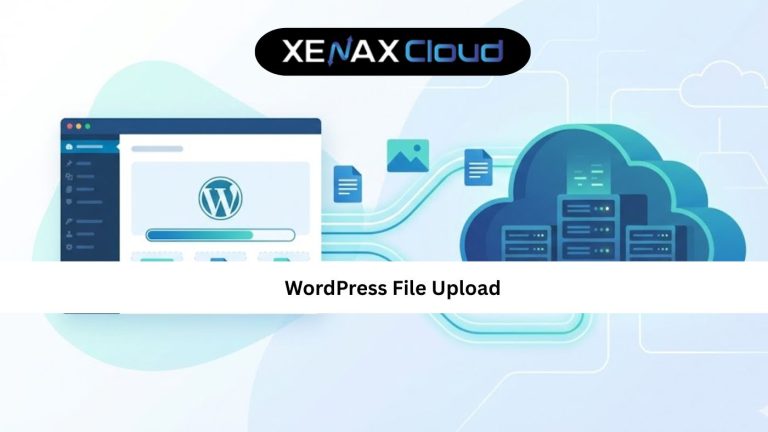
WordPress file upload refers to adding files such as images, documents, audio, video, themes, and plugins to your website. Most uploads happen through the Media Library, but files can also be uploaded via plugins, FTP, or hosting control panels.
Every uploaded file impacts your site’s performance. Large images slow down pages, unsupported formats cause errors, and poor server configuration can block uploads entirely.
For businesses, smooth WordPress file upload ensures faster content publishing and better user engagement. For developers, it supports efficient workflows and testing. For agencies, it reduces client complaints and support time.
That is why understanding file upload limits, formats, and hosting support is critical for long-term WordPress success.
How to Choose the Right Hosting Plan for WordPress File Upload
Hosting directly affects WordPress file upload speed, size limits, and reliability. Entry-level hosting may restrict file sizes and execution time, which causes upload failures.
Shared hosting is suitable for small websites with light media usage. However, high-traffic sites or media-heavy blogs often need better resource isolation.
WordPress-optimized hosting provides higher upload limits, faster PHP execution, and better caching. It also handles image processing efficiently.
If your website frequently uploads large images, videos, or backups, choosing WordPress Hosting with optimized server settings is the safest option.
You can explore WordPress Hosting here:
https://xenaxcloud.com/shared-hosting/
Common WordPress File Upload Methods Explained
The most common WordPress file upload method is through the Media Library. This is beginner-friendly and supports most standard file types.
Theme and plugin uploads happen through the WordPress dashboard as ZIP files. These uploads require correct server permissions and sufficient memory.
FTP uploads are used for large files or manual management. This method bypasses WordPress limits but requires technical knowledge.
Some plugins allow front-end uploads, which are useful for membership sites and user-generated content platforms.
Understanding these methods helps you choose the safest and fastest approach based on your needs.
WordPress File Upload Limits and How They Work
Upload limits are defined by server configuration, not WordPress itself. PHP settings like upload_max_filesize, post_max_size, and max_execution_time control file uploads.
If these limits are too low, WordPress file upload errors appear even for small files. Hosting providers that optimize these values reduce upload friction.
Memory limits also matter. Image processing requires RAM, especially for high-resolution photos.
Choosing hosting that allows flexible PHP configuration ensures consistent and error-free uploads.
Speed, Uptime, and Security Advantages for File Uploads
Fast servers improve WordPress file upload speed significantly. SSD storage, optimized PHP versions, and efficient web servers reduce upload time.
Uptime matters because failed uploads often happen during temporary server issues. Stable infrastructure ensures uploads complete successfully.
Security protects uploaded files from malware and unauthorized access. Secure hosting environments scan uploads and restrict harmful file types.
Indian servers with modern infrastructure provide a balance of speed, uptime, and security, making them ideal for WordPress workloads.
Real-World Use Cases of WordPress File Upload
Bloggers upload images daily to keep content fresh and visually appealing. Smooth uploads help maintain posting schedules.
Businesses upload brochures, catalogs, and videos to support marketing and sales efforts.
Developers upload themes, plugins, and backups while maintaining multiple environments.
Agencies manage large media libraries for client websites and rely on consistent upload performance to meet deadlines.
In each case, reliable WordPress file upload improves efficiency and professionalism.
Scalability for Growing WordPress Media Needs
As websites grow, media libraries expand rapidly. More files mean more storage, processing, and bandwidth usage.
Scalable hosting allows you to increase resources without changing platforms or risking downtime.
WordPress-optimized plans support higher upload limits and better performance as traffic and content increase.
Indian hosting environments make scaling affordable and predictable for startups and agencies.
Frequently Asked Questions
What is the difference between Indian VPS and foreign VPS?
Can Indian servers handle global website traffic?
Is Indian hosting cost-effective for international users?
Indian hosting provides strong performance and security at competitive costs.
How reliable is XenaxCloud hosting?
How to choose the right server for my business?
Conclusion
Managing WordPress file upload efficiently is essential for speed, security, and productivity. Upload issues often come from hosting limitations rather than WordPress itself.
Indian hosting infrastructure offers cost-effective, secure, and scalable solutions for WordPress users worldwide. XenaxCloud provides optimized WordPress Hosting designed to handle uploads smoothly, even as your site grows.
Start hosting with XenaxCloud today, enjoy a 15-day money-back guarantee, and always check the XenaxCloud Offers Page for the latest deals and discounts on WordPress hosting plans.