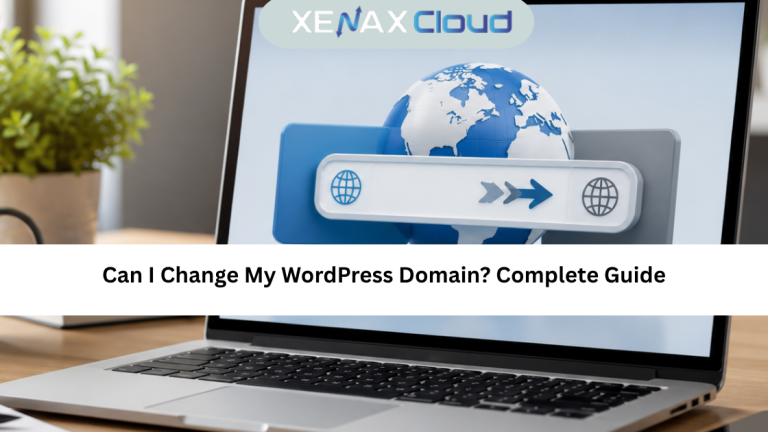
Deciding to transfer WordPress to another domain is a big step for any website owner. It can happen because of rebranding, moving from a temporary domain, improving SEO, or launching a more professional online presence.
Globally, WordPress powers millions of websites, and domain changes are common. But a poorly executed transfer can lead to broken links, lost traffic, SEO drops, and user confusion.
This is where the right hosting environment matters. Indian hosting infrastructure has become a smart global choice due to its cost-effectiveness, low latency across Asia, competitive global speeds, strong security compliance, and excellent scalability for international businesses.
This guide explains how to transfer WordPress to another domain the right way, without technical confusion or SEO damage.

Understanding What Happens When You Transfer WordPress to Another Domain
When you transfer WordPress to another domain, you are not just changing a website name. You are updating database URLs, file paths, internal links, media references, and search engine signals.
WordPress stores domain information inside its database. Simply pointing a new domain without updating these values can break layouts, images, and redirects.
This is why a proper transfer WordPress to another domain guide focuses on preparation, execution, and post-migration checks.
Handled correctly, users barely notice the change. Search engines update rankings smoothly, and your website continues to perform normally.
How to Choose the Right Hosting Plan Before Migration
Before starting a domain transfer, it is important to evaluate your hosting plan.
Small websites with limited traffic can work on shared hosting. However, migrations often require temporary resource spikes during database updates and file transfers.
For growing websites, VPS hosting offers better control, faster processing, and safer migrations. It allows you to manage backups, staging, and domain changes without restrictions.
If you are planning long-term growth, choosing VPS hosting before migration is a smart move.
You can explore VPS hosting options here:
https://xenaxcloud.com/vps-server/
Step-by-Step Process to Transfer WordPress to Another Domain
A proper transfer WordPress to another domain tutorial follows a structured approach.
First, back up your entire WordPress website, including files and database.
Second, point the new domain to your hosting server.
Third, update WordPress Address and Site Address settings.
Fourth, update database URLs using search and replace tools.
Finally, test the website thoroughly before going live.
Each step ensures that your website remains functional and SEO-friendly after the domain change.
Speed, Uptime, and Security Advantages During Domain Transfer
Speed plays a critical role during migration. Faster servers reduce downtime during database updates.
Uptime ensures your site remains accessible while changes are applied.
Security protects your data during file transfers and database modifications.
Indian hosting environments are optimized for stable uptime and fast provisioning. This ensures smooth WordPress migrations with minimal risk.
For businesses handling global traffic, this reliability becomes essential when transferring domains.
Real-World Use Cases for Domain Transfers
Many businesses transfer WordPress to another domain during rebranding.
Startups move from temporary domains to brand domains.
Ecommerce stores shift to keyword-focused domains for SEO growth.
Agencies migrate client websites during ownership changes.
In all these cases, a structured transfer ensures continuity and trust.
A reliable transfer WordPress to another domain guide prevents costly mistakes.
Scalability Options After Domain Migration
After transferring WordPress to another domain, traffic often increases.
Rebranding and SEO improvements attract new users.
Shared hosting may become limiting at this stage.
VPS hosting allows easy scaling of CPU, RAM, and storage without downtime.
Agencies managing multiple sites benefit from isolated resources and performance stability.
Scalability ensures your website grows smoothly after migration.
FAQs
What is the difference between Indian VPS and foreign VPS?
Can Indian servers handle global website traffic?
Is Indian hosting cost-effective for international users?
How to choose the right server for my business?
How reliable is XenaxCloud hosting?
Conclusion: Transfer WordPress to Another Domain with Confidence
Choosing to transfer WordPress to another domain is a strategic decision that can improve branding, SEO, and business credibility. When done correctly, users experience no disruption and search engines adjust smoothly.
Indian hosting infrastructure offers the perfect balance of affordability, speed, and global reliability. XenaxCloud provides optimized hosting solutions for WordPress migrations, backed by a 15-day money-back guarantee.
The latest deals and offers are always available on the XenaxCloud Offers Page:
https://xenaxcloud.com/wordpress-hosting/
Move your WordPress website with confidence. Choose XenaxCloud and migrate the right way.