Changing domain name is one of the most important decisions a website owner can make. Whether you’re rebranding your business, expanding into new markets, simplifying your web address, or improving brand recognition, changing a domain name requires careful planning to avoid traffic losses and SEO issues.
Many businesses worry that changing domain names will negatively affect search rankings, website performance, or customer trust. While these concerns are valid, a properly planned domain migration can be completed successfully without major disruptions.
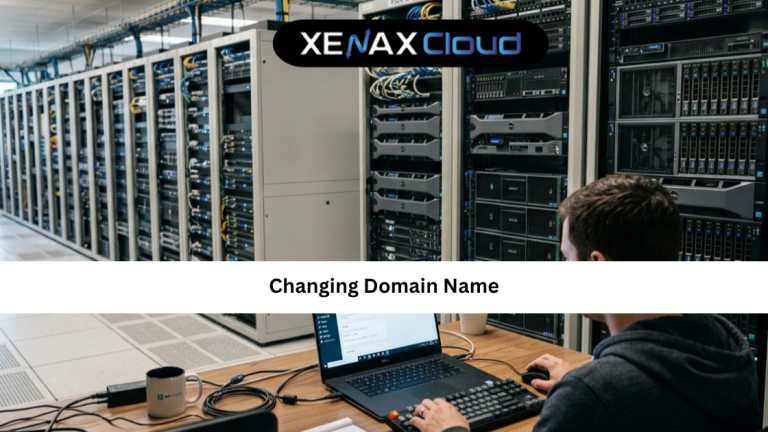
Modern hosting infrastructure plays a crucial role during domain migrations. Reliable hosting ensures smooth redirects, faster DNS propagation, better uptime, and minimal downtime during the transition. Indian hosting infrastructure has become a preferred choice for businesses worldwide because of its cost-effectiveness, low latency across Asia, strong security standards, and scalability for global operations.
In this changing domain name guide, we’ll explain everything you need to know about changing domains safely, maintaining SEO performance, choosing the right hosting environment, and ensuring a smooth migration experience.

Why Businesses Consider Changing Domain Name
There are several reasons why organizations decide to change their domain names.
Common situations include:
- Business rebranding
- Company mergers
- Expanding internationally
- Simplifying domain names
- Improving brand recognition
- Switching to a more memorable domain
A domain name represents your online identity. As businesses evolve, the original domain may no longer reflect the company’s goals or audience.
For example, a startup may begin with a local-focused domain and later require a more global brand identity. In these cases, changing domain name becomes a strategic business decision rather than simply a technical change.
However, changing a domain without proper planning can create issues such as lost traffic, broken links, and reduced search visibility.
That is why following a structured migration process is critical.
How Changing Domain Name Affects SEO
One of the biggest concerns website owners have is SEO.
Search engines use your domain as part of your website’s identity. When you move to a new domain, search engines need time to understand the change.
Potential challenges include:
- Temporary ranking fluctuations
- Crawling adjustments
- Link equity transfers
- Indexing delays
Fortunately, proper implementation minimizes these risks.
The most important SEO practices include:
- Setting up 301 redirects
- Updating internal links
- Submitting updated sitemaps
- Monitoring search performance
- Updating Google Search Console
A carefully executed changing domain name guide ensures search engines transfer authority from the old domain to the new one efficiently.
How to Choose the Right Domain and Hosting Plan
Before migrating, it’s important to select the right domain and hosting environment.
Choosing the Right Domain
A good domain should be:
- Easy to remember
- Brand-focused
- Short and simple
- Relevant to your audience
Avoid overly complex names that may confuse users.
Businesses looking for new domain registrations can explore XenaxCloud Domains:
Choosing the Right Hosting Environment
Reliable hosting plays a major role during migration.
For small websites:
Silver — 1 Website, 15GB Storage, 100GB Bandwidth — see current pricing
For growing businesses:
Gold — 3 Websites, 25GB Storage, 500GB Bandwidth — see current pricing
For larger websites:
Platinum — 10 Websites, 100GB Storage, 1000GB Bandwidth — see current pricing
These plans provide sufficient resources for most domain migration projects.
Step-by-Step Changing Domain Name Guide
Following a structured migration process reduces risk.
Step 1: Purchase the New Domain
Register your new domain before making any changes.
Ensure it reflects your long-term business goals.
Step 2: Backup Your Website
Always create a complete backup before migration.
Include:
- Website files
- Databases
- Email configurations
Step 3: Configure the New Domain
Point the new domain to your hosting account and verify that the website functions correctly.
Step 4: Set Up 301 Redirects
301 redirects tell search engines and users that content has permanently moved.
This is one of the most important steps in any changing domain name guide.
Step 5: Update Internal Links
Review:
- Navigation menus
- Footer links
- Image URLs
- Internal references
Step 6: Update Search Engine Tools
Update:
- Google Search Console
- Bing Webmaster Tools
- XML sitemaps
This helps search engines discover the new domain faster.
Scalability Options for Startups and Agencies
Start Small
Businesses can begin with affordable hosting plans while building their online presence.
Upgrade Easily
As traffic grows, hosting resources can be expanded without major disruptions.
Support Multiple Websites
Agencies often manage several client domains from a single hosting environment.
Prepare for Future Growth
Reliable infrastructure simplifies future migrations and business expansion.
The latest hosting offers and discounts are available through the XenaxCloud Offers Page.
Best Recommended Plans
Best Starter Plan
Silver — 1 Website, 15GB Storage, 100GB Bandwidth — see current pricing
Best Business Plan
Gold — 3 Websites, 25GB Storage, 500GB Bandwidth — see current pricing
Best Growth Plan
Platinum — 10 Websites, 100GB Storage, 1000GB Bandwidth — see current pricing
Frequently Asked Questions
What is the difference between Indian VPS and foreign VPS?
Can Indian servers handle global website traffic?
Is Indian hosting cost-effective for international users?
How reliable is XenaxCloud hosting?
How to choose the right server for my business?
Will changing domain name affect SEO?
Conclusion
Successfully changing domain name requires planning, preparation, and reliable hosting infrastructure. While domain migrations can seem complex, following best practices ensures a smooth transition with minimal impact on traffic, SEO performance, and user experience.
Modern Indian hosting infrastructure provides the speed, reliability, security, and scalability needed to support successful migrations and future growth. Whether you are rebranding, expanding internationally, or improving your online identity, XenaxCloud offers the tools and infrastructure required for a seamless transition.
If you’re planning a domain migration, now is the perfect time to secure the right hosting and domain solutions. XenaxCloud provides reliable hosting services, domain registration options, and expert infrastructure designed for businesses worldwide.
With a 15-day money-back guarantee, you can move forward with confidence. Explore XenaxCloud today and discover how reliable Indian hosting can support your next stage of growth. The latest deals and offers are always available on the XenaxCloud Offers Page.