A .online domain is a generic top-level domain (gTLD) that gives businesses, professionals and individuals a web address for their online presence. It can be used for company websites, portfolios, ecommerce stores, service businesses and personal projects without restricting the website to a particular industry or country.
For example, a digital agency called PixelCraft could register pixelcraft.online as its business website address. The extension communicates an online presence while allowing the brand name to remain the main part of the domain.
Choosing the extension is only the first decision. You also need to check name availability, registration conditions, renewal terms and how the domain will connect to your hosting and email services.
What Is a .online Domain?
A .online domain is a generic top-level domain that identifies a website through an extension associated with an online presence.
A domain name consists of a registered name and a top-level domain. In pixelcraft.online, pixelcraft is the second-level domain and .online is the top-level domain.
Unlike a country-specific extension, .online is a generic extension that can be used by businesses and individuals serving audiences in different locations.
Common uses include:
- Business websites and company profiles.
- Freelancers and professional portfolios.
- Digital marketing and creative agencies.
- Ecommerce and product websites.
- Online education and training platforms.
- Blogs, publications and personal projects.
- Software and technology services.
A .online domain does not require you to operate an internet-based business exclusively. A physical shop, consulting firm or local service provider can also use it as its website address.
The main consideration is whether the extension fits your brand identity and whether your intended audience can recognise and remember the complete domain name.
.online vs .com: Which Domain Extension Should You Choose?
The difference between .online and .com is primarily their naming and branding association, not their ability to host a website.
Both are generic top-level domains. Both can be used for commercial websites, blogs, portfolios and ecommerce platforms.
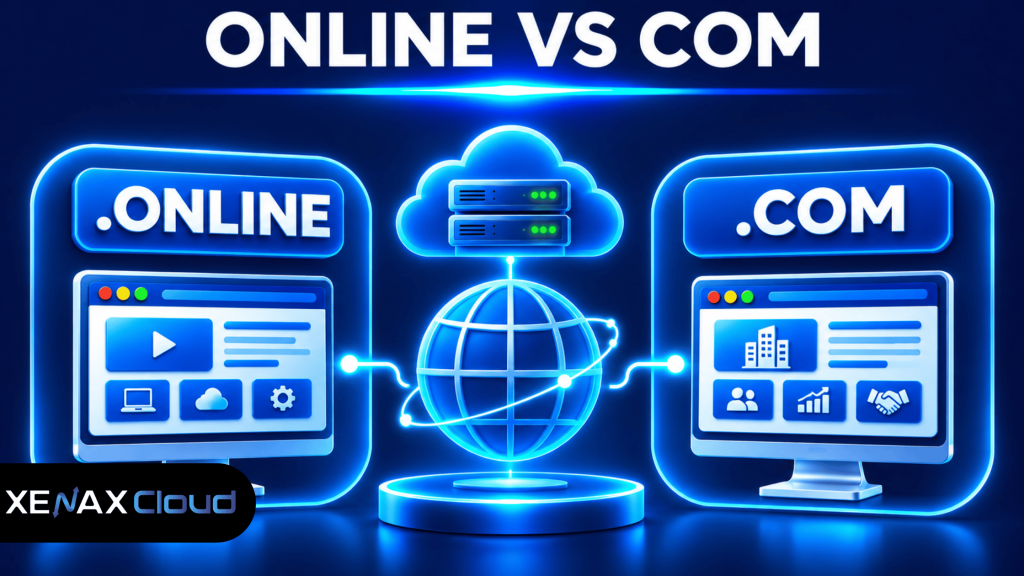
Consider the following comparison:
| Factor | .online | .com |
| Domain category | Generic top-level domain | Generic top-level domain |
| Brand association | Online presence | General commercial use |
| Suitable websites | Services, portfolios and businesses | Businesses and general websites |
| Geographic restriction | Not country-specific | Not country-specific |
| Ecommerce support | Requires an ecommerce platform | Requires an ecommerce platform |
| SEO advantage | No automatic ranking advantage | No automatic ranking advantage |
A .com domain may be preferable when your preferred brand name is available and you want a broadly recognised extension. A .online domain is worth considering when you want an address that communicates a digital presence or when it fits your branding better.
Neither extension automatically improves search rankings. Google evaluates website relevance, content quality, technical accessibility and other search signals rather than rewarding a website simply for using one of these extensions.
Is a .online Domain Good for Business?
Yes, a .online domain can be suitable for businesses that want a general-purpose web address for their services, products or company information.
A consultant could use advisoryhub.online, while a creative agency could use designstudio.online. These examples illustrate naming possibilities and do not indicate that the domains are available.
The extension can also accommodate a business that expands its services later. Unlike an industry-specific name, a general online identity does not necessarily restrict the brand to one product category.
However, check how the complete domain sounds when spoken aloud and whether customers can spell it correctly without assistance.
Who Should Register a .online Domain?
A .online domain is suitable for anyone who wants a general-purpose website address associated with an online presence.
Different businesses can use the extension for different purposes.
Small businesses: A local business can use a .online domain for service information, contact details, product catalogues and enquiries.
Freelancers: Designers, developers, consultants and independent professionals can use it for portfolios and professional profiles.
Digital agencies: Marketing, web development and creative agencies can use a descriptive domain for their company website.
Online retailers: Ecommerce businesses can use the extension for product catalogues, shopping carts and customer communication.
Educational businesses: Training companies and online educators can use it for course information and learning resources.
Personal projects: Individuals can register a domain for blogs, professional profiles and other websites.
The extension is not a substitute for a suitable business name. Before registering, check whether the name matches your existing brand and whether customers can distinguish it from similar businesses.
How to Buy .online Domain for Your Website?
You can buy .online domain by selecting a suitable name, checking registration availability and completing the registration through a domain registrar.
Follow these steps:
- Choose a short and recognisable domain name.
- Search for the complete domain’s availability.
- Check possible trademark and brand conflicts.
- Compare first-year and renewal registration terms.
- Enter accurate registrant contact information.
- Complete the registration through your selected provider.
- Configure DNS records to connect your domain to hosting.
What Should You Check Before Registering?
A domain’s availability does not automatically establish that you have the right to use the name as a business trademark.
Check the following before completing registration:
- Brand identity: Choose a name that matches your business and marketing materials.
- Spelling: Avoid unnecessary hyphens, confusing characters and complicated combinations.
- Trademark conflicts: Check relevant trademark databases before using a name commercially.
- Renewal conditions: Compare the renewal price with the first-year registration price.
- Registrant information: Use accurate contact details and retain control of the registrar account.
- Transfer conditions: Understand the registrar’s domain transfer and account access procedures.
Domain registration is a continuing registration arrangement rather than permanent ownership. You need to maintain the registration according to the applicable renewal conditions.
If a developer registers the domain for you, make sure your business retains registrant control and access to the registrar account. Delegated access is preferable to allowing an outside developer to become the permanent account owner.
You can review the ICANN domain name registration process to understand registration responsibilities and registrar arrangements.
How to Connect a .online Domain to Web Hosting?
You connect a .online domain to web hosting by configuring nameservers or DNS records according to the hosting provider’s instructions.
DNS stands for Domain Name System. DNS translates human-readable domain names into network information that computers use to locate websites and other services.
Common DNS records include:
| DNS record | Purpose | Example use |
| A | Points a hostname to an IPv4 address | Website server |
| AAAA | Points a hostname to an IPv6 address | IPv6-enabled server |
| CNAME | Creates an alias to another hostname | www subdomain |
| MX | Identifies mail servers | Business email |
| TXT | Stores text-based verification information | SPF and domain verification |
A typical domain connection looks like this:
   .online Domain
          |
          v
         DNS
          |
   +------+------+
   |             |
   v             v
Website Hosting Email Provider
| |
v v
Website Files Business Email
|
v
Website Visitors
The exact records depend on your hosting and email providers. Do not copy an IP address or mail server value from another website.
How to Configure DNS Records?
If your hosting provider supplies a public IPv4 address, you can configure an A record for the root domain.
For example:
Type: A
Name: @
Value: YOUR_HOSTING_IPV4
TTL: Provider default
You can configure a www alias using a CNAME record:
Type: CNAME
Name: www
Value: yourdomain.online
TTL: Provider default
These are illustrative configurations. Use the exact hostname and IP address supplied by your hosting provider.
If you use cPanel, you can manage DNS records through the relevant DNS Zone Editor when your hosting configuration provides that access.
Worked Example: Choosing a .online Domain for an Indian Digital Agency
A .online domain can suit an Indian digital agency that wants a general business address for its services, portfolio and client enquiries.
Consider a Jaipur-based digital agency called PixelCraft with four employees. The agency offers website development, graphic design and digital marketing services. It wants one website displaying service pages, project examples, contact information and an enquiry form.
The agency considers two domain names:
- pixelcraft.online
- pixelcraft.com
Both extensions can support the same website technology. The choice depends on availability, branding and registration conditions.
Suppose the agency finds that its preferred .com name is already registered, while its preferred .online name is available and does not create a trademark conflict.
In that situation, pixelcraft.online is a practical option because it preserves the intended brand name and provides a general-purpose web address.
The agency needs one domain registration. It does not need separate domains for website development, graphic design and digital marketing because all three services belong to the same business.
Which Xenax Cloud Domain Registration Should You Choose?
Xenax Cloud provides domain registration for extensions including .com, .org, .net, .com.in, .xyz, .online and more.
For the PixelCraft example, the required product is domain registration rather than a particular hosting configuration. The agency can register its selected extension and connect it to a separate hosting account.
Xenax Cloud bills in Indian rupees and supports Indian payment methods through Paytm, Cashfree and PayU, including UPI, cards and net banking. An international payment gateway is also available for foreign cards.
Use this decision rule:
- Choose .online if the extension fits your brand and the complete domain is available.
- Choose .com if your preferred brand name is available and you want that established general-purpose extension.
- Choose one domain if all your services belong to the same brand.
- Consider separate registrations only for genuinely different businesses or brands.
A domain registration alone is not sufficient if you need a live website. You must also arrange website hosting, configure DNS and install or deploy your website application.
You can compare available extensions and register a domain through Xenax Cloud.
Common Mistakes When Registering a .online Domain
The most common mistakes involve ignoring renewal conditions, choosing a confusing name and assuming that domain registration includes website services.
Avoid these problems:
Assuming hosting is included: A domain provides a web address, not server storage. Arrange hosting separately to store and serve website files.
Ignoring renewal conditions: An expired domain can eventually become available for registration under applicable registry policies. Keep your contact details updated and enable renewal reminders.
Assuming the extension improves SEO: A .online domain does not automatically improve search visibility. Your website still needs useful content, appropriate page titles, technical SEO and relevant links.
Ignoring email configuration: If you change nameservers, preserve the required MX and TXT records. Removing them without checking can interrupt business email delivery.
Registering without checking trademarks: A domain being available does not establish that the name is legally safe for commercial use.
Giving away registrar access: Keep the main registrar account under your business control. Give developers only the access they need to configure the website and DNS.
Before making a nameserver change, save the existing DNS zone records. This provides a reference if website or email services stop working after the change.
Xenax Cloud Domain Registration vs the usual alternatives
| Feature | Xenax Cloud | Typical Indian shared host | Global budget host |
|---|---|---|---|
| Starting price | ₹624/yr | ₹199/mo | ₹149/mo (renews ₹499) |
| Storage | .com ₹1,124/yr | 10 GB SSD | 25 GB SSD |
| DDoS protection | 100 Gbps, always on | Basic | Cloudflare only |
| Support | 24×7, in-house engineers | Tickets, business hours | Chat, outsourced |
| Data centre | India (NVMe) | India | Singapore / US |
| Control panel | cPanel / WHM included | cPanel | Custom panel |
Entry-level plans, list prices including GST where shown. Check each provider before buying — prices change.
See Domain Registration plans.online domain: FAQs
Is a .online domain suitable for an Indian business?
Yes, a .online domain can be registered and used by an Indian business, subject to registration availability and applicable requirements. It is a generic extension rather than a country-specific domain. Indian businesses can use it for company websites, portfolios, service pages and ecommerce platforms.
Is a .online domain better than .com?
Neither extension is universally better because both support general-purpose websites. Choose .com when its familiar branding suits your business and the name is available. Choose .online when the extension fits your identity or provides a suitable alternative for your preferred brand name.
Does a .online domain include website hosting?
No, a .online domain registration does not automatically include website hosting. Domain registration provides the web address, while hosting stores website files and databases. You need to arrange hosting separately and configure the domain’s DNS records to connect the two services.
Can I use a .online domain with WordPress?
Yes, a .online domain can be connected to a WordPress website. Register the domain, configure its nameservers or DNS records, install WordPress on compatible hosting and enable HTTPS. The domain extension does not restrict WordPress installation or the use of supported WordPress plugins.
Does a .online domain improve Google rankings?
No, using a .online domain does not automatically improve Google rankings. Search visibility depends on website relevance, content quality, technical accessibility and other search signals. Select the extension for branding and usability, then work on page optimisation and useful content.
Can I create business email with a .online domain?
Yes, you can use a .online domain for business email when you have a compatible email hosting service. Configure the required MX and TXT records supplied by your email provider. The domain registration itself does not automatically create mailboxes or email accounts.
What happens if I do not renew my .online domain?
If you do not renew your .online domain, it can expire and eventually become available for registration by someone else under the applicable registry policies. Keep your registrar contact details updated, enable renewal reminders and check the expiry and restoration conditions before registration.
If you want a general-purpose business or professional website address, start by checking your preferred .online domain through Xenax Cloud. Compare its renewal terms with the first-year registration terms, confirm the name is suitable for your brand and arrange compatible website hosting separately.