
Where to buy domain names depends on the extension you need, the registrar’s renewal terms and the features available for managing your domain. A domain registrar is a company authorised to register domain names, allowing you to reserve an available web address and manage its registration.
For a business owner, freelancer or blogger, choosing a domain is an early step in building a website. The registration service matters because you may need to manage DNS records, renew the domain, transfer it or update ownership details later.
A low first-year registration cost does not always mean a lower long-term expense. Compare renewal terms, security controls and management features before deciding where to register your domain.
Where to Buy Domain Names: What Should You Compare?
You can buy domain names from an ICANN-accredited registrar or another authorised provider that supports the extension you want. Compare the provider’s registration and renewal terms, domain management tools, security features and customer support before placing an order.
A domain name is the human-readable address people enter into a browser to visit a website. The Domain Name System (DNS) connects that name to the relevant internet services, such as your website server or email provider.
Different registrars support different domain extensions, also called top-level domains (TLDs). Common examples include .com, .org, .net, .xyz and .online.
Use this checklist when comparing domain registration providers:
- Extension availability: Confirm that the registrar supports the domain ending you want.
- Renewal terms: Check the renewal cost rather than comparing only the initial registration amount.
- DNS management: Look for controls to update nameservers and DNS records.
- Domain ownership: Confirm that the registration details identify you or your business correctly.
- Transfer policy: Review how to move the domain to another registrar if your requirements change.
- Security controls: Check for domain locking, account protection and two-factor authentication where supported.
- Support: Check how to contact the provider if registration, DNS or renewal problems occur.
A registrar should make domain ownership and management clear. If you cannot easily find the renewal terms, transfer process or account security options, clarify those details before purchasing.
If you are comparing where to buy domain names, look beyond the initial registration cost. Check renewal terms, DNS management, domain transfer policies and account security before choosing a registrar. The right place to buy a domain should make registration and future domain management straightforward for your business.
Where to Buy Domains for Cheap Without Unexpected Costs?
To find where to buy domains for cheap, compare the total registration and renewal terms rather than choosing the provider with the lowest advertised first-year amount. A domain that costs less initially may have different renewal conditions or additional charges later.
Registrars can use introductory registration pricing, standard renewal pricing and optional add-on services. These are separate costs, so review the order summary and renewal policy before completing the purchase.
For example, domain privacy services, premium DNS features and additional email services may be offered separately. Check whether a feature is included in the registration or requires an additional purchase.
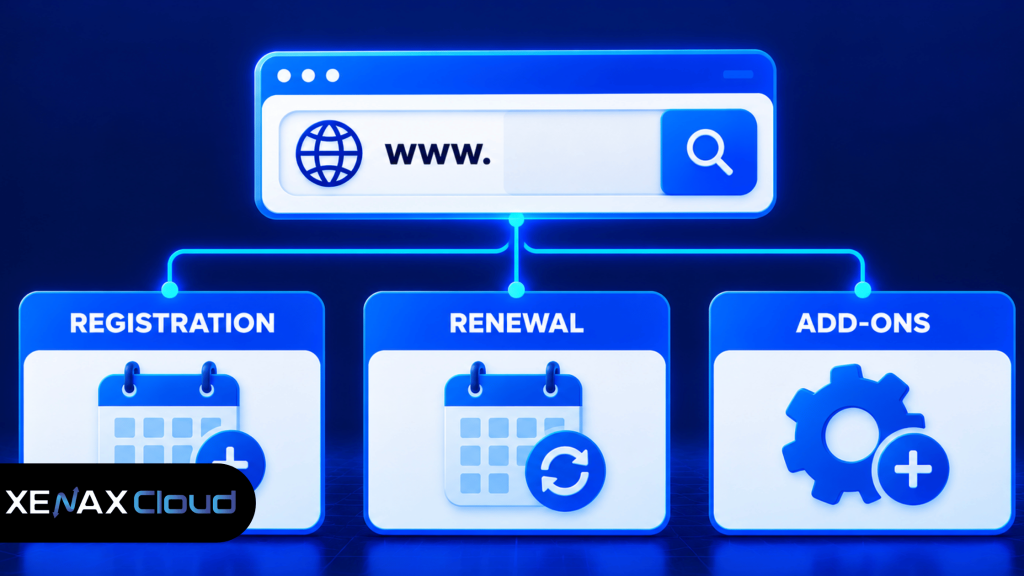
A domain registration comparison should include the following details:
| What to compare | What to check | Why it matters |
| Initial registration | First registration term | Shows the initial purchase cost |
| Renewal | Cost after the first term | Helps estimate ongoing ownership costs |
| Transfer | Transfer eligibility and procedure | Makes future provider changes easier |
| DNS features | Nameserver and record controls | Lets you connect websites and email |
| Add-ons | Optional privacy or security services | Identifies additional charges |
Do not assume that every registrar includes the same services with a domain. Read the product description and order summary carefully, especially if you are registering a domain for a business website.
Is the Cheapest Place to Buy Domain Always the Best Choice?
The cheapest place to buy domain names is not automatically the best registrar because registration cost is only one part of domain ownership. Renewal conditions, support, DNS controls and account security also affect how easy the domain is to manage.
A domain name may remain associated with your business for years. Losing access to its registration account or missing a renewal can interrupt website and email services, even when the website hosting itself is working.
Check these details before selecting a low-cost provider:
- Does the registrar clearly explain renewal terms?
- Can you update DNS records without contacting support for every change?
- Does the account support two-factor authentication?
- Can you enable a domain transfer lock?
- Are ownership and contact details easy to review?
- Is there a documented process for recovering account access?
The cheapest registration option may suit a personal project if its management features meet your needs. For a business domain, reliable account access and clear renewal policies should carry more weight than a small difference in the initial registration cost.
How to Choose and Register a Domain Name
You can register a domain by checking availability, selecting an extension, reviewing the registration terms and completing the registrar’s checkout process. Keep access to the registered account because you will need it for renewals, DNS changes and ownership management.
Follow these steps before completing your domain purchase:
- Choose a short and relevant domain name.
- Select an extension that suits your website or business.
- Check whether the exact domain is available.
- Compare registration and renewal terms.
- Review the registrar’s security and DNS features.
- Enter accurate registrant and contact information.
- Complete the registration and save your account details.
Step 1: Choose a Suitable Domain Name
A suitable domain name is easy to spell, pronounce and remember. For a business, using the brand name or a recognisable variation can help visitors identify the website.
Avoid unnecessary hyphens, confusing spellings and combinations of numbers that are difficult to communicate verbally. Check that the name does not create trademark or brand-confusion issues before registering it.
Step 2: Select the Domain Extension
A domain extension is the ending of a domain name, such as .com, .org or .net. Choose an extension that matches your website’s purpose and the audience you want to reach.
Common options include:
- .com for businesses, commercial websites and general projects.
- .org for organisations and community-focused websites.
- .net for technology-related and general websites.
- .xyz for projects that prefer a different domain identity.
- .online for websites that want an extension associated with online activity.
An extension does not guarantee search rankings. Focus on a relevant domain name, useful website content and a clear brand identity rather than expecting a particular extension to improve rankings automatically.
Step 3: Check Availability and Ownership
A domain availability checker searches registration records to determine whether a domain can currently be registered. Search for the exact spelling you want, then review the registration details before purchasing.
If the domain is already registered, you may need to choose another name or contact its current owner through an appropriate channel. Do not assume that an expired-looking website means the domain is available for registration.
Step 4: Review Registration and Renewal Terms
Check the first registration term, renewal conditions and transfer policy before placing your order. Keep a record of the renewal date and confirm that your account email address is one you can access.
For a business domain, use accurate registrant details and an account controlled by the business owner or an authorised administrator. Avoid registering a company domain under an employee’s personal account without a documented ownership arrangement.
Step 5: Complete Registration and Configure DNS
After registration, use the registrar’s control panel to manage nameservers and DNS records. If your website is hosted by another provider, use the nameservers or DNS values supplied by that hosting provider.
Common DNS records include:
- A record: Points a domain or hostname to an IPv4 address.
- AAAA record: Points a domain or hostname to an IPv6 address.
- CNAME record: Creates an alias from one hostname to another.
- MX record: Specifies the mail servers that receive email for a domain.
- TXT record: Stores text information used for services such as domain verification and email authentication.
Before changing DNS records on an active website, save the existing values. Incorrect changes can interrupt website access or email delivery, so make changes carefully and verify the affected services afterwards.
After purchasing a domain, configure its DNS records correctly to connect your website and email services. Read our guide on DNS troubleshooting with the nslookup command to understand how to check domain name resolution and identify common DNS issues.
Worked Example: Choosing a Domain for a Local Business in Varanasi
Consider a Varanasi-based dental clinic that wants to register a domain for its website, appointment information and contact details. The clinic has selected its business name and wants an address that patients can remember and type correctly.
The clinic should first check whether its preferred brand-name .com domain is available. If it is unavailable, the owner can consider another suitable name or extension rather than registering a confusing variation that could be mistaken for another business.
For this requirement, the domain registration product is the relevant Xenax Cloud service. The decision is based on the availability of the chosen extension, its renewal terms and the owner’s ability to manage DNS and registration details. Domain registration is selected by domain name and extension, not by a smaller or larger hosting configuration.
If the clinic later needs a website, it will also need a hosting service. Domain registration reserves the web address, while hosting stores the website files and makes them accessible online. These are separate services, so registering a domain does not automatically provide website hosting.
Xenax Cloud supports domain extensions including .com, .org, .net, .com.in, .xyz and .online. Compare the first registration term with the renewal terms before selecting an extension. You can review the available options through Xenax Cloud domain registration.
What Should You Do After Buying a Domain?
After buying a domain, verify its registration details, configure DNS and secure the account used to manage it. These steps help prevent avoidable problems when connecting a website, setting up email or renewing the registration.
Use this post-registration checklist:
- Verify ownership details: Confirm that the registrant information is accurate.
- Secure the account: Use a strong unique password and enable two-factor authentication where supported.
- Enable domain locking: Use the registrar’s transfer-lock feature where available.
- Configure nameservers: Enter the correct nameservers supplied by your hosting or DNS provider.
- Set up DNS records: Add the records required for your website and email services.
- Check renewal settings: Review the renewal date and payment details.
- Save account information: Keep registration records and recovery information in a secure location.
If you plan to use the domain for business email, configure the required MX and email authentication records with your email provider. Incorrect DNS records can prevent messages from reaching the intended mail server.
For additional information about domain registration responsibilities, consult ICANN’s information for registrants. It explains the relationship between registrants, registrars and domain registration requirements.
Common Domain Registration Mistakes to Avoid
Domain registration mistakes can cause ownership disputes, renewal problems and interruptions to website services. Reviewing the registration details before and after purchase helps reduce these risks.
Avoid these common mistakes:
- Choosing only by the first-year cost: Check renewal terms before purchasing.
- Using inaccurate contact information: Keep registrant details correct and accessible.
- Ignoring account security: Protect the registrar account with strong authentication.
- Forgetting renewal dates: Keep reminders and verify renewal settings.
- Confusing hosting with registration: A domain is an address; hosting stores the website files.
- Changing DNS without saving existing records: Record the current configuration before making changes.
- Registering a confusing brand variation: Check trademarks and existing brand identities before purchase.
A domain is a business asset that controls how visitors find your website. Keep ownership under the appropriate person or organisation and maintain access to the registrar account even if a web developer manages the website.
Xenax Cloud Domain Registration vs the usual alternatives
| Feature | Xenax Cloud | Typical Indian shared host | Global budget host |
|---|---|---|---|
| Starting price | ₹399/yr | ₹199/mo | ₹149/mo (renews ₹499) |
| Storage | .com ₹999/yr | 10 GB SSD | 25 GB SSD |
| DDoS protection | 100 Gbps, always on | Basic | Cloudflare only |
| Support | 24×7, in-house engineers | Tickets, business hours | Chat, outsourced |
| Data centre | India (NVMe) | India | Singapore / US |
| Control panel | cPanel / WHM included | cPanel | Custom panel |
Entry-level plans, list prices including GST where shown. Check each provider before buying — prices change.
See Domain Registration plansWhere to Buy Domain Names: FAQs
Where to buy domain names for a business website?
You can buy a business domain from an authorised registrar that supports your preferred extension and provides clear renewal terms, DNS management and account security. Check that the domain matches your business identity and that the registrant details belong to the appropriate owner. Review transfer and renewal conditions before completing registration.
Where to buy domains for cheap without high renewal costs?
Compare the first registration term with the renewal terms before selecting a registrar. Also check optional services, transfer conditions and DNS management features. A low introductory registration cost may not represent the ongoing ownership cost, so review the complete order summary and renewal policy before purchasing.
What is the cheapest place to buy a domain?
The cheapest place to buy a domain depends on the extension, registration term and renewal conditions offered by each registrar. Compare the same extension across providers and include required add-ons in your comparison. Do not select a registrar based only on its introductory offer or advertised registration cost.
Can I buy a domain without buying web hosting?
Yes, you can register a domain without purchasing web hosting. Domain registration reserves the web address, while hosting stores website files and serves them to visitors. You can register the name first and connect it to a hosting provider later by configuring the appropriate nameservers or DNS records.
How do I know if a domain registrar is trustworthy?
Check whether the registrar is authorised for the extension you want and provides transparent registration, renewal and transfer policies. Review its account security features, support channels and DNS controls. Confirm that you can access and manage the registration details yourself rather than depending entirely on another person.
Should I choose a .com or .org domain?
Choose .com for a general business or commercial website, while .org is commonly associated with organisations and community-focused projects. Neither extension automatically improves search rankings. Select the extension that accurately represents your website, is available for your preferred name and fits your intended brand identity.
Can I transfer my domain to another registrar later?
Yes, most transferable domains can be moved to another eligible registrar by following the applicable transfer procedure. Requirements may include unlocking the domain and obtaining an authorisation code. Check the extension’s transfer rules and avoid initiating a transfer immediately before a renewal deadline.
Before registering, compare the available extension, renewal conditions and management features. If you have selected a suitable .com, .org, .net, .xyz or .online name, review Xenax Cloud’s domain registration options and keep the registration account under your control.