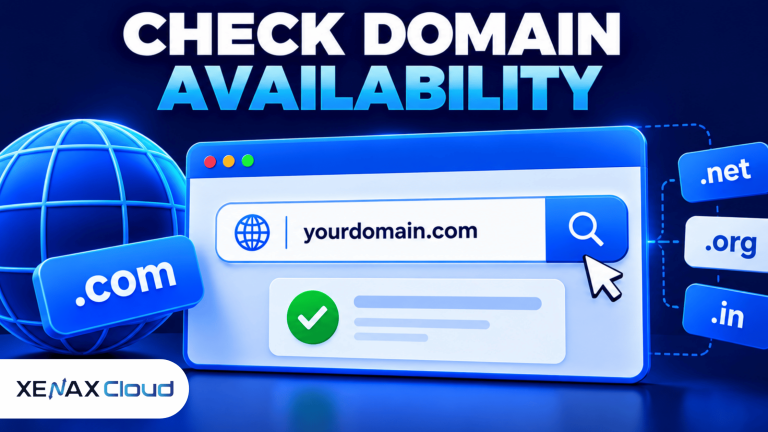
How to check domain availability is a simple process: search the exact domain name through a domain registrar, review the result, and confirm the extension is available for registration. Before buying, check spelling, registration terms and renewal pricing because availability can change until the registration is completed.
Your domain name may become the main address customers use to find your business, website or online store. A short, easy-to-spell name can help people remember it, but the name should also match your brand and avoid confusion with existing businesses.
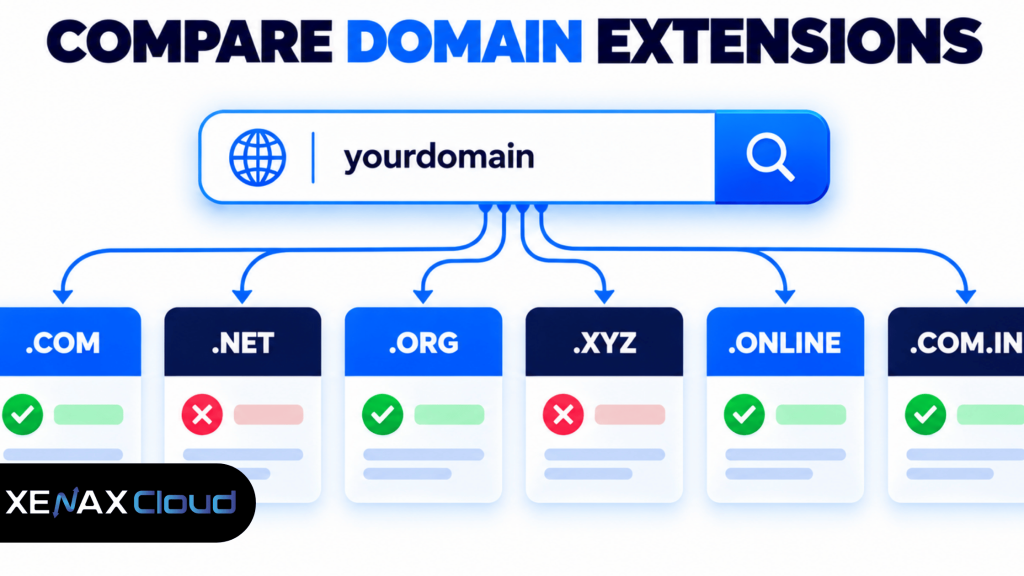
For an Indian business, compare suitable extensions such as .com, .net, .org, .xyz and .online. Check the renewal price as well as the first-year price, and review any registration requirements before completing the purchase.
What Does Domain Availability Mean?
Domain availability means a domain name is currently eligible for registration through a registrar, subject to the registry’s rules and requirements.
A domain name is the human-readable address people enter into a browser to visit a website, such as example.com. The Domain Name System (DNS) helps translate that name into the information needed to reach the relevant internet service.
A search result marked available does not reserve the domain for you. Another person may register it before you complete checkout, so confirm the name and proceed with registration when you are ready.
A result marked unavailable may mean the domain is already registered, reserved, restricted or otherwise not open for ordinary registration. If your preferred name is unavailable, try a different extension or a clear alternative that still fits your business.
How to Check Domain Availability Step by Step
You can check domain availability by searching the exact name through a domain registrar and confirming the result for each extension you want.
- Choose the name you want to register.
- Check the spelling, hyphens and possible typing mistakes.
- Search the exact name using a domain registrar’s search tool.
- Review the result for each suggested extension.
- Compare alternatives if your first choice is unavailable.
- Check registration and renewal terms before checkout.
- Register the domain and confirm that the order is completed.
Start with the name exactly as you want customers to see it. For example, if your business name is “Mehta Design Studio”, you might check a compact version such as mehtadesignstudio.com, then compare other suitable extensions if the .com version is unavailable.
Do not assume a name is registered just because a search engine shows a website with that name. Likewise, a domain that does not load in a browser may still be registered. Use a registrar’s availability result and, where necessary, a domain registration lookup to check its status.
Domain Name Search India: Which Extension Should You Check?
A domain name search in India should include the extensions that match your audience, business identity and future plans.
Different extensions serve different purposes, but no extension automatically guarantees trust, ranking or sales. The right choice depends on how you intend to use the name and whether it is available.
| Extension | Common use | What to consider |
| .com | Commercial businesses and broad audiences | Widely recognised, but your preferred name may be taken |
| .net | Technology, networking and general websites | Can be an alternative when the matching .com is unavailable |
| .org | Organisations and community projects | Check whether the extension fits the site’s purpose |
| .xyz | Startups, personal brands and varied projects | Confirm that the extension suits your audience |
| .online | Websites and online services | Check spelling clarity and renewal terms |
| .com.in | Businesses targeting an Indian audience | Check the registry and registrar’s current registration requirements |
Before choosing, search the name with and without hyphens if both versions are relevant. Avoid names that are easy to confuse with another brand, and review trademark considerations before using a business name commercially.
How to Check Domain Name Availability if Your First Choice Is Taken
If your preferred domain name is unavailable, try a clear variation or a different relevant extension rather than adding random characters.
Begin with these alternatives:
- Add a meaningful word describing the business, service or location.
- Use a shorter version of the brand name if it remains clear.
- Compare another suitable extension, such as .net or .online.
- Remove unnecessary hyphens or numbers that could confuse customers.
- Check whether the name is already associated with a business or trademark.
For example, if brightleaf.com is unavailable, you could search a descriptive variation such as brightleafstudio.com or check a suitable alternative extension. These are examples of naming approaches, not claims that any particular domain is available.
Do not assume that a domain is available just because its website is inactive. It may still be registered by someone who is not currently using it. If a domain is registered, buying it from its owner may be possible, but that is a separate transaction and availability is not guaranteed.
What Should You Check Before Registering a Domain?
Before registering a domain, confirm the exact name, extension, renewal terms and account details so you can keep control of it after purchase.
Use this checklist before checkout:
- Spelling: Read the complete domain carefully, including hyphens and the extension.
- Brand suitability: Check that the name does not create confusion with an existing business.
- Registration term: Understand how long the initial registration lasts and when renewal is due.
- Renewal pricing: Compare the renewal price with the first-year price; introductory pricing can differ from renewal pricing.
- Ownership and access: Use accurate registrant details and an email account you control.
- Renewal reminders: Enable renewal notifications and keep payment details current.
- Security: Use a strong, unique account password and enable multi-factor authentication if available.
A domain registration and a hosting plan are separate services. Registering a domain gives you control of the domain name for its registration period; you still need to configure DNS and connect the domain to a website, email service or other destination.
For authoritative background on domain names and their registration ecosystem, consult ICANN’s domain name resources.
Where Can You Check Domain Availability in India?
You can check domain availability through a domain registrar that supports the extension you want and clearly displays registration and renewal terms.
For an Indian business, consider the following before selecting a registrar:
- Does the search tool support the extension you want?
- Are registration and renewal terms displayed clearly?
- Can you manage DNS records and domain contacts from your account?
- Is customer support available if a registration or renewal issue occurs?
- Can you secure the account with appropriate authentication and recovery options?
Xenax Cloud provides domain registration for extensions including .com, .org, .net, .com.in, .xyz and .online. Its website is a place to check the extensions it currently offers and review the relevant registration information.
You can use the Xenax Cloud domain registration page to search for a suitable domain and review the available options. Confirm the final spelling and renewal terms before submitting your order.
Worked Example: Choosing a Domain for a Business in Varanasi
A small business in Varanasi should start by searching its exact brand name, then compare relevant extensions and renewal terms before registering.
Imagine a design studio called “Kashi Creative Studio” that wants a domain for its portfolio, enquiry form and business email. The owner should first search a concise version of the business name with .com, then check alternatives such as .online or .net if the preferred name is unavailable.
If the exact brand name is available with a suitable extension and the registration terms meet the owner’s needs, register that name and save the confirmation details. If the preferred name is taken, use a distinctive variation that customers can spell easily rather than choosing a confusing name just to get a matching extension.
The decision rule is straightforward:
- Choose the exact brand name if it is available, suitable and does not raise a brand-conflict concern.
- Choose a descriptive variation if the exact name is unavailable.
- Choose another extension if it fits the audience and remains easy to remember.
- Keep searching if the available alternatives could be confused with an existing business.
The recommendation would not be suitable if the proposed name conflicts with a protected trademark or another established brand. In that case, choose a different name and seek appropriate legal guidance before registering it.
How to Manage Your Domain After Registration
After registration, connect the domain to the correct service and keep the account and renewal information up to date.
Your next steps usually include:
- Save the registration confirmation and account details securely.
- Enable account security features supported by the registrar.
- Configure DNS records for your website, email or other service.
- Verify that the domain points to the intended destination.
- Track the renewal date and keep contact information current.
DNS changes can take time to appear consistently across networks because resolvers cache records. If the domain does not point to the expected destination immediately, check the DNS records and nameservers before making repeated changes.
If you are connecting a domain to hosting, confirm the required nameservers or DNS records with your hosting provider. Keep a record of existing DNS settings before changing them, particularly if the domain already handles business email.
How to Check Domain Availability: FAQs
How can I check domain availability quickly?
You can check domain availability by entering the exact name into a registrar’s search tool and reviewing the result for the extension you want. Search alternatives if the name is taken. Before checkout, verify spelling, registration terms and renewal pricing, because a search result does not reserve the domain.
Is a domain available if its website does not open?
No. A domain can remain registered even if its website does not load or display content. Check the registration status through a registrar or a suitable domain lookup service. If it is already registered, you may need to select another name or contact the owner about a possible purchase.
Which domain extension should an Indian business choose?
An Indian business should choose an extension that fits its brand, audience and intended use. .com is common for commercial websites, while .net, .org, .xyz and .online may suit different projects. Compare availability, registration requirements and renewal pricing before deciding.
Can I register a domain name that someone else owns?
Not through ordinary new registration while the domain remains registered to someone else. You may be able to negotiate a purchase with the current owner, but the owner does not have to sell. Check the domain’s status and avoid paying an unknown seller without verifying ownership and transfer procedures.
Does buying a domain include website hosting?
No. Domain registration and website hosting are separate services. A domain gives you the registered name, while hosting provides the environment where your website or application runs. After registration, configure DNS records or nameservers to connect the domain to the hosting service you intend to use.
Why should I check the renewal price before registering a domain?
You should check the renewal price because the first-year registration price may differ from the amount charged when the domain renews. Review the renewal period, renewal terms and any applicable requirements before checkout. Keep reminders enabled so you can renew the domain before it expires.
Where can I check domain name availability in India?
You can check domain name availability in India through a registrar that offers the extension you need. Xenax Cloud’s domain registration page lets you review the extensions it offers. Verify the exact spelling, current availability and renewal terms before completing the registration.
Start by searching your preferred business name and one or two suitable extensions. If the name is available and the renewal terms fit your needs, register it through Xenax Cloud’s domain registration page and keep the confirmation and renewal date in a secure place.