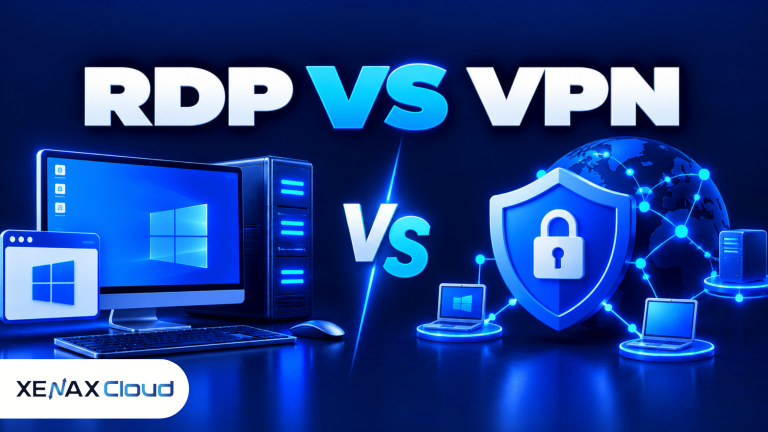
RDP vs VPN compares two different ways to access computers and business resources remotely. Remote Desktop Protocol (RDP) lets you operate a remote computer through a graphical desktop, while a virtual private network (VPN) creates an encrypted connection to a network so authorised devices can access its resources.
The right choice depends on what you need to reach. If you need to use applications installed on a remote Windows computer, RDP may fit; if you need secure access to an office network, a VPN may be the better starting point.
Some businesses use both technologies together. Understanding what each one does, what it protects and how it affects access helps you choose a suitable setup without paying for or maintaining unnecessary infrastructure.
What Is the Difference Between RDP and VPN?
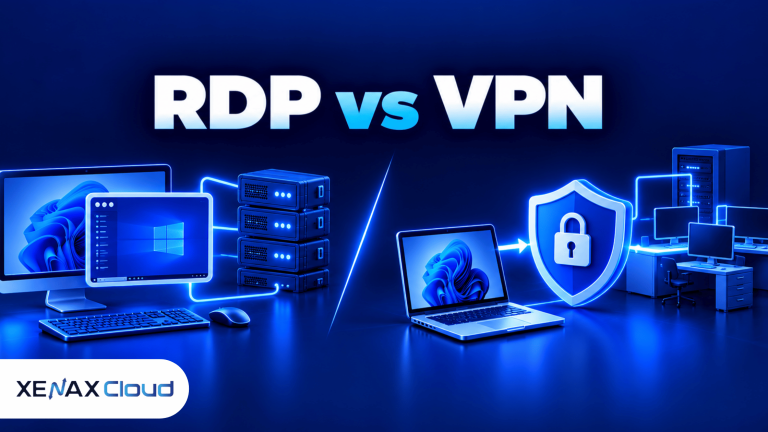
The main difference between RDP and VPN is that RDP provides a remote desktop session, whereas a VPN provides network connectivity through a protected tunnel. They solve related but different access problems.
RDP sends keyboard, mouse and display information between your device and a remote computer. The remote computer runs its operating system and applications, while you interact with them through the client.
A VPN establishes a protected connection between a device and a VPN endpoint, such as an office gateway or VPN server. Once connected, authorised users may access permitted internal resources, depending on the network routes, firewall rules and authentication policies.
| Feature | RDP | VPN |
| Main purpose | Operate a remote computer | Access a protected network |
| What you see | A remote desktop session | Your usual device with network access |
| Where applications run | On the remote computer | Usually on your device or the accessed network |
| Typical use | Windows applications and remote administration | Office files, internal systems and private network services |
| Access control | Remote account, permissions and RDP configuration | VPN authentication, network policies and permissions |
| Common limitation | Requires a reachable, configured remote computer | Does not itself provide a desktop or install applications |
A VPN connection does not automatically allow you to control another computer. You still need an appropriate service, such as RDP, SSH or a web application, to access the target resource.
Likewise, connecting through RDP does not automatically give you access to every device on the remote network. The permissions and routes available depend on the server and network configuration.
When Should You Choose RDP Instead of a VPN?
Choose RDP when your main task is to operate a remote Windows desktop and use applications installed on that computer. Choose a VPN when your main task is to reach authorised resources on a private network from your own device.
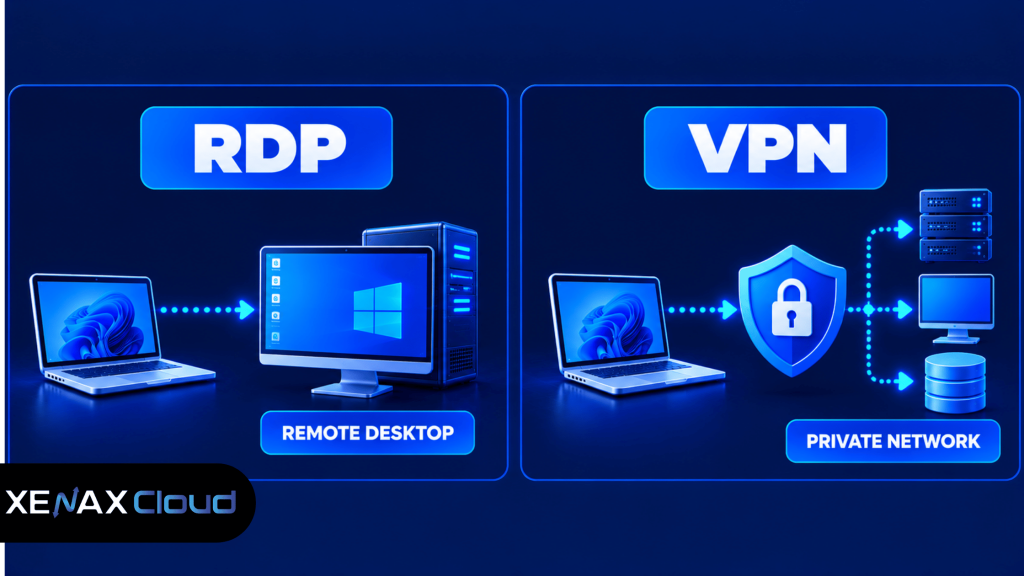
Some workflows need both. An employee may first connect to the company’s VPN and then use RDP to access an office workstation, allowing the organisation to restrict remote desktop access to its private network.
RDP or VPN for Remote Access: Which Fits Your Work?
RDP or VPN for remote access should be selected according to the resource you need to reach, rather than treating the technologies as direct substitutes. Use this decision rule:
- Choose RDP if you need to operate a remote Windows desktop and run its installed applications.
- Choose a VPN if you need network-level access to authorised office resources from your own device.
- Choose both if your security design requires a VPN connection before a remote desktop session can be reached.
- Choose neither alone if you only need to use a browser-based application that is already securely accessible online.
A VPN is not always necessary for every RDP deployment, and RDP is not necessary for every VPN user. The correct arrangement depends on the applications, access policies and threat model.
Is RDP More Secure Than a VPN?
Neither RDP nor VPN is automatically more secure than the other because each protects a different type of access and has its own configuration risks. Security depends on authentication, exposure to the internet, permissions, updates and monitoring.
An RDP service exposed directly to the internet can attract password-guessing attempts and other unauthorised connection attempts. Use strong unique credentials, restrict access to trusted source addresses where practical, keep Windows updated and enable additional authentication controls where supported.
A VPN can reduce direct exposure of internal services by allowing access only through an authenticated network connection. However, a compromised VPN account or incorrectly configured network permissions can still expose internal resources.
Follow these security practices:
- Use multi-factor authentication where supported.
- Give each user an individual account and appropriate permissions.
- Keep operating systems and remote-access software updated.
- Restrict exposed ports and permit only the connections your setup requires.
- Review authentication logs and investigate unexpected access.
- Keep backups of important data and test restoration procedures.
Microsoft’s Remote Desktop Services security guidance explains security considerations for Remote Desktop environments. Use it alongside your organisation’s access policies when configuring a Windows server.
Can You Use RDP and VPN Together?
Yes, RDP and VPN can work together when the network and remote desktop are configured to permit the connection. In this arrangement, the VPN provides access to the private network, and RDP lets the user operate a permitted computer on that network.
A common business setup works as follows:
- The user connects to an approved VPN endpoint.
- The VPN authenticates the user and applies the relevant network access rules.
- The user opens an RDP client on their computer.
- The client connects to the authorised remote computer using its private address or permitted hostname.
- The user signs in to Windows with an authorised account.
This approach can keep the RDP service inaccessible from the public internet, depending on firewall and routing rules. However, it introduces another service to configure and maintain, and the VPN itself must be secured.
If you are using a hosted RDP server, confirm whether your chosen access design requires a VPN and whether your provider supports the necessary network configuration. Do not assume that a VPN endpoint is included with every remote desktop plan.
What Are the Remote Access Options for Business?
Remote access options for business include RDP, VPN, SSH and browser-based applications, each serving a different access requirement. The appropriate option depends on whether staff need a graphical desktop, a command line, an internal network connection or access to a specific web application.
- RDP: Suitable for interactive Windows desktop sessions and Windows applications.
- VPN: Suitable for connecting authorised devices to private network resources.
- SSH: A secure remote administration protocol commonly used for Linux command-line access and file transfers through supported tools.
- Browser-based access: Suitable when the business application can be accessed securely through a web browser without a full remote desktop.
These options are not mutually exclusive. A technical team might use VPN for private network access, SSH for Linux administration and RDP for Windows application access.
Does a Business Need a VPN for Every Remote Desktop?
No, a business does not necessarily need a separate VPN for every remote desktop connection. The requirement depends on whether the RDP service is exposed directly, restricted through a private network or protected by another approved access architecture.
A company may use a VPN to restrict access to internal desktops. Another organisation may use a properly secured remote desktop gateway or a different managed access solution. Review the security design before deciding, and avoid exposing RDP publicly simply because it is easier to connect.
Worked Example: A Small Business in Lucknow
Consider a Lucknow-based company with six employees who need to use a Windows-only business application hosted on a central remote computer. The employees need a consistent Windows environment, while the administrator wants to control installed software and access permissions.
In this case, RDP is the core requirement because employees need to operate the remote Windows desktop. A VPN may also be appropriate if the company wants the desktop reachable only after users connect to its private network.
If employees instead need to access several internal office services from their own computers, a VPN may be the primary tool, with RDP used only by staff who need a remote Windows desktop. The decision should follow the actual application and network requirements, not the number of employees alone.
For a business that specifically needs a hosted Windows desktop, Xenax Cloud offers Speed RDP, General RDP and Gold RDP families. Speed RDP starts with 2 vCPU and 4 GB RAM, General RDP starts with 2 vCPU and 8 GB RAM, and Gold RDP starts with 2 vCPU and 4 GB RAM using a high-frequency Xeon Gold processor.
Choose Speed RDP for general desktop workloads when its resource allocation is sufficient. Consider General RDP if the applications and concurrent work need more memory per vCPU, or Gold RDP if the workload benefits from CPU performance. If you only need secure access to an existing office network and do not need a hosted Windows desktop, a VPN solution may be more appropriate.
Xenax Cloud’s Windows RDP hosting plans provide Windows on KVM, administrator access and a 500 Mbps network port. The service operates from a Tier-III data centre in Banda, Uttar Pradesh, India.
How Should You Choose the Right Remote Access Setup?
Choose a remote access setup by identifying the resource, the users who need it and the security controls required to protect it. Start with the simplest architecture that meets those requirements, then add layers when they solve a specific access or security problem.
Use the following checklist before deploying either technology:
- Identify whether users need a full Windows desktop, private network resources or both.
- List the applications and services each user must access.
- Choose RDP, VPN or a combination based on the required access.
- Restrict access using individual accounts, authentication and firewall rules.
- Test the connection from an authorised device and confirm users cannot reach unauthorised resources.
- Monitor login activity and review permissions when staff roles change.
For a Windows desktop deployment, document the connection address, authorised accounts and recovery procedure. This makes troubleshooting easier when a user cannot connect or an administrator needs to revoke access.
Common Mistakes When Comparing RDP and VPN
The most common mistake when comparing RDP and VPN is assuming that both technologies provide the same access or security features. They serve different purposes, so choosing one without checking the actual requirement can leave users unable to work or expose services unnecessarily.
Avoid these mistakes:
- Treating a VPN as a remote desktop: A VPN provides network access, not a Windows desktop session by itself.
- Assuming RDP protects the entire network: RDP access to one computer does not automatically grant access to every device behind it.
- Exposing RDP without reviewing security: Public accessibility should be deliberate and protected by suitable controls.
- Buying a remote desktop when a VPN is sufficient: If users only need internal network resources from their own devices, a hosted Windows desktop may add unnecessary administration.
- Assuming a VPN makes every connection safe: Authentication, device security, network permissions and server updates still matter.
A useful final check is to describe the task in one sentence: “I need to operate a Windows computer remotely” points towards RDP, while “I need to access authorised resources on a private network” points towards a VPN. If both statements apply, evaluate a combined design.
Xenax Cloud Windows RDP vs the usual alternatives
| Feature | Xenax Cloud | Typical Indian shared host | Global budget host |
|---|---|---|---|
| Starting price | ₹649/mo | ₹199/mo | ₹149/mo (renews ₹499) |
| Storage | 40 GB SSD storage | 10 GB SSD | 25 GB SSD |
| DDoS protection | 100 Gbps, always on | Basic | Cloudflare only |
| Support | 24×7, in-house engineers | Tickets, business hours | Chat, outsourced |
| Data centre | India (NVMe) | India | Singapore / US |
| Control panel | cPanel / WHM included | cPanel | Custom panel |
Entry-level plans, list prices including GST where shown. Check each provider before buying — prices change.
See Windows RDP plansRDP vs VPN: FAQs
Is RDP the same as a VPN?
No, RDP and VPN are different technologies. RDP lets you interact with a remote computer through a desktop session, while a VPN creates a protected connection to a network. A business may use both when staff need remote desktop access restricted to an authenticated private network.
Which is better, RDP or VPN for remote access?
Neither is universally better because RDP and VPN solve different problems. Choose RDP when you need to operate a remote Windows desktop, and choose a VPN when you need authorised access to internal network resources. Use both if your security design requires a private network connection before desktop access.
Can I use RDP without a VPN?
Yes, you can use RDP without a VPN if the remote computer is reachable and the connection is configured and secured appropriately. The service may be reachable through a private network, gateway or approved public-access arrangement. Restrict access, use strong authentication and follow your organisation’s security policy.
Does a VPN protect RDP connections?
A VPN can add a protected network path for RDP traffic and restrict desktop access to authorised VPN users. It does not replace Windows authentication, system updates or least-privilege permissions. Configure firewall rules so that the remote desktop service is reachable only through the intended access path.
Is RDP safe for business use?
Yes, RDP can be suitable for business use when it is configured with strong authentication, restricted access and current security updates. Avoid exposing remote desktop services unnecessarily, monitor sign-in activity and keep backups of important data. Businesses should also review user permissions and the security requirements of their applications.
Do I need a hosted RDP server if I already use a VPN?
No, you do not necessarily need a hosted RDP server if your VPN already provides access to the resources you need. A VPN may be sufficient for internal websites, file servers or other permitted services. Choose hosted RDP when you specifically need a remote Windows desktop and its applications.