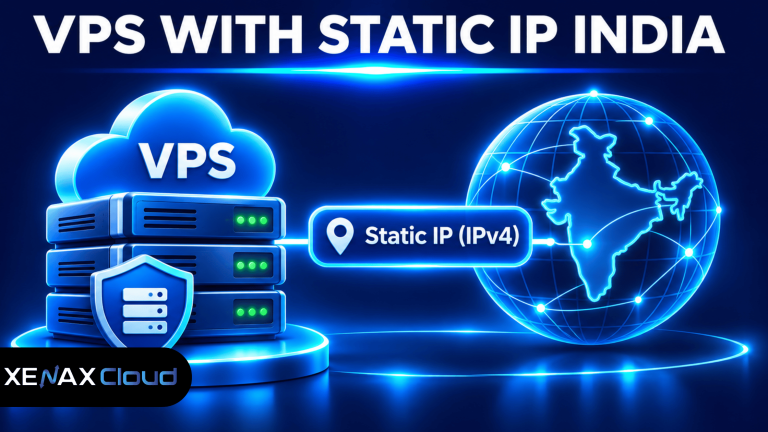
A VPS with static IP India is a virtual private server hosted in an Indian data centre with a public IP address assigned to the server for consistent network access. It is useful for businesses, developers and IT administrators who need a predictable server address for website hosting, remote administration, API integrations and IP-based access restrictions.
A changing IP address can interrupt services that depend on a fixed network endpoint. For example, an external application may allow connections only from an approved IP address, or a business may need a consistent address for DNS records and remote administration.
Before ordering, you should understand the difference between a static public IPv4 address, a private IP address and a server’s location. You should also compare CPU, RAM, storage and backup requirements rather than selecting a VPS based on its IP address alone.
What Is a Static IP Address in a VPS?
A static IP address is a network address that remains assigned to a server instead of changing during ordinary network reconnections.
A public IPv4 address identifies a server on the internet. It allows other systems to reach services hosted on that server, provided the firewall, routing and application configuration permit the connection.
For example, a business can configure a DNS A record to point its domain to the VPS public IPv4 address. When the server address remains consistent, the DNS configuration does not need to be changed simply because the server reconnects.
A static IP is useful for several applications:
- Hosting websites and web applications.
- Allowlisting a server address in external firewalls.
- Connecting remote offices to business applications.
- Running APIs and webhook endpoints.
- Configuring remote server administration.
- Managing DNS records for hosted services.
However, a static IP does not automatically make a server secure or guarantee that every application will be reachable. Firewall rules, open ports, DNS configuration and application services must also be configured correctly.
It is also important to distinguish a static IP from a dedicated IP. A dedicated IP is assigned exclusively to a particular customer or service, while static describes whether the address changes. An address can be both dedicated and static, but the two terms describe different properties.
What Does a VPS with Static IP India Offer?
A VPS with static IP India combines virtual server resources with a consistent public network address hosted in an Indian data centre.
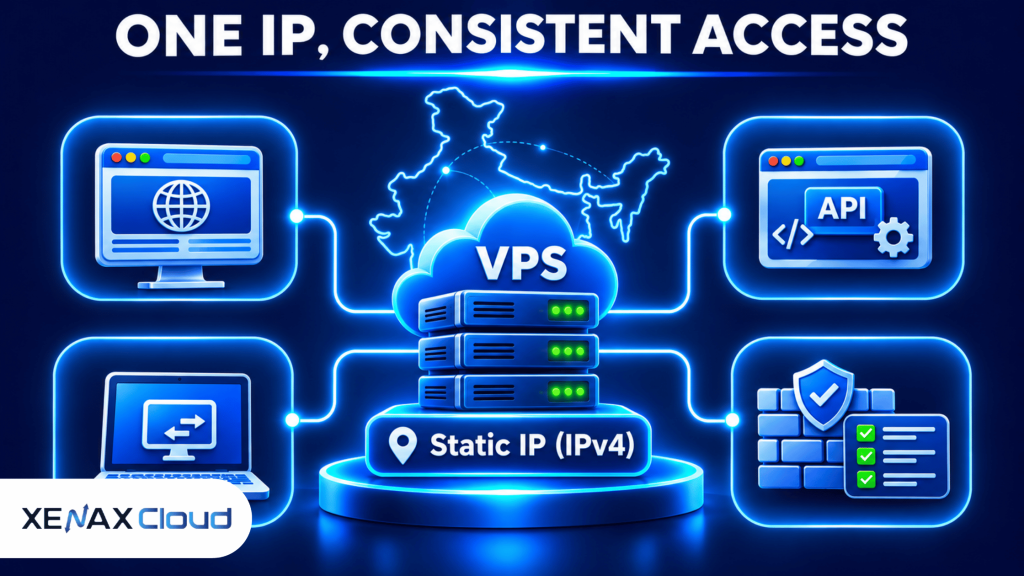
The Indian server location and the assigned IP address are two separate considerations. A server hosted in India can provide an Indian-hosted service, but the geographical location of the server should not be confused with the registration or ownership details of the IP address.
For an Indian business, hosting locally can be useful when applications, customers or administrative teams primarily operate within India. The actual network route and response time still depend on the user’s ISP, peering arrangements and the destination network.
Before selecting a VPS with static IP India, verify these details:
Public IPv4 availability: Check whether the provider assigns a public IPv4 address directly to your VPS.
IP retention: Confirm the conditions under which the assigned address remains associated with the server, including reinstalls, migrations and plan changes.
Network port: Check the available network port capacity and any applicable traffic policies.
Server location: Confirm the actual data centre location rather than relying only on a provider’s website domain or company address.
Firewall access: Verify that you can configure the necessary inbound and outbound connections.
Xenax Cloud VPS plans include 1 IPv4 address, full root access and a 500 Mbps network port. Its VPS infrastructure uses KVM virtualisation and operates from a Tier-III data centre in India.
How Does an Indian IP VPS Work?
An Indian IP VPS works by assigning a virtual server a public network address that other systems can use to reach its permitted services.
The VPS runs an independent operating system and has allocated virtual CPU, memory and storage resources. Its public IP address acts as the network endpoint for applications running inside the virtual machine.
For example, a developer can host a Node.js application on an Indian VPS and configure its domain to resolve to the server’s IPv4 address.
A typical connection follows this structure:
User or External Application
|
v
Public Internet
|
v
Static Public IPv4
|
v
VPS Firewall
|
v
Linux VPS Server
|
+—–+——+
| |
v v
Website API
The IP address does not perform application routing by itself. The firewall and services running on the VPS determine which connections are accepted and how requests are handled.
An Indian IP VPS can also support IP allowlisting. An external service can permit connections from the VPS address while rejecting requests from addresses that are not approved.
This arrangement is useful for server-to-server integrations, database access restrictions and controlled administrative connections. You should still use authentication, encrypted connections and application-level permissions.
How to Configure a VPS India IP Address?
You can configure a VPS India IP address by checking its assigned network interface, confirming the provider’s network settings and configuring the required DNS and firewall rules.
Follow these steps:
- Connect to your VPS using SSH.
- Identify the assigned public IPv4 address.
- Inspect the network interface and routing configuration.
- Configure DNS records for your domain.
- Restrict inbound traffic using firewall rules.
- Test external connectivity and application access.
Check the assigned IP address
On a Linux VPS, use:
ip addr
To inspect the default route:
ip route
These commands show the configured network interfaces and routing information. The public IPv4 address may not always appear directly on the guest interface if the provider uses network translation, so confirm the assigned public address through the VPS control panel or provider.
Configure DNS
If your website uses a domain, add an A record pointing to the assigned public IPv4 address.
Example:
Type: A
Name: @
Value: YOUR_PUBLIC_IPV4
TTL: Provider default
For a www subdomain, you can use a CNAME pointing to the root domain, depending on your DNS setup.
Configure the firewall
For a Linux server using UFW, check its current status:
sudo ufw status
Allow SSH:
sudo ufw allow 22/tcp
Allow HTTP and HTTPS:
sudo ufw allow 80/tcp
sudo ufw allow 443/tcp
Only open the ports required by your application. If SSH uses a custom port, adjust the firewall rule accordingly and verify access before closing your existing administrative session.
For additional network configuration guidance, refer to Ubuntu Server networking documentation.
How Much RAM and Storage Does a VPS with Static IP India Need?
The required RAM and storage depend on the application workload, concurrent connections, operating system and database requirements rather than the static IP address.
An IP address does not consume a meaningful amount of application memory simply because it is static. Your VPS resources are determined by the software running on the server.
Use this comparison when evaluating common Xenax Cloud VPS configurations:
| VPS family | Starting configuration | Storage | Main consideration |
| Speed VPS | 2 vCPU, 4 GB RAM | 40 GB NVMe | Storage performance |
| General VPS | 2 vCPU, 8 GB RAM | Check selected size | More RAM per vCPU |
| Gold VPS | 2 vCPU, 4 GB RAM | Check selected size | High-frequency Xeon Gold CPU |
The Speed VPS family offers 8 configurations, scaling up to 32 vCPU, 64 GB RAM and 200 GB NVMe storage. General VPS offers 4 configurations, scaling up to 16 vCPU and 64 GB RAM, while Gold VPS offers 8 configurations, scaling up to 32 vCPU and 64 GB RAM.
Choose a configuration based on measured resource consumption:
- 2 vCPU and 4 GB RAM: Evaluate for a small application, development environment or light website workload.
- 2 vCPU and 8 GB RAM: Consider for applications that need more memory, such as a database-backed business application.
- Higher CPU allocations: Consider when application processing or concurrent requests place sustained demand on CPU resources.
- Higher storage capacity: Choose when databases, uploads, application files and logs require additional disk space.
Speed VPS is worth evaluating when NVMe storage is a priority. General VPS is more appropriate when the workload needs additional RAM per vCPU. Gold VPS is worth considering when high-frequency Xeon Gold CPU performance is important.
Do not select a larger VPS simply because it has a static IP. The IP address and server resource allocation are separate parts of the hosting configuration.
VPS with Static IP India: Worked Example for an Indian Business
A VPS with static IP India can suit a business that needs a fixed server endpoint for its website, API integrations and external network allowlisting.
Consider a Lucknow-based software company with three developers and one production application. The application runs on Linux, uses a database and receives connections from an external business system that accepts requests only from an approved public IPv4 address.
The company needs:
- One public IPv4 address.
- Full root access to manage Linux.
- A consistent address for the external allowlist.
- Adequate memory for the application and database.
- NVMe storage for application files and database operations.
- Backups for recovery.
Which Xenax Cloud VPS Plan Fits?
Speed VPS with 2 vCPU, 4 GB RAM and 40 GB NVMe storage is the initial configuration to evaluate if the application and database fit within those resource limits.
It includes 1 IPv4 address, full root access, a 500 Mbps network port and weekly backups. The next decision should be based on actual memory use and storage consumption, not the number of developers alone.
If the application needs more memory, General VPS starting with 2 vCPU and 8 GB RAM is a better configuration to evaluate. If the workload needs high-frequency processor performance, Gold VPS is another option.
Use this decision rule:
- Choose Speed VPS if NVMe storage and a light application workload are the main requirements.
- Choose General VPS if memory usage makes 4 GB RAM insufficient.
- Choose Gold VPS if the workload benefits from high-frequency Xeon Gold CPU performance.
- Choose a larger configuration if measured CPU, RAM or storage consumption exceeds the smaller size.
The Speed VPS entry configuration is not the right choice for an application that already exceeds its 4 GB RAM or 40 GB storage capacity. Evaluate General VPS or a larger Speed VPS configuration instead.
You can compare the available Xenax Cloud KVM VPS hosting plans before selecting your server configuration.
How to Secure a VPS with Static IP India?
A VPS with static IP India should use restricted network access, secure authentication, software updates and tested backups.
A consistent public IP address makes it easier to configure allowlists, but it also creates a predictable endpoint that needs proper protection.
Follow these practices:
Restrict SSH access: Permit administrative connections only from trusted IP addresses where practical. Avoid allowing password-based root login when key-based authentication is configured correctly.
Use SSH keys: Generate an SSH key pair and configure the public key on the server. Keep the private key protected and never share it with other administrators.
Configure firewall rules: Open only the ports required by your website, API or management services. Close unused services and review listening ports periodically.
Update Linux packages: Apply security updates for the operating system, web server, runtime and installed applications.
Monitor logs: Review authentication attempts, system logs and application errors to identify unusual activity.
Maintain backups: Keep recovery copies separate from the working application and test restoration before relying on them.
Xenax Cloud VPS plans include weekly backups, but businesses with frequently changing databases should maintain additional application-level backups according to their recovery requirements.
Before deploying your application, follow our guide on first steps after buying a VPS to configure initial access, secure SSH, update Linux and prepare your server environment.
Common Mistakes When Buying a VPS with Static IP India
The most common mistake is assuming that a static IP automatically provides dedicated resources, stronger security or uninterrupted connectivity.
A VPS with a public IPv4 address still requires correct firewall configuration, DNS management and application security. An incorrectly configured server can remain inaccessible even when its IP address does not change.
Avoid these mistakes:
- Confusing public and private IP addresses: A private IP is used inside a private network and is not directly reachable from the public internet.
- Assuming IP permanence without checking terms: Confirm what happens to the assigned IPv4 address during reinstallations, migrations and service changes.
- Ignoring reverse DNS: Some applications and mail services require a correctly configured PTR record. Check whether the provider supports the required reverse DNS configuration.
- Opening every firewall port: Expose only the services that need external access.
- Using an IP address instead of a domain everywhere: Domains make services easier to maintain when application endpoints need to change.
- Ignoring backup restoration: A backup that has never been restored is not a verified recovery process.
For businesses operating email servers, check reverse DNS, SPF, DKIM and DMARC requirements separately. A static IP alone does not guarantee email deliverability because receiving providers also consider IP reputation and mail server configuration.
vps with static ip india: FAQs
Does a VPS with static IP India include a public IPv4 address?
Xenax Cloud VPS configurations include 1 IPv4 address. Confirm the address assignment and retention conditions with the provider before deploying services that depend on an unchanged endpoint. Also check whether reverse DNS configuration is available if your application requires it.
Can I host multiple websites on one VPS with a static IP?
Yes, you can host multiple websites on one VPS using the same public IPv4 address. Configure separate virtual hosts in Nginx or Apache and use DNS records to point each domain to the server. HTTPS certificates can also be configured separately for each domain.
Is an Indian IP VPS suitable for remote administration?
Yes, an Indian IP VPS can support remote administration through SSH or other authorised management services. Restrict access using firewall rules, SSH keys and trusted source addresses. A static public address also makes it easier to maintain external allowlists for administrative connections.
How much RAM do I need for an Indian VPS?
The RAM requirement depends on the operating system and application workload. Xenax Cloud Speed VPS starts with 4 GB RAM, while General VPS starts with 8 GB RAM. Monitor actual memory consumption before upgrading, particularly when running databases and multiple application services.
Can I change the IP address of my VPS?
An assigned VPS IP address can change under certain provider or service conditions, depending on the network and allocation policy. Before making a deployment dependent on one address, confirm the provider’s IP retention and reassignment terms, including what happens during migration or plan changes.
Is a VPS India IP address better than a shared hosting IP?
A VPS provides an independently managed server environment with root access and control over installed applications. Shared hosting is easier to administer for conventional websites, but it does not provide the same operating system control. Choose according to application requirements rather than IP address alone.
Does a static IP improve website SEO?
No, a static IP address does not automatically improve Google rankings. Search visibility depends on content quality, technical accessibility, relevance and other ranking signals. A static IP is mainly useful for predictable network access, DNS configuration and external service integrations.
For a business application needing one public IPv4 address, full root access and NVMe storage, start by evaluating Xenax Cloud Speed VPS with 2 vCPU, 4 GB RAM and 40 GB storage. Choose General VPS with 2 vCPU and 8 GB RAM if memory requirements are higher, and confirm IP retention conditions before deployment.