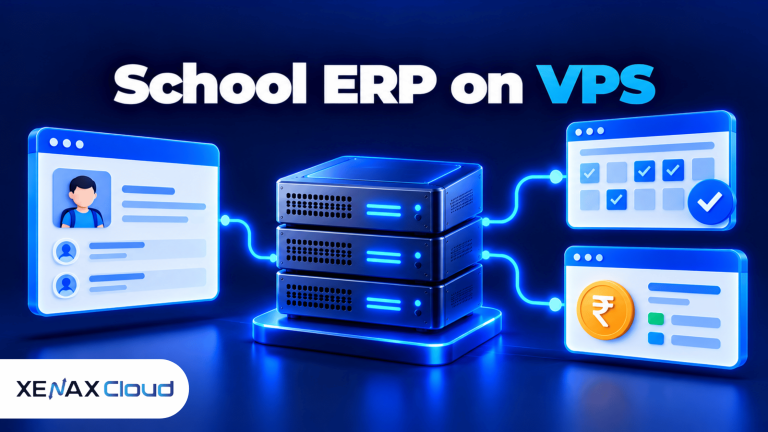
A VPS for school management software is a virtual private server configured to run a school’s management application, database and supporting services. It can host functions such as student records, attendance, fee management, examination results and parent portals, provided the software supports the chosen operating system and server environment.
For an Indian school, the main decision is not simply how many students are enrolled. You also need to consider how many staff members, students and parents may sign in at the same time, how the application stores records, and when the busiest tasks occur.
The right server should support normal school operations while leaving enough headroom for admission periods, online fee payments, result publication and report generation. This article explains how to size a school software server, protect student information and choose a suitable Xenax Cloud VPS configuration.
Choosing a VPS for school management software also means checking database requirements, backup options, and the number of users who may access the system during peak hours.
What Does School ERP Hosting Need?
School ERP hosting needs enough compute resources, database capacity, storage and network access to support the school’s software and its users. School ERP is a school enterprise resource planning system that combines administrative tasks such as admissions, attendance, fees and reporting in one application.
Some school management products are browser-based applications that can be installed on a VPS. Others are delivered only as a hosted service or require a particular operating system, database or vendor-managed environment. Check the software provider’s deployment requirements before purchasing a server.
A typical self-hosted school ERP may include:
- Web application: The interface used by administrators, teachers, parents and students.
- Database: The system that stores student profiles, attendance entries, fee records and examination results.
- File storage: Space for documents, report cards, receipts and other uploaded files.
- Background tasks: Processes that generate reports, send notifications or import records.
- Network and DNS configuration: The settings that make the application accessible through its domain.
- Backups and monitoring: The systems used to recover records and detect resource problems.
These components share server resources. A report-generation task may use CPU heavily, while a large database or many simultaneous logins can increase memory use and database activity. Storage must also accommodate uploaded documents and backup retention, not just the application’s initial installation files.
Should You Host a School ERP on a VPS or Use Vendor Hosting?
A VPS is suitable when the software vendor supports self-hosting and the school needs control over its server configuration. Vendor-hosted software may be more appropriate when the provider manages the application, updates, backups and infrastructure as part of its service.
| Requirement | Self-hosted VPS | Vendor-managed hosting |
| Server administration | Managed by the school or its IT provider | Usually handled by the vendor |
| Application configuration | Depends on server access and software requirements | Depends on the vendor’s supported options |
| Updates and maintenance | Must be planned by the school or administrator | Often managed by the vendor |
| Resource selection | Choose a VPS configuration to match demand | Depends on the vendor’s service model |
| Responsibility for recovery | Must be clearly assigned and tested | Confirm recovery scope and responsibilities |
A self-hosted VPS provides more control, but it also brings responsibility for operating-system updates, application security, database maintenance and recovery procedures. If the school has no one able to maintain the server, vendor-managed hosting may be the more practical choice.
How Much RAM and CPU Does a School Management Server Need?
The required CPU and RAM depend on the school’s application, database, concurrent users and peak workloads, not only its total student count. Use the software vendor’s requirements as the baseline, then validate the configuration with realistic tests.
A school with several hundred students may have relatively modest demand if only a few staff members use the system at once. A larger school may need more resources during online admissions, attendance entry, fee collection or examination-result publication.
The server must support the web server, application processes, database and operating system together. If RAM is insufficient, processes may compete for memory or use swap space, slowing down requests. If CPU is saturated, tasks such as report generation and data imports may take longer to complete.
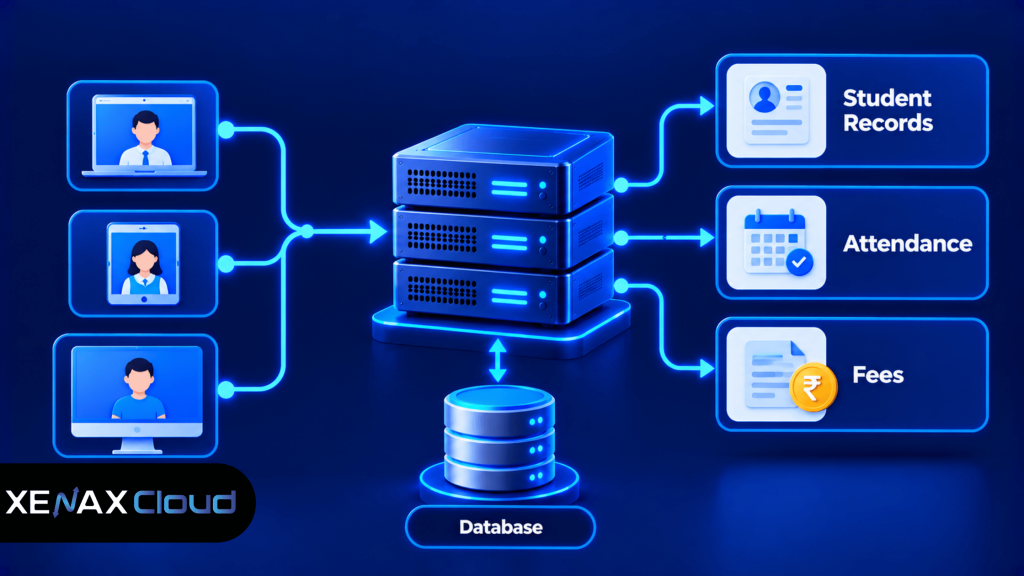
A configuration should be judged by how the full workload behaves under load. Test concurrent logins, attendance submissions, fee records and report generation together rather than benchmarking only a blank homepage.
Xenax Cloud VPS Configurations for School Software
Xenax Cloud offers three VPS families with different resource profiles. Speed VPS uses NVMe storage, General VPS provides more RAM per vCPU, and Gold VPS uses high-frequency Xeon Gold processors.
| VPS family | Published configuration range | Consider when |
| Speed VPS | 2–32 vCPU, 4–64 GB RAM, 40–200 GB NVMe storage | Storage performance and a range of CPU/RAM sizes matter |
| General VPS | 2–16 vCPU, 8–64 GB RAM | The application and database need more memory relative to CPU |
| Gold VPS | 2–32 vCPU, 4–64 GB RAM | The workload benefits from high-frequency Xeon Gold processors |
All three families are KVM VPS options hosted in Xenax Cloud’s Indian data centre. VPS plans include a 500 Mbps network port, one IPv4 address, full root access and weekly backups. Confirm the selected configuration’s exact storage and resource allocation before ordering.
A 500 Mbps port describes network link capacity, not the number of users the application can serve. Actual performance depends on application processing, database queries, response sizes and network conditions.
Before selecting a VPS for school management software, compare its CPU, RAM, storage, security features, and backup requirements with your ERP application’s actual needs.
How to Choose a VPS for School Management Software
Choose a VPS by matching the software’s documented requirements to the school’s expected peak workload, then validate that choice with testing. A practical sizing decision considers the application stack, concurrent activity, data growth and the team’s ability to maintain the server.
Steps to Size a School Software Server
- Confirm the software’s supported operating system, database and minimum server requirements.
- Estimate concurrent logins during attendance, fee collection and result publication.
- Measure the CPU, RAM and database usage of a representative workload.
- Calculate storage for the application, records, documents and retained backups.
- Select a VPS configuration with headroom above normal resource use.
- Test simultaneous logins, record updates and report generation before launch.
- Monitor resource usage and errors after the school starts using the system.
Record the test results, including response times, peak memory use, CPU utilisation and database errors. Keep the test environment separate from live student records where possible. If testing must use real data, restrict access and use an approved process to protect sensitive information.
A Practical Decision Rule
Use these starting points as a framework, not as guaranteed student or user limits:
- Evaluate 2 vCPU and 4 GB RAM if the application is lightweight, the vendor’s requirements permit it and testing shows low resource use with sufficient memory headroom.
- Evaluate 4 vCPU and 8 GB RAM if the application runs a database and several supporting services, or if tests show pressure on the smaller configuration.
- Consider 8 vCPU and 16 GB RAM or above if concurrent activity, report generation or database processing repeatedly saturates CPU or memory on the smaller sizes.
- Consider a separate database server or multi-server design if the workload has distinct application and database bottlenecks that a single VPS cannot handle efficiently.
These choices are starting points, not a substitute for the software vendor’s requirements or a workload test. A school with a simple application and limited concurrent activity may not need a large VPS. Conversely, a database-heavy ERP with multiple integrations may need more capacity even if the student population is comparatively small.
For available configurations, review Xenax Cloud VPS hosting and compare the resource profile with the requirements of your chosen school management software.
Worked Example: A School in Jaipur Choosing a VPS
Consider a Jaipur school with 1,200 enrolled students, 60 teachers and administrative staff, and a browser-based ERP used for attendance, fees and examination records. The school expects its busiest activity during morning attendance and when examination results are published.
The school should size the server around simultaneous activity rather than treating all 1,200 students as concurrent users. Its IT administrator should confirm the ERP’s database and operating-system requirements, then test a representative set of staff logins, attendance submissions and report-generation tasks.
A sensible initial evaluation is Xenax Cloud Speed VPS with 4 vCPU and 8 GB RAM, provided the vendor’s requirements support that environment. The 2 vCPU, 4 GB RAM configuration may be sufficient for a lighter deployment, but it should not be selected if tests show memory pressure, CPU saturation or slow database operations during peak school activity.
The decision should follow test results:
- If 2 vCPU and 4 GB RAM handles the tested workload with stable response times and adequate memory headroom, the school can begin with that size and continue monitoring.
- If the smaller configuration reaches resource limits during attendance or report generation, evaluate 4 vCPU and 8 GB RAM.
- If 4 vCPU and 8 GB RAM also struggles under realistic peak demand, identify whether CPU, memory, database queries or storage is responsible before moving to a larger size.
- If application and database demands need independent scaling, evaluate a separate database server or a supported multi-server architecture.
This example is a planning scenario, not a measured performance result or a promise that a particular VPS can support a fixed number of students. The school’s software, database design, concurrent users and background tasks determine the final configuration.
How Do You Protect Student Records on a VPS?
Protect student records by restricting access, securing the application, applying updates and testing backups before relying on the system for school operations. Student profiles, contact details, attendance and fee records should only be accessible to authorised users with appropriate permissions.
A VPS gives you server control, but security depends on how the operating system, application, database and accounts are configured. Full root access should be limited to trusted administrators, while teachers and office staff should use application accounts with only the permissions they need.
Practical controls include:
- Use HTTPS for the application and configure certificates correctly.
- Enforce strong authentication and remove accounts that no longer need access.
- Keep the operating system, ERP, plugins and database software updated.
- Restrict database access to the application and authorised administrators.
- Store backups separately where possible and test restoration.
- Review access logs and investigate unusual activity.
- Avoid exposing administrative interfaces to the public internet unnecessarily.
Weekly VPS backups are included with Xenax Cloud VPS plans, but a school should verify what is covered and whether the backup schedule meets its recovery needs. Keep an independent backup of important school records and test a restoration procedure before the start of a new term. A backup that has never been restored is not proof that recovery will work.
For additional application-security guidance, consult the OWASP Access Control Cheat Sheet. It explains why access should be limited to the permissions users need and why access-control decisions should be checked consistently.
How Should You Monitor and Maintain a School ERP Server?
Monitor a school ERP server for resource pressure, application errors, slow database queries, storage growth and backup failures. Regular checks help identify problems before they interrupt attendance, fee processing or access to student records.
On a Linux VPS, an administrator can begin with basic commands:
uptime
free -h
df -h
- uptime shows system load averages and running time.
- free -h reports memory and swap usage.
- df -h shows filesystem capacity and available space.
These commands provide only a basic view. Pair them with web-server logs, application monitoring, database metrics and response-time measurements. A high load average does not automatically mean the website is slow, and low CPU use does not rule out slow database queries or application errors.
Set a regular maintenance schedule that includes:
- Checking for security updates and reviewing application compatibility before applying them.
- Confirming that backups completed and testing restoration periodically.
- Reviewing disk growth, database size and file-upload usage.
- Monitoring response times during the school’s busiest periods.
- Documenting how to restore the application if a deployment or update fails.
If the school uses Windows-only software or a vendor requires a Windows environment, confirm those requirements before choosing a Linux VPS. Xenax Cloud’s VPS product is a Linux KVM offering; a Windows-dependent application may need a supported Windows hosting arrangement instead. A VPS is also not the right choice if the software vendor prohibits self-hosting or requires its own managed infrastructure.
VPS for School Management Software: FAQs
How much RAM does a school management VPS need?
A school management VPS may start with 4 GB RAM for a lightweight application if the software requirements and load tests support that size. A database-heavy ERP or several concurrent services may need 8 GB RAM or more. Test peak attendance, fee and reporting activity before committing to a configuration.
Can school management software run on a Linux VPS?
Yes, school management software can run on a Linux VPS if the application vendor supports Linux and the required runtime and database are compatible. Check the installation documentation before ordering. If the software requires Windows or a vendor-managed environment, choose a supported deployment option instead.
Is school ERP hosting safe for student records?
School ERP hosting can be operated securely when access, updates, encryption, backups and permissions are managed correctly. A VPS does not secure the application automatically. Restrict administrative access, use HTTPS, keep software patched, protect credentials and test recovery procedures for important student and fee records.
Can a VPS handle attendance and fee processing at the same time?
Yes, a suitably sized VPS can run attendance and fee-processing workloads together if its application, database and resources support the concurrent demand. Test the busiest workflows together, not separately. Monitor CPU, memory, response times and database errors, then increase capacity or optimise the application if the test shows bottlenecks.
Should a school use a VPS or vendor-managed school software?
A VPS suits schools whose software supports self-hosting and whose IT team can maintain the server, database, security and backups. Vendor-managed software is often more practical when the provider requires a specific environment or handles maintenance and recovery. Compare responsibilities and support arrangements before choosing.
Are weekly backups enough for school management software?
Weekly backups may not be enough if the school cannot afford to lose a week’s worth of attendance or fee records. Determine how much data loss the school can tolerate, then choose an appropriate backup frequency and retention policy. Keep an independent copy and test restoration before depending on backups.
When should a school upgrade its school software server?
Upgrade when representative peak tests or ongoing monitoring show sustained CPU or memory pressure, slow database operations, growing storage constraints or unacceptable response times. Investigate application and query inefficiencies before scaling. If one server cannot meet the workload or recovery needs, consider a supported multi-server design.
For a school running compatible self-hosted ERP software, evaluate Xenax Cloud Speed VPS with 2 vCPU and 4 GB RAM for a light workload or 4 vCPU and 8 GB RAM when testing shows a need for more headroom. Choose a larger configuration only when the software requirements and measured workload justify it, and confirm the backup and maintenance plan before moving student records onto the server.