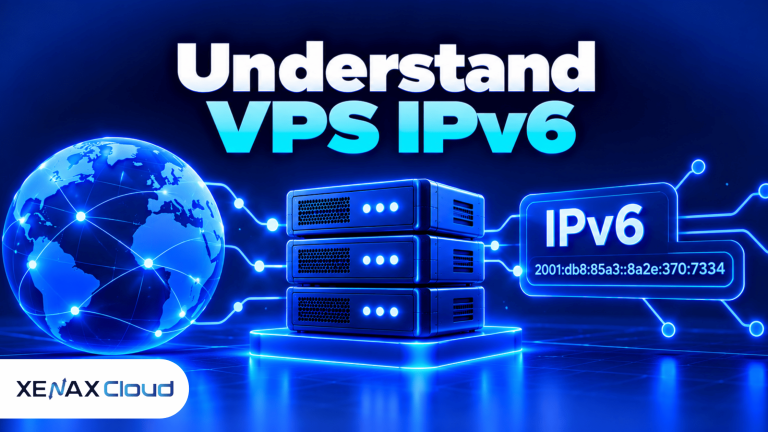
A VPS IPv6 setup uses Internet Protocol version 6 addresses to identify a virtual private server on an IP network. IPv6 provides a much larger address space than IPv4, but using it successfully also requires compatible network routing, firewall rules, DNS records and application configuration. Before ordering a VPS, confirm whether the provider allocates IPv6 addresses and routes them to your server.
IPv6 can help services communicate over networks that support the newer protocol and reduce reliance on scarce IPv4 address space. However, enabling IPv6 does not automatically improve website speed, security or compatibility with every visitor’s network.
If you are comparing an IPv6 VPS in India, separate two questions: whether the server has IPv6 connectivity and whether your applications can use it correctly. Both need to be checked before migrating a live website, API or development service.
What Is IPv6 on a VPS?
IPv6 on a VPS means the server has an IPv6 address and a working network path that allows it to send or receive IPv6 traffic. The address alone is not enough if routing, firewall rules or the provider’s network configuration is incomplete.
IPv6 is an Internet Protocol that uses 128-bit addresses to identify interfaces on IP networks. IPv4 uses 32-bit addresses, so IPv6 provides a substantially larger address space. An IPv6 address is usually written as groups of hexadecimal digits separated by colons, such as 2001:db8:1234::10.
The 2001:db8::/32 range is reserved for documentation and examples. It is useful in tutorials, but it is not a public address you should assign to a production server.
A VPS can be configured in several ways:
- IPv4 only: The server uses IPv4 for network communication.
- IPv6 only: The server uses IPv6, which requires every necessary service and destination to be reachable through IPv6 or an appropriate translation or proxy arrangement.
- Dual stack: The server supports both IPv4 and IPv6, allowing compatible clients to use either protocol.
Dual stack is often the most flexible choice for public websites because not every client network or external service supports IPv6 equally. It also means you must maintain and test both protocol paths instead of assuming the IPv4 firewall automatically protects IPv6 traffic.
IPv6 does not use traditional IPv4-style network address translation as a basic requirement for connectivity. A globally routed IPv6 address can be directly reachable, subject to routing and firewall policy, so restricting inbound access remains essential.
How Do You Check Whether a VPS Supports IPv6?
You should confirm IPv6 allocation, routing and firewall support with the VPS provider before choosing a plan. Product descriptions that list CPU, RAM, storage and bandwidth do not necessarily confirm that IPv6 addresses are available.
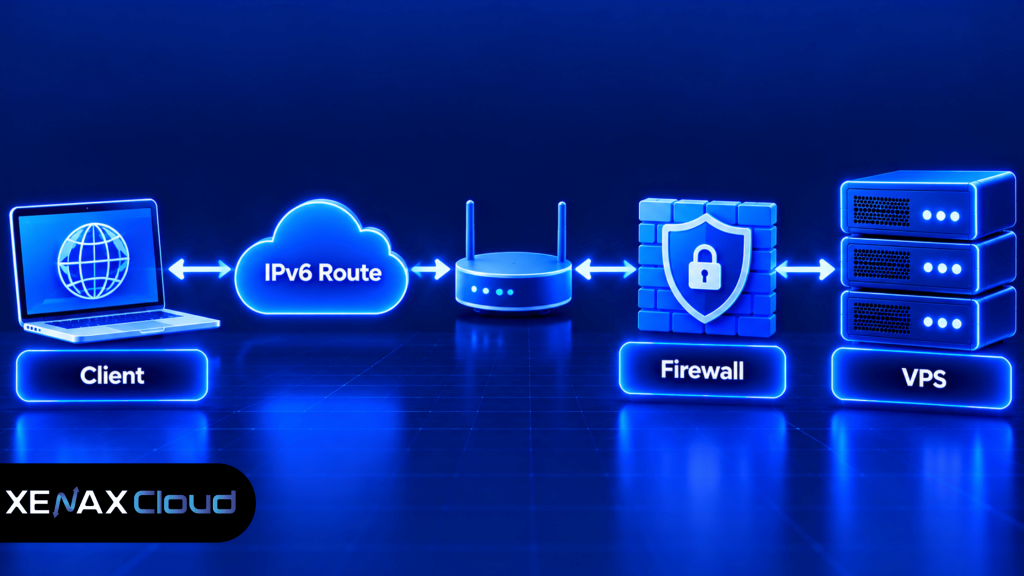
A provider may allocate a single IPv6 address, a subnet or a routed prefix. The allocation model determines which addresses you can assign and whether additional configuration is required inside the operating system.
Before ordering, ask the provider these specific questions:
- Is IPv6 available on the exact VPS plan I want?
- Is the address assigned automatically, or must I configure it manually?
- Is a single address allocated, or is a routed subnet available?
- Are reverse DNS records supported for the IPv6 address?
- Are IPv6 firewall rules managed through the control panel, the operating system or both?
- Can the provider confirm that the assigned address is routed and usable externally?
Xenax Cloud’s published VPS specifications include KVM virtualisation, Linux, a 500 Mbps port, one IPv4 address, full root access and weekly backups. Those details do not establish that IPv6 is included or available on every plan. Confirm IPv6 allocation and routing with Xenax Cloud support before ordering if IPv6 is a requirement.
How to Configure IPv6 on a Linux VPS
Configuring IPv6 on a Linux VPS requires a valid address and prefix, the correct gateway or routing setup, compatible firewall rules and an application that listens on IPv6. Use the exact network details supplied by your provider rather than copying an address from another server.
The following checks help identify whether the operating system sees IPv6 and whether a service has an IPv6 listener. They are diagnostic examples, not a complete configuration procedure for every Linux distribution.
- Confirm that your provider has allocated and routed IPv6.
- Inspect the current network interfaces and assigned addresses.
- Check the IPv6 routing table and default route.
- Review firewall rules for the IPv6 traffic your service requires.
- Configure DNS records only after confirming external reachability.
- Test the service from a separate IPv6-capable network.
- Monitor logs and connectivity after any network changes.
On many Linux systems, these commands help inspect the current state:
ip -6 address show
ip -6 route show
The first command lists IPv6 addresses assigned to network interfaces. The second displays IPv6 routes, including any configured default route. An empty or incomplete result does not prove that the provider cannot offer IPv6; it means you should check the server configuration and provider instructions.
To check whether a service is listening on IPv6, use:
ss -lnt
Look for the relevant service port and listening address. A listener bound only to 127.0.0.1 is limited to the IPv4 loopback interface, while a service listening on an IPv6 wildcard address may accept IPv6 connections, subject to application settings and firewall rules. Actual dual-stack behaviour varies by operating system and application configuration.
Do not make network changes through a remote session without a recovery path. An incorrect gateway or firewall rule can disconnect SSH access. Keep your current session open where possible, prepare console access if the provider offers it, and apply changes in a way that lets you restore the previous configuration.
For authoritative protocol details, consult the Internet Engineering Task Force’s IPv6 specifications. For distribution-specific commands and persistent network settings, follow the documentation for your Linux operating system.
Is an IPv6 VPS in India Suitable for Your Application?
An IPv6 VPS in India can suit applications whose users, networks and external dependencies support IPv6, but location alone does not guarantee connectivity or performance. You need to consider the server’s routing, the networks your users access it from and whether any required third-party services are reachable over IPv6.
For an Indian business, hosting a service in India may help align infrastructure location with operational requirements. Xenax Cloud operates one data centre in Banda, Uttar Pradesh, India, but its published VPS specifications do not confirm IPv6 availability. Verify address allocation and routing separately before making a purchasing decision.
IPv6 can be useful for several workloads:
- Public websites and APIs: IPv6-capable clients can connect directly when DNS, routing and firewall configuration are correct.
- Development environments: Teams can test applications over IPv6 without relying only on IPv4 connectivity.
- Network services: Services that need globally unique addresses may benefit from IPv6 addressing, provided access controls are configured correctly.
- Dual-stack applications: Running both protocols can preserve IPv4 compatibility while enabling IPv6 connections.
There are also limitations. Some client networks, legacy software, monitoring services and external APIs may still depend on IPv4. If your application needs to contact an IPv4-only destination, an IPv6-only server may need a suitable gateway, proxy or other supported connectivity arrangement.
Choose IPv6 because your network or application requirements call for it, not because the protocol automatically makes a VPS faster. Test connectivity from the actual client networks and service endpoints that matter to your project.
What Should You Check in a VPS With IPv6 Address?
A VPS with IPv6 address should provide a usable address, a working route and the configuration details needed to connect your applications securely. The provider’s exact allocation method matters because a configured address without correct routing cannot provide normal public connectivity.
Compare the following features before selecting a plan:
| Feature | What to verify | Why it matters |
| IPv6 allocation | Address, prefix and assignment method | Determines how the server is configured |
| Routing | Working route and gateway details | Allows packets to reach external networks |
| Firewall | IPv6 inbound and outbound rules | Prevents unintended network exposure |
| DNS | Support for AAAA records and reverse DNS if needed | Connects names to IPv6 addresses |
| Dual-stack support | Whether IPv4 remains available | Helps preserve compatibility with IPv4-only clients |
An IPv6 AAAA record maps a domain name to an IPv6 address. An A record maps a name to an IPv4 address. Publishing a AAAA record before the service is reachable can cause IPv6-capable clients to attempt a connection that fails, even if the IPv4 website works correctly.
Reverse DNS is a separate lookup that maps an address to a hostname. It can matter for certain mail and network administration tasks, but it is not a substitute for the forward DNS records used by visitors to reach your website.
If you use a domain name, configure its AAAA record only after confirming that the target service listens on IPv6 and that the address is externally reachable. Test the DNS response and the service connection from another network, not only from the VPS itself.
Worked Example: An Indian Development Team Choosing an IPv6 VPS
A development team in Lucknow building an API needs to test IPv6 connectivity from its application server and from external clients. Its first requirement is a confirmed IPv6 allocation and route, not simply a larger CPU configuration.
Suppose the team has four developers, a small API service and a test database, with modest traffic during development. A Xenax Cloud Speed VPS with 2 vCPU, 4 GB RAM and 40 GB NVMe storage could be a starting point for evaluating the application’s compute and storage needs, but the team must confirm IPv6 availability with support before ordering.
If the API and database begin competing for memory, the team can evaluate a General VPS configuration with 2 vCPU and 8 GB RAM. That change may address a memory constraint, but it does not create IPv6 connectivity if the selected service or network does not provide it.
Use this decision rule:
- Choose a small Speed VPS for evaluation when the application workload is modest and the required IPv6 service has been confirmed.
- Evaluate General VPS with 2 vCPU and 8 GB RAM if monitoring shows persistent memory pressure.
- Choose a larger storage configuration if the application, database and logs outgrow the available disk capacity.
- Do not order based on IPv6 alone until the provider confirms address allocation, routing and any additional configuration requirements.
If the project requires IPv6 but the selected plan cannot provide it, that plan is not the right choice; choose a provider or configuration that explicitly supports the required IPv6 connectivity. The team’s next step is to confirm network availability first, then size CPU, RAM and storage for the application.
How Do You Secure an IPv6 VPS?
You secure an IPv6 VPS by applying explicit firewall rules, limiting administrative access and verifying which services listen on public interfaces. IPv6 should be included in the same security review as IPv4, even if your server previously used only IPv4.
Do not assume that an IPv4 firewall configuration automatically covers IPv6. Depending on the operating system and firewall tools, IPv6 rules may be managed separately or through a tool that handles both protocols. Check the effective rules and test them from an external network.
Before exposing a service, review these controls:
- SSH access: Restrict administrative access to trusted sources where practical and use secure authentication.
- Web ports: Permit only the required public services, such as HTTP or HTTPS, rather than opening every port.
- Database access: Keep database ports private unless there is a documented requirement for remote access.
- Service binding: Check whether applications listen on IPv4, IPv6 or both.
- Logging: Review firewall and application logs for failed connections and unexpected requests.
- Recovery: Keep backups and a safe way to regain access before changing network rules.
A globally routed IPv6 address may be reachable directly from the internet, subject to routing and filtering. That is useful for legitimate services but makes a correct firewall policy essential. Address availability is not a reason to expose administrative or database ports unnecessarily.
Xenax Cloud VPS plans include weekly backups, but you should confirm the backup scope and retention requirements for your application. Before changing firewall rules, routing or network configuration, save the current settings and make sure you have a recovery method that does not depend on the connection you are changing.
VPS IPv6: FAQs
What is a VPS IPv6 address?
A VPS IPv6 address is a 128-bit network address assigned to an interface on a virtual private server. It allows the server to communicate over IPv6 networks when routing and firewall configuration are correct. Confirm whether your provider allocates a single address or a routed prefix before configuring the operating system.
Does Xenax Cloud VPS support IPv6?
Xenax Cloud’s published VPS specifications list one IPv4 address but do not confirm IPv6 allocation. If your application requires IPv6, contact Xenax Cloud support before ordering and ask about address availability, routing, configuration and reverse DNS. Do not assume IPv6 is included simply because the VPS provides root access.
Can I use IPv6 and IPv4 on the same VPS?
Yes, a VPS can use IPv4 and IPv6 together in a dual-stack configuration if the provider and operating system support both protocols. This can help serve IPv4-only and IPv6-capable clients. Configure and test both protocol paths, because firewall rules, DNS records and application listeners may differ.
How do I test whether my VPS has working IPv6?
Start by checking assigned addresses and routes with ip -6 address show and ip -6 route show. Then test a real service from a separate IPv6-capable network. An address displayed by the operating system alone does not confirm that external routing, firewall rules and application access are working.
Do I need an AAAA record for an IPv6 VPS?
You need an AAAA record when you want a domain name to resolve to the server’s IPv6 address. Publish it only after the service is reachable over IPv6 and the firewall is configured correctly. Keep the A record if the website also needs to remain accessible over IPv4.
Is an IPv6 VPS faster than an IPv4 VPS?
No, IPv6 does not automatically make a VPS faster than IPv4. Actual performance depends on routing, network conditions, server resources and the destination network. Choose IPv6 for compatibility, addressing or network requirements, then measure performance from the clients and services that your application needs to support.
Is a VPS with IPv6 address safe for public services?
A VPS with IPv6 address can safely host public services when access controls, software updates and firewall rules are configured properly. Verify IPv6 filtering explicitly instead of assuming IPv4 rules cover it. Keep administrative ports restricted, protect application credentials and maintain backups before making network changes.
Before ordering, confirm whether IPv6 is available on the exact Xenax Cloud VPS configuration you intend to use. Then choose Speed VPS for an NVMe-focused configuration, General VPS when more RAM per vCPU is needed, or Gold VPS when its high-frequency Xeon Gold processors suit your workload.