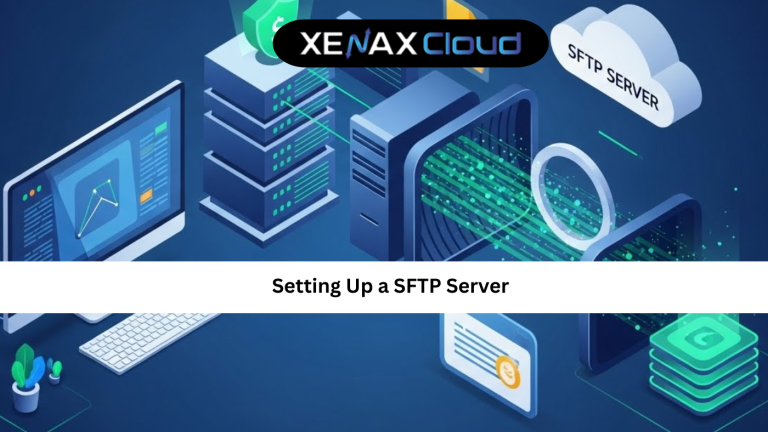
Secure file transfer is no longer optional. Whether you run a business website, manage client data, or deploy applications, how you move files matters. Setting up a SFTP server has become the preferred approach for organizations worldwide because it balances security, speed, and simplicity.
As cyber threats grow and compliance standards tighten, traditional file transfer methods are failing to keep up. This is where SFTP steps in, offering encrypted transfers over a secure channel. Globally, companies are now rethinking where and how their servers are hosted to improve performance and reduce costs.
Indian hosting infrastructure has emerged as a strong choice for global users. India offers cost-effective server resources, low latency across Asia, and competitive speeds for Europe, the Middle East, and parts of Africa. Combined with modern data centers, strong compliance standards, and scalable infrastructure, Indian servers make setting up a SFTP server both practical and future-ready.
For startups, agencies, and enterprises alike, choosing Indian servers means reliable performance today and room to scale tomorrow without overspending.

Understanding SFTP and Why It Matters
SFTP stands for Secure File Transfer Protocol. Unlike older methods, it encrypts both commands and data during transmission. This ensures that sensitive files remain protected from interception.
When setting up a SFTP server, you are essentially configuring a secure tunnel over SSH. This means authentication, file transfers, and session management all happen securely. For non-technical users, think of SFTP as a locked courier service where only verified users can send or receive packages.
Many still ask about sftp vs ftp and is ftp secure. FTP sends data in plain text, which makes it vulnerable to attacks. SFTP solves this problem by using encryption and secure authentication methods.
This difference alone makes SFTP the preferred option for developers, businesses, and regulated industries.
Step-by-Step Guide to Setting Up a SFTP Server
Setting up a SFTP server does not have to be complicated. On a Linux-based VPS, the process is straightforward and efficient.
First, ensure SSH is installed and running. Most VPS environments come with SSH preconfigured. Next, create a dedicated user for SFTP access. This improves security by isolating file transfers from system-level users.
After creating the user, restrict their access to specific directories. This prevents accidental or unauthorized access to sensitive system files. Finally, configure SSH settings to disable password-based logins and enable key-based authentication.
This setup ensures that your SFTP server is secure, efficient, and scalable. Even non-technical users can manage basic operations once the initial configuration is complete.
SFTP vs FTP: A Clear Comparison
Understanding sftp vs ftp is critical before deciding on a file transfer method. FTP was designed decades ago when security was not a major concern. It transmits usernames, passwords, and files without encryption.
So, is ftp secure? The simple answer is no. FTP exposes data to interception and manipulation. SFTP, on the other hand, encrypts everything, including credentials and file content.
SFTP also uses a single secure connection, making firewall configuration simpler. FTP requires multiple ports, increasing attack surfaces.
For any modern business or developer, SFTP is the logical and responsible choice.
Scalability Options for Startups and Agencies
Scalability is a major concern when choosing hosting for SFTP. Startups often begin with small file transfers but grow rapidly.
VPS plans allow you to scale CPU, RAM, and storage without downtime. This means your SFTP server can grow alongside your business.
For example, a startup can begin with a KVM VPS 1 plan and upgrade as file transfer demands increase. Agencies managing multiple clients can opt for higher-tier VPS plans to handle concurrent users.
This flexibility ensures long-term value and operational stability.
Best Hosting Plans for Setting Up a SFTP Server
For most users, VPS hosting is the best choice. Based on typical SFTP workloads, the following plans are recommended:
- NORMAL KVM VPS 1 for small teams and backups
- NORMAL KVM VPS 2 for agencies and growing businesses
- SPEED KVM VPS 3 for high-frequency transfers and automation
These plans provide sufficient resources, flexibility, and scalability for secure file transfers.
Frequently Asked Questions
What is the difference between Indian VPS and foreign VPS?
Can Indian servers handle global website traffic?
Is Indian hosting cost-effective for international users?
How reliable is XenaxCloud hosting?How reliable is XenaxCloud hosting?
How to choose the right server for my business?
Conclusion
Setting up a SFTP server is one of the smartest steps you can take to secure file transfers and protect sensitive data. With encrypted connections, controlled access, and reliable performance, SFTP is the modern standard for businesses and developers.
Indian hosting infrastructure makes this process even more attractive. It combines cost-effectiveness, global connectivity, strong security, and easy scalability. XenaxCloud brings these advantages together with flexible VPS plans, 24/7 support, and a 15-day money-back guarantee.
If you are ready to deploy a secure and scalable SFTP solution, now is the time to act. Explore XenaxCloud hosting solutions today and take advantage of the latest deals available on the XenaxCloud Offers Page.