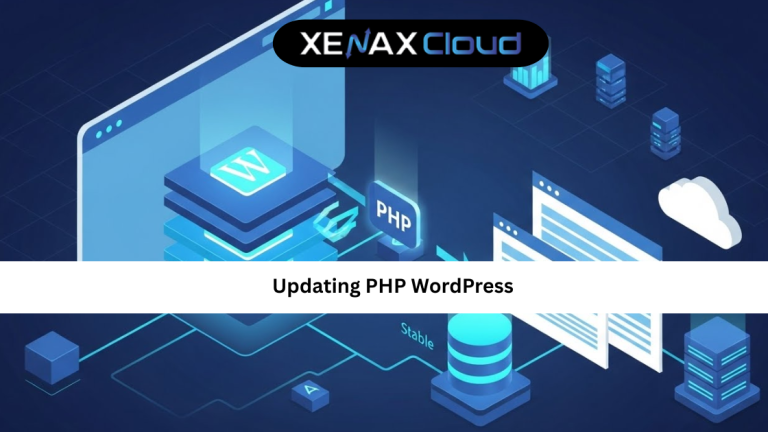
Updating PHP WordPress is one of the most important maintenance tasks for any website owner. It directly affects your site’s speed, security, and compatibility with modern plugins and themes. Yet, many site owners delay it because they fear breaking their website.
Globally, WordPress powers millions of websites, from blogs to enterprise platforms. As PHP evolves, WordPress follows closely to deliver better performance and stronger security. Running an outdated PHP version is like locking your door but leaving the window open.
If you want a faster, safer, and future-ready website, understanding updating PHP WordPress is no longer optional. It is essential.

Why Updating PHP WordPress Matters More Than Ever
PHP is the core language that powers WordPress. Every time PHP improves, it brings better performance, memory handling, and security fixes. When you delay updating PHP WordPress, your site misses out on these benefits.
Older PHP versions are slower and more vulnerable. Hackers often target known weaknesses in outdated software. Updating PHP reduces these risks and helps your site comply with modern security expectations.
Another key reason is compatibility. New WordPress versions, plugins, and themes are tested against newer PHP releases. If your PHP version is too old, features may stop working or fail silently.
From a business perspective, speed matters. Faster load times improve user experience and search engine rankings. Updating PHP WordPress can reduce server response time without changing any content.
Preparing Your Site Before Updating PHP WordPress
Preparation is the most important step in any updating PHP WordPress guide. Skipping it increases the risk of downtime or broken functionality.
Start by creating a full backup of your website. This includes files and databases. If anything goes wrong, you can restore your site quickly.
Next, update WordPress core, themes, and plugins. Outdated plugins are the most common cause of compatibility issues after a PHP update.
Check plugin and theme compatibility notes. Most developers clearly mention supported PHP versions. If a plugin is no longer maintained, consider replacing it.
If possible, test the update in a staging environment. This allows you to identify issues without affecting live visitors.
Updating PHP WordPress Step by Step
This updating PHP WordPress tutorial focuses on the most common method using a hosting control panel.
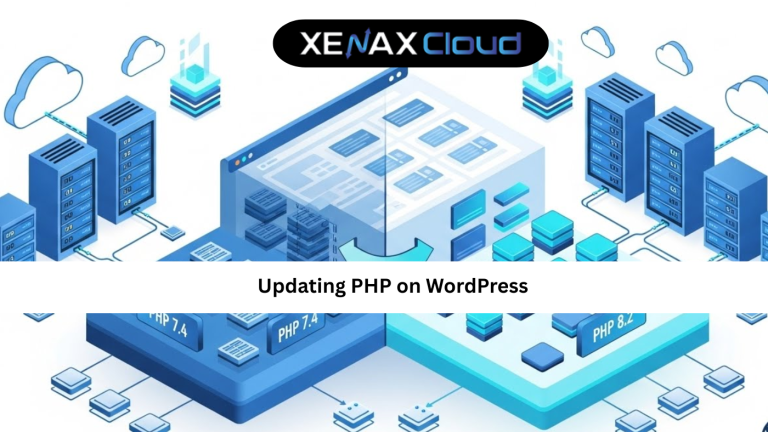
Log in to your hosting dashboard and open the PHP version selector. You will see a list of available PHP versions. Choose the recommended stable version supported by your WordPress setup.
Apply the changes and wait a few seconds. Most hosting platforms update PHP instantly without downtime.
After updating, clear your website cache and reload your site. Check key pages, forms, and login functionality.
If you notice any issues, revert to the previous PHP version and review plugin compatibility. This rollback option is why choosing the right hosting provider matters.
Updating PHP WordPress Guide for Common Issues
Even with preparation, some users face issues after updating PHP WordPress. The most common problem is a plugin or theme conflict.
If your site shows a blank page, enable WordPress debug mode to identify the issue. Usually, updating or replacing a plugin fixes the problem.
Another issue is deprecated functions. Older themes may use functions removed in newer PHP versions. Updating the theme or switching to a modern one resolves this.
Database-related errors are rare but can occur. They usually point to outdated extensions or misconfigured settings.
A good hosting provider offers quick support to help resolve these issues, reducing downtime and stress.
Scalability Options for Startups and Agencies
Startups often begin with simple WordPress sites but grow quickly. Updating PHP WordPress becomes easier when your hosting plan supports scaling.
Shared hosting plans like Silver or Gold are ideal for early stages. As traffic grows, upgrading to Platinum or Diamond ensures better performance.
Agencies managing multiple WordPress sites benefit from VPS plans that offer dedicated resources and control.
This scalable approach ensures your PHP updates remain smooth as your business evolves.
Frequently Asked Questions
What is the difference between Indian VPS and foreign VPS?
Can Indian servers handle global website traffic?
Is Indian hosting cost-effective for international users?
How reliable is XenaxCloud hosting?
How to choose the right server for my business?
Conclusion
Updating PHP WordPress is one of the simplest yet most powerful ways to improve website performance, security, and compatibility. When done correctly, it reduces risks and unlocks better speed without changing your content.
Indian hosting infrastructure makes this process smoother for global users through cost-effective plans, reliable uptime, and scalable resources. XenaxCloud combines these strengths with WordPress-optimized hosting, expert support, and a 15-day money-back guarantee.
If you want a faster, safer WordPress website, now is the time to act. Choose XenaxCloud hosting today and keep your WordPress site future-ready. The latest deals and offers are always available on the XenaxCloud Offers Page.