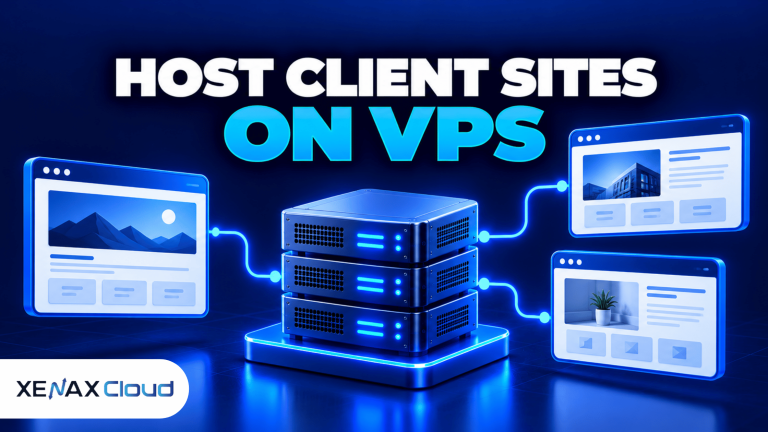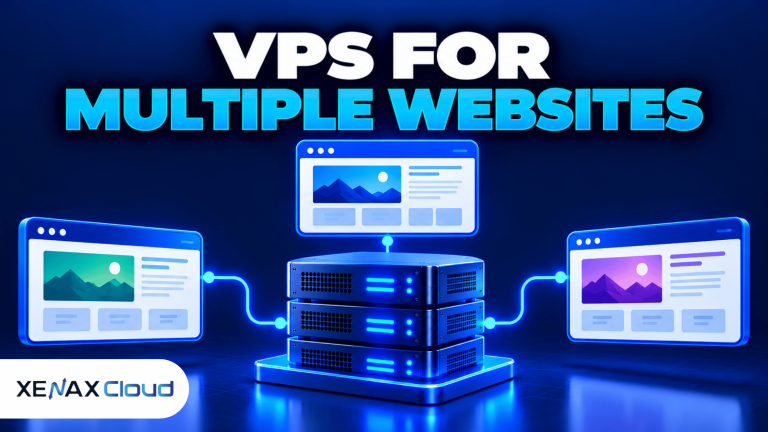
A VPS for multiple websites lets you host several websites on one virtual server while controlling the CPU, RAM, storage, software and access permissions assigned to the environment. A virtual private server (VPS) is a virtual machine that runs its own operating system and receives allocated server resources. It can suit freelancers, developers and agencies that manage several websites but do not need a separate server for every project.
The right setup depends on what the websites run, how much traffic they receive and whether they share a similar software stack. A group of small business websites has different requirements from several online stores with active databases and background jobs.
Xenax Cloud operates a Tier-III data centre in Banda, Uttar Pradesh, India, and offers Linux KVM VPS hosting. Before choosing a configuration, estimate the combined workload, plan how each website will be separated and decide how you will back up and maintain the server.
What Is a VPS for Multiple Websites?
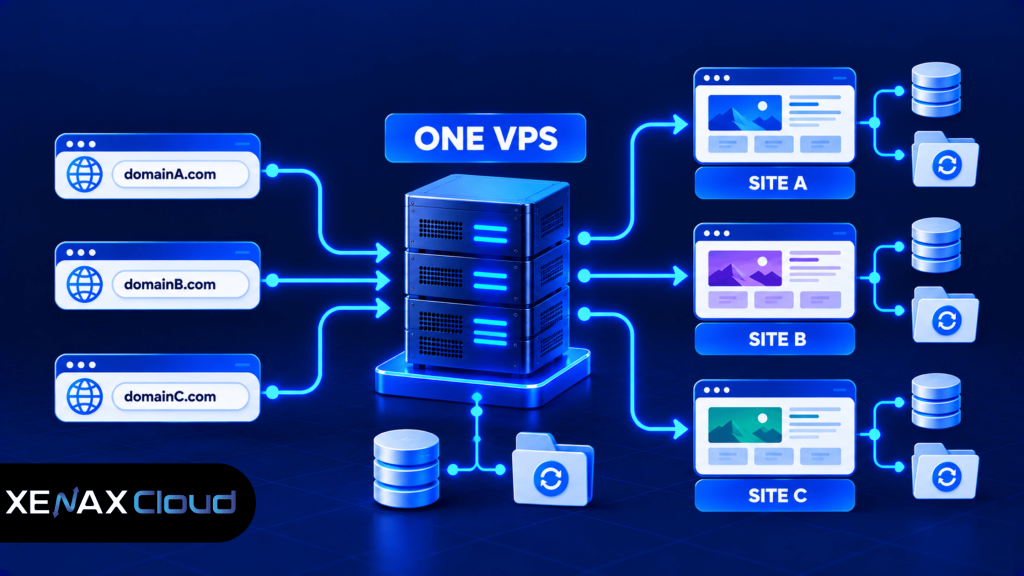
A VPS for multiple websites is a virtual server configured to serve more than one website from a shared pool of allocated resources. Each website can have its own domain, document root, application configuration and database, depending on the software you install.
A VPS for multiple websites is useful for developers, freelancers and agencies that manage several websites from one server. It allows you to configure separate domains, databases and website files while sharing the available server resources. Before choosing a plan, check your combined CPU, RAM and storage requirements to ensure the VPS suits your websites.
For example, an agency might manage separate WordPress websites for a restaurant, a local clinic and a small retailer on the same Linux VPS. Each domain points to the server, while the web server directs incoming requests to the correct website configuration.
Hosting several sites together can simplify administration because you maintain one operating system and one central server environment. However, those sites also share the server’s available resources unless you deliberately configure limits or move workloads to separate environments.
A VPS does not automatically install a hosting control panel, create client accounts or isolate every website. You must configure the required software and permissions yourself, or use a suitable control panel where its licensing and requirements allow.
What Do You Need Before Hosting Multiple Websites?
To host multiple websites on a VPS, you need suitable server resources, domain DNS records, a web server, application runtimes where required, databases and a plan for security and backups. The exact software depends on the websites you intend to run.
Common components include:
- Linux: The operating system running the websites and server services.
- Nginx or Apache: Web server software that receives HTTP/HTTPS requests and serves website content.
- PHP and a database: Often required by WordPress and other PHP-based content management systems.
- DNS records: Direct the domain name to the appropriate server address.
- HTTPS certificates: Encrypt traffic between visitors and the website.
- Firewall and SSH access: Help control remote administration and network access.
- Backup storage: Keeps recovery copies separate from the live website files.
A hosting control panel can make domain management, database creation and SSL configuration easier, especially for an agency handling many projects. However, confirm that the panel supports your intended operating system and fits your security and licensing requirements. A control panel also consumes server resources, so include its overhead when sizing the VPS.
Which VPS Configuration Should You Choose?
The right VPS configuration depends on the combined resource requirements of all hosted websites, not simply the number of domains. CPU handles application processing, RAM supports running services and applications, and storage holds the operating system, website files, databases and logs.
Xenax Cloud offers three VPS families with different resource characteristics.
| VPS family | Entry configuration | Main characteristic | Suitable workload |
| Speed VPS | 2 vCPU, 4 GB RAM, 40 GB NVMe storage | NVMe storage and multiple size options | Small portfolios and conventional websites |
| General VPS | 2 vCPU, 8 GB RAM | More RAM per vCPU | Memory-intensive websites and applications |
| Gold VPS | 2 vCPU, 4 GB RAM | High-frequency Xeon Gold processor | Workloads that benefit from CPU performance |
Speed VPS has configurations extending to 32 vCPU, 64 GB RAM and 200 GB storage. General VPS extends to 16 vCPU and 64 GB RAM, while Gold VPS extends to 32 vCPU and 64 GB RAM.
These specifications describe available resources, not a guaranteed number of websites or a guaranteed page-load time. Website performance also depends on application code, plugins, database queries, caching, traffic patterns and configuration.
How Much RAM Do You Need for Multiple Websites?
The RAM required for multiple websites depends on the operating system, web server, database, control panel and applications running at the same time. Lightweight websites may need relatively little memory, while busy WordPress sites, ecommerce applications and background workers can consume substantially more.
Use these configurations as starting points for evaluation:
- 2 vCPU and 4 GB RAM: Consider for a small group of lightweight websites with modest traffic.
- 2 vCPU and 8 GB RAM: Consider for multiple content-management sites or applications that need more memory.
- Larger configurations: Consider when monitoring shows persistent memory pressure or concurrent workloads cause slowdowns.
These are planning guidelines, not fixed website-count limits. To estimate your needs, review memory consumption during normal and busy periods, including the database, PHP processes and any control panel.
Read the Xenax Cloud guide on how much RAM a VPS needs for more guidance on evaluating memory requirements.
Storage matters too. Leave room for website uploads, database growth, logs, temporary files and operating system updates. If you store backups on the same VPS, remember that a server failure or compromised account may affect both the live sites and their local backup copies.
How to Host Multiple Websites on a VPS
You can host multiple websites on a VPS by creating a separate virtual host or server block for each domain and assigning the correct document root, application settings and database credentials. The exact process varies with your web server and application stack.
Follow this general setup process before moving live websites onto the server.
- List your websites. Record every domain, application, database, storage requirement and expected traffic pattern.
- Choose a VPS configuration. Estimate the combined CPU, RAM and storage needs, including operating-system and control-panel overhead.
- Secure the operating system. Apply updates, restrict SSH access and configure the firewall before deploying websites.
- Install the web stack. Set up Nginx or Apache, the required runtime and database software.
- Create each website configuration. Assign a domain, document root, application settings and separate database credentials where needed.
- Configure DNS and HTTPS. Point each domain to the server and enable a valid certificate for encrypted connections.
- Test and back up. Check every site, review logs, test forms and database connections, and verify that recovery copies can be restored.
For Nginx, separate server blocks can route requests for different domain names to the appropriate website configuration. The official Nginx documentation on server names explains how server names are used to select configurations.
Before changing DNS for an existing site, copy its files and database and test the migration where practical. Keep the original site available until you have verified that the new environment works correctly.
How Should You Separate Websites and Client Access?
Websites hosted on the same VPS should have separate configurations, application credentials and file permissions wherever practical. Sharing a server does not automatically isolate one website from another, so access control must be part of the design.
For a multi-site WordPress setup, use separate administrator accounts and databases, keep plugins and themes updated, and avoid reusing passwords between clients. Configure file ownership and permissions so that one site’s application processes cannot unnecessarily modify another site’s files.
For agencies, also consider:
- Giving clients access only to the website or control-panel features they need.
- Keeping development and staging environments separate from production where practical.
- Restricting root or administrator access to authorised staff.
- Removing access when a client relationship or staff role ends.
- Maintaining a record of domain ownership, renewals and recovery contacts.
If every website runs under one shared system account, a vulnerability in one application may create risks for other sites. Stronger separation can reduce the potential impact, but it does not eliminate every security risk. Where client contracts require stronger isolation, separate VPS instances may be more appropriate.
Worked Example: An Agency Hosting Eight Websites
Consider a web agency in Lucknow that manages eight small business websites. Six are lightweight WordPress brochure sites, while two receive more traffic and use additional plugins, forms and analytics.
Speed VPS with 2 vCPU, 4 GB RAM and 40 GB NVMe storage could be a starting point to evaluate if the sites are lightweight and traffic is modest. However, if memory usage remains high when all sites are active, General VPS with 2 vCPU and 8 GB RAM may be a better fit because it provides more RAM per vCPU.
The agency should measure CPU load, memory use, disk space and application response times after migration. If CPU stays saturated during database queries or PHP processing, adding RAM alone may not resolve the bottleneck. The agency should identify the constrained resource before upgrading.
This example illustrates a decision process, not a guarantee that a particular VPS can support eight websites. The actual capacity depends on traffic, software and configuration.
When Should You Use Separate VPS Servers?
Separate VPS servers are worth considering when a website needs a different software stack, creates significant resource contention or requires stronger operational separation from other clients. Hosting all sites on one server is convenient, but it also creates a shared resource pool and a common point of failure.
Consider separate servers when:
- One website experiences traffic spikes that affect other sites.
- A client needs a different operating system or application configuration.
- Security or contractual requirements call for stronger separation.
- Maintenance on one site must not interrupt unrelated projects.
- An ecommerce site needs dedicated capacity for its application and database workload.
One VPS may remain the simpler option for a small portfolio of low-traffic websites. Do not split every site automatically; compare the maintenance overhead with the actual resource and security requirements.
Xenax Cloud’s VPS hosting plans provide Linux KVM configurations that agencies and developers can compare against their website workloads. Select a family based on memory, CPU and storage needs rather than assuming every VPS is suitable for the same number of sites.
VPS for Multiple Websites: FAQs
Can I host multiple WordPress websites on one VPS?
Yes, you can host multiple WordPress websites on one VPS by configuring separate domains, document roots and databases. Make sure the server has enough resources for WordPress, its plugins and database activity. Keep each site’s credentials separate, update applications regularly and test backups before relying on the setup for client projects.
How many websites can one VPS handle?
A VPS can handle different numbers of websites depending on their traffic, software, resource use and configuration. There is no universal website-count limit that applies to every server. Start with a realistic workload estimate, monitor CPU and RAM after launch, and upgrade or separate sites when the measured workload requires it.
Is a VPS better than shared hosting for multiple websites?
A VPS can be better when you need root access, custom software or more control over multiple website environments. Shared hosting can be simpler when the sites have modest requirements and you do not want to manage server services. Compare administrative responsibilities as well as resource needs before choosing.
Do I need a control panel to host multiple websites on a VPS?
No, a control panel is not mandatory if you can configure the web server, domains, databases and certificates manually. A panel can simplify routine tasks for agencies, but it may require licensing and additional resources. Choose the method your team can maintain securely and consistently.
Is it safe to host different clients’ websites on one VPS?
Yes, it can be suitable when websites use separate credentials, appropriate file permissions, updated software and reliable backups. However, sharing one server creates shared risks and resource contention. If a client requires stronger isolation or a separate maintenance boundary, evaluate hosting that client’s website on its own VPS.
When should I upgrade a VPS hosting multiple websites?
Upgrade when monitoring shows persistent CPU saturation, memory pressure, insufficient disk space or slow responses under normal workload. First investigate application logs, database queries and inefficient plugins because these can cause bottlenecks. Choose an upgrade based on the resource that is actually constrained rather than increasing every specification unnecessarily.
Can I migrate existing websites to a VPS?
Yes, you can migrate existing websites to a VPS by copying their files and databases, configuring the web server and testing the new environment. Check DNS, HTTPS, scheduled jobs, email dependencies and application credentials. Keep a restorable backup and verify the migrated site before directing visitors to the new server.
If you are hosting a small portfolio of conventional websites, evaluate Speed VPS with 2 vCPU and 4 GB RAM first. If the sites need more memory, compare General VPS with 2 vCPU and 8 GB RAM. Monitor actual usage after migration and choose a larger configuration or separate servers only when the workload or isolation requirements justify it.