VPS for agencies hosting client sites gives web design and development teams a virtual server to run multiple client websites with allocated CPU, RAM and storage. A virtual private server (VPS) is a virtual machine that runs on a physical server and provides its own operating system environment and assigned resources.
For an agency, the main decision is how many websites to host, how much traffic they receive, which applications they use and how much separation each client requires. A small portfolio of business websites has different needs from a collection of WooCommerce stores, membership platforms or resource-intensive applications.
Xenax Cloud offers Linux KVM VPS hosting from a Tier-III data centre in Banda, Uttar Pradesh, India. Choosing the right setup means matching the server configuration to the agency’s workload, planning client access carefully and keeping backups separate from the live websites.
What Should a VPS for Agencies Hosting Client Sites Include?
A VPS for agencies hosting client sites should provide enough CPU, RAM, storage and administrative control for the websites and applications the agency manages. It should also support a workable process for updates, backups, monitoring and access permissions.
Before selecting a server, list the sites you plan to host and group them by resource needs. A static brochure website usually has different requirements from a store with product images, database queries, checkout activity and background jobs.
Consider these requirements:
- CPU: Handles PHP execution, database queries, scheduled tasks and other processing.
- RAM: Supports the operating system, web server, database, caching and application processes.
- Storage: Holds website files, databases, logs, backups stored locally and temporary files.
- Network capacity: Affects data transfer between the server and visitors, but does not guarantee a particular page-load time.
- Administration: Determines how you configure the operating system, web server, firewall, updates and client environments.
- Backup and recovery: Helps restore websites after accidental changes, failed updates or data loss.
A VPS gives an agency more server-level control than typical shared hosting, but it also requires more responsibility. If the team does not want to maintain an operating system or troubleshoot server services, managed hosting may be a better operational fit.
Which VPS Configuration Fits a Web Design Agency?
The best VPS configuration for a web design agency depends on the number and type of client sites, their traffic, the software stack and the amount of concurrent work. Count resources across the whole server rather than estimating each site in isolation.
Xenax Cloud has three main VPS families. Speed VPS uses NVMe storage, General VPS provides more RAM per vCPU, and Gold VPS uses high-frequency Xeon Gold processors.
| VPS family | Entry configuration | Storage or processor characteristic | Consider it for |
| Speed VPS | 2 vCPU, 4 GB RAM | NVMe storage; 40 GB at the smallest listed size | Agencies hosting several conventional sites |
| General VPS | 2 vCPU, 8 GB RAM | More RAM per vCPU | Sites and applications with higher memory needs |
| Gold VPS | 2 vCPU, 4 GB RAM | High-frequency Xeon Gold processor | Workloads that benefit from CPU performance |
Speed VPS has configurations extending to 32 vCPU, 64 GB RAM and 200 GB storage. General VPS extends to 16 vCPU and 64 GB RAM, while Gold VPS offers configurations up to 32 vCPU and 64 GB RAM.
All three families use KVM virtualisation, Linux, one IPv4 address, full root access and a 500 Mbps network port. Weekly backups are included, but the agency should still maintain an independent recovery copy for important client sites.
How Much RAM Does an Agency VPS Need?
An agency VPS needs enough RAM for the operating system, web server, databases, caching and all simultaneously active websites. The required amount depends more on application behaviour and concurrent load than on the raw website count.
Use these starting points as planning estimates, not guarantees:
- 2 vCPU and 4 GB RAM: Consider for a small portfolio of lightweight sites with modest traffic.
- 2 vCPU and 8 GB RAM: Consider for multiple CMS sites, heavier plugins or applications that use more memory.
- Larger configurations: Consider when monitoring shows sustained memory pressure, swap activity or slowdowns during busy periods.
Before upgrading, identify the process consuming resources. A database query, runaway PHP process or plugin issue can create a bottleneck that adding RAM alone will not fix.
A VPS for agencies hosting client sites should have enough RAM to support the websites, databases and applications running together. Before upgrading your server, check memory usage and identify which websites need more resources. Read our guide on how much RAM a VPS needs to understand RAM requirements and choose a suitable configuration for your agency.
How to Host Multiple Client Websites on One VPS
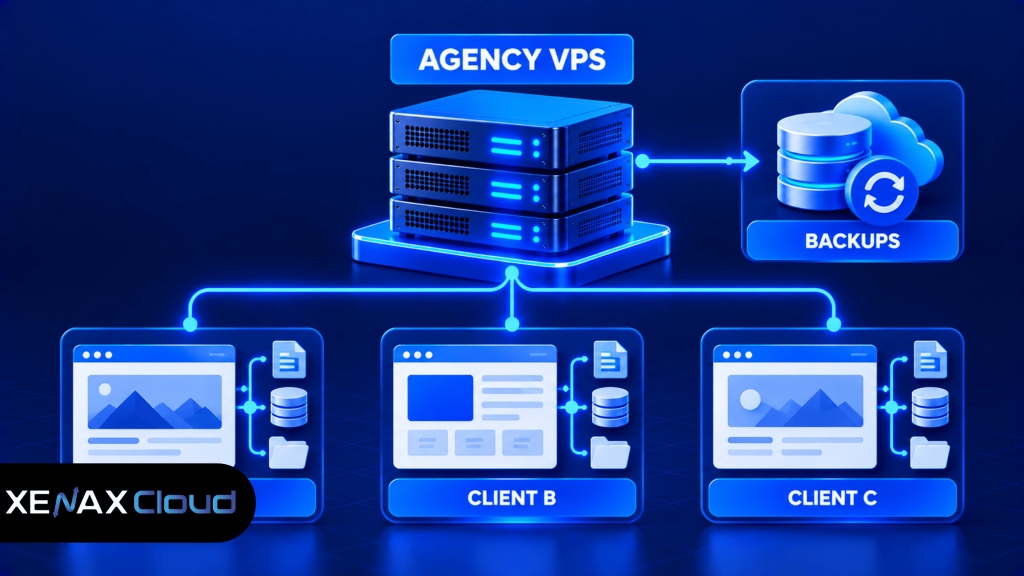
You can host multiple client websites on one VPS by configuring separate website entries, domains, document roots, databases and permissions for each project. The exact process depends on the web server and control panel you install.
A Linux VPS may use Apache or Nginx directly, or a hosting control panel where available and appropriately licensed. Each site should have its own configuration and database credentials rather than sharing administrative access by default.
Steps to Set Up an Agency VPS
- Inventory each client’s domains, applications, traffic patterns and storage needs.
- Select a VPS configuration that meets the combined resource requirements.
- Secure SSH access, update the operating system and configure a firewall.
- Install the required web server, runtime, database and control panel if needed.
- Create separate site configurations, document roots, databases and user permissions.
- Enable HTTPS certificates and configure domain DNS records.
- Test each website, backup process, restore procedure and monitoring alert before launch.
Keep a record of domain ownership, DNS settings, renewal responsibilities and application credentials for every client. Before changing DNS or migrating a live site, back up the website files and database, then verify that the backup can be restored.
Before hosting client websites on a new server, configure the operating system, secure administrator access and install the required software. Follow our guide on how to set up a VPS for the essential server setup and administration steps. This can help your agency prepare the environment before migrating client websites.
How Should Agencies Separate Client Sites and Permissions?
Agencies should separate client sites through distinct accounts, permissions, databases and application credentials wherever practical. Hosting multiple sites on one VPS does not automatically isolate them from one another.
For WordPress sites, use separate administrator accounts and avoid reusing passwords across client projects. Limit file permissions so that one site’s application account cannot casually modify another site’s files, and keep plugins and themes updated.
A control panel can simplify account and domain administration, but it does not replace server security. Agencies should also:
- Use unique database users and strong credentials for each site.
- Keep production, staging and development environments distinct where practical.
- Restrict SSH and administrative access to authorised staff.
- Review access when a staff member or client leaves a project.
- Maintain a documented process for emergency updates and recovery.
If all client sites share one operating-system user, one database account or one set of administrator credentials, a compromise can affect multiple projects. Stronger separation reduces the potential blast radius, although no configuration removes every risk.
Worked Example: A Small Indian Web Design Agency
Consider a Lucknow-based agency managing eight small business websites, including six WordPress brochure sites and two sites with heavier forms and analytics. The team needs a single Linux environment, separate databases, HTTPS and room for updates and logs.
Speed VPS with 2 vCPU and 4 GB RAM could be a starting point if traffic is modest and the sites use efficient themes and plugins. However, if the two heavier sites consume more memory while all eight sites receive simultaneous activity, General VPS with 2 vCPU and 8 GB RAM is the more suitable configuration to evaluate because it allocates more RAM per vCPU.
The agency should monitor memory, CPU, disk space and response times after migration. If CPU remains saturated during PHP processing, a higher-CPU configuration may be more appropriate than simply increasing RAM.
Xenax Cloud’s VPS hosting plans provide multiple Linux KVM configurations for agencies to compare against their requirements. The right choice depends on the combined workload, not a fixed rule that one server can host a particular number of sites.
When Should an Agency Use Separate VPS Servers?
An agency should consider separate VPS servers when client workloads require stronger operational separation, different software stacks or independent maintenance windows. One shared VPS can simplify administration, but it also creates a common resource pool and a common point of failure.
Separate servers may make sense when:
- One client’s traffic or background processing affects other sites.
- A client needs a different operating system or software configuration.
- Security requirements call for stronger separation between environments.
- The agency needs to perform maintenance without affecting unrelated clients.
- A high-traffic store needs resources that should not be shared with brochure sites.
A separate VPS is not automatically required for every client. For a small portfolio of low-traffic websites, one appropriately sized server with good access controls and backups may be easier to maintain. Review actual resource usage and contractual obligations before splitting workloads.
VPS for Agencies Hosting Client Sites: FAQs
Can one VPS host multiple client websites?
Yes, one VPS can host multiple client websites if its CPU, RAM, storage and software configuration support the combined workload. Each site should have its own domain configuration, files, database credentials and permissions. Monitor usage as the portfolio grows, and separate sites when resource contention or security requirements justify it.
Is a VPS for a web design agency better than shared hosting?
A VPS can be a better fit than shared hosting when an agency needs root access, custom server configuration or more control over multiple client environments. Shared hosting may be simpler for small, low-traffic sites that need little server administration. The right choice depends on technical needs and who will maintain the server.
How much storage does an agency VPS need?
An agency VPS needs enough storage for operating system files, website code, uploads, databases, logs and temporary files. A 40 GB NVMe configuration can be a starting point for a small portfolio, but image-heavy websites and local backups need more room. Monitor disk usage and keep independent backups outside the live server.
Can agencies give clients access to their own websites?
Yes, agencies can give clients access through separate application accounts or control-panel accounts when the installed software supports them. Avoid sharing root credentials or a common administrator login. Set permissions according to each client’s role and document who is responsible for updates, backups and security incidents.
Is agency hosting on a VPS secure?
Agency hosting on a VPS can be secured with system updates, firewalls, strong authentication, restricted permissions and reliable backups. Security still depends on the configuration and the applications running on the server. Separate client credentials and databases, review administrative access regularly and test recovery procedures rather than relying only on the hosting environment.
When should an agency upgrade its VPS?
An agency should evaluate an upgrade when monitoring shows repeated CPU saturation, memory pressure, swap use, disk exhaustion or performance degradation under normal workload. Check application logs and inefficient database queries first because they may be the actual cause. Increase the resource that is constrained, and retest after the change.
Does a VPS include website management for clients?
No, a VPS provides server resources and administrative access, not an automatic website-management service. The agency remains responsible for site configuration, application updates, client permissions and its backup strategy unless separate management arrangements apply. Confirm which tasks the hosting provider supports and which tasks the agency must handle.
For an agency hosting a small portfolio of conventional client sites, evaluate Speed VPS with 2 vCPU and 4 GB RAM first. If your sites use more memory or run several heavier applications at once, compare General VPS with 2 vCPU and 8 GB RAM, then choose based on measured usage and your client-isolation requirements.