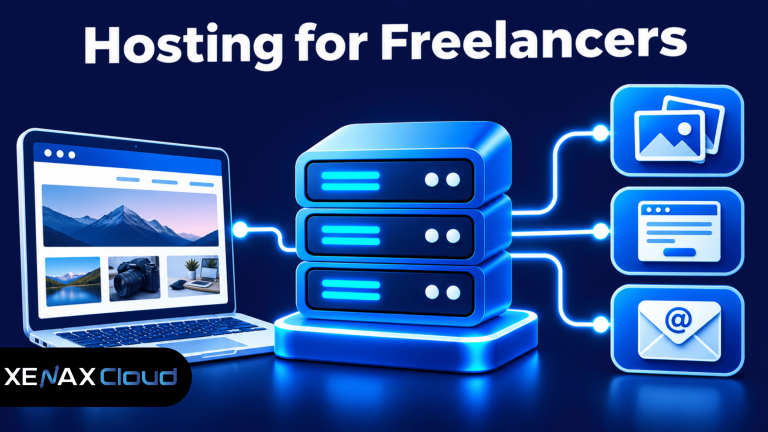
Web hosting for freelancers gives independent professionals a place to publish a portfolio, describe services, receive client enquiries and manage a professional website. The right hosting plan depends on how many websites you operate, how much content you store and whether you need business email accounts.
A designer may need a visual portfolio with large project images, while a writer may need a lightweight website with service pages and a contact form. Developers, consultants and marketing freelancers may also host separate websites for their own services and selected client projects.
Your hosting decision should account for ownership as well as storage. Keep control of the domain, hosting account, website files and backups so a change in client relationships or service providers does not leave you without access.
What Should Web Hosting for Freelancers Include?
Web hosting for freelancers should provide enough website storage, bandwidth, security features and account access for a professional portfolio and its business functions. The right setup should also make routine updates and backups manageable.
Web hosting is a service that stores website files and makes them available to visitors over the internet. A hosting account commonly provides storage for website files, database access and tools for managing the website.
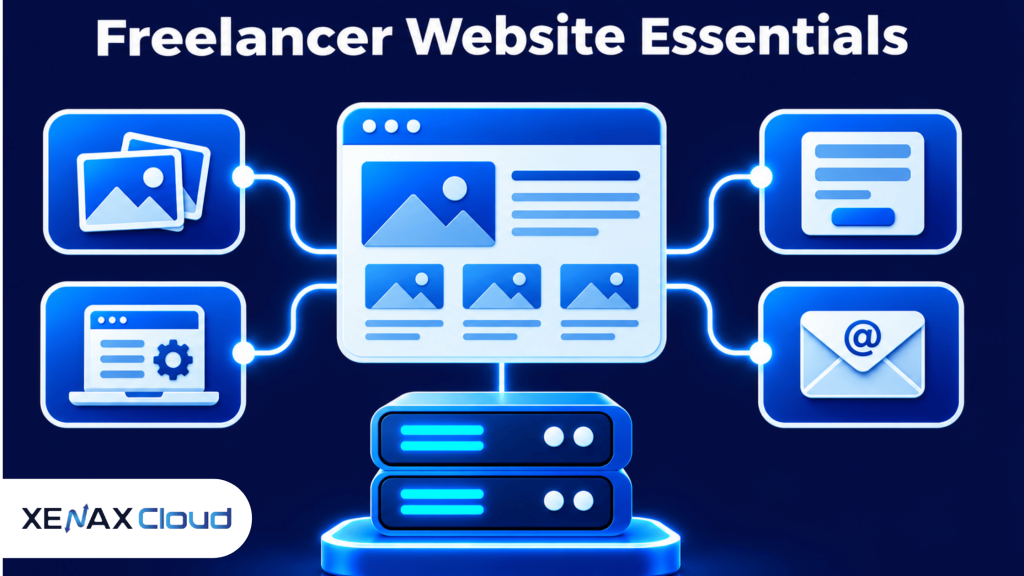
A freelancer website usually needs these elements:
- Portfolio pages: Show selected projects, work samples, case studies or a service gallery.
- Service descriptions: Explain what you deliver, who you work with and how clients can engage you.
- Contact route: Provide a contact form, business email address or another clear enquiry method.
- Mobile-friendly layout: Make pages readable and usable on phones, tablets and desktop screens.
- SSL certificate: Enable HTTPS so data exchanged between the visitor and website is encrypted.
- Backups: Keep recoverable copies of website files and databases in case an update or mistake damages the site.
A portfolio should load only the content it needs. Large uncompressed images, unnecessary plugins and excessive scripts can slow down pages, so resize images and remove components that do not support your work or client enquiries.
The hosting control panel also matters. cPanel provides a graphical interface for managing files, databases, email accounts and other hosting functions, which can be useful if you do not want to administer a server through command-line tools.
Freelancer Website Hosting: What Features Matter Most?
Freelancer website hosting should match the way you present your work, communicate with clients and maintain your website. A single portfolio has different requirements from an account hosting several independent websites.
A content management system (CMS) is software that lets you create and manage website content through an administrative interface. WordPress is a widely used CMS for portfolio pages, blogs and service websites, while a static website may use uploaded HTML, CSS and JavaScript files.
A freelancer should compare hosting features against the actual website workload, rather than choosing a plan only because it has a larger storage figure.
| Freelancer requirement | Hosting feature to check | Why it matters |
| One portfolio website | Website limit and disk space | Determines whether the site fits the account |
| Project image gallery | Storage and bandwidth | Supports image files and visitor requests |
| Business email | Mailbox count | Allows separate professional addresses |
| WordPress portfolio | PHP, database and SSL support | Supports the CMS and secure browsing |
| Several websites | Allowed website count | Keeps separate projects under one account |
For a portfolio with many photographs, consider how images are prepared before upload. Export images at suitable dimensions and use modern compressed formats where your website supports them; storing oversized originals in every page gallery can use disk space without improving the visitor’s experience.
Business email is another practical consideration. A professional address using your own domain can keep client communication separate from personal inboxes, but check the mailbox limit and storage allocation before creating multiple addresses.
The website should also make its next action obvious. A visitor who likes your work should be able to understand the service, review a relevant example and contact you without searching through unrelated pages.
Choosing web hosting for freelancers also means understanding how your domain and hosting account work together. Your domain is your website address, while hosting stores the website files and database. If you are planning a new portfolio, read our guide on the difference between domain and hosting before purchasing. The right web hosting for freelancers should support your portfolio, business email and future website requirements.
Personal Website Hosting: One Portfolio or Multiple Client Sites?
Personal website hosting gives an independent professional a home for their own portfolio, service pages and published work. If you also manage websites for clients, check whether your hosting account permits multiple separate websites.
A personal website is a site that represents an individual, their professional services, work history or creative projects. It can be a simple portfolio, a blog, a consultancy website or a combination of these.
The number of websites you need is often a better starting point than the total number of pages. A single portfolio may contain service pages, case studies and a blog without requiring multiple website slots, while separate client domains may need separate website configurations.
Xenax Cloud Shared Hosting has four plans with different website and resource limits:
- Silver: 1 website, 5 GB disk, 50 GB bandwidth and 3 mailboxes.
- Gold: 3 websites, 15 GB disk, 100 GB bandwidth and 6 mailboxes.
- Platinum: 10 websites, 100 GB disk, 1,000 GB bandwidth and 25 mailboxes.
- Diamond: Unlimited websites, disk, bandwidth and mailboxes.
The shared hosting environment includes cPanel, LiteSpeed web server, Let’s Encrypt SSL and DDoS protection. JetBackup 5 backups are also included, but you should still keep a separate copy of important website files and content.
For a freelancer who manages one portfolio, Silver may cover the required website and mailbox capacity. Gold is more suitable when you need up to three separate websites, while Platinum supports up to ten websites with a larger storage allocation.
Check the limits that affect your own workload. Shared hosting bandwidth is limited on Silver, Gold and Platinum; only Diamond has unlimited bandwidth. A portfolio with large galleries or frequent downloads should account for visitor traffic and file sizes rather than assuming every shared plan has the same transfer allowance.
How to Set Up a Freelancer Website on Shared Hosting
You can set up a freelancer website by connecting a domain, configuring hosting, installing a CMS or uploading website files, and testing the finished pages. Keep your domain and hosting login details in accounts you control.
- Choose a domain. Select a name that is easy to remember and suitable for your professional identity.
- Select hosting. Match the website count, disk space, bandwidth and mailbox limit to your needs.
- Connect DNS. Point the domain to the hosting provider’s supplied nameservers or DNS records.
- Enable HTTPS. Confirm that the SSL certificate is active for the domain and its preferred hostname.
- Install your website. Set up WordPress or upload your own website files.
- Create business email. Configure the mailboxes your plan supports and test sending and receiving.
- Check every page. Test navigation, contact forms, mobile layout and website links before sharing the site.
For WordPress, use the hosting control panel’s available installation tools or follow the installation process supported by your hosting provider. Choose a maintained theme, install only the plugins you need and use unique administrator credentials.
If you build the site yourself, upload the project files to the correct document root. In cPanel, the File Manager can be used to inspect website directories; the main website commonly uses the public_html directory, although addon domains may have their own document roots.
Test the contact form after deployment. Confirm that messages reach the intended mailbox, check spam handling and avoid publishing private client details in portfolio case studies without permission.
For HTTPS, verify that the certificate covers both the root domain and the www hostname if both versions are used. Let’s Encrypt’s explanation of how certificates work describes how certificates support encrypted connections between websites and visitors.
Worked Example: A Jaipur Freelance Designer Choosing Hosting
Consider a freelance graphic designer in Jaipur who wants one portfolio website with a project gallery, service pages, a blog and a contact form. The designer also wants three domain-based mailboxes for enquiries, invoices and general business communication.
The website will use one domain and store project images and page content within a 5 GB disk allocation. The designer expects to operate one website rather than host separate client websites under the same account.
Xenax Cloud Shared Hosting Silver fits this requirement because it supports one website, 5 GB disk, 50 GB bandwidth and 3 mailboxes. The smaller Mini Hosting Beginner configuration is not suitable for this particular requirement because it supports 1 GB storage, has no email and does not include backups.
The decision rule is based on website count and resource needs:
- Choose Silver for one portfolio website that fits within 5 GB disk, 50 GB bandwidth and 3 mailboxes.
- Choose Gold if you need up to 3 websites, 15 GB disk, 100 GB bandwidth and 6 mailboxes.
- Choose Platinum if you manage up to 10 websites and need 100 GB disk, 1,000 GB bandwidth and 25 mailboxes.
- Choose Diamond if your workload requires unlimited websites, disk, bandwidth and mailboxes.
Silver is not the right choice if you need several separate client websites or exceed its storage and bandwidth limits; compare Gold or Platinum against the actual requirements instead.
Review Xenax Cloud shared cPanel hosting to compare the plan specifications. Xenax Cloud operates one Tier-III data centre in India, and its hosting support is available around the clock.
How Should Freelancers Protect Their Website and Client Enquiries?
Freelancers should protect their websites with HTTPS, strong account credentials, updated software, restricted access and recoverable backups. A portfolio may not store sensitive records, but its contact forms and email accounts can still receive private client information.
Use these safeguards as part of routine website maintenance:
- Protect administrator accounts: Use unique passwords and enable multi-factor authentication where supported.
- Update the CMS: Apply supported WordPress, theme and plugin updates after checking compatibility.
- Limit plugins: Remove unused extensions because each additional component adds maintenance and security work.
- Use HTTPS: Keep the SSL certificate active and redirect visitors to the secure version of the site.
- Review user access: Remove old developer or contractor accounts when their work is complete.
- Keep separate backups: Store copies of website files and databases outside the hosting account.
- Check contact forms: Collect only the information needed to respond to an enquiry and restrict access to submissions.
Before a major update, download a current copy of the website files and database or confirm that a recent backup can be restored. A backup is useful only if the files are complete and the recovery process works.
If a developer builds your website, keep ownership of the domain registrar account and hosting account. Give the developer only the access needed for the work, and remove or change credentials when the project ends.
Web Hosting for Freelancers: FAQs
What type of hosting is suitable for freelancers?
Shared cPanel hosting is suitable for many freelancers who need a portfolio, service pages, contact forms and domain-based email. Xenax Cloud Silver supports one website, 5 GB disk, 50 GB bandwidth and 3 mailboxes. Freelancers managing multiple websites should compare Gold or Platinum limits.
Do freelancers need a separate website for every service?
No, a freelancer can present several related services on one website using separate service pages. A designer, for example, can create individual pages for branding, social media graphics and website design. Separate websites are more useful when the services target different audiences or operate as distinct brands.
Can I host my portfolio and business email together?
Yes, a cPanel hosting account can support a website and domain-based mailboxes when the selected plan includes email. Xenax Cloud Silver includes 3 mailboxes, Gold includes 6 and Platinum includes 25. Check mailbox storage and email configuration before moving an existing business inbox.
How much storage does a freelancer portfolio need?
A small portfolio may fit within 5 GB if images are optimised and unnecessary files are removed. Large photography galleries, video files and downloadable project assets need more storage. Check actual disk usage periodically and choose a larger plan if your website is likely to exceed its allocation.
Is shared hosting suitable for a WordPress portfolio?
Yes, shared hosting can support a WordPress portfolio when the hosting environment meets WordPress requirements and the site fits the plan’s resource limits. Use a maintained theme, limit plugins and keep backups. For a portfolio with one website, compare the Silver specifications before selecting a plan.
Can I move my freelancer website to another hosting provider?
Yes, you can move a freelancer website to another hosting provider by transferring its files, database and required configuration. Take a complete backup first, test the new copy before changing DNS and keep the old hosting account active until the new website and email work correctly.
For one portfolio website with a modest gallery and up to three business mailboxes, compare Xenax Cloud Shared Hosting Silver with your storage and bandwidth requirements. If you manage up to three separate websites, evaluate Gold instead so the website limit and resource allocation match your work.