1. Login to your account and go to product and services.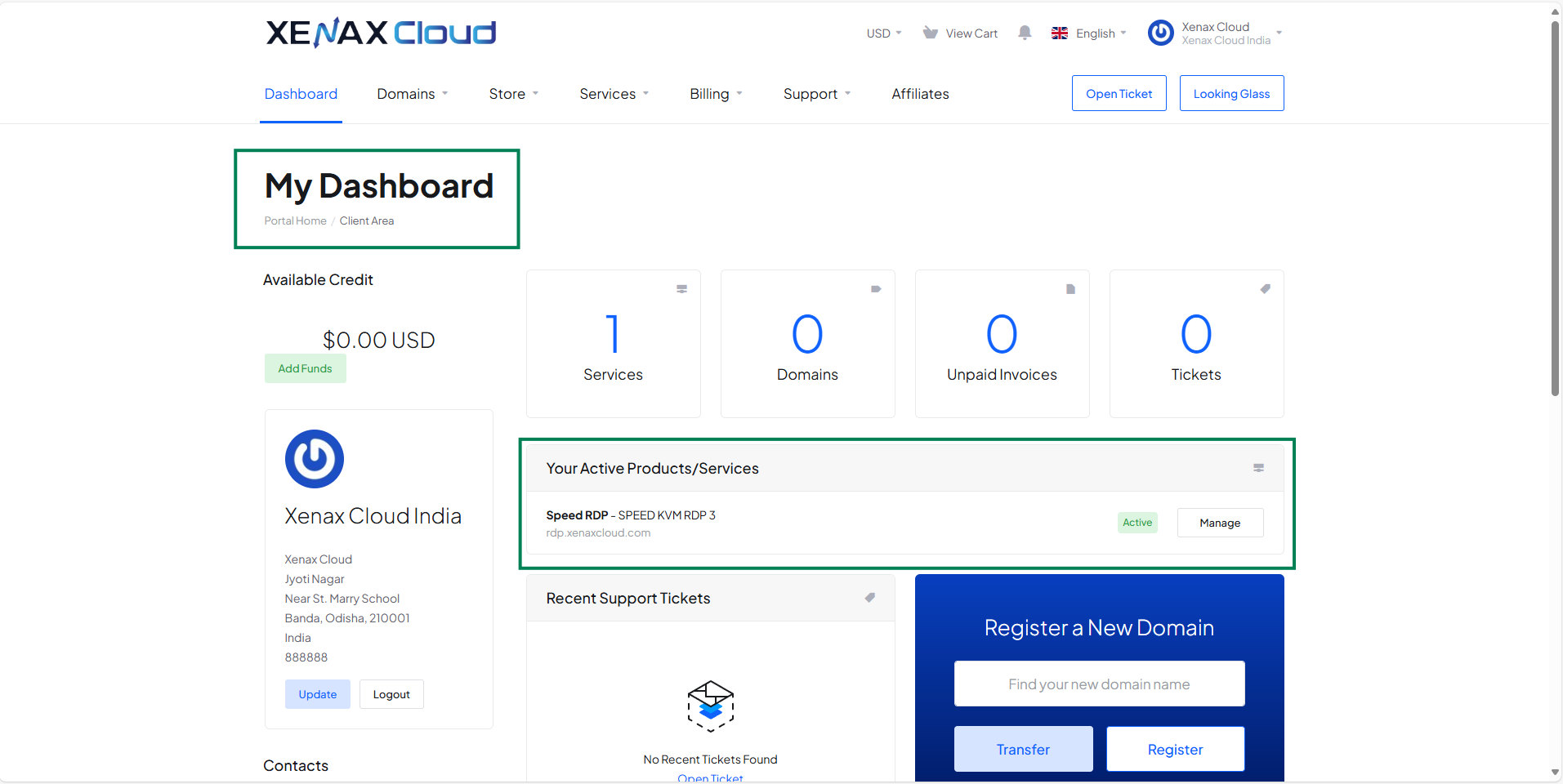
2. Click on your service (VPS or RDP) which one you want to access via VNC.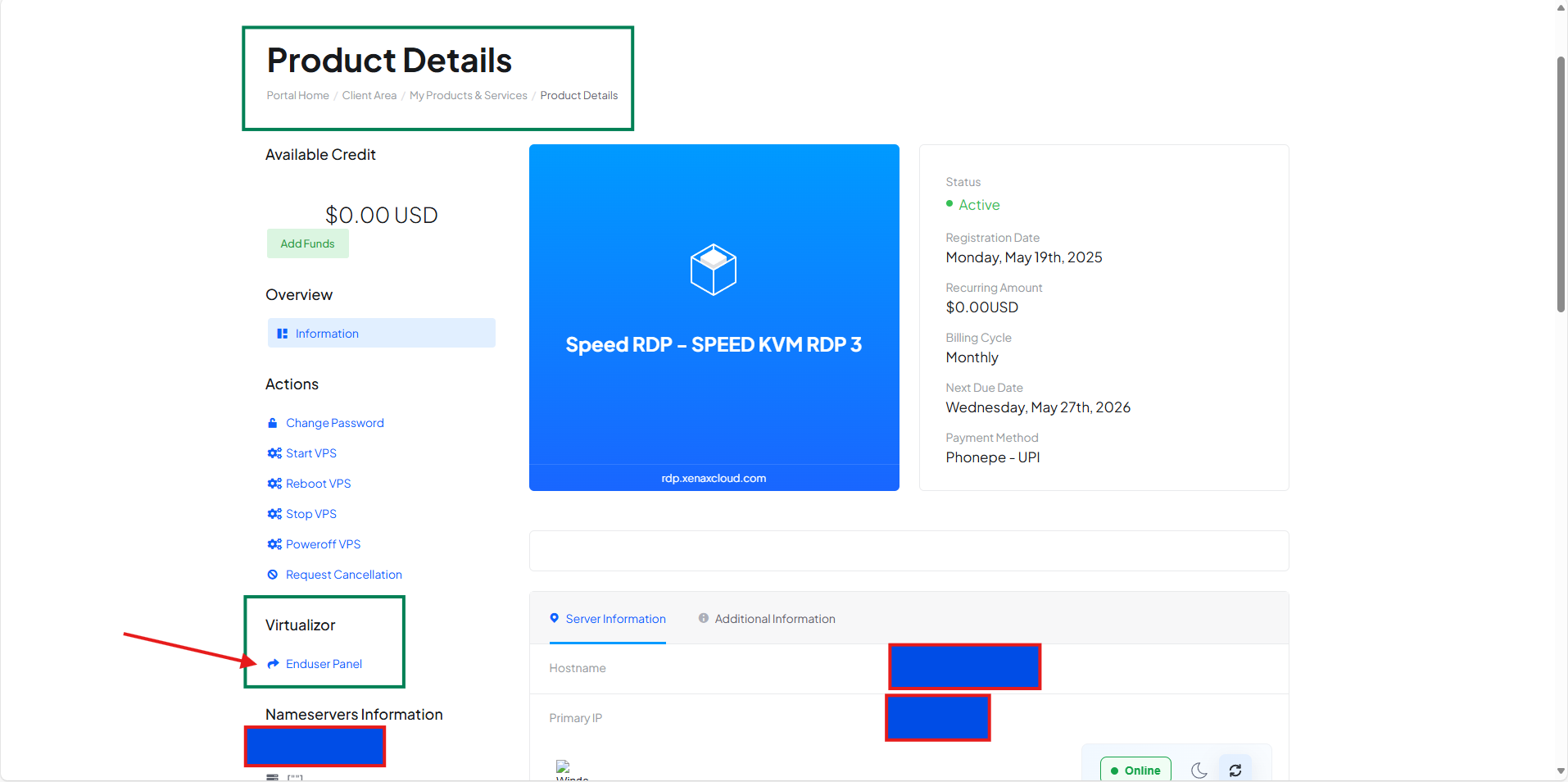
3. Click on Enduser panel and allow insecure access if your browser show SSL warning.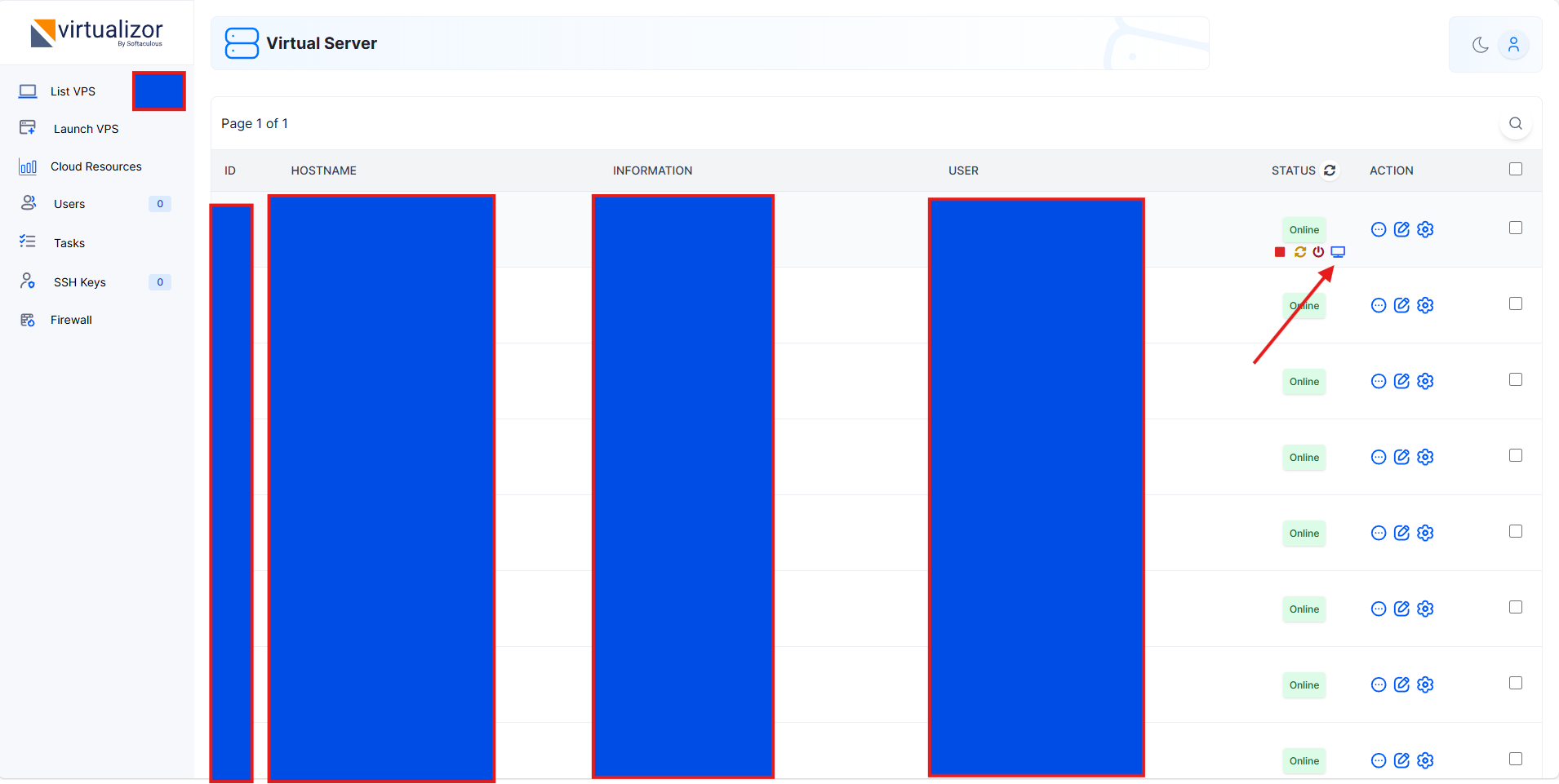
4. From the left side menu select "List VPS" (if not selected by default)
5. From the list of VPS/RDP select any one and then click on "Monitor Icon" to access VNC.