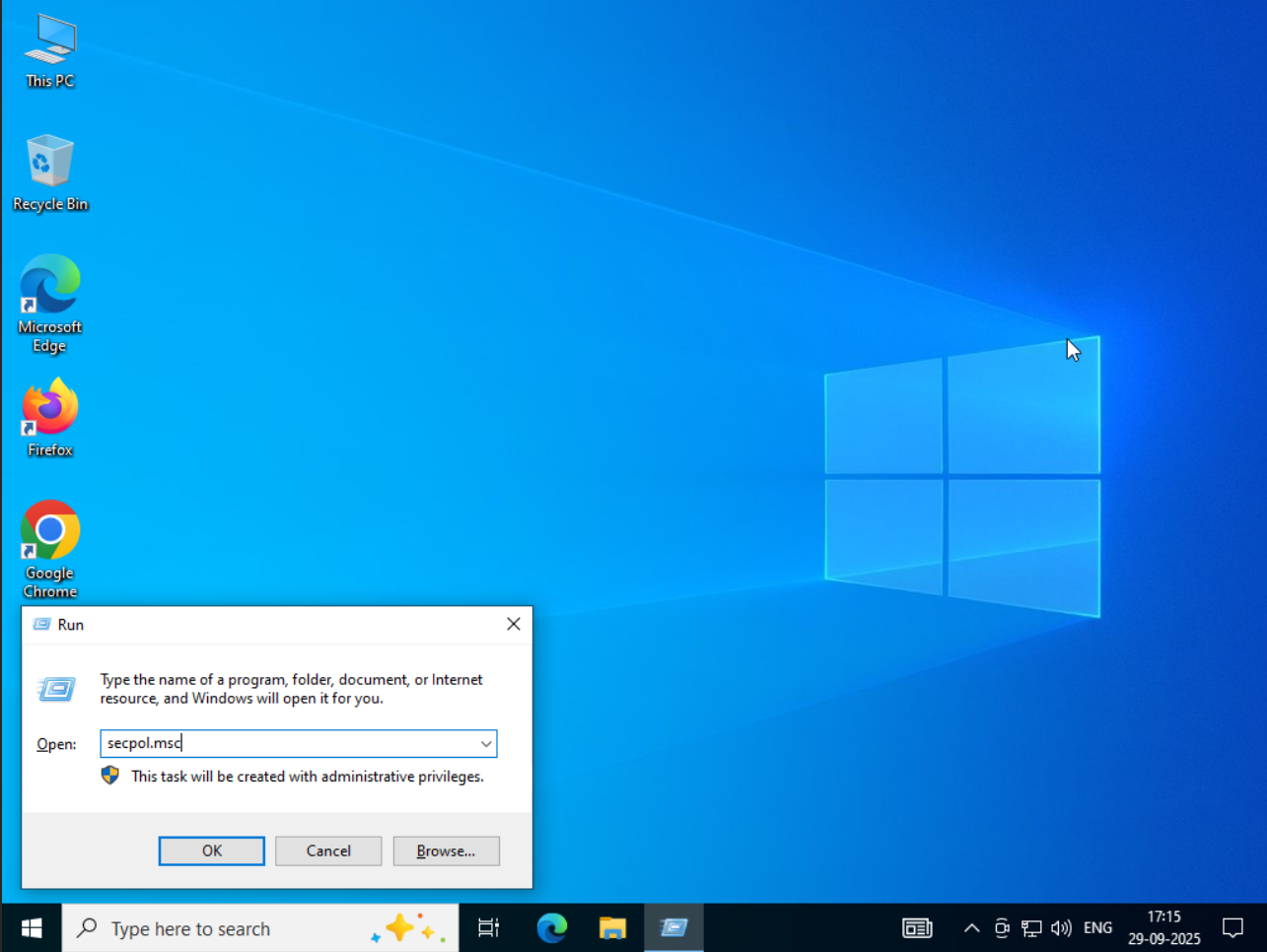
- On your RDP press WIN + R key to open Run command dialogue box.
2. From left side menu go to - Account Policies → Account Lockout Policy → Account lockout threshold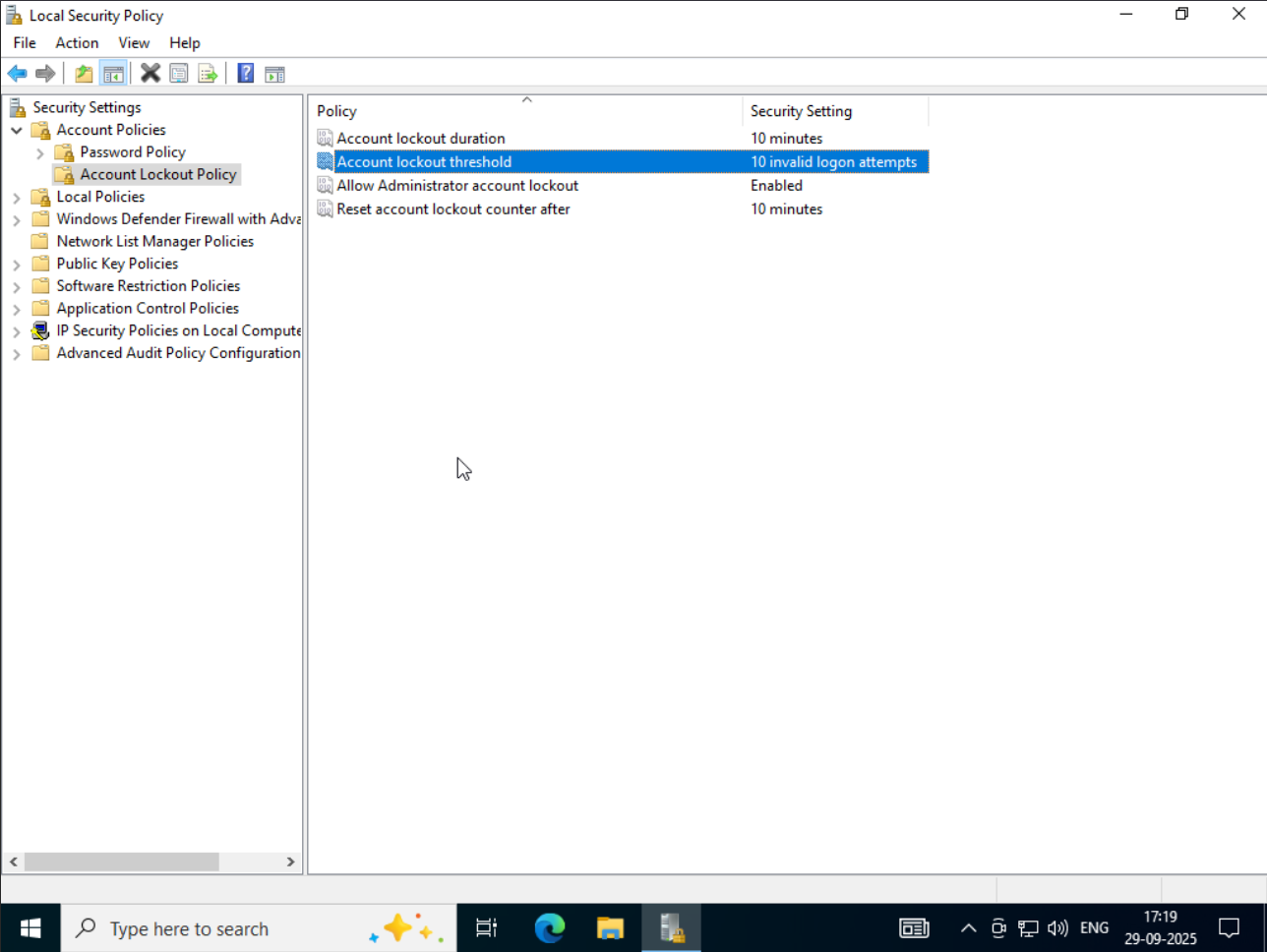
3. Double click on "Account lockout threshold" to edit it and set value to 0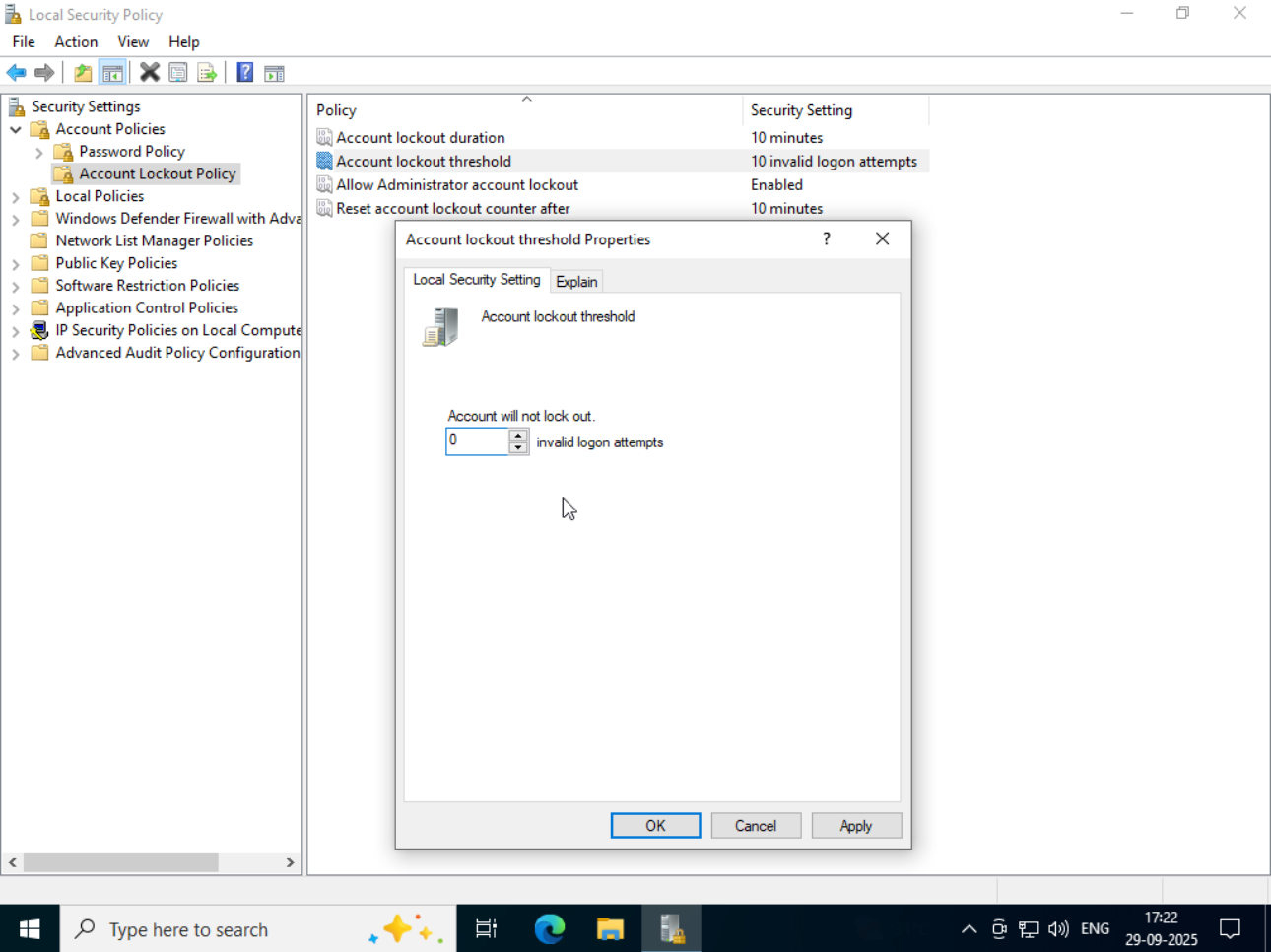
4. Click "Apply" and then "OK".
All done!