Note-: Login to your account and go to services and select right service page
Method 1-:
- Click on Install option
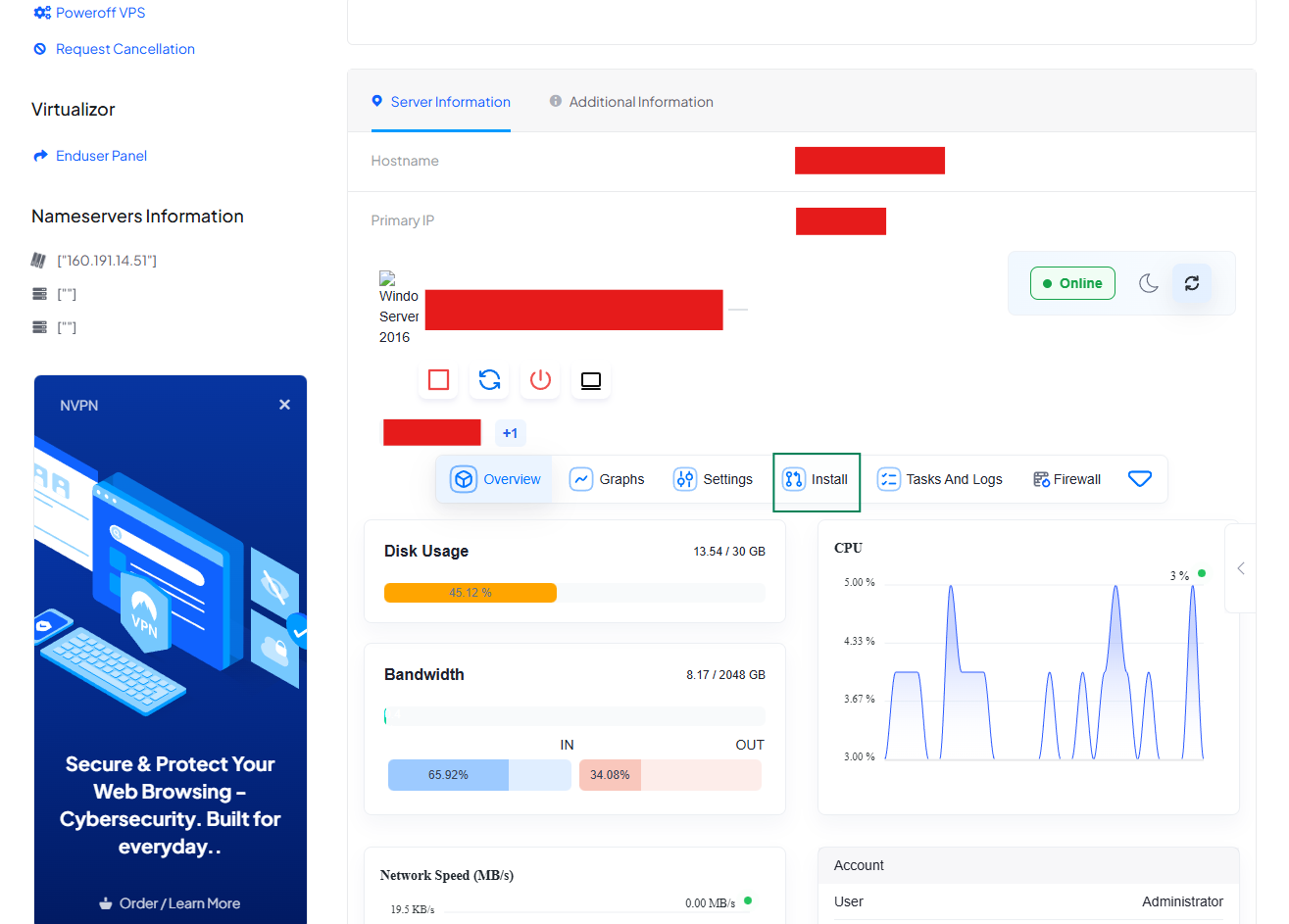
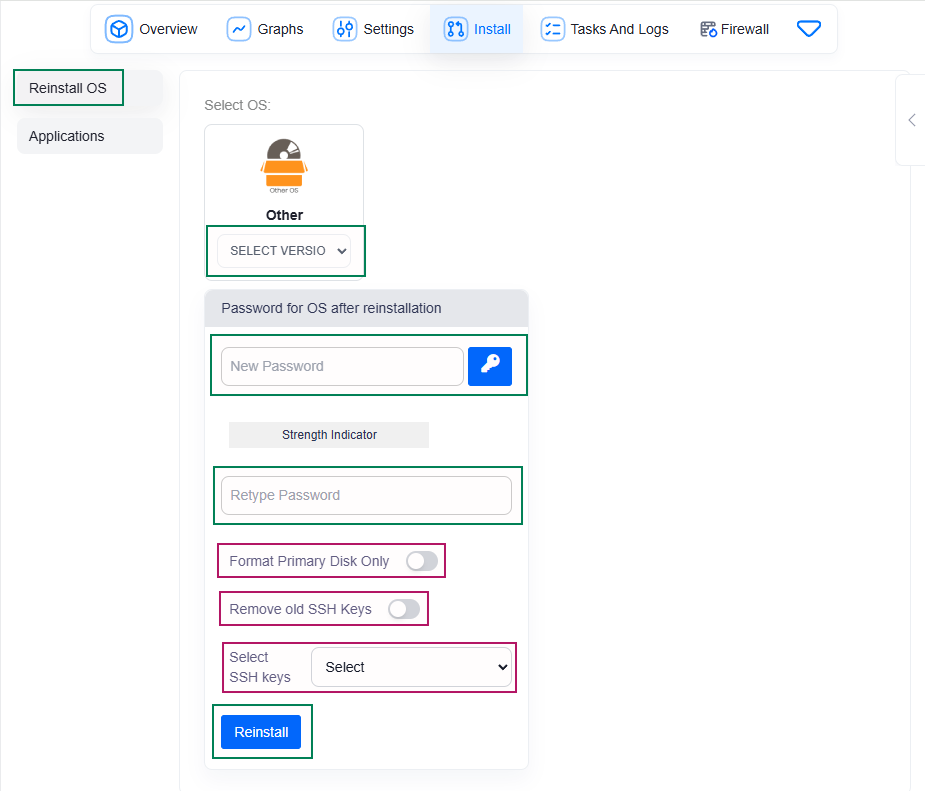
- Then Click on Reinstall OS in left side. Select OS (Like Ubuntu 22.04). Enter Your password.
- Dont mess with Options marked with RED until you know what actually these are.
- At the end click on Reinstall Button and wait 10-15 min.
Method 2-:
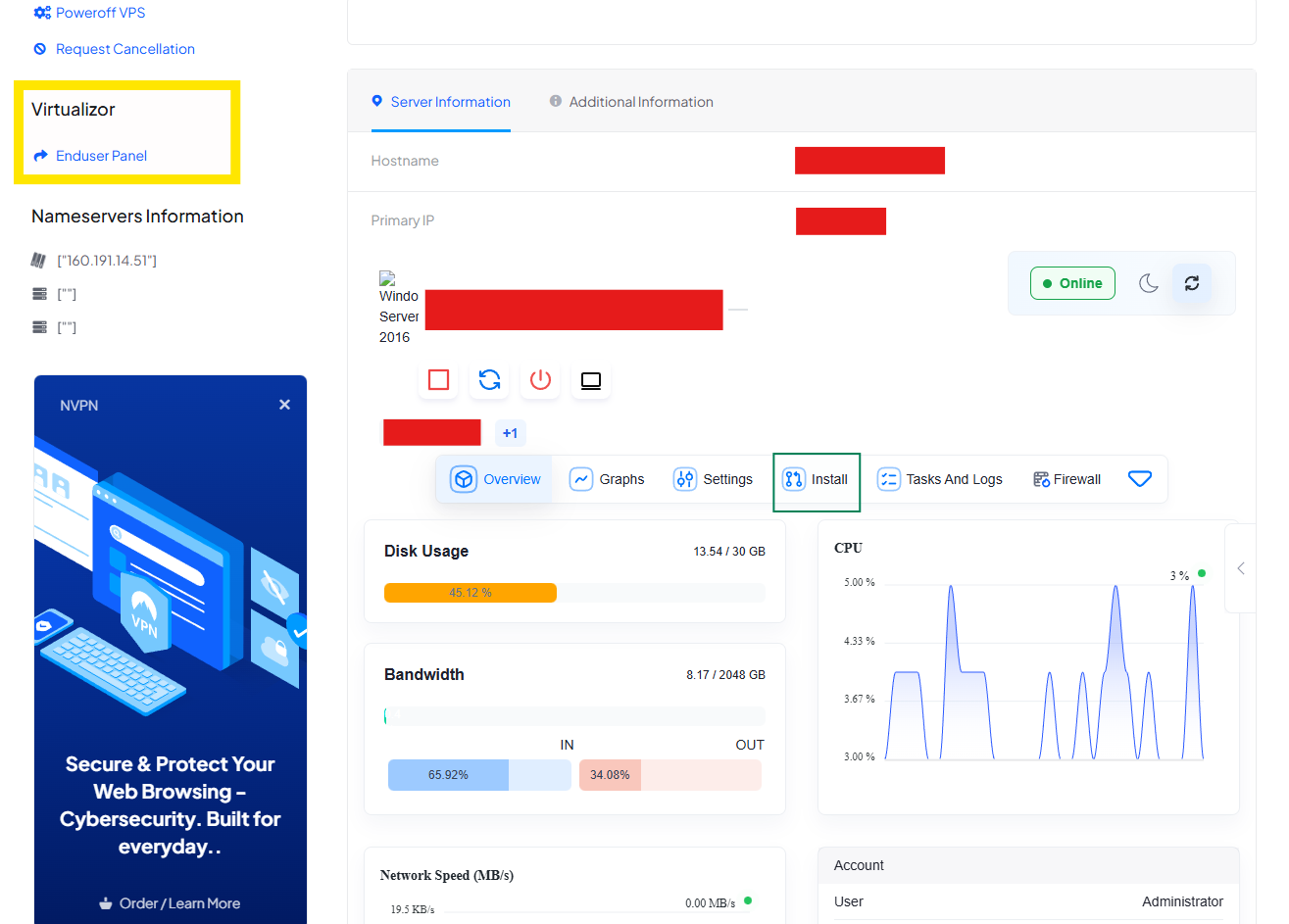
- Click on Enduser Panel (Marked with Yellow)
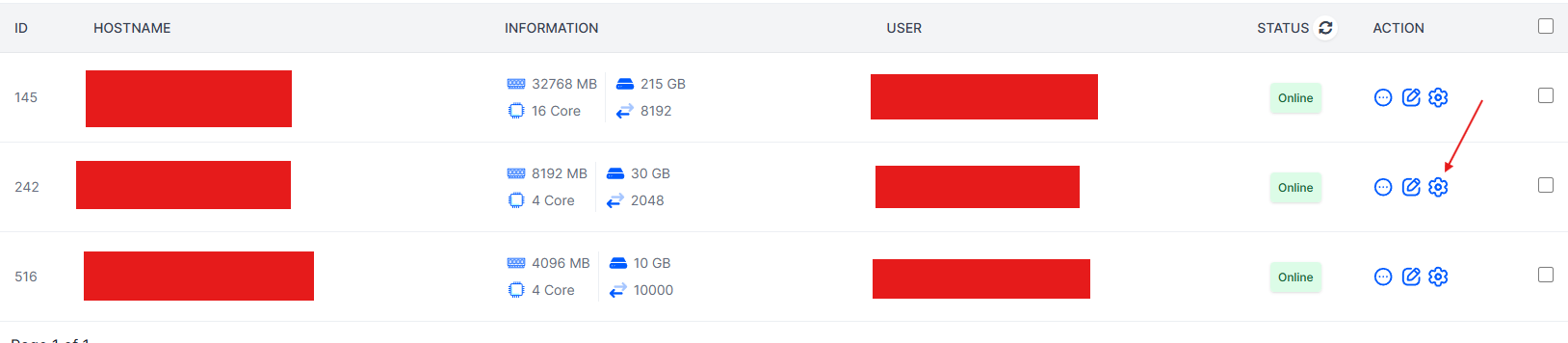
- Click on Setting Icon
- Then Click on Install option
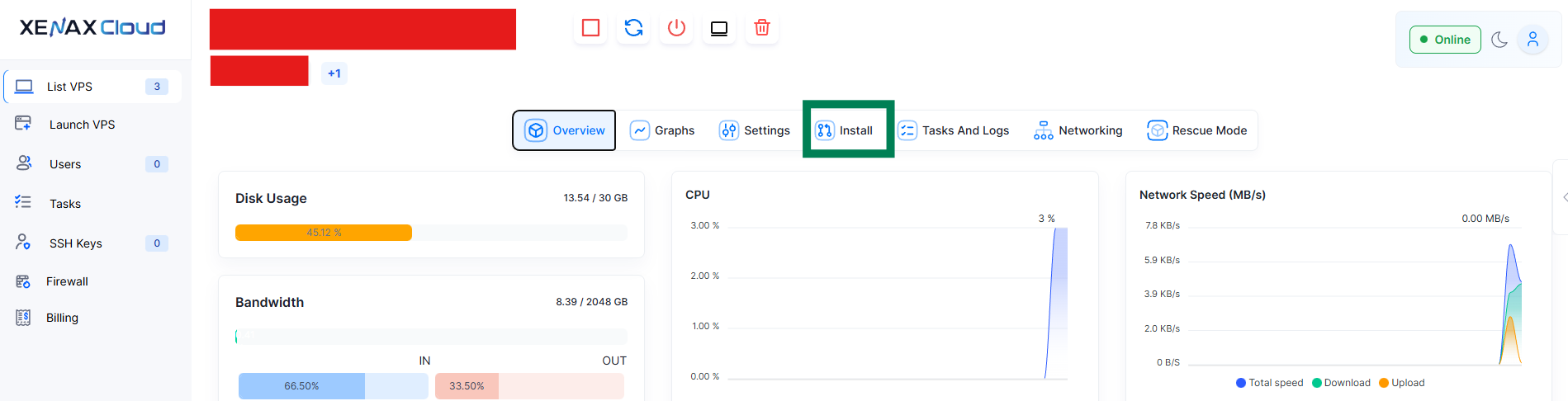
- Then Click on Reinstall OS in left side. Select OS (Like Ubuntu 22.04). Enter Your password.
- Dont mess with Options marked with RED until you know what actually these are.
- At the end click on Reinstall Button and wait 10-15 min.
Done. Enjoy!