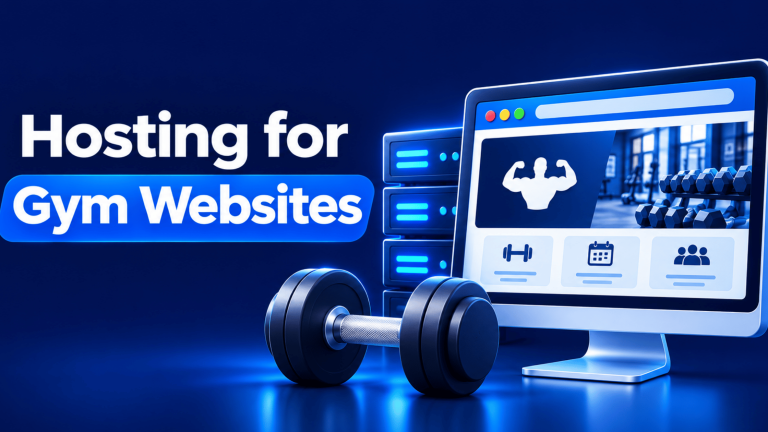
Gym website hosting is the service that stores a gym’s website files and makes its pages available to visitors online. It lets fitness businesses publish class schedules, trainer profiles, membership information, contact details and enquiry forms. The right hosting choice depends on the number of websites, storage needs, traffic and features the gym plans to offer.
A gym website often serves more than one purpose. It may introduce the facility to new visitors, help existing members check class timings and give prospective members a way to ask about memberships.
Your hosting account should support the website software and expected workload while giving you practical tools to manage files, email, security and backups. This article explains what to look for and how to match a Xenax Cloud Shared Hosting plan to your gym’s requirements.
What Should Gym Website Hosting Include?
Gym website hosting should provide enough storage, bandwidth, security features and management tools to keep the gym’s website accessible and maintainable. The exact requirements depend on whether the site is a simple business profile or an interactive platform with class bookings and member accounts.
A gym website commonly contains several types of content:
- Business information: Gym address, opening hours, contact details, facility photographs and directions.
- Trainer profiles: Qualifications, specialisations, experience and profile photographs.
- Class schedules: Timetables for yoga, strength training, group fitness, spinning and other sessions.
- Membership information: Available membership types, facilities, terms and enquiry details.
- Enquiry forms: Forms through which visitors can ask about memberships, personal training or class availability.
- Articles and resources: Exercise explanations, nutrition information and announcements.
These features affect hosting requirements in different ways. A website with mostly text and compressed photographs may use relatively little storage, while a site with large image galleries, video files and several plugins can require more resources.
Look for these hosting features before selecting a plan:
- Web storage: Space for website files, images, databases and application components.
- Bandwidth: The amount of data transferred when visitors load pages, images and other content.
- SSL certificate: Enables HTTPS, which encrypts data travelling between the visitor’s browser and the website.
- Backups: Provide copies of website files and databases that can help restore a site after accidental changes or technical problems.
- Control panel: A browser-based interface such as cPanel helps manage files, databases, domains and email accounts.
- Email accounts: Domain-based mailboxes can support separate addresses for reception, trainers and membership enquiries.
Hosting does not automatically provide a gym management system, class booking application or payment gateway. Those functions usually require suitable website software, plugins or an external service configured separately.
How Does Fitness Website Hosting Work?
Fitness website hosting stores a gym’s website on a server that responds when a visitor opens its domain name. The server sends the requested pages, images and other website files to the visitor’s browser.
A domain name is the readable address people use to visit a website. Hosting is the service that stores the website content, while DNS, or Domain Name System, directs the domain to the relevant server.
A typical visitor journey works like this:
- Enter the gym’s domain name in a browser.
- Resolve the domain through DNS to locate the hosting server.
- Connect to the website using HTTPS.
- Request a page, such as the class timetable or trainer profile.
- Receive the page content and related images from the server.
- Submit an enquiry form or follow a booking link if needed.

This structure separates the website address from the server that stores the website. It also shows why a domain, DNS configuration and hosting account must work together before visitors can access a newly published gym website.
A hosting control panel such as cPanel helps the website owner manage the technical parts without manually administering the server operating system. You can use it to manage website files, databases, email accounts and other hosting settings.
When setting up gym website hosting, remember that your domain and hosting account perform different jobs. Read about the difference between a domain and hosting and learn how to check domain resolution using the nslookup command for DNS troubleshooting before configuring your gym website.
What Features Matter in Web Hosting for Gyms?
Web hosting for gyms should support the website’s actual visitor experience, from viewing class information to sending membership enquiries. A gym that only publishes contact details has different requirements from one that offers online bookings and member login areas.
Consider the features in this comparison:
| Website feature | What it needs | Hosting consideration |
| Trainer profiles | Text and profile images | Storage and image optimisation |
| Class timetable | Pages or scheduling plugin | Application compatibility |
| Enquiry forms | Form plugin and email delivery | Database and mailbox management |
| Online booking | Booking software or external service | Plugin requirements and testing |
| Member login | User accounts and authentication | Security updates and access controls |
A class timetable can be published as a normal page, but an interactive schedule that accepts reservations needs a booking plugin or separate scheduling service. Check the software’s requirements before choosing hosting, especially if it uses a database, background tasks or external integrations.
Image optimisation also matters. Gym websites often use photographs of equipment, training areas and classes. Large uncompressed images can increase page size and make the website slower to load, particularly for visitors using mobile connections.
Resize images to the dimensions needed on the page and use modern compressed formats where supported. Avoid uploading long promotional videos directly to the hosting account unless the hosting and delivery requirements have been assessed; an external video platform may be more suitable.
How to Choose Hosting for a Gym Website
Choose hosting by matching the number of websites, storage, bandwidth and email accounts to the gym’s actual requirements. Shared hosting is a managed hosting arrangement where multiple customer websites use resources on the same server, with each account having its own limits.
For a gym with one informational website, shared hosting can provide the tools needed to publish pages and manage the site through cPanel. It is also a practical option if the business does not need root access or custom server-level software.
Xenax Cloud Shared Hosting plans include cPanel, LiteSpeed web server technology, Let’s Encrypt SSL, DDoS protection and JetBackup 5 backups. The plan limits differ, so compare the specifications rather than choosing only by the plan name.
| Plan | Websites | Disk space | Bandwidth | Mailboxes |
| Silver | 1 | 5 GB | 50 GB | 3 |
| Gold | 3 | 15 GB | 100 GB | 6 |
| Platinum | 10 | 100 GB | 1,000 GB | 25 |
| Diamond | Unlimited | Unlimited | Unlimited | Unlimited |
Use this decision rule:
- Choose Silver if you need one gym website, up to 5 GB disk space, 50 GB bandwidth and three mailboxes.
- Choose Gold if you need up to three websites, 15 GB disk space, 100 GB bandwidth and six mailboxes.
- Choose Platinum if you manage up to ten websites, need 100 GB disk space, 1,000 GB bandwidth and 25 mailboxes.
- Choose Diamond if your requirements call for the plan’s unlimited website, disk, bandwidth and mailbox allowances.
Bandwidth is not the same as disk space. Disk space stores website content, while bandwidth measures the data transferred to visitors. A gym website with many large photographs may consume more bandwidth as its visitor numbers grow, even if the number of pages stays the same.
A shared hosting plan is not the right choice if your gym needs full server-level control, custom background services or dedicated computing resources. In that situation, evaluate a VPS and make sure someone can manage its operating system, security and application configuration.
Xenax Cloud operates one Tier-III data centre in Banda, Uttar Pradesh, India, and provides 24/7 support. Its Shared Hosting service is managed through cPanel, so routine website administration does not require direct server operating system access.
Worked Example: Which Hosting Plan Fits a Local Gym?
A local gym with one website, three staff email accounts and a modest collection of class and trainer pages can start with a plan that supports one website and the required storage. Consider a fitness centre in Lucknow with one location, a reception desk and two trainers.
The gym wants to publish its opening hours, facilities, trainer profiles, class timetable, membership enquiry form and contact information. It plans to use three domain-based mailboxes: one for reception and one for each trainer.
Silver fits these requirements because it supports one website, 5 GB disk space, 50 GB bandwidth and three mailboxes. Gold is not necessary for this example because the gym does not need a second or third website, more than three mailboxes or the higher storage and bandwidth limits.
The decision changes if the business adds another branch with its own website. Gold can support up to three websites, 15 GB disk space, 100 GB bandwidth and six mailboxes, making it a more suitable option if the additional site and accounts fit within those limits.
Before ordering, the gym should estimate its image storage, check the expected number of mailboxes and identify whether its booking software has specific hosting requirements. If it plans to use member accounts or online bookings, it should test the chosen plugin and its email notifications before announcing the feature to customers.
For this example, Silver is the appropriate starting point based on the stated website and mailbox requirements. Choose Gold when the business needs multiple websites or exceeds Silver’s stated limits, not simply because it has more staff.
How to Set Up a Gym Website on Shared Hosting
You can set up a gym website on shared hosting by connecting its domain, installing website software, creating essential pages and testing its forms. Complete the setup before promoting the website so visitors do not encounter incomplete pages or broken contact options.
- Register a domain that is easy to remember and matches the gym’s name.
- Connect the domain to the hosting account using the supplied nameservers or DNS records.
- Open cPanel and install WordPress or upload your website files.
- Enable HTTPS and confirm that the SSL certificate is active.
- Create pages for facilities, trainers, classes, membership information and contact details.
- Configure enquiry forms and test that submissions reach the correct mailbox.
- Review the website on mobile devices and check its links before publishing.
WordPress is a content management system (CMS) that lets website owners create and update pages without editing every page’s code manually. If you use WordPress, install only the themes and plugins the gym needs, and keep them updated.
For a booking plugin, check whether it supports the required class capacity, schedule display, cancellation rules and email notifications. Test a booking from the visitor’s side and confirm that the gym receives the notification before relying on it for actual reservations.
Keep a backup before installing major updates or changing the website design. A backup provides a recovery point if a plugin update, theme change or accidental deletion affects the live site.
How Should a Gym Protect Member and Enquiry Information?
A gym should collect only the visitor information it needs and restrict access to any personal details stored through its website. Hosting security features are useful, but the gym must also configure its website, plugins, accounts and forms carefully.
A basic contact form may ask for a visitor’s name, email address and preferred contact method. Avoid asking visitors to submit identity documents, medical records or detailed health information through a general enquiry form.
Use these precautions:
- Limit form fields: Collect only the information required to respond to an enquiry.
- Restrict user access: Give administrator privileges only to staff who manage the website.
- Use strong passwords: Avoid shared passwords and use separate accounts for different staff members.
- Update software: Keep WordPress, themes and plugins maintained to reduce exposure to known vulnerabilities.
- Protect backups: Restrict access to backup files and confirm that recovery procedures are understood.
- Review payment handling: Use a suitable payment gateway or trusted payment service rather than storing card details in website files or ordinary form submissions.
If the gym accepts online membership payments, check how the payment provider handles card information and which security responsibilities remain with the gym. Do not assume that an SSL certificate alone makes the entire payment process secure.
For WordPress-specific security measures, refer to the official WordPress hardening documentation. It covers practices such as keeping software updated, managing access and protecting the website configuration.
The gym should also publish a privacy notice that explains what information its forms collect and how that information is used. Staff should know which accounts can access enquiries and how long the business intends to retain them.
When Should a Gym Move Beyond Shared Hosting?
A gym should consider moving beyond shared hosting when its website requires resources or server-level configuration that the shared plan cannot provide. This decision should be based on actual technical needs rather than an assumption that a larger business automatically needs a VPS.
Consider a VPS if the gym:
- Runs a custom membership application that requires specific server packages.
- Needs root access to configure server services.
- Runs resource-intensive software alongside its public website.
- Has outgrown the storage, bandwidth or other limits of its shared hosting plan.
- Has a technical administrator who can manage server updates, security and backups.
A VPS is a virtual private server that provides an isolated virtual machine with allocated resources and its own operating system environment. Unlike managed shared hosting, it gives the customer more control but also creates more responsibility for server administration.
A gym with a standard business website, trainer profiles, class information and enquiry forms may not need a VPS. If the existing website works within its shared hosting limits, moving to a more complex server can add administration work without solving a real problem.
For a gym that needs only a public website and basic enquiry forms, Shared Hosting is the more straightforward option. Reassess the hosting arrangement when measured storage, bandwidth or application requirements approach the account’s limits.
Gym Website Hosting: FAQs
What is gym website hosting?
Gym website hosting is a service that stores a fitness business’s website files and makes its pages available online. It supports pages such as class schedules, trainer profiles, facility information and enquiry forms. The hosting plan should match the website’s storage, bandwidth, email and application requirements.
Is shared hosting suitable for a gym website?
Yes, shared hosting can suit a gym website that publishes business information, trainer profiles, class schedules and enquiry forms. Silver supports one website, 5 GB disk space, 50 GB bandwidth and three mailboxes. Choose a larger plan if you need more websites, storage, bandwidth or email accounts.
Can I accept gym class bookings through my website?
Yes, you can accept class bookings through a compatible booking plugin or an external scheduling service. Check whether it supports class capacity, time slots, cancellations and email notifications. Test the complete booking process before publishing it, and confirm that the hosting account meets the software requirements.
How much storage does a gym website need?
The storage required depends on the number of pages, images, documents and plugins used by the website. A small site with compressed photographs may fit within 5 GB, while large galleries and additional website content need more space. Review actual disk usage before selecting a plan.
Can I use my gym domain for professional email?
Yes, you can create domain-based email accounts through a hosting plan that includes mailboxes. Xenax Cloud Shared Hosting Silver includes three mailboxes, Gold includes six and Platinum includes 25. Use separate accounts for reception and staff rather than sharing one mailbox login.
Is online payment secure on gym website hosting?
Online payment security depends on the payment gateway, website configuration and how payment information is handled. Use a recognised payment provider and avoid storing card details in ordinary website files or enquiry forms. HTTPS protects data in transit, but it does not secure every part of the payment process.
When should a gym upgrade from shared hosting to VPS?
A gym should consider a VPS when it needs root access, custom server software or resources beyond its shared hosting limits. A VPS requires more server administration, including operating system updates and security configuration. Keep shared hosting if the website’s current workload fits its allocated limits.
For a gym with one website, up to three mailboxes and a standard set of business pages, Xenax Cloud Silver Shared Hosting is a suitable starting point. Choose Gold if you need multiple websites or higher storage and bandwidth limits, and check the plan specifications before ordering.