An .info domain is a generic top-level domain (gTLD) commonly used for websites that publish information, resources, instructions or educational content. The extension can suit knowledge portals, company resource centres, public information websites and specialist guides. Its value depends on the website’s purpose, name and audience, not the extension alone.
If you are planning to register a new domain, the choice should make sense to visitors before you consider search engines. A clear domain is easier to remember, share and associate with your subject.
This article explains what the extension means, whether it affects SEO, how to register one and what to check before paying for registration or renewal.
What Is an .info Domain and Who Should Use It?
An .info domain is a generic top-level domain intended for websites that share information or resources. The letters refer to information, which makes the extension a natural fit for websites where visitors come to learn about a subject.
A top-level domain is the final part of a domain name, such as .com, .org or .info. The complete domain contains the chosen name and the extension. For example, example.info combines the registered name example with the .info top-level domain.
The extension can work for several types of websites:
- Educational resources: Websites publishing tutorials, study notes, reference material and subject explanations.
- Company information centres: Businesses that maintain product documentation, help articles, policies and frequently asked questions.
- Public information websites: Organisations sharing notices, instructions, awareness material and service details.
- Research and knowledge portals: Projects that publish reports, articles, explainers and useful resources.
- Personal information websites: Individuals who want to publish a portfolio of articles, guides or specialist knowledge.
The extension describes the general purpose a website may communicate, but it does not restrict the owner to one subject. You can publish business, educational, technical or personal content on an .info website.
An .info domain is less suitable if the extension creates confusion about the organisation behind the website. For example, a commercial store may prefer a name and extension that clearly communicate its brand and purchasing purpose. The decision should reflect what visitors expect to find after opening the address.
What Does an .info Domain Name Look Like?
An .info domain follows the same basic naming structure as other domain extensions: a chosen name followed by .info. The name before the extension is the part you select, subject to the registrar’s naming rules and availability.
Consider these illustrative examples:
| Example domain | Possible website purpose | Naming approach |
| learnbiology.info | Educational articles | Subject-specific |
| cityhistory.info | Local history resources | Location and topic |
| productmanuals.info | Product instructions | Descriptive |
| greenliving.info | Environmental information | Topic-focused |
These examples are illustrations, not claims that the domain names are available for registration. You must search the exact name through a registrar before deciding to use it.
A good domain name should be easy to read when spoken aloud and easy to type without explanation. Avoid unnecessary hyphens, confusing spellings and long combinations of unrelated words.

When choosing a name, also consider how it will look on business cards, email signatures and social profiles. A domain that is easy to recognise in those places can make it simpler for visitors to return to the website.
Is .info Domain Good for SEO?
Yes, an .info domain can perform in Google Search because the extension itself does not provide a general ranking advantage or penalty. Search visibility depends much more on the relevance and usefulness of website content, technical accessibility and other ranking signals.
Google’s SEO documentation explains that generic domain endings are generally treated alike for ranking purposes. It also states that keywords in a domain name have little effect on rankings by themselves. Read Google’s SEO Starter Guide for its guidance on domain names, URLs and search optimisation.
developers.google.com+1
This means an .info domain does not automatically rank better because its extension relates to information. It also does not automatically rank worse than a website using another generic extension.
For SEO, focus on the following:
- Search intent: Create pages that answer the actual questions people search for.
- Useful content: Provide accurate explanations, original information and practical details.
- Site structure: Organise articles into clear categories and use descriptive URLs.
- Internal links: Connect related pages so visitors and search engines can discover relevant content.
- Technical accessibility: Make sure important pages can be crawled, indexed and accessed securely.
- Page experience: Ensure the website works properly on mobile devices and loads without avoidable delays.
The domain name can still help with recognition. A visitor who sees a relevant, readable address may understand the website’s subject more quickly, but that is a branding consideration rather than a guaranteed ranking benefit.
A common mistake is choosing a domain packed with search keywords and expecting the extension to do the SEO work. Google’s exact-match domain system is designed to prevent websites from receiving excessive ranking credit just because their domain names match search queries.
developers.google.com
How to Buy .info Domain Registration?
You can buy .info domain registration by checking the name through a registrar, confirming its availability and registration terms, and completing the purchase. Before checkout, compare the first-year registration price with the renewal price.
A registrar is a company that provides domain registration services and manages the registration process. The domain is registered under the registrant’s details, while DNS settings connect it to the website’s hosting service.
Follow these steps before completing your order:
- Choose a short name that matches the website’s purpose.
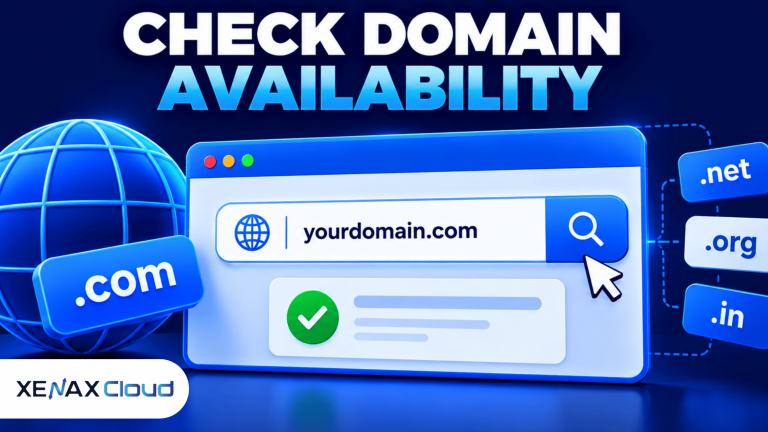
- Search the complete name with the .info extension through a registrar.
- Check spelling, availability and any registration restrictions shown.
- Compare the first-year registration and renewal prices.
- Enter accurate registrant and contact details.
- Review the order information and complete the payment.
- Configure DNS records after registration to connect the domain to your hosting.
Xenax Cloud provides domain registration services for people registering domains for their websites. Search for the required name and extension on the domain page, then check the availability and terms displayed before placing an order.
Do not assume that a domain is available just because its name looks unused in a browser search. A website may not be active even though the domain is already registered. The registrar’s availability result is the relevant check for a new registration.
Also enter your contact information carefully. Incorrect registrant details can make renewal notices, verification messages and account recovery more difficult. Keep access to the email address used for registration and protect the registrar account with a strong, unique password.
What Should You Check Before Registering an .info Domain?
Before registering an .info domain, check the name, renewal terms, account ownership, DNS access and the registrar’s management features. These details can affect how easily you maintain the domain after the initial purchase.
Use this checklist to compare registration options:
| Item | What to check | Why it matters |
| Name availability | Exact spelling and extension | Prevents ordering the wrong name |
| Renewal price | Cost after the first term | Helps estimate ongoing ownership costs |
| Registrant details | Correct owner and contact email | Supports account control and verification |
| DNS management | Access to records and nameservers | Connects the domain to hosting and email |
| Renewal controls | Expiry date and renewal settings | Reduces the risk of accidental expiry |
The renewal price deserves particular attention. Some domain registrations have an introductory first-year price that differs from the amount charged when the domain is renewed. Compare both figures before selecting a registrar rather than judging the offer from the first-year amount alone.
Check whether the registrar gives you access to the domain management panel. You should be able to review nameservers and manage DNS records when you connect the domain to a website or email service.
A domain registration is also separate from web hosting. Registering the name does not automatically create website files, configure a website or provide a hosting account. You need a hosting service to store and serve the website content.
For a clearer explanation, read the difference between a domain and hosting. Understanding the two services helps you avoid ordering a domain when you actually need hosting, or assuming that a hosting account automatically includes a domain.
Worked Example: Should an Indian Education Website Use .info?
An Indian education website can use an .info domain if its main purpose is publishing learning material, reference notes and subject explanations. Consider a teacher in Lucknow planning a website with mathematics notes, science explanations, downloadable study resources and examination preparation articles.
The teacher wants a name that communicates the site’s informational purpose rather than presenting it as an online shop. A short name related to the educational subject, followed by .info, could fit that purpose if the exact domain is available.
For example, learnbiology.info would communicate a biology learning resource more clearly than a long name containing several unrelated keywords. The example is illustrative; the teacher must check availability before choosing it.
The decision rule is straightforward:
- Choose .info if the main purpose is publishing guides, educational resources, reference material or informational articles.
- Choose another extension if a different ending better matches an established business name, audience expectations or the organisation’s identity.
- Keep the domain if it is already recognised by visitors and there is no clear business reason to change it.
- Do not choose based on SEO alone because the extension does not guarantee better rankings.
Suppose the teacher also plans to sell printed books and paid courses. The website can still use .info, but the teacher should consider whether the name and extension communicate the commercial activity clearly enough to visitors. A descriptive brand name and clear website navigation may matter more to the visitor’s understanding than the extension itself.
For this example, an .info domain is a reasonable choice because the main website purpose is educational information. The teacher should register it only after checking availability, renewal terms and whether the same brand name can be used consistently across the website and communication channels.
The domain choice is not permanent in the sense that a website can never move, but changing an established domain requires careful planning. A move can affect links, bookmarks, email configuration and search engine discovery. If the website already has visitors and indexed pages, do not change the domain just to use a different extension.
How to Connect an .info Domain to Web Hosting
You connect an .info domain to web hosting by updating its nameservers or DNS records with the values supplied by your hosting provider. The correct method depends on whether you want the hosting provider to manage DNS or prefer to keep DNS management with your registrar.
DNS is the Domain Name System, which directs a domain name to the services associated with it. Nameservers identify the DNS service responsible for the domain’s records, while individual records specify destinations for website and email traffic.
A typical website connection involves these steps:
- Open the domain management panel at your registrar.
- Find the nameserver or DNS management section.
- Obtain the required nameserver values or DNS records from your hosting provider.
- Update the domain’s settings using the supplied values.
- Save the changes and check the records for typing errors.
- Add the domain to the hosting account if the hosting setup requires it.
- Enable HTTPS and test the website after DNS changes take effect.
An A record maps a domain name to an IPv4 address. A CNAME record points one domain name to another domain name, while MX records identify the mail servers responsible for receiving email.
Do not copy DNS values from another website or guess the server address. Use the exact values provided for your hosting account, and record the previous DNS configuration before making changes. That record gives you a reference if you need to restore the earlier settings.
If you also use domain-based email, take care not to remove or overwrite the existing MX records unintentionally. A website DNS change can affect email delivery if the required mail records are not preserved.
.info Domain: FAQs
Is .info domain good for SEO?
Yes, an .info domain can rank in Google Search because the extension does not automatically improve or damage rankings. Google generally treats generic top-level domains alike. Focus on useful content, crawlability, relevant internal links and a clear site structure rather than expecting the extension to improve SEO.
Who should buy an .info domain?
An .info domain is suitable for educators, publishers, organisations and businesses that mainly share information or resources. It can work for tutorials, documentation, knowledge portals and reference websites. Before registering, check that the extension fits the brand and makes sense to the intended audience.
Can I use an .info domain for a business website?
Yes, a business can use an .info domain for its website. It may suit a company resource centre, product documentation portal or information service. If the website primarily sells products or services, compare the extension with alternatives that may communicate the business identity more clearly.
Does an .info domain include web hosting?
No, registering an .info domain does not automatically provide web hosting. Domain registration secures the website address, while hosting stores the website files and makes them accessible online. You need to connect the domain to a hosting account through nameservers or DNS records.
Should I compare the .info domain renewal price before buying?
Yes, compare the renewal price with the first-year registration price before completing an order. The introductory registration amount may differ from the amount charged for later renewals. Also check the renewal period, expiry date and account renewal settings so you can plan for continued ownership.
Can I change my .info domain after launching my website?
Yes, you can move a website from an .info domain to another domain, but the change needs careful preparation. Update internal links, configure redirects from old URLs, verify the new domain in Google Search Console and monitor indexing. Keep the old domain active during the transition where possible.
Can I use an .info domain for email?
Yes, you can use an .info domain for email if you configure the required mail service and DNS records. The domain alone does not create mailboxes. Your email provider must supply the correct MX and related records, and you should configure email authentication records as instructed.
If your website mainly publishes educational material, guides or reference information, an .info domain can be a suitable choice. Search for the exact name through Xenax Cloud’s domain registration service, compare its renewal terms with the first-year price and register it only after confirming that the name fits your long-term website identity.