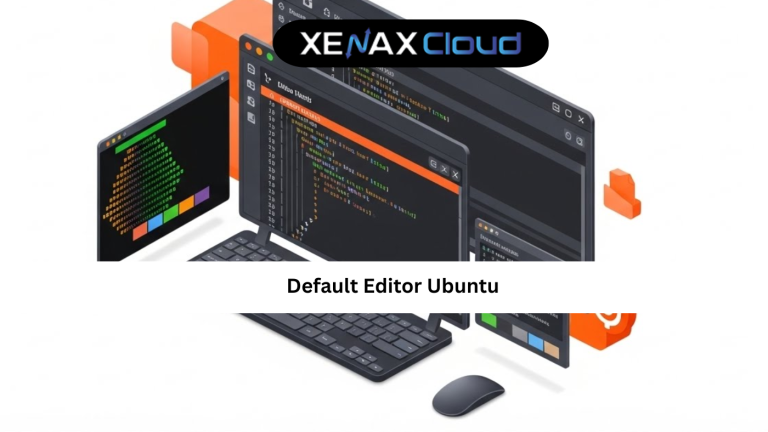
Every Linux user eventually runs into the concept of a default editor Ubuntu uses. Whether you are editing system files, configuring services, or writing code, Ubuntu relies on a predefined text editor to open files in the terminal.
This topic matters globally because Ubuntu powers millions of servers, cloud platforms, and development machines. From startups to enterprises, understanding the default editor Ubuntu uses can prevent configuration mistakes and improve productivity.

What Is the Default Editor Ubuntu Uses
The default editor Ubuntu refers to the text editor that opens automatically when a command requires file editing. Common examples include editing configuration files or writing commit messages.
By default, Ubuntu often uses nano for beginners because it is simple and user-friendly. However, many developers prefer vim or vi for speed and advanced control.
Knowing which editor Ubuntu uses by default helps avoid confusion, especially when working on production servers where mistakes can cause downtime.
Default Editor Ubuntu Guide for Beginners
This default editor Ubuntu guide is designed for users who are new to Linux. Ubuntu allows you to view and change the default editor using simple commands.
The system stores this preference as an environment variable. When you understand this, switching editors becomes a controlled and reversible process.
Beginners should start by learning how to check the current editor before making changes. This ensures you do not break workflows or scripts that depend on a specific editor.
Default Editor Ubuntu Tutorial: Step-by-Step Explanation
In this default editor Ubuntu tutorial, the goal is clarity, not complexity. Ubuntu provides built-in tools that make editor selection easy.
You can set the editor for your user account or system-wide. User-level changes affect only your login, while system-wide changes apply to all users.
On servers, especially VPS environments, choosing the right default editor improves speed when handling logs, cron jobs, or service configurations.
How to Choose the Right Hosting Plan for Ubuntu Servers
Choosing the right hosting plan directly impacts how smoothly Ubuntu operates. Shared hosting offers limited control, which is not ideal for managing system-level settings.
For Ubuntu users who want full control over the default editor, VPS hosting is the best option. It allows you to configure editors, install packages, and manage services without restrictions.
A practical choice is KVM VPS 1 — 2 Vcore CPU, 8GB RAM, 40GB Storage, 2TB Bandwidth, which comfortably handles Ubuntu administration tasks.
Internal link (used once, contextually correct):
https://xenaxcloud.com/vps-server/
Speed, Uptime, and Security Advantages
When Ubuntu runs on optimized infrastructure, editor commands respond instantly. This matters when you are editing live configuration files or debugging issues.
Security improves when you can confidently use trusted editors with proper permissions. Understanding the default editor Ubuntu uses reduces the risk of accidental misconfiguration.
Indian servers provide stable uptime and hardened environments, making them suitable for long-running Ubuntu workloads with frequent file edits.
Real-World Use Cases for Default Editor Ubuntu
System administrators use the default editor Ubuntu provides to manage services like Apache, Nginx, and SSH. Developers rely on it for quick code edits and script updates.
Agencies managing multiple servers benefit from consistent editor settings across environments. Even beginners editing simple files gain confidence by knowing what editor opens and how to exit it safely.
These use cases show why the default editor Ubuntu uses is not a minor detail, but a core usability feature.
Scalability Options for Startups and Agencies
Startups often begin with basic Ubuntu setups and later scale to multiple servers. Knowing how the default editor Ubuntu uses behaves ensures smooth transitions.
Agencies managing client servers benefit from VPS environments where editor preferences can be standardized.
Indian hosting platforms support seamless scaling, keeping Ubuntu editor configurations intact during upgrades.
FAQs
What is the default editor Ubuntu uses
Can I change the default editor Ubuntu system-wide
Is it safe to change the default editor on a server
How reliable is XenaxCloud for Ubuntu hosting
How do I choose the right server for Ubuntu work
Conclusion
Understanding the default editor Ubuntu uses is a small skill with a big impact. It improves confidence, reduces mistakes, and speeds up daily server tasks.
With cost-effective Indian infrastructure, scalable VPS plans, and a 15-day money-back guarantee, XenaxCloud provides a reliable environment for Ubuntu users worldwide.
The latest deals and offers are always available on the XenaxCloud Offers Page:
https://xenaxcloud.com/vps-server/