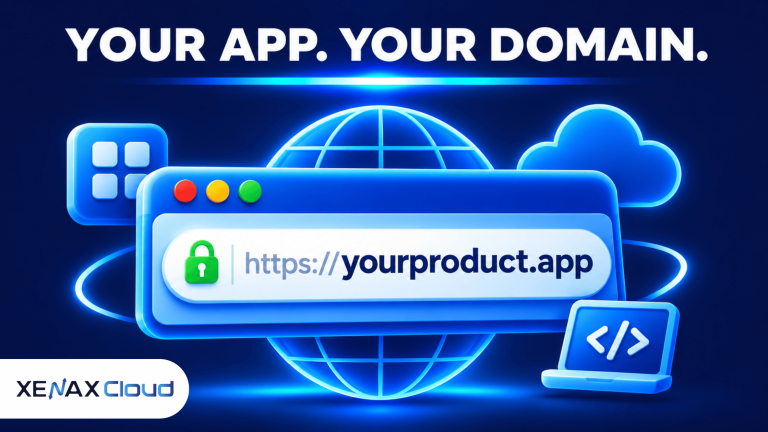
An .app domain is a domain extension designed for applications, software products and online services. Unlike many other extensions, .app is included on the HSTS preload list, which means browsers require websites using it to load through HTTPS with a valid SSL/TLS certificate.
That requirement affects your hosting and launch process. Registering the name is only the first step: your web server must have a working certificate and serve the application over HTTPS before visitors can access it normally.
For an Indian developer, startup or business, the decision is whether .app suits the product identity and whether the hosting environment can support the required HTTPS configuration. The following sections explain both.
What Is an .app Domain?
An .app domain is a generic top-level domain (gTLD) intended for applications, software products and other online services.
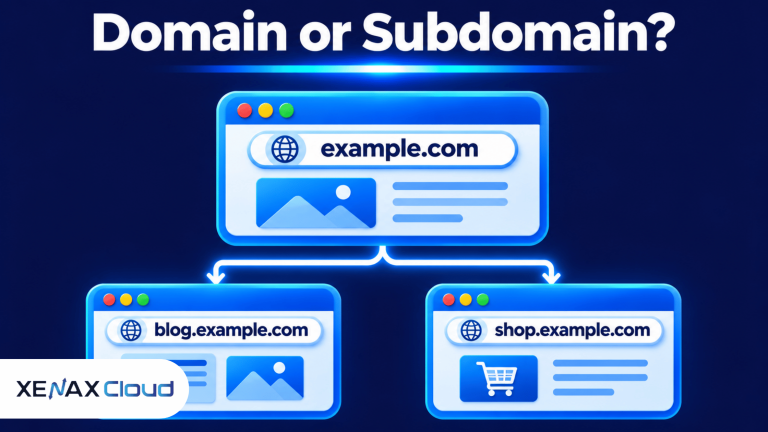
A top-level domain (TLD) is the final part of a domain name that appears after the last dot. In product.app, product is the registered name and .app is the TLD.
Google Registry manages the .app extension. Developers, businesses, independent creators and software companies can use it for product websites, web applications, app landing pages, documentation and download pages.
The extension communicates the purpose of a website directly through its address. For example, a project management tool could use taskboard.app, while a mobile application could use a matching name for its official download information.
The .app extension does not mean that the website must be an Android or iOS application. You can use it for a browser-based product, a product introduction page, a customer portal or another website, provided the service follows the applicable registration policies.
It is also not a substitute for application security. A recognisable domain and HTTPS connection do not prove that the software is safe, that user accounts are protected or that the business operating the website is legitimate.
Why Does an .app Domain Require HTTPS?
An .app domain requires HTTPS because the entire extension is HSTS-preloaded, instructing supporting browsers to use secure connections rather than ordinary HTTP.
HTTPS is HTTP communication protected by Transport Layer Security (TLS), which encrypts data exchanged between a browser and a web server. People often use the term SSL certificate, although modern HTTPS connections use TLS.
HTTP Strict Transport Security (HSTS) is a browser security mechanism that tells browsers to access a website using HTTPS. Because .app is on the HSTS preload list, browsers apply this HTTPS requirement to websites under the extension without each site owner having to submit an individual HSTS request.
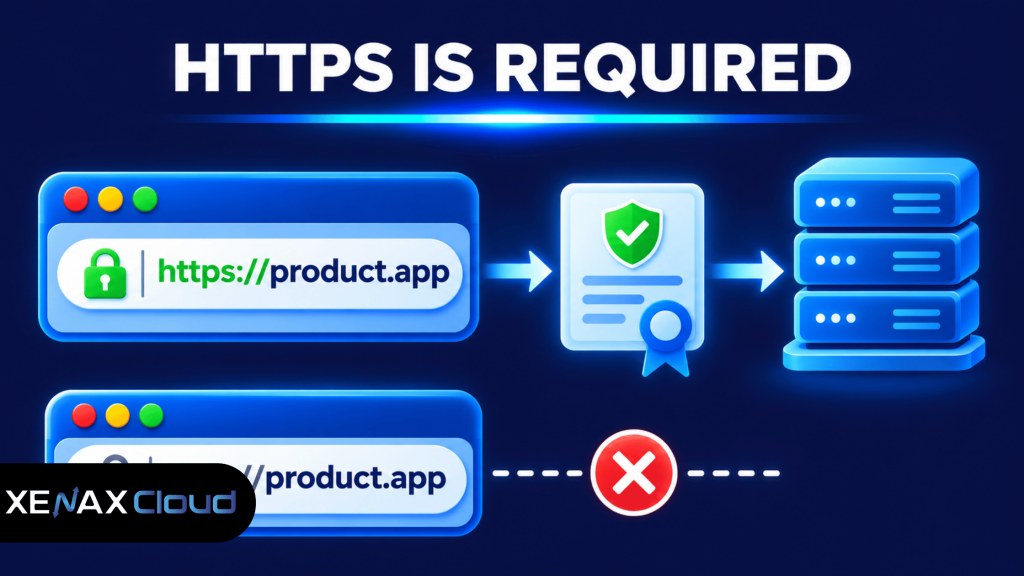
This has a practical consequence: a server that only responds over HTTP will not be sufficient for a .app website. You must configure a valid certificate for the hostname and ensure the web server accepts HTTPS connections.
Google Registry explains the requirement in its official .app domain information. Its registration policy also requires registrars to notify customers that HTTPS must be configured for .app names before the domain can work correctly in browsers.
What Happens If Your .app Website Does Not Have an SSL Certificate?
A .app website without a valid certificate will not load normally in browsers that enforce the extension’s HTTPS requirement.
Registering the domain does not automatically install a certificate on your hosting server. The certificate must be issued for the hostname, installed or activated in the hosting environment, and served correctly when a visitor connects.
Common configuration problems include:
- No certificate: The web server has not been configured with a certificate for the domain.
- Wrong hostname: The certificate covers www.product.app but not product.app, or the reverse.
- Expired certificate: The certificate’s validity period has ended.
- Incomplete certificate chain: The server does not provide the required intermediate certificate information.
- Incorrect DNS: The domain points to a different server from the one where the certificate was configured.
- HTTP-only application: The server responds to HTTP but does not correctly serve HTTPS.
A certificate should cover every hostname that visitors are expected to use. If your application uses both the root domain and www, test both addresses rather than assuming that a certificate configured for one automatically covers the other.
HTTPS also does not replace application-level security. You still need secure authentication, updated dependencies, access controls, protected databases and appropriate handling of customer information.
How to Configure HTTPS for an .app Domain
You can configure HTTPS for an .app domain by pointing it to the correct hosting server, issuing a certificate and verifying that every required hostname loads securely.
The exact menu names depend on your hosting platform. For a cPanel website, the following process is a useful starting point:
- Register your chosen .app domain.
- Point its nameservers or DNS records to your hosting provider.
- Add the domain to the correct hosting account.
- Open cPanel’s SSL/TLS Status section.
- Check whether the hostname is eligible for certificate issuance.
- Activate the available certificate service or request a certificate.
- Test the root domain and www hostname over HTTPS.
A domain must resolve to the correct server before domain-control validation can normally succeed. If DNS still points elsewhere, certificate issuance may fail or the certificate may be installed on the wrong hosting account.
Xenax Cloud Shared Hosting includes Let’s Encrypt SSL, cPanel, LiteSpeed web server technology and DDoS protection. Once the domain is connected to the hosting account, check its certificate status in cPanel and confirm that the certificate covers the hostnames you intend to use.
For a detailed cPanel walkthrough, see How to Install SSL in cPanel and Secure Your Website. It covers certificate status, domain pointing and common SSL errors.
Buy .app Domain: What Should You Check First?
Before you buy .app domain registration, check the exact name, brand suitability, renewal terms and whether your hosting setup can serve HTTPS.
A domain search result marked available does not reserve the name. Another registrant may register it before you complete the order, so verify the spelling and finish registration when your checks are complete.
Review these points before checkout:
- Name availability: Confirm that the exact spelling is available.
- Brand identity: Check that the name matches your application or product.
- Existing brands: Look for similar company names and relevant trademark conflicts.
- Renewal terms: Compare the renewal terms with the first registration term.
- Account ownership: Register the domain under an account controlled by the intended owner.
- DNS access: Confirm that you can manage nameservers and DNS records.
- HTTPS support: Make sure your hosting provider can configure a valid certificate.
The domain should be easy to communicate and recognise. A short product name is often more useful than a long address containing several keywords, especially if customers will type it into a browser or share it verbally.
Xenax Cloud lists .app among the domain extensions available for registration. You can check the current options through Xenax Cloud domain registration and review the registration and renewal terms before placing an order.
Which Hosting Setup Fits an .app Website?
The right hosting setup for an .app website depends on whether you are publishing a simple product website or running an application with a custom backend.
A static landing page and product documentation site have different requirements from a web application that runs server-side code, processes user sessions or connects to a database. Choose hosting based on the software stack and resource requirements, not just the domain extension.
| Website requirement | Suitable Xenax Cloud option | Relevant details |
| One basic business website | Shared Hosting Silver | 1 site, 5 GB disk, 50 GB bandwidth, 3 mailboxes |
| Multiple small websites | Shared Hosting Gold | 3 sites, 15 GB disk, 100 GB bandwidth, 6 mailboxes |
| Several websites with larger storage needs | Shared Hosting Platinum | 10 sites, 100 GB disk, 1,000 GB bandwidth, 25 mailboxes |
| Custom application or server configuration | KVM VPS | Linux, full root access, 1 IPv4, 500 Mbps port |
Xenax Cloud Shared Hosting uses cPanel and LiteSpeed web server technology. JetBackup 5 backups are included with the shared hosting plans, and Let’s Encrypt SSL is included for certificate configuration.
A KVM VPS is a virtual server that provides its own operating system environment and root access. It is more suitable when your application needs server-level configuration, a custom runtime, background workers or control over installed software.
Do not choose shared hosting simply because the domain ends in .app. The extension requires HTTPS, not a particular hosting product. A static product page may work on shared hosting, while a backend application may need a VPS depending on its framework, database and deployment requirements.
Worked Example: An Indian Startup Launching an .app Product
Consider a Jaipur-based software consultancy with four employees launching a project management product. It needs a public product website, a documentation website and a company website, each with its own domain or hostname, while the application backend is still being developed separately.
For the three public websites, Xenax Cloud Shared Hosting Gold supports up to three sites, with 15 GB disk space, 100 GB bandwidth and six mailboxes. Its included Let’s Encrypt SSL can be configured for the .app hostname and the other domains, subject to correct DNS pointing and certificate validation.
The smaller Silver plan supports one site, so it would not meet the requirement for three separate websites. Gold is the more suitable shared hosting choice for those public-facing sites because its stated site limit covers all three.
The application backend is a separate decision. If the product requires a custom application runtime, background workers, database services or root-level server configuration, a KVM VPS is more suitable than trying to fit those requirements into a shared hosting account.
The decision rule is:
- Choose Shared Hosting Silver for one suitable website within its 5 GB disk and 50 GB bandwidth limits.
- Choose Shared Hosting Gold when you need up to three websites within its 15 GB disk and 100 GB bandwidth limits.
- Choose Shared Hosting Platinum when you need up to ten websites within its 100 GB disk and 1,000 GB bandwidth limits.
- Choose a KVM VPS when the application requires root access, custom server software or a separately managed backend.
Gold Shared Hosting is not the right choice if the application needs custom server processes or root access; use a KVM VPS for that backend instead. Keep the public product website and application backend as separate deployment decisions if their technical requirements differ.
How to Maintain HTTPS on Your .app Domain
Maintaining HTTPS on an .app domain means keeping its certificate valid, DNS records correct and web server configuration consistent.
Certificate issuance is not a one-time task if the certificate has a limited validity period. Use the renewal mechanism supported by your hosting provider and check certificate status periodically, particularly after changing nameservers or moving the website.
Use this maintenance checklist:
- Confirm that the certificate covers the root domain and www hostname if both are used.
- Check that certificate renewal is working.
- Redirect HTTP requests to the HTTPS version after confirming HTTPS works.
- Update internal links and application settings to use HTTPS URLs.
- Check images, scripts and stylesheets for mixed-content warnings.
- Verify API endpoints and callback URLs after changing the application address.
- Save DNS records before making major changes.
Mixed content occurs when an HTTPS page loads resources through an unencrypted HTTP connection. For example, a secure product page may still request an image or script using an old HTTP URL, causing browser security warnings.
If you migrate the application to another server, configure the certificate and HTTPS listener on the new server before directing live traffic there. Keep the previous DNS values and deployment details until the new website and its application endpoints have been tested.
.app Domain: FAQs
Can anyone register an .app domain?
Yes, individuals, developers, startups and businesses can register an .app domain, subject to the registrar’s registration process and applicable policies. You do not need to own a mobile application to use the extension. Check availability and renewal conditions before completing registration.
Does every .app domain need an SSL certificate?
Yes, an .app website needs a valid SSL/TLS certificate and HTTPS serving to load correctly in supporting browsers. The extension is HSTS-preloaded, so ordinary HTTP is not a suitable deployment option. Configure certificate coverage for every hostname that visitors are expected to open.
Can I use an .app domain without hosting?
Yes, you can register an .app domain without purchasing hosting, but a website needs a server or platform that serves HTTPS before visitors can access it. You can register the name first and connect it to a compatible hosting service when your application or website is ready.
Can I host an .app domain on shared hosting?
Yes, you can use shared hosting for an .app website if the hosting service supports HTTPS and your website fits its resource and software limits. Xenax Cloud Shared Hosting includes Let’s Encrypt SSL. Applications needing root access or custom server processes should use a suitable KVM VPS instead.
Does an .app domain work for Android and iOS applications?
Yes, an .app domain can be used as the official website for an Android or iOS application. You can publish product information, support documentation, download links and release notes under the domain. The website must still serve HTTPS with a valid certificate.
What happens if my .app SSL certificate expires?
If the certificate expires, browsers can show a security warning or refuse normal access to the website. Check certificate renewal and domain validation before expiry. If renewal fails, verify DNS pointing, hostname coverage and the certificate status in your hosting control panel.
Is an .app domain better than .com?
An .app domain is useful when you want the address to identify a software product or application, while .com is a more general-purpose extension. The right choice depends on brand identity and audience familiarity. Both require appropriate website security and do not provide an automatic search ranking advantage.
If your product needs an application-focused address, check the .app name and its renewal terms before registering it. For a simple public website, select a shared hosting plan that fits the number of sites and storage required; for a custom backend needing root access, select a suitable KVM VPS and configure HTTPS before launch.