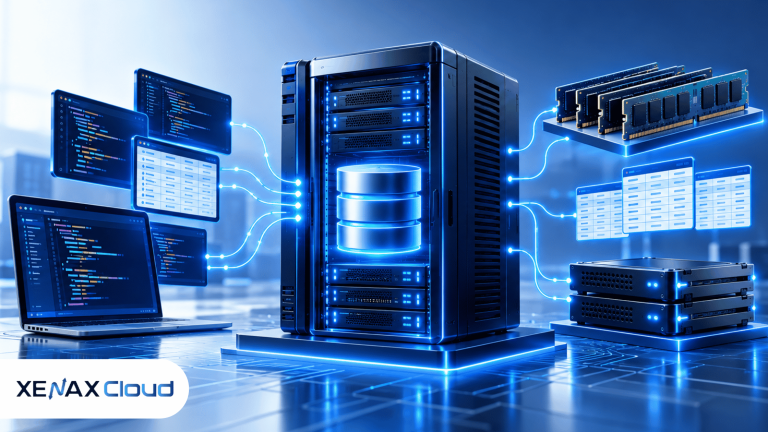
When a database becomes the busiest part of an application, shared hosting or a small VPS can become difficult to manage. A dedicated server for database workloads gives the database its own physical machine, allowing you to size CPU, RAM and storage around queries, connections and data rather than sharing those resources with unrelated customers.
Xenax Cloud’s dedicated server hardware is located at its one data centre in Banda, Uttar Pradesh, India. That makes it relevant for applications requiring an India-hosted database server, but it does not satisfy a requirement for database hardware physically located in another country.
The right configuration depends on the database engine, dataset size, query pattern, concurrent connections and whether the same server will also run the application. For MySQL, PostgreSQL and similar relational databases, RAM and storage performance can be just as important as raw CPU count.
Why use a dedicated server for database workloads?
A dedicated server for database workloads gives the database the entire physical machine instead of sharing the underlying hardware with other customers.
A database is different from a normal website because its workload can involve frequent reads and writes, memory-intensive caching, concurrent queries and storage operations. A busy database can therefore affect the application even when the web server itself has plenty of CPU capacity.
With a dedicated machine, you can configure the operating system, database engine, storage layout and server resources specifically for that workload. You also avoid having another customer’s workload competing for the physical server’s resources.
That control comes with more administration. You are responsible for database configuration, operating-system updates, access control, monitoring and backup strategy unless those tasks are covered separately by your technical team or service arrangement.
Database server hosting India: what should you check?
Database server hosting India should be evaluated around CPU, RAM, storage, network capacity and physical server location rather than the database name alone.
RAM is particularly important because database engines use memory to keep frequently accessed data and indexes available without repeatedly reading them from storage. If the working dataset is larger than available memory, storage operations become more significant.
CPU matters when your workload contains complex queries, concurrent processing or application tasks that execute substantial computation. Storage matters for write-heavy databases and workloads that frequently read data that isn’t already available in memory.
Xenax Cloud’s dedicated servers use a 1 Gbps dedicated port. A 10 Gbps connection is available only as a custom quote, so it should not be treated as a standard listed configuration.
| Database requirement | Resource to examine first | Why it matters |
| Large frequently accessed dataset | RAM | More memory can keep active data and indexes available |
| Complex or concurrent queries | CPU | Query processing can become CPU-intensive |
| Heavy transaction writes | Storage | Frequent writes create storage I/O |
| Large database backups | Storage + network | Backup files require capacity and transfer bandwidth |
| Many simultaneous users | RAM + CPU | Connections and queries compete for resources |
| Application and database on one machine | CPU + RAM | Both workloads share the server |
The physical location also matters. Xenax Cloud operates one data centre in Banda, Uttar Pradesh, so the database hardware is in India.
For an application serving users or services outside India, network distance becomes relevant. As a physics-based expectation rather than a Xenax benchmark, round-trip latency from India can be roughly 50–80 ms to Singapore, 120–160 ms to Europe and 200–250 ms to the US East Coast.
MySQL dedicated server: when does it make sense?
A MySQL dedicated server makes sense when MySQL has become important enough that its memory, CPU, storage or connection workload needs a machine dedicated to the database.
MySQL is a relational database management system that stores structured data in tables and uses SQL for querying and managing that data. Its official documentation covers server configuration, storage engines, indexes, replication and performance-related settings.
For a database-heavy application, don’t start by choosing a server solely because it has many CPU cores. First identify how the database behaves.
For example, if queries repeatedly access the same active records and indexes, sufficient RAM can be valuable. If the workload contains many concurrent queries performing computation, CPU resources may matter more.
Storage should also match the workload. A transaction-heavy database can generate substantial read and write activity, so storage performance and capacity need to be considered alongside RAM and CPU.
If the application is small and the database workload is light, a dedicated server can be unnecessary. A VPS may provide enough isolation and resources at a lower monthly cost.
How much does a dedicated database server cost?
Xenax Cloud’s listed dedicated servers start at ₹7,999 per month for an Intel Xeon Starter configuration, with higher Xeon and AMD EPYC options available.
The listed Intel Xeon options are:
- Starter: ₹7,999/month
- Pro: ₹11,999/month
- Gold: ₹18,999/month
- Ultra: ₹27,999/month
The AMD EPYC range is:
- Core: ₹15,999/month
- Power: ₹22,999/month
- Ultra: ₹34,999/month
- Titan: ₹59,999/month
The supplied pricing information does not specify the CPU, RAM and storage specification associated with each named dedicated tier, so those specifications should be checked on the product page rather than inferred from the plan names.
Xenax Cloud sells both Intel Xeon and AMD EPYC dedicated servers. It does not sell Ryzen servers.
A dedicated database server therefore needs a specification check before purchase. The monthly price tells you the commercial tier, but the database decision should be based on the actual CPU, RAM, storage and other specifications of the configuration offered.
For those specifications and available dedicated configurations, review dedicated servers.
Should the database and application share one server?
Keeping the database and application on one dedicated server can simplify a smaller deployment, while separating them gives each workload independent resources and administration.
For a smaller application, one physical server can run the web application, API and database. This reduces the number of machines you need to manage and keeps communication between the services on the same host.
The drawback is resource competition. A large application process, background worker or deployment task can consume CPU or memory that MySQL would otherwise use.
A separated architecture looks like this:
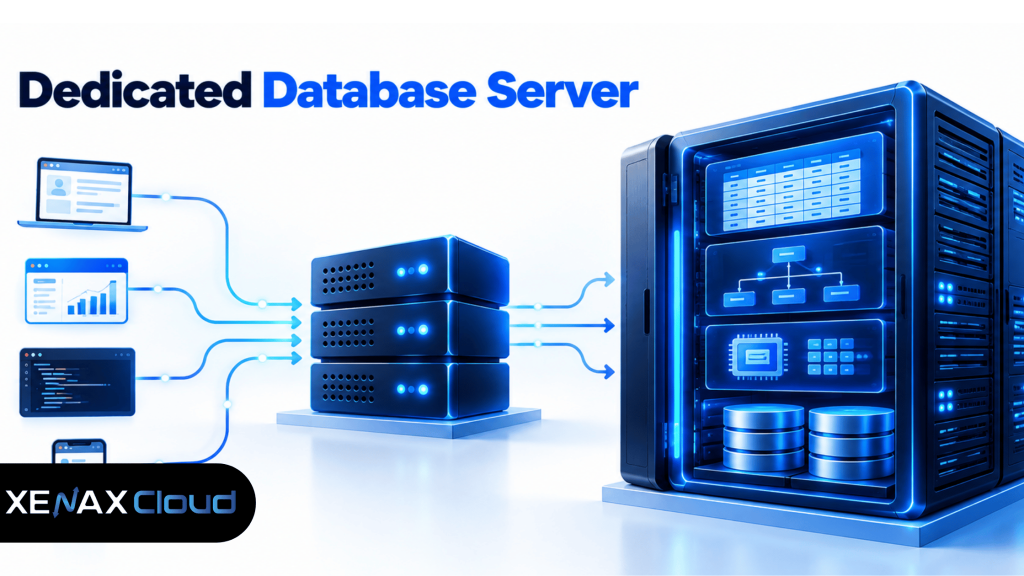
This arrangement becomes more useful when the database has a different resource profile from the application. You can then scale and monitor the database independently.
It also introduces another network connection between the application and database. That connection needs to be configured securely, and the database should not be exposed unnecessarily to the public internet.
How should you configure MySQL on a dedicated server?
MySQL configuration should begin with the workload and available RAM rather than copying a generic configuration from another server.
Start by identifying the database size, active working set, concurrent connections, read/write ratio and slow queries. MySQL’s documentation includes performance and optimisation guidance covering indexes, query execution and server configuration.
A practical setup process is:
- Install a supported Linux distribution.
- Update the operating system before installing database software.
- Install the required MySQL version from an appropriate source.
- Create a dedicated database user instead of using the administrative account for the application.
- Configure remote access only where the application architecture requires it.
- Review memory and connection settings according to the available server resources.
- Add indexes based on actual query patterns.
- Enable monitoring for CPU, RAM, storage and database errors.
- Establish a backup schedule before moving important production data.
- Test restoring a backup rather than assuming that a successful backup job means recovery will work.
Avoid copying a configuration file from a different server without checking the available memory and workload. A setting that makes sense for a large database machine may be inappropriate on a smaller configuration.
When is a VPS enough for a database?
A VPS is usually enough when the database is relatively small and its CPU, RAM and storage requirements remain comfortably within the virtual server’s resources.
For example, an application with a modest database, moderate traffic and predictable queries may not need a physical server. A KVM VPS can provide isolated virtual CPU and RAM resources while keeping administration simpler and the monthly cost lower.
Xenax Cloud’s Speed VPS range starts at ₹599 per month, with configurations extending from 2 vCPU and 4 GB RAM to 32 vCPU and 64 GB RAM.
A dedicated server becomes more relevant when the database has sustained resource requirements, significant storage I/O, a large working dataset or a need for the entire physical machine’s resources.
The decision should therefore follow measured resource requirements rather than database technology alone. MySQL itself does not require a dedicated physical server.
What should you monitor after moving the database?
After deployment, monitor database-specific resource behaviour rather than judging the server only by CPU utilisation.
Track memory consumption, CPU usage, storage capacity, disk I/O, active connections, slow queries and database errors. These measurements help identify whether the problem is insufficient hardware or inefficient queries and indexes.
For MySQL, slow-query analysis can reveal queries that need optimisation before you spend money on additional hardware. Increasing CPU or RAM doesn’t fix a query that is inefficient because it lacks an appropriate index.
Backups deserve separate monitoring. A backup that exists but cannot be restored is not a useful recovery strategy, so periodically test the restoration process on a suitable environment.
FAQs
Is a dedicated server necessary for MySQL?
No. MySQL can run successfully on shared hosting, a VPS or a dedicated server depending on the workload. A dedicated machine becomes relevant when the database needs more predictable physical resources, storage capacity or system-level control.
How much RAM does a database server need?
There isn’t one correct RAM amount because requirements depend on database size, active data, indexes, connections and query patterns. Monitoring the workload is more reliable than choosing RAM from database size alone.
Can MySQL and a website run on the same dedicated server?
Yes. A single dedicated server can run both the application and MySQL, particularly for smaller deployments. As either workload grows, separating the database can prevent application processes from competing with database resources.
Is a 1 Gbps port enough for a database server?
A 1 Gbps dedicated port is the listed standard connection for Xenax Cloud dedicated servers. Database performance itself isn’t determined by port speed alone because CPU, RAM, storage I/O and application-to-database traffic patterns also matter.
Should database backups be stored on the same server?
Keeping the only copy of a backup on the database server leaves it exposed to the same server failure or administrative mistake. Maintain an appropriate separate backup destination and regularly test restoration.
If your database has outgrown its current environment, first record its RAM, CPU, storage I/O and query behaviour, then compare those requirements with the available dedicated server specifications before ordering; the 15-day money-back window applies to every plan.