Managing files efficiently is a critical part of running a WordPress website. Themes, plugins, core updates, and custom files all need secure access methods. This is where ftp on wordpress becomes essential. FTP allows website owners and developers to upload, download, and manage WordPress files directly on the server when dashboards or updates fail.
Globally, WordPress powers millions of websites, and file access issues are common across regions. Website downtime, broken updates, or hacked files often require direct server-level intervention. Indian hosting infrastructure has emerged as a reliable solution for WordPress users worldwide because it combines affordability, strong security standards, and excellent global connectivity.
Indian servers are a smart choice because they reduce hosting costs, provide low latency across Asia with competitive global speeds, ensure security and compliance, and scale easily for international WordPress websites.
Understanding FTP on WordPress and Why It Matters
FTP on WordPress refers to using the File Transfer Protocol to access WordPress files stored on a hosting server. This method is widely used when the WordPress admin panel becomes inaccessible or when manual file changes are required.
WordPress relies on multiple files and directories, including wp-content, themes, plugins, and configuration files. FTP allows direct interaction with these components without relying on the WordPress dashboard. This makes ftp on wordpress a powerful tool for troubleshooting, recovery, and development tasks.
Many users encounter FTP when WordPress asks for FTP credentials during plugin or theme updates. This usually happens due to permission settings or hosting configuration. Understanding how FTP works helps website owners maintain control and avoid unnecessary downtime.
How to Choose the Right Hosting Plan for FTP on WordPress
Choosing the right hosting plan directly affects how smoothly ftp on wordpress works. Not all hosting environments offer the same level of file access, security, or performance.
Shared hosting is suitable for beginners. Plans like Silver and Gold provide FTP access for basic WordPress management. These plans work well for blogs, small business sites, and portfolio websites with limited traffic.
For growing websites, VPS hosting offers more control. VPS environments allow custom permission settings, faster file operations, and better isolation. This is useful for developers who frequently use FTP on WordPress for theme customization or plugin development.
High-traffic websites and agencies benefit from dedicated servers. Dedicated environments eliminate resource sharing and ensure consistent FTP performance even during peak traffic or large file transfers.
Speed, Uptime, and Security Advantages of FTP Hosting
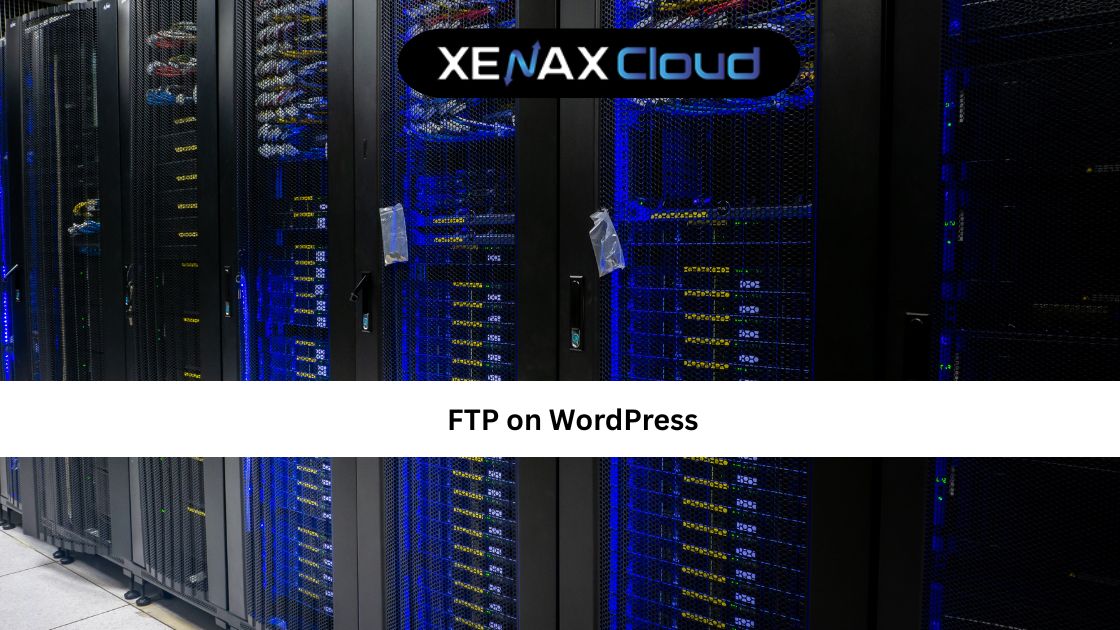
FTP performance depends heavily on server speed and network quality. Slow servers can cause file transfer delays, incomplete uploads, or connection failures. Indian hosting infrastructure focuses on SSD storage and optimized networks to ensure fast and reliable FTP access.
Uptime is equally important. When a WordPress site goes down, FTP access is often the fastest way to restore functionality. Reliable Indian data centers provide redundant power, advanced monitoring, and strong uptime guarantees to ensure continuous access.
Security is the most important factor when discussing ftp on wordpress. Plain FTP transfers data in an unencrypted format, which can expose credentials. Modern hosting environments support secure alternatives and firewall protections to minimize risks.
Is FTP Secure for WordPress Websites?
A common question among users is is ftp secure for WordPress websites. Traditional FTP is not considered secure because it transmits usernames and passwords in plain text.
This is why secure alternatives like SFTP are strongly recommended. SFTP encrypts data during transfer, protecting credentials and files from interception. Hosting providers that prioritize security configure servers to support secure file transfer methods by default.
Using secure credentials, limiting user permissions, and restricting IP access further enhances safety. When combined with a reliable hosting environment, FTP access becomes a safe and effective management tool.
SFTP vs FTP: Which Is Better for WordPress?
Understanding sftp vs ftp is essential for WordPress security. FTP is older and simpler but lacks encryption. SFTP, on the other hand, operates over SSH and provides encrypted data transfer.
For WordPress websites handling sensitive data or running eCommerce platforms, SFTP is the better option. It ensures that files and credentials remain protected during transmission.
Most modern hosting providers support SFTP by default. Choosing a hosting environment that prioritizes secure file access significantly reduces the risk of unauthorized access and data breaches.
Comparison: Indian Servers vs Foreign Hosting Regions
Below is a performance-focused comparison without pricing references.
| Feature | Indian Servers | US | Canada | Germany | UAE |
|---|---|---|---|---|---|
| FTP Reliability | High | High | Moderate | Very High | Moderate |
| Security Standards | Strong | Strong | Moderate | Very Strong | Moderate |
| Global Latency Balance | Excellent | Strong | Moderate | Strong | Limited |
| 24/7 Support | Yes | Yes | Limited | Limited | Yes |
Indian servers offer balanced performance, strong security, and reliable FTP access for global WordPress users.
Real-World Use Cases of FTP on WordPress
Developers use ftp on wordpress to manually upload custom themes, modify configuration files, and troubleshoot plugin conflicts. This approach is faster and more flexible than relying on dashboard updates alone.
Agencies managing multiple WordPress websites rely on FTP to deploy changes efficiently across client projects. It allows consistent file management without repeated logins to individual dashboards.
Website owners use FTP during emergencies. When a WordPress update breaks a site, FTP access enables quick rollback or file replacement to restore functionality.
Educational platforms, blogs, and eCommerce stores also depend on FTP for backup restoration and file-level maintenance.
Why Indian Servers Handle Global WordPress Traffic Efficiently
Indian hosting infrastructure is designed to support international websites. Strategic network routing ensures low latency across Asia and competitive speeds for Europe and North America.
FTP operations benefit from stable connections and optimized routing. Indian servers handle simultaneous file transfers without congestion, making them suitable for global WordPress management.
Another advantage is scalability. As websites grow, server resources can be upgraded without changing FTP credentials or workflows. This continuity makes Indian hosting reliable for long-term WordPress projects.
Scalability Options for Startups and Agencies
Startups often begin with small WordPress websites but grow rapidly as traffic increases. FTP access remains essential throughout this growth phase for maintenance and customization.
Shared hosting works initially, but VPS hosting provides better isolation and faster file operations. Agencies benefit from VPS environments that support multiple FTP users and projects.
Dedicated servers are ideal for large WordPress networks and high-traffic platforms. They ensure maximum control, consistent performance, and secure file access.
Scalable hosting prevents performance bottlenecks and reduces operational complexity.
Best Hosting Plans for FTP on WordPress
For beginners, Shared Hosting Silver or Gold plans provide reliable FTP access for basic WordPress needs.
For growing websites and agencies, VPS plans such as KVM VPS 2 and KVM VPS 3 offer better performance and security.
Dedicated servers are recommended for enterprise WordPress platforms requiring high availability and advanced file control.
Explore Shared Hosting options here (used once naturally):
https://xenaxcloud.com/shared-hosting/
FAQs
What is the difference between Indian VPS and foreign VPS?
Indian VPS offers cost-efficient performance with balanced global connectivity.
Can Indian servers handle global website traffic?
Yes, they are optimized for international routing and scalability.
Is Indian hosting cost-effective for international users?
Indian hosting provides strong performance at lower infrastructure costs.
How reliable is XenaxCloud hosting?
XenaxCloud delivers stable uptime, secure environments, and responsive support.
How to choose the right server for my business?
Choose based on website size, traffic growth, and security needs.
Conclusion
Using ftp on wordpress correctly is essential for secure and efficient website management. From troubleshooting and development to recovery and customization, FTP remains a core tool for WordPress users.
Indian hosting infrastructure offers affordability, security, and scalability, making it a strong choice for global WordPress websites. XenaxCloud supports these needs with flexible hosting plans and a 15-day money-back guarantee, ensuring a risk-free experience.
If you want reliable, secure, and scalable WordPress hosting with safe FTP access, now is the right time to choose XenaxCloud.
The latest deals are always available on the XenaxCloud Offers Page:
https://xenaxcloud.com/offers