If you have ever asked yourself how do I delete WordPress account, you are not alone. Millions of users across the world create WordPress accounts for blogs, business websites, testing, or learning. Over time, needs change. Some users shut down projects, move to self-hosted setups, or migrate to better infrastructure.
Deleting a WordPress account is a serious decision. Once deleted, content, settings, and access may be permanently removed. Doing it the right way avoids data loss, broken domains, and future complications.
This topic matters globally because WordPress powers websites in every country. As users move from free platforms to scalable cloud hosting, Indian hosting infrastructure has emerged as a smart choice. Indian servers offer cost-effective plans, low latency across Asia, competitive global speeds, strong security compliance, and easy scalability for international businesses.
In this guide, you will clearly understand how do I delete WordPress account, when you should do it, what to check before deletion, and what hosting alternatives make sense after closing your account.
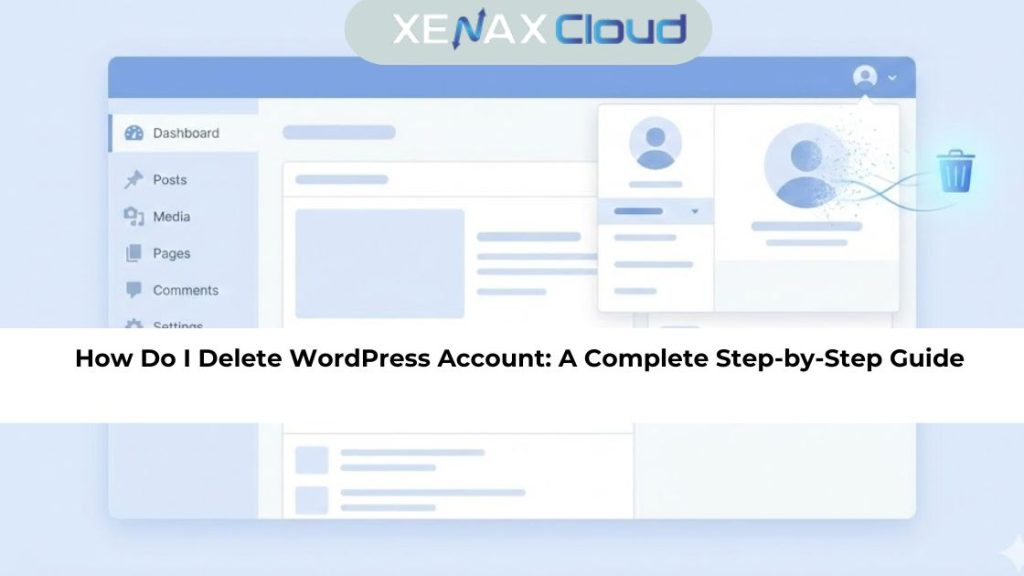
How Do I Delete WordPress Account and Why Users Choose to Do It
Understanding how do I delete WordPress account starts with understanding why users delete it in the first place. The most common reason is project completion. Many blogs are created for testing or short-term use and are no longer needed.
Another reason is migration. Users often move from WordPress.com to self-hosted WordPress for better control, performance, and customization. Some users delete accounts due to inactivity or privacy concerns.
Deleting a WordPress account is not the same as deleting a website. Your account may control multiple sites, comments, subscriptions, and connected services. Once removed, access is lost permanently.
That is why preparation is essential. Backups, domain checks, and content exports must be completed before proceeding. A well-planned deletion avoids regret and technical issues later.
How Do I Delete WordPress Account Step by Step
The how do I delete WordPress account tutorial process depends on whether you use WordPress.com or self-hosted WordPress. For WordPress.com users, deletion is managed directly from account settings.
First, log in to your WordPress dashboard and open account settings. Scroll to the account management section where deletion options are available. WordPress will warn you about permanent data loss before allowing you to proceed.
Next, confirm deletion through email verification. This step ensures account security and prevents accidental removals. Once confirmed, WordPress begins the deletion process.
It is important to note that deleted accounts cannot be recovered. Content, followers, and site history are permanently removed. If you plan to use WordPress again, consider exporting your data before deleting the account.
How to Choose the Right Hosting Plan After Deleting WordPress Account
After learning how do I delete WordPress account, many users move to self-hosted WordPress or custom websites. Choosing the right hosting plan becomes the next important step.
For beginners or single websites, shared hosting is a practical starting point. Plans like Shared Hosting Silver with 1 Website, 15GB Storage, and 100GB Bandwidth provide enough resources for blogs and small business sites.
Growing websites benefit from higher shared plans such as Gold or Platinum, which support multiple websites and higher bandwidth. Developers and agencies often choose VPS hosting for better control and scalability.
Hosting quality directly affects website speed, uptime, and security. A stable hosting environment ensures your new site performs better than your previous WordPress account setup.
You can explore reliable hosting options here:
👉 https://xenaxcloud.com/shared-hosting/
Speed, Uptime, and Security Advantages of Indian Hosting
Performance is one of the biggest reasons users delete WordPress.com accounts. Limited customization and shared resources often restrict speed and scalability.
Indian hosting infrastructure offers modern data centers with optimized storage and fast provisioning. Websites hosted on Indian servers load quickly across Asia and perform competitively worldwide.
Uptime reliability is another advantage. Stable servers reduce downtime, which is critical for business websites and global audiences.
Security also improves significantly. Self-hosted environments allow better control over backups, firewalls, and updates. This combination of speed, uptime, and security makes Indian hosting a strong alternative after deleting a WordPress account.
Why Indian Servers Can Handle Global WordPress Traffic Efficiently
Modern websites serve users from different countries. Hosting location plays a key role in performance and reliability.
Indian servers are strategically positioned to serve Asia with low latency while maintaining competitive speeds globally. Optimized routing ensures smooth access for international visitors.
Scalability is another reason Indian servers work well. As traffic grows, resources can be upgraded easily without migrating data. This flexibility is essential for businesses and content creators.
For users who delete WordPress accounts to gain more control, Indian hosting provides a stable and future-ready platform.
Comparison: Indian Servers vs Foreign Hosting Regions
| Feature | India | USA | Canada | Germany | UAE |
|---|---|---|---|---|---|
| Asia Latency | Very Low | High | High | Medium | Low |
| Global Speed | Competitive | Strong | Strong | Strong | Competitive |
| Uptime Reliability | High | High | High | Very High | High |
| Provisioning Speed | Fast | Fast | Medium | Medium | Fast |
Indian servers deliver balanced performance, especially for users targeting Asian and global audiences.
Real-World Use Cases for Deleting WordPress Accounts
Many bloggers delete WordPress accounts after moving to professional hosting. Businesses close old accounts during rebranding or platform upgrades.
Developers often delete unused WordPress accounts created for testing or demos. Agencies clean up accounts after handing over projects to clients.
In all cases, the goal is control and performance. Deleting unnecessary accounts reduces clutter and security risks while allowing focus on scalable infrastructure.
Scalability Options for Startups and Agencies
Startups often outgrow free WordPress platforms quickly. As traffic increases, limited resources become a bottleneck.
Shared hosting offers a smooth entry point, while VPS hosting supports rapid growth. Agencies benefit from hosting multiple client sites under one scalable environment.
Indian hosting providers allow easy upgrades without downtime. This ensures consistent performance during growth phases and marketing campaigns.
Scalability is one of the main reasons users delete WordPress accounts and move to dedicated hosting solutions.
Frequently Asked Questions
What is the difference between Indian VPS and foreign VPS?
Indian VPS offers lower latency in Asia with cost-effective scaling, while foreign VPS focuses on regional proximity.
Can Indian servers handle global website traffic?
Yes, Indian servers efficiently manage global traffic with optimized routing and scalable infrastructure.
Is Indian hosting cost-effective for international users?
Indian hosting delivers competitive pricing with reliable performance for global users.
How reliable is XenaxCloud hosting?
XenaxCloud provides stable uptime, secure infrastructure, and responsive technical support.
How to choose the right server for my business?
Choose based on traffic size, performance needs, scalability goals, and long-term growth plans.
How reliable is XenaxCloud hosting?
XenaxCloud provides stable uptime, secure infrastructure, and responsive technical support.
Conclusion
Knowing how do I delete WordPress account helps you take control of your online presence. Whether you are closing a project, migrating to self-hosted WordPress, or restructuring your digital strategy, deleting an account should always be done carefully.
Indian hosting offers a powerful alternative with cost-effective plans, strong performance, security, and scalability. XenaxCloud combines these benefits with reliable support and flexible hosting options.
If you are ready to move beyond platform limitations, buy hosting from XenaxCloud today and build without restrictions. Enjoy a 15-day money-back guarantee and always check the latest deals on the XenaxCloud Offers Page to get the best value for your website.