Secure websites rely on SSL certificates to protect data and build trust. However, there are situations where knowing how to delete SSL certificate properly becomes essential. From expired certificates to incorrect installations, SSL issues can break website access and trigger security warnings for users worldwide.
For businesses operating globally, SSL errors can directly impact conversions, SEO rankings, and brand credibility. That is why understanding how SSL works, how to clear SSL state, and how to fix SSL connection problems is important for every website owner.
Indian hosting infrastructure plays a strong role here. With cost-effective hosting, low latency across Asia, competitive global performance, strong compliance standards, and scalable server resources, Indian servers are a smart choice for managing SSL certificates securely and efficiently.

Understanding SSL Certificates and Why They Matter
Before learning how to delete SSL certificate, it is important to understand what SSL actually does. SSL certificates encrypt data transferred between a user’s browser and a web server. This protects sensitive information like passwords, payment details, and personal data.
Browsers rely on SSL certificates to verify website identity. When SSL is missing, expired, or misconfigured, users see warnings that can instantly reduce trust. Search engines also treat SSL as a ranking signal, making proper SSL management essential.
Deleting an SSL certificate should never be done casually. It is a technical action meant to resolve conflicts, replace old certificates, or fix broken HTTPS configurations.
When Should You Delete an SSL Certificate
Not every SSL problem requires deletion. However, there are valid scenarios where deleting an SSL certificate becomes necessary. One common case is when an incorrect certificate is installed for the wrong domain.
Another situation occurs when switching hosting providers or migrating from one domain to another. Old certificates can cause conflicts and lead to SSL connection errors.
Expired or duplicate certificates are also common reasons. In these cases, knowing how to delete SSL certificate correctly helps prevent browser warnings and security issues.
How to Choose the Right Hosting Plan for SSL Management
Choosing the right hosting plan directly impacts how easily you can manage SSL certificates. Entry-level shared hosting works for basic websites, but advanced SSL tasks often require more control.
VPS and dedicated servers provide full access to SSL configurations, making them ideal for businesses, developers, and agencies managing multiple domains.
For SSL-related tasks, the most relevant internal link is Shared Hosting:
https://xenaxcloud.com/shared-hosting/
Step-by-Step: How to Delete SSL Certificate
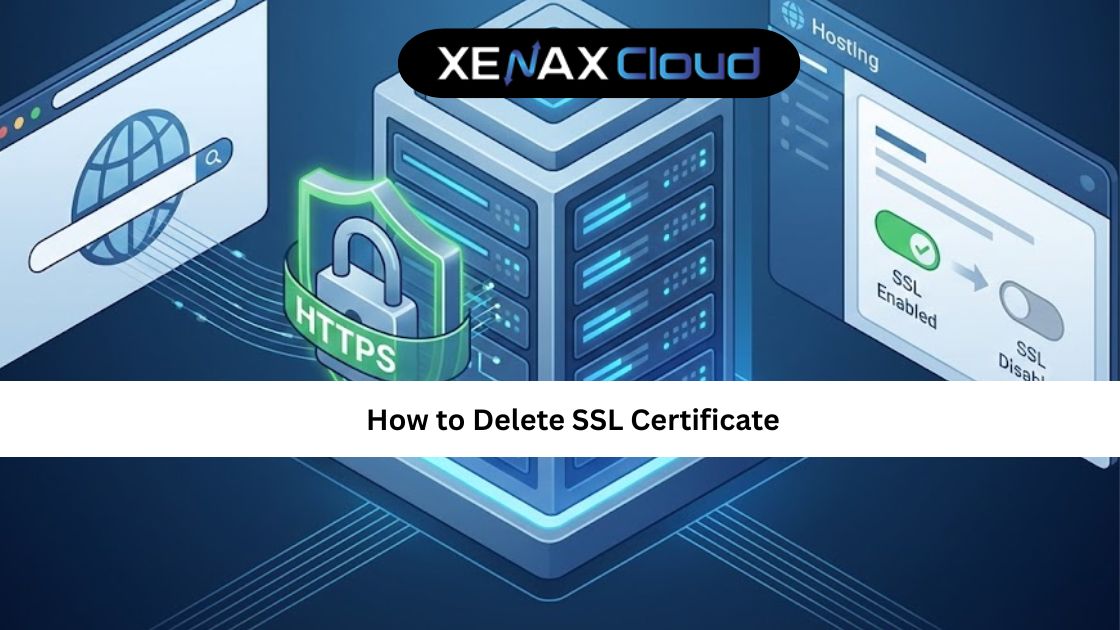
A proper approach to how to delete SSL certificate involves both server-side and browser-side actions. First, identify where the SSL certificate is installed. This could be in cPanel, a server configuration file, or a third-party SSL manager.
Next, back up your website and server settings. This ensures that you can recover quickly if something goes wrong. Then remove the SSL certificate from the hosting control panel or server configuration.
Once deleted, clear cached SSL data to prevent old certificates from being reused by browsers.
How to Clear SSL State After Deleting a Certificate
Clearing SSL state is an essential step after learning how to delete SSL certificate. Browsers often store SSL session data locally, which can cause persistent SSL errors even after server-side fixes.
On Windows systems, clearing SSL state resets cached certificates and forces the browser to fetch the updated configuration. This step is crucial for resolving SSL connection fix issues.
Without clearing SSL state, users may continue to see errors even though the certificate has been removed or replaced.
Common SSL Connection Errors and How to Fix Them
SSL connection errors can appear due to mismatched certificates, expired certificates, or incomplete certificate chains. These issues are common after domain changes or server migrations.
Understanding how to delete SSL certificate helps eliminate conflicting certificates. Once removed, installing a fresh and correct certificate usually resolves the problem.
Reliable hosting infrastructure minimizes these errors by ensuring proper certificate validation and secure server configurations.
Speed, Uptime, and Security Advantages of Indian Servers
SSL operations depend heavily on server stability. Poor uptime or slow servers can cause delays in certificate validation, affecting user experience.
Indian servers offer optimized routing, strong uptime, and secure environments that handle SSL operations efficiently. This ensures faster HTTPS connections and fewer SSL handshake issues.
Security compliance and data protection standards further enhance SSL reliability for global websites.
Real-World Use Cases for Businesses and Developers
Businesses often delete SSL certificates when rebranding or migrating to a new domain. Developers remove old certificates during staging-to-production transitions.
Agencies managing multiple client websites frequently encounter SSL conflicts that require proper certificate removal. Knowing how to delete SSL certificate ensures faster troubleshooting and client satisfaction.
E-commerce websites rely heavily on SSL stability, making correct certificate management critical.
Why Indian Servers Handle SSL Operations Efficiently
Indian hosting infrastructure is designed for scalability and global connectivity. This makes SSL validation and renewal processes faster and more reliable.
With high-quality data centers and optimized network paths, Indian servers reduce SSL handshake latency and certificate errors.
Cost efficiency also allows businesses to manage SSL without expensive infrastructure overheads.
Comparison: Indian Servers vs Other Regions
| Feature | Indian Servers | US | Canada | Germany | UAE |
|---|---|---|---|---|---|
| SSL Stability | High | High | Moderate | High | Moderate |
| SSL Error Resolution Speed | Fast | Fast | Average | Fast | Average |
| Support Availability | 24/7 | 24/7 | Limited | 24/7 | Limited |
| Scalability | Flexible | Flexible | Limited | Flexible | Limited |
Scalability Options for Startups and Agencies
Startups often upgrade SSL configurations as traffic grows. Agencies manage SSL certificates for dozens of client websites.
Indian hosting allows seamless scaling without reconfiguring SSL from scratch. This simplifies long-term website management.
Flexible hosting plans support evolving security needs without disruption.
FAQs
What is the difference between Indian VPS and foreign VPS?
Indian VPS provides strong SSL handling with optimized global connectivity.
Can Indian servers handle global website traffic?
Yes, Indian servers efficiently manage SSL and HTTPS traffic worldwide.
Is Indian hosting cost-effective for international users?
Indian hosting offers secure infrastructure with predictable costs.
How reliable is XenaxCloud hosting?
XenaxCloud delivers high uptime, secure servers, and expert support.
How to choose the right server for my business?
Select based on traffic, SSL needs, and future scalability.
Conclusion
Knowing how to delete SSL certificate safely is essential for maintaining website security and user trust. When done correctly, it resolves SSL conflicts, clears browser errors, and restores secure access.
With reliable Indian hosting infrastructure, XenaxCloud makes SSL management simple, scalable, and secure. Backed by a 15-day money-back guarantee, XenaxCloud empowers businesses to manage security with confidence.
Get started today and keep your website secure the right way.
Latest deals and offers are always available on the XenaxCloud Offers Page:
https://xenaxcloud.com/offers