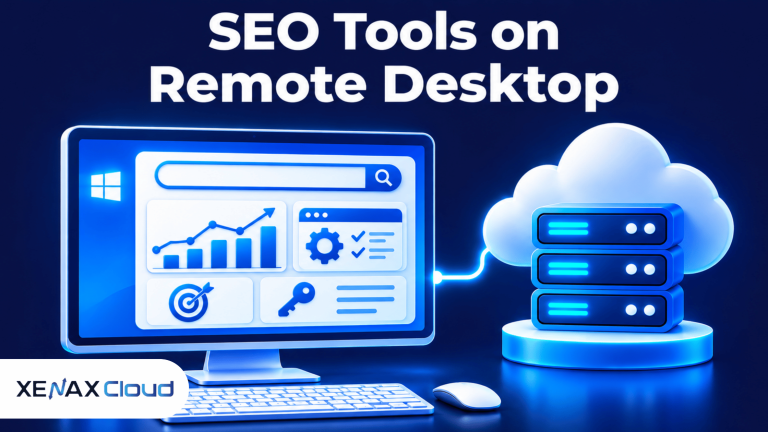
RDP for SEO tools gives marketers and agencies remote access to a Windows desktop where they can run keyword research, website audits, rank tracking and reporting applications. Instead of relying entirely on a personal computer, you connect to a remote Windows environment and manage your SEO workflow from another device.
This setup can help SEO professionals who work across several client websites, need a consistent working environment or want to access their tools while away from the office. It is also useful when a local computer has limited resources or must remain available for other work.
However, remote desktop hosting does not automatically make SEO software faster or improve search rankings. Your experience depends on server resources, internet connectivity, application requirements and how many tasks you run together.
What is RDP for SEO tools, and how does it work?
RDP for SEO tools means using Remote Desktop Protocol to access a Windows environment hosted on a remote server and run SEO applications there.
Remote Desktop Protocol (RDP) is a Microsoft protocol that allows a user to interact with a remote computer through a graphical desktop connection. You can open applications, manage files and use the remote Windows environment much like a physical computer.
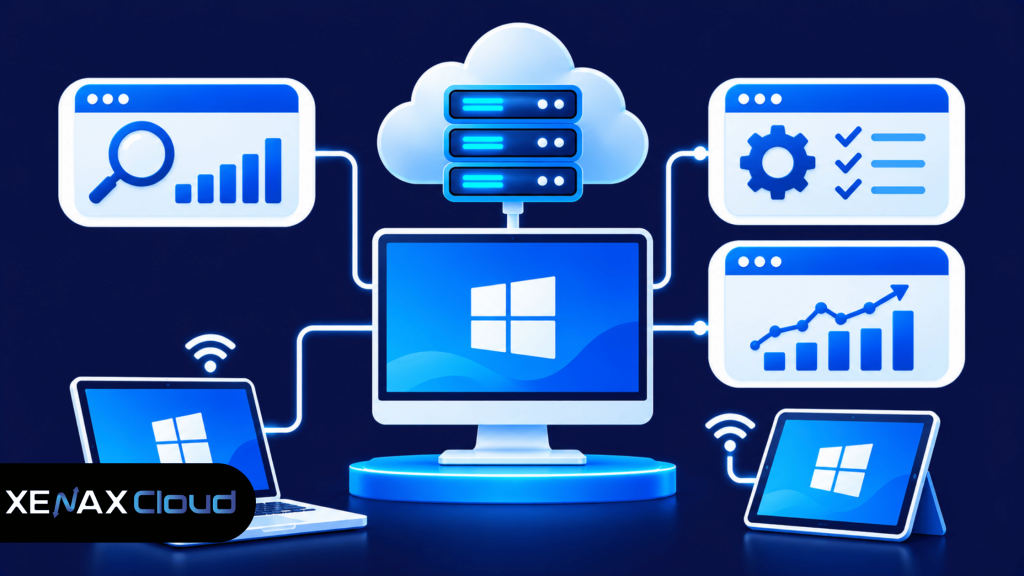
A typical SEO remote desktop setup includes:
- Remote Windows server: Hosts the operating system and applications.
- RDP connection: Connects your local device to the remote desktop.
- SEO applications: Run keyword research, website auditing and reporting tasks.
- Internet connection: Carries the screen updates and user input between devices.
For example, an SEO consultant can connect to a remote desktop from a laptop, open a browser, access an SEO platform and prepare a client report. The application runs on the remote machine, while the consultant controls it from the local device.
This distinction matters because the remote server performs the application processing. Your local device mainly handles the remote display, keyboard and mouse input.
Xenax Cloud provides Windows RDP on KVM virtualisation with administrator access. KVM is a virtualisation technology that allows a physical server to host separate virtual machines with their own operating systems and allocated resources.
Which SEO tools can you run on RDP?
You can run Windows-compatible SEO applications on RDP, provided the remote server meets their operating system and hardware requirements.
SEO software covers several different tasks. Some applications run in a browser, while others require a Windows desktop installation or supporting components.
Common categories include:
| SEO task | Example tools | Typical use |
| Keyword research | Ahrefs, Semrush | Keyword discovery and analysis |
| Website auditing | Screaming Frog SEO Spider | Technical website crawling |
| Rank tracking | Windows-compatible rank trackers | Monitoring keyword positions |
| Backlink analysis | Ahrefs, Majestic | Reviewing backlink profiles |
| Reporting | Excel, Power BI | Preparing SEO reports |
Tool availability and system requirements can change, so check each vendor’s current documentation before installing software.
For instance, a technical SEO crawler may use substantial memory when crawling a large website. Running it alongside multiple browser tabs, spreadsheets and reporting applications increases the total resource demand.
You should also check whether a tool’s licence permits installation on a remote server. Some software licences restrict shared environments, concurrent sessions or the number of devices that can access an account.
Why use SEO tools on RDP instead of a local computer?
SEO tools on RDP allow you to access a remote Windows working environment without depending entirely on your personal computer.
A local laptop may be sufficient for occasional keyword research and small website audits. However, regular agency work can involve multiple browser sessions, large crawls, spreadsheets, client dashboards and several applications running together.
A remote desktop can help in the following situations:
- Consistent working environment: Keep applications and project files on one remote Windows system.
- Access from different devices: Connect from a supported laptop, desktop or tablet.
- Local resource management: Move application processing away from a computer with limited hardware.
- Centralised administration: Manage software installations and user permissions through the remote Windows environment.
- Long-running tasks: Keep a remote application running after disconnecting, provided the application and session settings support it.
RDP does not eliminate the need for a stable internet connection. A slow or unstable connection can make mouse movement, typing and screen updates feel delayed even when the remote server has sufficient resources.
Another important distinction is that RDP is a way to access a computer, not an SEO service. It does not provide keyword data, backlink databases, crawler licences or search engine access by itself.
How much RAM and CPU do SEO tools need on RDP?
SEO tools need enough RAM and CPU to support the applications, browser sessions and simultaneous tasks running on the remote Windows desktop.
There is no single hardware specification that suits every SEO professional. A user running a browser and spreadsheet has different requirements from an agency crawling several large websites while preparing reports.
Use this practical starting framework:
| Workload | Suggested starting resources | Typical activity |
| Light SEO work | 2 vCPU, 4 GB RAM | Browser tools and basic reports |
| Regular SEO work | 4 vCPU, 8 GB RAM | Multiple tabs and routine analysis |
| Heavy SEO work | 8 vCPU, 16 GB RAM | Large crawls and several applications |
| Agency workload | 16 vCPU, 32 GB RAM or more | Multiple intensive tasks and users, subject to software requirements |
These are planning estimates, not guaranteed minimum requirements for every SEO application. Check the software vendor’s specifications and monitor actual usage after installation.
Why RAM matters
RAM is temporary working memory used by Windows and running applications. When several browser tabs, crawlers and spreadsheets are open, each application consumes part of the available memory.
If memory becomes insufficient, Windows may rely more heavily on disk-based virtual memory. This can make applications less responsive, especially during large crawls or data processing.
Why CPU matters
A virtual CPU (vCPU) is a virtualised processing unit allocated to a virtual machine. More CPU capacity can help when applications perform simultaneous calculations, crawl websites or process large datasets.
However, adding vCPU does not solve every performance problem. An application limited by memory, storage operations or network response time may not improve significantly from extra CPU allocation alone.
How to set up a remote desktop for SEO agency work
You can set up a remote desktop for SEO agency work by selecting Windows RDP resources, securing access and installing approved applications.
Follow these steps:
- List the SEO applications and their Windows requirements.
- Estimate the RAM, CPU and storage needed for simultaneous tasks.
- Select an RDP plan that meets those requirements.
- Connect using a supported Remote Desktop client.
- Secure administrator access and Windows account credentials.
- Install licensed SEO applications and browser tools.
- Test crawls, reports and simultaneous application workloads.
Connect to the Windows desktop
On a Windows computer, open Remote Desktop Connection by searching for Remote Desktop Connection in the Start menu. Enter the server address supplied by your hosting provider and use the authorised login credentials.
On other supported devices, use a compatible Remote Desktop client. Connection steps and available features can vary by operating system and client version.
Secure the remote environment
Do not leave administrator credentials saved on shared or public computers. Use strong passwords, restrict access to authorised users and keep Windows security updates current.
RDP should not be exposed without appropriate access controls. Follow Microsoft’s security guidance for Remote Desktop Services, including network-level authentication and limiting access to trusted users and networks.
Official guidance is available in the Microsoft Remote Desktop Services documentation.
Install and organise SEO applications
Install only the applications required for your work. Keep project folders organised by client or website, and avoid storing unnecessary duplicate exports that consume disk space.
Before installing a new crawler or reporting application, check its system requirements and licence conditions. If several team members use the same remote environment, establish clear rules for application access and project file ownership.
Remote desktop for SEO agency: Which RDP plan fits?
A remote desktop for SEO agency work should be selected according to the number of users, simultaneous applications and resource demands of the team’s SEO tasks.
Xenax Cloud offers three RDP families:
| RDP family | Resource profile | Suitable workload |
| Speed RDP | 8 sizes, from 2 vCPU / 4 GB RAM to 32 vCPU / 64 GB RAM | General remote desktop and SEO applications |
| General RDP | 4 sizes, from 2 vCPU / 8 GB RAM to 16 vCPU / 64 GB RAM | Workloads requiring more RAM per vCPU |
| Gold RDP | 8 sizes, from 2 vCPU / 4 GB RAM to 32 vCPU / 64 GB RAM | CPU-sensitive workloads using high-frequency Xeon Gold processors |
Xenax Cloud RDP plans run Windows on KVM virtualisation and provide administrator access. The RDP infrastructure uses a 500 Mbps port, includes weekly backups and provides one IPv4 address.
The three RDP families have different resource profiles. Speed RDP uses a range of configurations, General RDP provides more RAM per vCPU, and Gold RDP uses high-frequency Xeon Gold processors.
If your restaurant website runs on WordPress, compare the available WordPress hosting plans to understand whether a WordPress-focused environment suits your website.
Worked example: A Jaipur SEO agency managing client websites
Consider a Jaipur SEO agency with four team members handling technical audits, keyword research and monthly reporting for several client websites. Two employees regularly run browser-based research tools, while another performs website crawls and the fourth prepares spreadsheets.
The team needs a shared remote working environment with enough resources for simultaneous applications. A configuration with 4 vCPU and 8 GB RAM may be a reasonable starting point if the team mainly uses browser tools and routine reporting, but it may become restrictive if several large crawls run together.
For a workload that regularly combines large crawls, multiple browser sessions and reporting applications, a higher configuration such as 8 vCPU and 16 GB RAM is a more suitable starting point to evaluate. The smaller configuration may not provide enough headroom for concurrent intensive tasks.
The agency should monitor CPU and memory usage during its actual workload before deciding whether to increase resources. It should also confirm whether the software licences allow multiple team members to use the applications in the same remote environment.
Xenax Cloud’s Windows RDP hosting plans provide different resource configurations for individual professionals and teams.
How to choose the right RDP size for SEO tasks
Choose an RDP configuration according to actual memory use, CPU activity and the number of simultaneous applications rather than the number of SEO tools installed.
Use these practical decision rules:
- Choose 2 vCPU and 4 GB RAM for light work involving a small number of browser tools and basic reports, if the applications support it.
- Choose 4 vCPU and 8 GB RAM for regular research, spreadsheets and several browser tabs.
- Choose 8 vCPU and 16 GB RAM when large website crawls and several applications regularly run together.
- Evaluate 16 vCPU and 32 GB RAM or higher when intensive processing or multiple simultaneous workloads justify the extra resources.
These are workload-based starting points, not fixed requirements. A browser-heavy workflow can consume more memory than expected, while a crawler processing a large website may put greater pressure on both CPU and RAM.
The recommended RDP configuration is not suitable if your applications require Linux-only services or a specialised server environment. In that case, evaluate a Linux VPS or another environment supported by the software vendor.
Xenax Cloud’s RDP range allows you to compare Speed RDP, General RDP and Gold RDP according to the processing and memory profile of your workload. Support is available around the clock if you need help understanding the available configurations.
RDP for SEO tools: FAQs
Is RDP for SEO tools suitable for beginners?
Yes, RDP for SEO tools can suit beginners who need a remote Windows desktop for browser-based research, spreadsheets and basic SEO applications. You need to understand how to connect securely and manage your files. Start with the software requirements and choose resources that match your actual workload.
Can I run multiple SEO tools on one RDP?
Yes, you can run multiple SEO tools on one RDP if the Windows environment has sufficient resources and the software licences permit it. Browser research, spreadsheets and small audits may run together, but several large crawls can increase CPU and memory demand considerably.
Is Windows RDP better than a VPS for SEO work?
Windows RDP is more convenient if your SEO applications require a graphical Windows desktop. A Linux VPS may suit users who need command-line tools, Linux services or server-side automation. Choose the operating system based on software compatibility rather than assuming one option is always better.
Can an SEO agency share one remote desktop?
An SEO agency can share a remote desktop only when its Windows configuration, application licences and access arrangements support the intended usage. Multiple simultaneous users may require additional planning and resources. Check concurrent session support, user permissions and client data separation before sharing one environment.
Does RDP improve SEO rankings?
No, RDP does not directly improve website rankings in search engines. It provides a remote environment for running SEO applications and managing projects. Rankings depend on factors such as content relevance, technical website quality, backlinks and search engine evaluation, not the location of your desktop session.
Is RDP safe for storing SEO client data?
RDP can be used for client work when the remote environment has suitable security controls. Use strong credentials, restrict administrator access, apply Windows updates and maintain secure backups. Avoid sharing login details between employees, and check client confidentiality requirements before storing website exports or reports.
How much RAM should an SEO agency RDP have?
An SEO agency can begin evaluating 8 GB RAM for regular browser-based work, while intensive crawls and simultaneous applications may need 16 GB RAM or more. The correct configuration depends on the number of concurrent users, applications and website sizes. Monitor actual memory use before upgrading.
For individual SEO professionals, compare Speed RDP configurations according to your application requirements. Agencies running memory-intensive crawls should evaluate higher-RAM options and confirm simultaneous user support before ordering through Xenax Cloud.