If your users connect from laptops, mobiles or remote offices, you already rely on some form of network access control. A well designed tnc network (Trusted Network Connect style architecture) helps you decide who can enter your systems, from where, and under which conditions, without slowing anyone down.
For global businesses, this is no longer a “nice to have”. Compliance, cyber attacks and remote work make a secure tnc network part of the basic infrastructure, just like email or DNS.
Indian hosting has grown into a serious global option for these workloads. Modern Indian data centers combine strong network connectivity across Asia, direct routes to Europe and North America, and very competitive pricing. When you host your tnc network on Indian servers with a provider like XenaxCloud, you get:
- Cost effectiveness that keeps long running security and policy servers affordable.
- Low latency across Asia and competitive response times for Europe and the US, ideal for distributed teams.
- Security, reliability and compliance ready environments for firewalls, VPNs and access gateways.
- Scalability so your tnc network can grow from a small lab to a global access layer without re-architecture.
In this tnc network guide, we will walk through what a tnc network is, how to host it efficiently on Indian servers, and how to pick the right XenaxCloud plans for different scenarios.
What is a tnc network and why it matters for modern teams
In simple terms, a tnc network is a network environment where every device and user must “prove” they are healthy and authorized before they can access your internal resources.
Instead of trusting everything inside the office network, a tnc network checks:
- Who the user is.
- Whether the device is safe enough (antivirus, patches, OS version).
- Which applications or data that user should see.
Think of it as a smart bouncer at the door, constantly checking badges and health status instead of a simple lock on the main gate.
For hosting and cloud environments, that usually means combining:
- Policy servers that store rules and decisions.
- VPN or secure gateways that enforce those decisions.
- Logging and monitoring tools that track what actually happened.
Hosting these components on reliable Indian servers allows you to serve users from Asia, the Middle East, Europe and North America while keeping latency under control and costs predictable. This tnc network tutorial will use XenaxCloud plans as concrete examples so you can move from theory to implementation.
Core components of a tnc network architecture
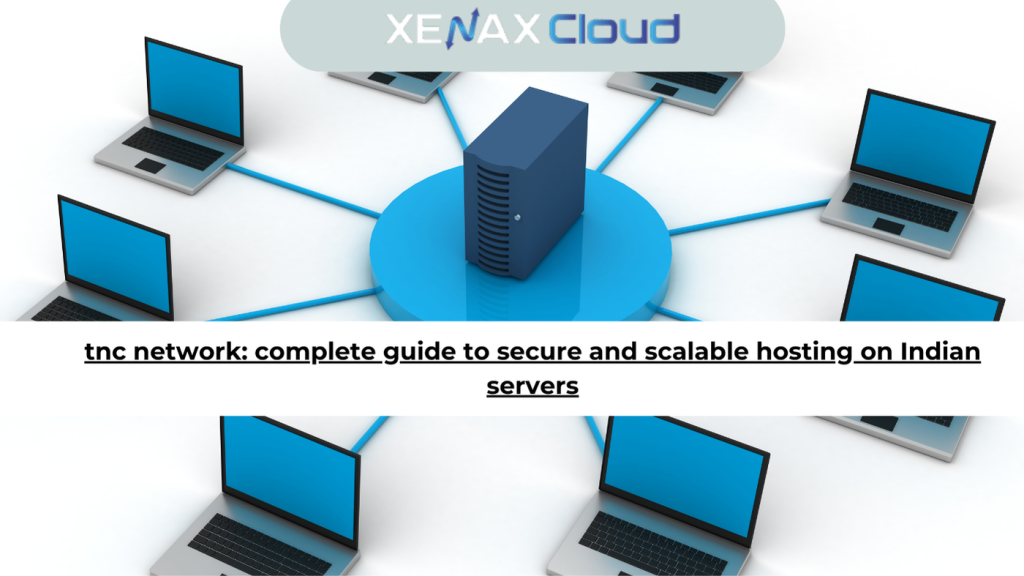
A strong tnc network is not just a single server. It is a combination of services that work together. You can host all of them inside XenaxCloud infrastructure for full control.
Policy and authentication servers
These are the “brains” of your tnc network. They decide whether a connection should be allowed, restricted or denied.
For most businesses, a NORMAL KVM VPS is a great starting point for policy and identity services:
- For small teams, KVM VPS 1 (2 Vcore CPU, 8GB RAM, 40GB Storage, 2TB Bandwidth, $5.99) comfortably runs an authentication server, a small database and monitoring.
- For mid size environments or multiple identity services, KVM VPS 3 (8 Vcore CPU, 32GB RAM, 80GB Storage, 5TB Bandwidth, $17.99) offers enough CPU and RAM for heavy directory and policy workloads.
Because these servers live in Indian data centers, they can respond quickly to clients across Asia, while still maintaining acceptable latency to Europe and North America.
Enforcement points and gateways
Enforcement points are the “hands” of your tnc network. They sit between users and applications and enforce rules such as “Marketing laptops cannot access the finance database”.
These can be:
- VPN gateways.
- Reverse proxies for web apps.
- Firewalls that integrate with identity and device posture.
Here, SPEED KVM VPS plans shine thanks to a good balance of CPU and bandwidth:
- KVM VPS 3 (8 Vcore CPU, 16GB RAM, 70GB Storage, 4TB Bandwidth, $14.39) is ideal as a shared VPN and proxy node.
- KVM VPS 4 or KVM VPS 5 are good for larger user bases or multiple regions.
Management, logs and compliance
To prove compliance and detect incidents, your tnc network needs reliable logging. Centralized logs, dashboards and reports usually run on separate servers so that spikes in log volume do not affect user access.
An economical option is to host logging on a Budget Hosting or Shared Hosting plan for dashboards and web consoles, while storing heavy logs on VPS storage:
- Silver Shared Hosting (1 Website, 15GB Storage, 100GB Bandwidth, $1.79) can host a lightweight web dashboard.
- A KVM VPS 2 or KVM VPS 3 can handle log ingestion and storage.
This separation keeps your tnc network responsive, even when you are reviewing months of security data.
How to choose the right hosting plan for your tnc network
Choosing the correct XenaxCloud plan is not only about CPU and RAM. It is about mapping each part of your tnc network to the right type of hosting.
Start from your use case and user count
Ask simple questions:
- How many concurrent VPN or secure sessions will you have?
- How many policy decisions per second do you expect?
- How critical are uptime and latency for your line of business?
For a small remote team or pilot project, one or two SPEED KVM VPS 1 or SPEED KVM VPS 2 nodes can serve as both gateway and policy engine. For example:
- SPEED KVM VPS 1 (2 Vcore CPU, 4GB RAM, 40GB Storage, 2TB Bandwidth, $4.79) is perfect for a lab or internal proof of concept.
- SPEED KVM VPS 2 (4 Vcore CPU, 8GB RAM, 50GB Storage, 2TB Bandwidth, $8.39) supports more users and stronger encryption without noticeable lag.
As your tnc network grows, split roles:
- Use GOLD KVM VPS 4 (12 Vcore CPU, 24GB RAM, 80GB Storage, 6TB Bandwidth, $17.99) for central policy servers.
- Use multiple SPEED KVM VPS 3 or SPEED KVM VPS 4 nodes as regional gateways.
For web portals that let users self register devices, review access or read documentation, Shared Hosting is often enough:
- Gold Shared Hosting (3 Websites, 25GB Storage, 500GB Bandwidth, $2.39) can host your user portal and internal wiki.
If you prefer complete isolation and dedicated hardware, you can move critical components to XenaxCloud dedicated servers later, but VPS hosting is usually the best start. You can explore full VPS options here: XenaxCloud VPS hosting.
Speed, uptime and security advantages of Indian servers for tnc network workloads
Your tnc network is directly tied to user experience. If policy checks are slow, login feels broken. If VPN gateways are far from users, every click drags. Indian servers help you avoid this.
Performance and latency
Modern Indian data centers sit on strong domestic and international backbone links. For users in India, Southeast Asia and the Middle East, routing to an Indian location usually means very low latency. For Europe and North America, intelligently routed connections often stay fast enough for everyday business tasks and collaboration tools.
For example, placing your tnc network core in India gives you:
- Fast authentication for users in major Asian business hubs.
- Reasonable latency for users in London, Frankfurt or New York.
- A single, well connected region that simplifies management.
Uptime and redundancy
Network control systems must be available when everything else goes wrong. XenaxCloud’s architecture is designed with redundancy in mind at the infrastructure level, which is crucial when running policy servers, VPN gateways and log collectors.
You can further increase reliability by:
- Hosting primary nodes on GOLD KVM VPS plans.
- Running secondary nodes on SPEED KVM VPS plans.
- Using DNS failover and health checks to shift traffic automatically.
Security and compliance
A tnc network adds a security layer, but the hosting platform must also be hardened. Indian data centers follow global best practices, including physical access controls, DDoS protection and strong network isolation.
By placing your tnc network in XenaxCloud:
- You keep sensitive policy and identity services inside a controlled environment.
- You maintain data locality in India when regulations or contracts require it.
- You can combine servers with secure remote access using Nord VPN integrations.
Indian servers vs foreign regions for your tnc network
It is natural to ask whether you should host your tnc network in India or in other regions like the US, Canada, Germany or the UAE. The answer depends on where your users are, but Indian locations are surprisingly strong as a global hub.
Below is a simplified comparison. This is not about price, it is about quality of service and fit for purpose.
| Region | Latency to Asia | Global performance | Typical uptime & reliability | Support & provisioning | Ideal tnc network use cases |
|---|---|---|---|---|---|
| India (XenaxCloud) | Very low for South & Southeast Asia | Competitive for Europe & North America | High uptime with resilient infrastructure | 24/7 support, quick VPS & RDP setup | Regional hub for global teams, mixed user locations |
| US | Medium to high | Strong for Americas and acceptable elsewhere | Generally high, depends on provider | Mature ecosystem, varied response times | Primarily US based teams or latency sensitive US apps |
| Canada | High | Good for North America, moderate for Europe | Stable, with strong data protection laws | Good, region dependent | Compliance focused North American businesses |
| Germany | Medium | Excellent within Europe, solid globally | Very strong reliability and compliance | Professional, sometimes slower provisioning | EU heavy user base and strict regulatory needs |
| UAE | Low for Middle East & parts of Asia | Moderate elsewhere | Growing ecosystem, improving reliability | Regionally focused support | Organizations with majority users in GCC countries |
With Indian hosting, you often get the best balance when your user base is mixed. You can still add edge nodes in other regions later, while keeping your main tnc network policies and logs on Indian servers.
Real world use cases for businesses and developers
To make this tnc network tutorial practical, let us look at how different teams can deploy it on XenaxCloud.
Remote and hybrid companies
A growing company with 50 to 200 employees spread across India, Europe and the US needs to:
- Secure access to internal tools like ERP, CRM and code repositories.
- Allow contractors to log in from their own devices, without giving them full trust.
A good starting layout might be:
- GOLD KVM VPS 4 for policy and authentication.
- Two SPEED KVM VPS 3 servers as access gateways in India.
- Gold Shared Hosting to run a user self service portal.
This setup keeps latency low for Asian staff, while remaining usable for overseas users, and it keeps the entire tnc network inside a controlled, affordable environment.
SaaS providers and agencies
Digital agencies and SaaS startups often manage multiple client environments. They want to:
- Segment access between internal teams and client users.
- Offer secure staging and production access without juggling VPNs for each client.
Here, you can combine:
- Multiple KVM VPS 2 or KVM VPS 3 instances as client specific gateways.
- Reseller Hosting for small client portals and documentation.
- Nord VPN accounts layered on top for staff who need direct RDP access to KVM RDP plans such as KVM RDP 3 or KVM RDP 4.
Each client can be mapped to its own policy set inside the same tnc network, increasing security while keeping administration under one roof.
Developer labs and security testing
Security and DevOps teams often need a playground to try out new policies, simulate attacks or test device posture checks.
Instead of building an expensive on premises lab, you can spin up:
- One SPEED KVM VPS 1 as a basic policy server.
- One SPEED KVM VPS 1 as a test gateway.
- One KVM RDP 1 for Windows based testing tools.
Because these are XenaxCloud VPS and RDP plans, you can rebuild the environment quickly, create snapshots before risky tests and keep costs predictable.
Scalability options for startups and agencies running tnc networks
A major benefit of hosting your tnc network on XenaxCloud is the ability to grow smoothly. You do not need to choose your “final” size on day one.
Scale up vertically
As traffic grows, you can move from smaller to larger VPS plans:
- Start with SPEED KVM VPS 2 or KVM VPS 2.
- Upgrade to SPEED KVM VPS 5 (16 Vcore CPU, 32GB RAM, 100GB Storage, 8TB Bandwidth, $25.19) when you have more users or stronger encryption requirements.
- For very high concurrency or heavy logging right on the gateway, SPEED KVM VPS 8 or GOLD KVM VPS 8 offer massive CPU and RAM.
Because configuration lives on disk, scaling up is usually a matter of upgrading the plan and rebooting, rather than redesigning your architecture.
Scale out horizontally
Many tnc network deployments benefit from multiple smaller gateways behind a load balancer:
- Run two or more SPEED KVM VPS 3 instances per critical region.
- Use DNS based load balancing or software load balancers.
- Keep a KVM VPS 1 or KVM VPS 2 as a “cold standby” that you can power up in emergencies.
This protects you against issues on a single node and makes maintenance easier.
Integrate remote access and VPN
For fully remote or global-first businesses, integrating your tnc network with VPN user management is key. XenaxCloud’s Nord VPN offering, combined with Indian and international POPs, gives you an additional control plane for high risk users, admins and third party vendors.
Remember: the latest XenaxCloud discounts on VPS, RDP and related services are always listed on the XenaxCloud Offers Page, so you can plan your tnc network expansion cost effectively.
Step by step tnc network tutorial: from idea to deployment
To turn this tnc network guide into action, here is a simple high level path.
Step 1: Map your assets and users
List critical applications, data stores and user groups. Decide what should be behind the tnc network and what can stay public.
Step 2: Pick a starting topology
For most SMBs, start with: one policy server VPS, one gateway VPS and one logging VPS. Use SPEED KVM VPS 2 for the gateway and KVM VPS 2 for policy, for a balanced setup.
Step 3: Deploy base infrastructure
Provision the VPS plans, secure SSH access and basic firewalls. Configure hostnames, DNS records and TLS certificates for your chosen domain.
Step 4: Install tnc network components
Install your identity provider (for example, an LDAP or SSO server) on the policy VPS. Deploy your chosen VPN or reverse proxy software on the gateway VPS, integrated with the identity provider.
Step 5: Define access policies
Create simple, clear rules. For example: “Employees in Finance group can access ERP from corporate devices only” or “Contractors can only access project management tool”. Implement these as policies in your tnc network software.
Step 6: Onboard a pilot group
Start with a small set of users from different departments. Gather feedback on performance, login flows and any friction they experience.
Step 7: Expand, optimize and document
Tune resource allocation, add more VPS nodes as needed and move from pilot to full rollout. Use Shared Hosting to host documentation, FAQs and onboarding guides for your users.
By following these steps, you turn the concept of a tnc network into a concrete, hosted solution running on XenaxCloud infrastructure.
FAQ: tnc network and Indian hosting
What is the difference between Indian VPS and foreign VPS?
Indian VPS servers provide lower latency for users across Asia and nearby regions, while foreign VPS locations may be better only for region specific audiences.
Can Indian servers handle global website traffic?
Yes, modern Indian servers with strong international connectivity can serve global traffic efficiently, especially when paired with a well designed tnc network.
Is Indian hosting cost effective for international users?
Indian hosting combines competitive pricing with solid performance, making it a very cost effective choice for international businesses running secure access systems.
How reliable is XenaxCloud hosting?
XenaxCloud focuses on high uptime infrastructure, 24/7 support and quick provisioning so your core services such as tnc network components stay consistently available.
How to choose the right server for my business?
Start by estimating user counts and critical applications, then match those needs to VPS plans like SPEED KVM VPS 2 or GOLD KVM VPS 4 and scale as you grow.
What is a tnc network in simple terms?
A tnc network is a secure access setup that checks user identity and device health before allowing connections to your internal applications.
Can I follow a tnc network tutorial without deep network skills?
Yes, by using ready made VPS plans and clear step by step guides, even small IT teams can deploy a basic tnc network and improve security.
Conclusion
A robust tnc network is one of the most practical ways to strengthen your security posture without sacrificing productivity. It checks who is connecting, from which device and under what conditions, then grants the minimum access needed for work.
By hosting your tnc network on XenaxCloud’s Indian servers, you get an ideal mix of performance, reliability and cost effectiveness. Low latency across Asia, competitive speeds to Europe and the US, and a wide range of VPS and RDP plans make it easy to match your architecture to your budget.
For a small or mid sized deployment, we strongly recommend starting with:
- SPEED KVM VPS 2 or SPEED KVM VPS 3 as your main gateways.
- KVM VPS 3 or GOLD KVM VPS 4 as your central policy and identity server.
- Gold Shared Hosting for your user portal or documentation.
You can then scale up to SPEED KVM VPS 5 or GOLD KVM VPS 6–8 as your tnc network grows, confident that you will not outgrow the platform.
XenaxCloud backs this with a 15 day money back guarantee, so you can test your tnc network design in production like conditions with minimal risk. Whenever you are ready to expand or optimize costs, remember that the latest deals are always listed on the XenaxCloud Offers Page.
If you are planning your next security upgrade, there has never been a better time to deploy a tnc network on Indian servers. Choose your starting VPS plan, follow the tutorial steps above and let XenaxCloud power a safer, faster and more scalable future for your business.