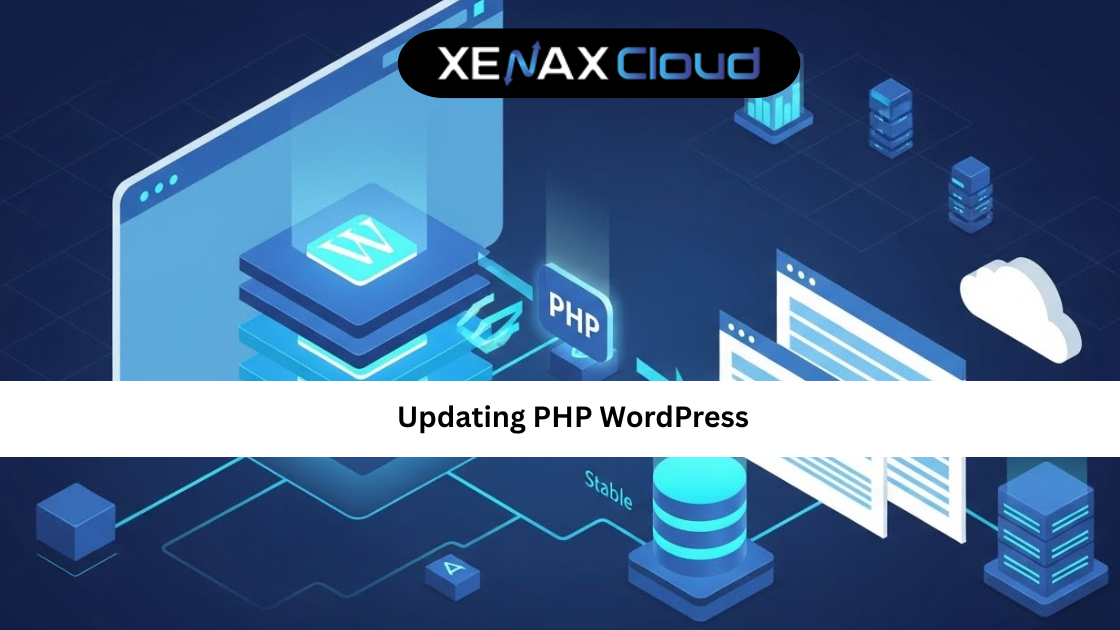
Updating PHP WordPress is one of the most important maintenance tasks for any website owner. It directly affects your site’s speed, security, and compatibility with modern plugins and themes. Yet, many site owners delay it because they fear breaking their website.
Globally, WordPress powers millions of websites, from blogs to enterprise platforms. As PHP evolves, WordPress follows closely to deliver better performance and stronger security. Running an outdated PHP version is like locking your door but leaving the window open.
Indian hosting infrastructure makes this process easier and more affordable for global users. Indian servers are cost-effective, offer low latency across Asia, and deliver competitive speeds worldwide. They also follow strong security and compliance standards, making them reliable for international businesses. With scalable resources, Indian servers support everything from small WordPress blogs to high-traffic platforms.
If you want a faster, safer, and future-ready website, understanding updating PHP WordPress is no longer optional. It is essential.
Why Updating PHP WordPress Matters More Than Ever
PHP is the core language that powers WordPress. Every time PHP improves, it brings better performance, memory handling, and security fixes. When you delay updating PHP WordPress, your site misses out on these benefits.
Older PHP versions are slower and more vulnerable. Hackers often target known weaknesses in outdated software. Updating PHP reduces these risks and helps your site comply with modern security expectations.
Another key reason is compatibility. New WordPress versions, plugins, and themes are tested against newer PHP releases. If your PHP version is too old, features may stop working or fail silently.
From a business perspective, speed matters. Faster load times improve user experience and search engine rankings. Updating PHP WordPress can reduce server response time without changing any content.
How to Choose the Right Hosting Plan for PHP Updates
Before you start updating PHP WordPress, your hosting environment plays a major role. Not all hosting plans offer the same flexibility or control over PHP versions.
Shared hosting is suitable for beginners and small websites. It usually provides an easy PHP version selector through the control panel. This makes updating PHP WordPress simple and safe for non-technical users.
For growing websites, VPS hosting offers more control and dedicated resources. You can test PHP updates in staging environments and fine-tune performance settings.
If your WordPress site handles high traffic or mission-critical data, dedicated servers provide full control and stability. However, for most users, a well-optimized shared or VPS plan is enough.
For WordPress-focused projects, managed WordPress hosting simplifies PHP updates while maintaining performance and security.
A reliable shared hosting option for WordPress users is available here: https://xenaxcloud.com/shared-hosting/
Preparing Your Site Before Updating PHP WordPress
Preparation is the most important step in any updating PHP WordPress guide. Skipping it increases the risk of downtime or broken functionality.
Start by creating a full backup of your website. This includes files and databases. If anything goes wrong, you can restore your site quickly.
Next, update WordPress core, themes, and plugins. Outdated plugins are the most common cause of compatibility issues after a PHP update.
Check plugin and theme compatibility notes. Most developers clearly mention supported PHP versions. If a plugin is no longer maintained, consider replacing it.
If possible, test the update in a staging environment. This allows you to identify issues without affecting live visitors.
Updating PHP WordPress Step by Step
This updating PHP WordPress tutorial focuses on the most common method using a hosting control panel.
Log in to your hosting dashboard and open the PHP version selector. You will see a list of available PHP versions. Choose the recommended stable version supported by your WordPress setup.
Apply the changes and wait a few seconds. Most hosting platforms update PHP instantly without downtime.
After updating, clear your website cache and reload your site. Check key pages, forms, and login functionality.
If you notice any issues, revert to the previous PHP version and review plugin compatibility. This rollback option is why choosing the right hosting provider matters.
Speed, Uptime, and Security Advantages After Updating PHP
One of the biggest benefits of updating PHP WordPress is performance improvement. Newer PHP versions execute code faster and use server resources more efficiently.
This results in quicker page loads and smoother backend operations. Visitors notice faster responses, and search engines reward better performance.
Security is another major advantage. Updated PHP versions include patches for known vulnerabilities. This reduces the risk of exploits and data breaches.
From an uptime perspective, modern PHP versions are more stable. They handle errors gracefully and reduce server crashes caused by outdated code.
Indian servers enhance these benefits with strong infrastructure, proactive monitoring, and reliable uptime, making them ideal for WordPress hosting.
Updating PHP WordPress Guide for Common Issues
Even with preparation, some users face issues after updating PHP WordPress. The most common problem is a plugin or theme conflict.
If your site shows a blank page, enable WordPress debug mode to identify the issue. Usually, updating or replacing a plugin fixes the problem.
Another issue is deprecated functions. Older themes may use functions removed in newer PHP versions. Updating the theme or switching to a modern one resolves this.
Database-related errors are rare but can occur. They usually point to outdated extensions or misconfigured settings.
A good hosting provider offers quick support to help resolve these issues, reducing downtime and stress.
Real-World Use Cases for Businesses and Developers
Businesses rely on WordPress for websites, landing pages, and eCommerce platforms. Updating PHP WordPress ensures these assets remain secure and fast.
For developers, PHP updates bring cleaner code execution and better debugging tools. This improves development speed and reduces errors.
Agencies managing multiple client sites benefit from standardized PHP versions across projects. This simplifies maintenance and improves reliability.
International businesses hosting on Indian servers enjoy cost savings while delivering strong performance to global users.
These real-world use cases show why PHP updates are not just technical tasks but strategic decisions.
Why Indian Servers Are Ideal for WordPress and PHP Updates
Indian servers are connected to major global networks, ensuring stable performance across regions. This makes them suitable for international WordPress websites.
Cost-effectiveness is a major advantage. Businesses save on infrastructure without compromising quality.
Security and compliance standards in Indian data centers match global expectations. This makes them reliable for handling sensitive data.
Scalability is another key benefit. As your WordPress site grows, Indian hosting plans allow easy upgrades without migration hassles.
For updating PHP WordPress regularly, this flexibility and reliability make a real difference.
Scalability Options for Startups and Agencies
Startups often begin with simple WordPress sites but grow quickly. Updating PHP WordPress becomes easier when your hosting plan supports scaling.
Shared hosting plans like Silver or Gold are ideal for early stages. As traffic grows, upgrading to Platinum or Diamond ensures better performance.
Agencies managing multiple WordPress sites benefit from VPS plans that offer dedicated resources and control.
This scalable approach ensures your PHP updates remain smooth as your business evolves.
Comparison: Indian Servers vs Other Regions
Below is a general comparison of server performance across regions.
| Region | Latency (Asia) | Global Performance | Support Availability | Provisioning Speed |
|---|---|---|---|---|
| India | Low | High | 24/7 | Fast |
| United States | High | High | 24/7 | Moderate |
| Canada | High | Moderate | Limited | Moderate |
| Germany | Moderate | High | 24/7 | Moderate |
| UAE | Moderate | Regional | Limited | Fast |
This comparison shows why Indian servers are a balanced choice for WordPress hosting and PHP updates.
Frequently Asked Questions
What is the difference between Indian VPS and foreign VPS?
Indian VPS offers lower latency in Asia, strong global connectivity, and better cost efficiency.
Can Indian servers handle global website traffic?
Yes, modern Indian servers efficiently serve international traffic through high-capacity networks.
Is Indian hosting cost-effective for international users?
Indian hosting provides competitive performance at lower operational costs.
How reliable is XenaxCloud hosting?
XenaxCloud delivers stable uptime, secure infrastructure, and responsive support.
How to choose the right server for my business?
Assess traffic, WordPress complexity, and growth plans before selecting a hosting plan.
Conclusion
Updating PHP WordPress is one of the simplest yet most powerful ways to improve website performance, security, and compatibility. When done correctly, it reduces risks and unlocks better speed without changing your content.
Indian hosting infrastructure makes this process smoother for global users through cost-effective plans, reliable uptime, and scalable resources. XenaxCloud combines these strengths with WordPress-optimized hosting, expert support, and a 15-day money-back guarantee.
If you want a faster, safer WordPress website, now is the time to act. Choose XenaxCloud hosting today and keep your WordPress site future-ready. The latest deals and offers are always available on the XenaxCloud Offers Page.