VDI cost per user is the total monthly cost of your desktop servers, licences and extras, divided by the number of people using them. For a small Indian team, the answer mostly depends on two choices: whether users share one server or get one each, and how much RAM each person really needs.
There is no single “VDI price in India” because every team is different. This guide gives you the formula, the sizing numbers and two worked examples, so you can calculate your own VDI cost per user in ten minutes using the live prices in the plan boxes below.
What goes into the cost of a virtual desktop?
The cost has four parts: the server rent, the software licences, any extras such as backups or extra IPs, and the time someone spends managing it. Server rent is usually the largest part.
- Server rent. The monthly price of the Windows server or servers that host the desktops.
- Licences. Windows is included in a rented Windows server. Shared servers with more than two people at once need Microsoft RDS client access licences. Your own software, such as Tally, Busy or Microsoft Office, needs its own licences.
- Extras. Extra storage, a second IP, or more frequent backups.
- Management time. Creating logins, applying updates, checking backups.
The formula is simple:
VDI cost per user per month = (server rent + licences + extras) / number of usersHow much RAM does each user need?
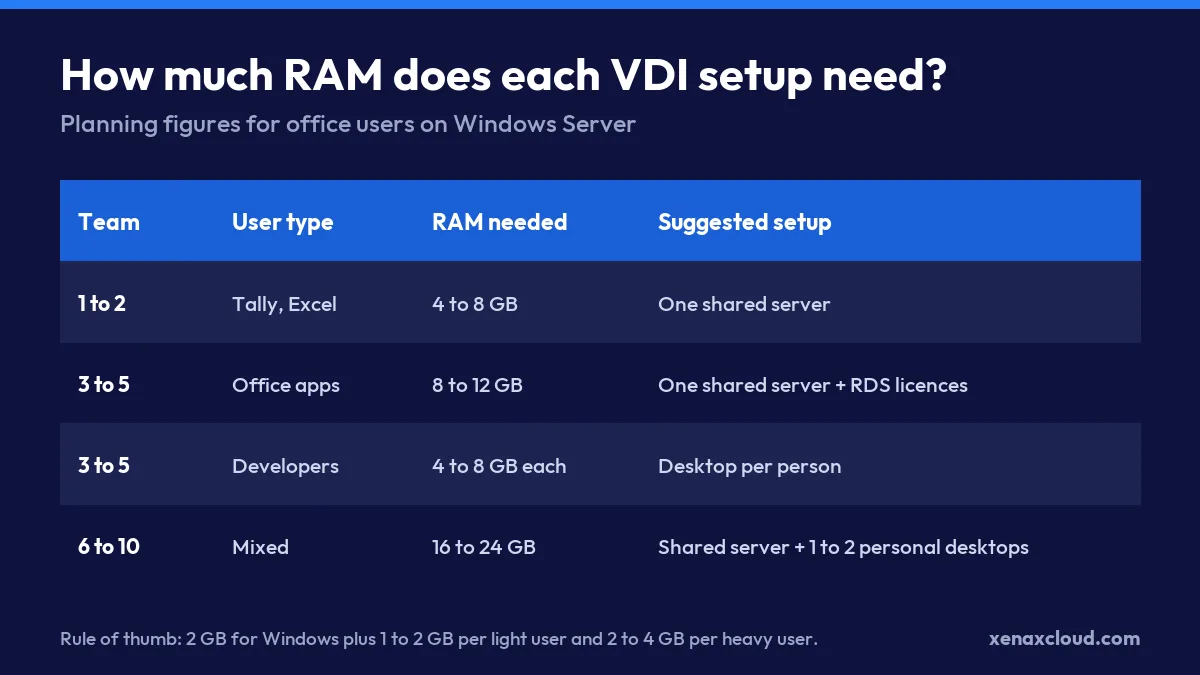
Each user needs 1 to 2 GB of RAM for light office work and 2 to 4 GB for heavy work, on top of about 2 GB for Windows Server itself. RAM is the number that decides which server you rent, so get it right first.
| User type | Typical programs | RAM per user |
|---|---|---|
| Light | Tally, a browser, email | 1 GB |
| Office | Excel, Word, browser with 10 tabs, CRM | 1.5 to 2 GB |
| Heavy | Big Excel models, many Chrome tabs, Busy with SQL | 2 to 4 GB |
| Developer | IDE, local database, build tools | 4 GB or more |
To check real usage after a pilot week, open Task Manager on the server, go to the Users tab, and sort by Memory. You will see exactly how much each person uses.
Shared server or desktop per person: which costs less?
A shared server almost always gives the lower cost per person, because one bigger server costs less than several small ones and the Windows licence is shared. A desktop per person costs more but needs no RDS session licences and isolates users.
Read the full comparison in VDI vs Remote Desktop. The short version:
- Two users or fewer at the same time: one shared server, no RDS licences needed.
- Three or more light users: one shared server plus RDS licences, or one small server each.
- Users who need admin rights: a server each.
Worked example 1: a five-person accounts office
A Lucknow trading firm has five people who use Tally, Excel and a browser all day. They log in at the same time.
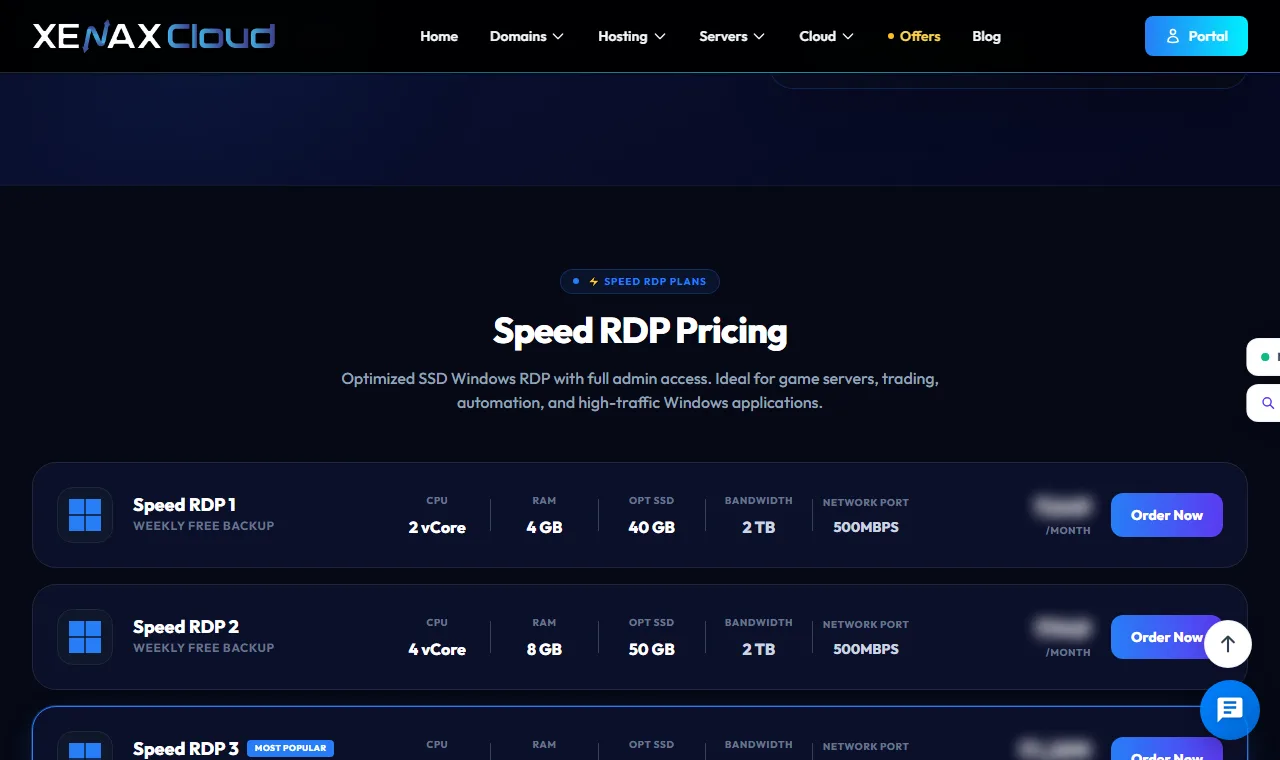
- RAM needed: 2 GB for Windows + 5 × 1.5 GB = 9.5 GB. Choose a server with 16 GB for headroom.
- CPU: 4 cores handle five light users comfortably.
- Licences: five people at once on one server means RDS licences for five users, plus a five-user Tally licence they already own.
Calculation: take the monthly price of a 16 GB Windows server from the plan box, add the monthly share of five RDS user licences from your licence supplier, and divide by five. That number is what each desktop costs them per person.
Worked example 2: three developers
A Bengaluru start-up gives three developers their own desktop so each can install tools and restart freely.
- RAM needed: 8 GB each.
- Setup: three Windows servers, one per developer.
- Licences: no RDS session licences, because nobody shares a server.
Calculation: three times the monthly price of an 8 GB Windows server, divided by three, is simply the price of one server. Per user it costs more than the accounts office, but each developer gets a full machine.
What does VDI save you?
VDI saves money that does not show up on the server bill: office PC upgrades, an always-on office server, UPS batteries, repair visits, and the cost of lost data. Count these before you decide VDI is expensive.
| Without VDI | With VDI |
|---|---|
| Upgrade office PCs every few years to run new software | Any working PC or laptop is enough |
| Keep an office server or PC running all day | Office PC can be switched off |
| Buy and replace UPS batteries | The data centre handles power |
| Hope someone backs up each PC | One backup covers everyone |
| A stolen laptop can leak data | Nothing stored on the laptop |
For Tally-only teams there is a shortcut: a ready-made Tally pack bundles the server and setup. See Tally on cloud for small business.
How to keep the cost per person low
Keep the per-person figure low by sizing from real usage, sharing servers where users are light, and not paying for capacity you will not use this quarter.
- Start with a pilot: one server, two or three real users, one week.
- Read RAM per user in Task Manager and size from that, not from guesses.
- Put light users on a shared server and give personal desktops only to heavy users.
- Log idle users off automatically so their sessions release RAM.
- Review usage every quarter and resize the plan up or down.
To log off disconnected sessions after a set time, open Group Policy (gpedit.msc), go to Computer Configuration, Administrative Templates, Windows Components, Remote Desktop Services, Remote Desktop Session Host, Session Time Limits, and set “End a disconnected session” to a value such as 2 hours. Our guide on keeping an RDP session running after disconnect explains when you would want the opposite.
VDI cost per user: FAQs
What is the average VDI price per person each month?
It depends on whether users share a server and how much RAM they need. Use the formula in this guide with the live plan prices: shared servers bring the per-user figure well below a desktop per person.
Are Windows licences included in a rented VDI server?
Yes, a rented Windows server includes its Windows Server licence. RDS client access licences for more than two simultaneous users on one server are separate.
Do I pay GST on VDI servers?
Yes. Hosting services in India carry GST, which is added to the plan price. If you need your GSTIN on the invoice, confirm with support when you order.
Is VDI cheaper than buying office PCs?
Over a few years it often is, once you count PC upgrades, an always-on office server, UPS batteries and repairs. For one or two people with good PCs, buying may still be cheaper.
Can I start small and add users later?
Yes. Start with one server, add logins as people join, and move to a bigger plan when RAM usage stays above about 80 percent.
For most teams of two to ten office users, the lowest VDI cost per user comes from one Xenax Cloud Windows RDP server shared by the light users, with a personal desktop added only for the one or two heavy users.