Choosing the right operating system is one of the first decisions you make when setting up a virtual private server. For developers, startups, and businesses, VPS Ubuntu is a popular choice because Ubuntu provides a familiar Linux environment, strong software support, and flexibility for different types of applications.
A VPS gives you more control than traditional shared hosting. You can install applications, configure services, manage users, adjust security settings, and choose the software stack required for your project. When this flexibility is combined with Ubuntu, developers get an environment that can be customized for websites, applications, databases, development projects, and many other workloads.
Indian hosting infrastructure can also be a practical option for global users. Cost-effectiveness, low latency across Asia, competitive international connectivity, security, reliability, and scalability make India an attractive location for businesses that want to serve both regional and international customers. This VPS Ubuntu guide explains the basics so you can make better decisions before deploying your server.

What Is VPS Ubuntu?
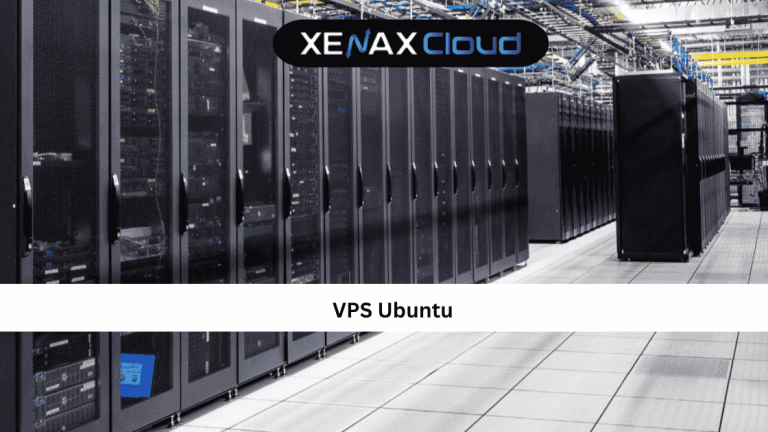
VPS Ubuntu refers to a virtual private server running the Ubuntu operating system. A VPS is a virtualized server environment that provides allocated computing resources such as CPU, RAM, storage, and bandwidth.
Ubuntu is a Linux-based operating system commonly used for servers, development environments, cloud applications, and web hosting. Instead of managing your website through a limited hosting dashboard, a VPS gives you greater control over the server itself.
For example, after deploying an Ubuntu VPS, you can install a web server such as Apache or Nginx, configure a database, deploy an application, create users, and manage firewall rules.
This makes VPS hosting particularly useful for people who need more control than shared hosting provides.
Why Choose VPS Ubuntu?
There are several reasons developers and businesses choose an Ubuntu-based VPS.
Easy to Learn
Ubuntu has a large user community and extensive documentation. Beginners can find guides and troubleshooting resources for many common server tasks.
Flexible Environment
You can install the software and services required for your application instead of being limited to a predefined hosting environment.
Suitable for Developers
Ubuntu works well with popular development stacks, programming languages, databases, containers, and server applications.
Better Server Control
A VPS gives you administrative access to configure the operating system and server according to your requirements.
Scalable Resources
As your application grows, you can move to a VPS plan with additional CPU, RAM, storage, and bandwidth.
For developers who need an environment they can configure themselves, VPS Ubuntu offers a useful combination of flexibility and control.
VPS Ubuntu vs Shared Hosting
Before purchasing a server, it is important to understand how VPS hosting differs from shared hosting.
Shared hosting places multiple websites on the same hosting environment. The provider generally manages most server-level configuration, making it simple for beginners.
A VPS Ubuntu environment gives you much more control. You can manage the operating system, install packages, configure services, and make server-level changes.
Shared Hosting Is Better When:
- You are launching a small website.
- You don’t need root access.
- You prefer simple website management.
- Your application has low resource requirements.
VPS Ubuntu Is Better When:
- You need root access.
- You want to install custom software.
- Your application requires dedicated virtual resources.
- You need greater control over security.
- Your project is expected to grow.
The best choice depends on your technical experience and workload. A simple blog may not need a VPS, while a custom application or growing business platform may benefit considerably from one.
How to Choose the Right VPS Ubuntu Plan
Selecting the right VPS is not simply about choosing the plan with the highest specifications. You should first estimate how much CPU, RAM, storage, and bandwidth your application actually requires.
CPU
CPU resources determine how effectively the server handles processing tasks. Websites with dynamic applications, databases, or background processes may require more CPU capacity.
RAM
RAM affects how many processes and applications can operate efficiently at the same time. A simple website may require relatively little memory, while a database-heavy application can need significantly more.
Storage
Storage is required for operating system files, applications, databases, website content, backups, and logs. SSD storage can provide faster data access than traditional storage technologies.
Bandwidth
Bandwidth determines how much data your server can transfer. Websites with images, videos, downloads, or large numbers of visitors can consume substantially more bandwidth.
A good VPS Ubuntu guide should therefore focus on matching resources with actual workload rather than recommending one configuration for every user.
VPS Ubuntu Setup: What You Need Before Starting
Before beginning a VPS Ubuntu deployment, prepare the basic information and tools you’ll need.
You should have:
- A VPS with Ubuntu installed
- Server IP address
- Root or administrative credentials
- An SSH client
- A secure password or SSH key
- A domain name if hosting a website
- A basic understanding of Linux commands
SSH is commonly used to connect to a remote Linux server. Once connected, you can perform administrative tasks directly from the command line.
For Windows users, an SSH-compatible terminal can be used to connect to the server. Linux and macOS systems generally include SSH through their terminal environments.
Connecting to Your VPS Ubuntu Server
After your server is provisioned, the first task is usually connecting to it remotely.
A typical SSH connection looks like this:
ssh root@YOUR_SERVER_IP
Replace YOUR_SERVER_IP with the actual IP address assigned to your server.
Once connected, you will see a command-line interface. This is where you can manage your VPS Ubuntu environment.
If you’re new to Linux, don’t rush into changing system files or installing multiple applications immediately. First understand where you are, which user you’re logged in as, and what services are currently running.
Essential VPS Ubuntu Commands
Learning a few basic Linux commands makes server management much easier.
Check the Current Directory
pwd
This displays your current location in the filesystem.
List Files
ls
This shows files and directories in the current location.
Change Directory
cd /var/www
This moves you into another directory.
Update Packages
sudo apt update
This refreshes the available package information.
Upgrade Installed Packages
sudo apt upgrade
This installs available package updates.
These commands are only the beginning. As you become more comfortable with Linux, you can learn commands for file permissions, process management, networking, disk usage, services, and system monitoring.
Basic Security After VPS Ubuntu Setup
Security should be one of the first priorities after deploying a server. A newly provisioned VPS Ubuntu should not be treated as production-ready until basic security settings have been reviewed.
Start by creating a non-root administrative user when appropriate. Using a separate account for everyday administration reduces the need to work directly as root.
SSH security should also be reviewed. Strong authentication methods, secure credentials, and appropriate access controls can reduce unnecessary exposure.
A firewall is another important layer. Ubuntu systems can use firewall tools to control which network connections are permitted. Only the ports required by your applications should normally be exposed.
Regular software updates are equally important because updates can include security fixes and stability improvements.
Choosing VPS Ubuntu Hosting for Your Business
Your hosting provider should offer enough resources for your workload while giving you the flexibility required to manage the operating system.
For VPS Ubuntu, the most contextually relevant XenaxCloud product is its VPS hosting service. It provides a suitable environment for users who need VPS resources and administrative control. XenaxCloud VPS Hosting
Recommended Starting Plan
KVM VPS 1 — 2 Vcore CPU, 8GB RAM, 40GB Storage, 2TB Bandwidth — see current pricing
This can be a practical starting point for smaller websites, development environments, and applications that need more control than shared hosting.
For a growing workload, KVM VPS 2 — 4 Vcore CPU, 16GB RAM, 50GB Storage, 4TB Bandwidth — see current pricing provides additional CPU, RAM, storage, and bandwidth.
The complete XenaxCloud plan options include higher-resource configurations as well, allowing businesses to scale their server as requirements increase.
VPS Ubuntu Tips for Beginners
If this is your first Linux server, start with a simple approach. Install only the software your application actually needs and document important configuration changes.
Keep regular backups, monitor CPU and RAM usage, review disk space, and apply security updates consistently. Avoid copying commands from random sources without understanding what they do, especially when operating as root.
A reliable VPS Ubuntu guide should not only explain installation. It should also help you build habits that keep the server secure, organized, and easy to troubleshoot.
Real-World VPS Ubuntu Use Cases
The flexibility of VPS Ubuntu makes it suitable for many different workloads. The right configuration depends on what you intend to run and how much traffic or processing your application receives.
Website Hosting
Developers can install Nginx or Apache and use the server to host websites and web applications. This provides more control than a standard shared hosting environment.
Development and Testing
Developers can create isolated environments for testing applications, APIs, databases, and different software configurations without affecting a production website.
Database Applications
Applications that rely heavily on databases can benefit from additional RAM, CPU resources, and fast storage. The exact requirements depend on the database size and workload.
Docker and Application Deployment
Ubuntu is commonly used for application environments where developers need to deploy services and containers. A VPS can provide the resources required for these workloads.
Business Applications
Companies can use an Ubuntu VPS for internal applications, dashboards, APIs, development tools, and other business workloads that require more control than shared hosting.
A useful VPS Ubuntu guide should therefore focus on the workload first. The operating system is important, but the server resources and application requirements determine how well the final environment performs.
Indian Servers vs Foreign Regions
The following comparison focuses on general infrastructure considerations. It does not include pricing or specific competitors.
| Factor | India | USA | Canada | Germany | UAE |
|---|---|---|---|---|---|
| Latency for Asian Users | Excellent | Higher | Higher | Moderate | Good |
| International Connectivity | Strong | Strong | Strong | Strong | Strong |
| 24/7 Support | Provider Dependent | Provider Dependent | Provider Dependent | Provider Dependent | Provider Dependent |
| Fast Provisioning | Provider Dependent | Provider Dependent | Provider Dependent | Provider Dependent | Provider Dependent |
| Scalability | High | High | High | High | High |
| Reliability | Infrastructure Dependent | Infrastructure Dependent | Infrastructure Dependent | Infrastructure Dependent | Infrastructure Dependent |
There is no single server location that is perfect for every website. The best choice depends on where your visitors are located, what your application requires, and the quality of the provider’s infrastructure.
Recommended XenaxCloud VPS Ubuntu Plans
For a smaller application or development environment, the recommended starting point is:
KVM VPS 1 — 2 Vcore CPU, 8GB RAM, 40GB Storage, 2TB Bandwidth — see current pricing
For growing websites and applications:
KVM VPS 2 — 4 Vcore CPU, 16GB RAM, 50GB Storage, 4TB Bandwidth — see current pricing
For higher-resource workloads:
KVM VPS 3 — 8 Vcore CPU, 32GB RAM, 80GB Storage, 5TB Bandwidth — see current pricing
These recommendations are based on the fixed XenaxCloud plans provided in the brief. Higher configurations are also available when applications require additional resources.
The latest deals and discounts are available on the XenaxCloud Offers Page.
Frequently Asked Questions
What is the difference between Indian VPS and foreign VPS?
Can Indian servers handle global website traffic?
Is Indian hosting cost-effective for international users?
How reliable is XenaxCloud hosting?
How to choose the right server for my business?
Conclusion
A VPS Ubuntu environment gives developers and businesses the flexibility to configure their own Linux server, install the software they need, and manage applications with greater control. It can support websites, development environments, databases, APIs, containers, and many other workloads.
This VPS Ubuntu guide also highlights why choosing the right resources matters. CPU, RAM, storage, bandwidth, security, uptime, and scalability should all be considered before selecting a server. Starting with an appropriate configuration and upgrading as the workload grows can be a practical strategy for startups and established businesses alike.
For users looking for reliable infrastructure, XenaxCloud offers VPS plans ranging from smaller configurations to higher-resource servers. The recommended starting option is KVM VPS 1 — 2 Vcore CPU, 8GB RAM, 40GB Storage, 2TB Bandwidth — see current pricing, with larger plans available when additional resources are required.
Choose the VPS Ubuntu configuration that matches your workload, deploy your application, and scale as your requirements increase. XenaxCloud’s latest deals and offers can be checked on the XenaxCloud Offers Page.