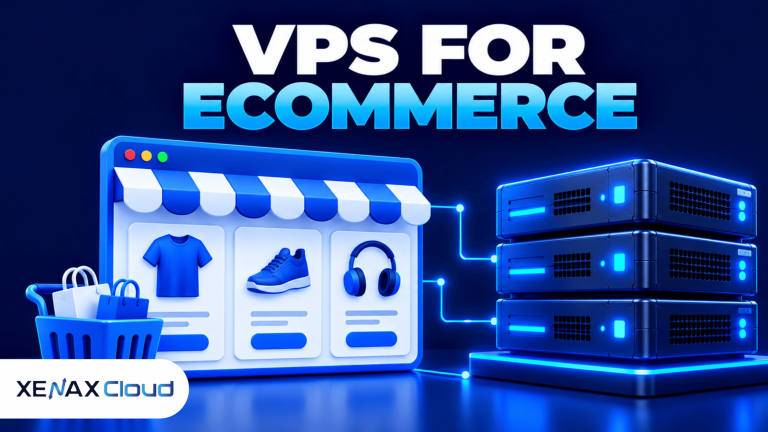
A VPS for ecommerce website hosting gives an online store its own allocated virtual CPU, RAM, storage and operating-system environment. It can suit a growing WooCommerce or custom ecommerce store that needs more control over software, caching, database settings and server resources than a basic hosting setup provides.
For an Indian store owner, the right VPS depends on the catalogue size, plugins, concurrent shoppers, checkout activity and technical support available to manage the server. Choosing a large configuration without measuring demand can waste resources, while choosing too small a server can cause slow pages or failed requests during busy periods.
What Is a VPS for Ecommerce Website Hosting?
A VPS is a virtual private server that runs as an isolated virtual machine with allocated computing resources on a physical host. Ecommerce VPS hosting uses that environment to run the store’s website, application code, database and related services.
A typical WordPress store uses WordPress, WooCommerce, a database such as MySQL or MariaDB, a web server and PHP. Product images, search, analytics, payment integrations and plugins add their own processing and storage demands. A custom store may use a different application stack, so confirm its software requirements before selecting an operating system.
A VPS gives you more control over server configuration than many entry-level hosting arrangements, but it also makes server administration your responsibility unless management services are explicitly included. You need to consider updates, access security, backups, monitoring and recovery, not just the server specification.
A VPS is worth evaluating when you need to control application settings, run background jobs, configure caching or manage server resources more directly. It is not automatically necessary for every small store; a simple shop with low traffic and modest requirements may work well on suitable shared or managed WordPress hosting.
How to Choose a VPS for an Ecommerce Website
Choose a VPS for ecommerce website hosting by estimating application resource needs, identifying traffic patterns and matching the server configuration to the software you plan to run.
Start by documenting the store’s current setup. Record the ecommerce platform, PHP or application runtime requirements, database size, product-image storage, active plugins, caching method and any scheduled jobs. For an existing store, use hosting metrics and application logs instead of guessing from the number of products alone.
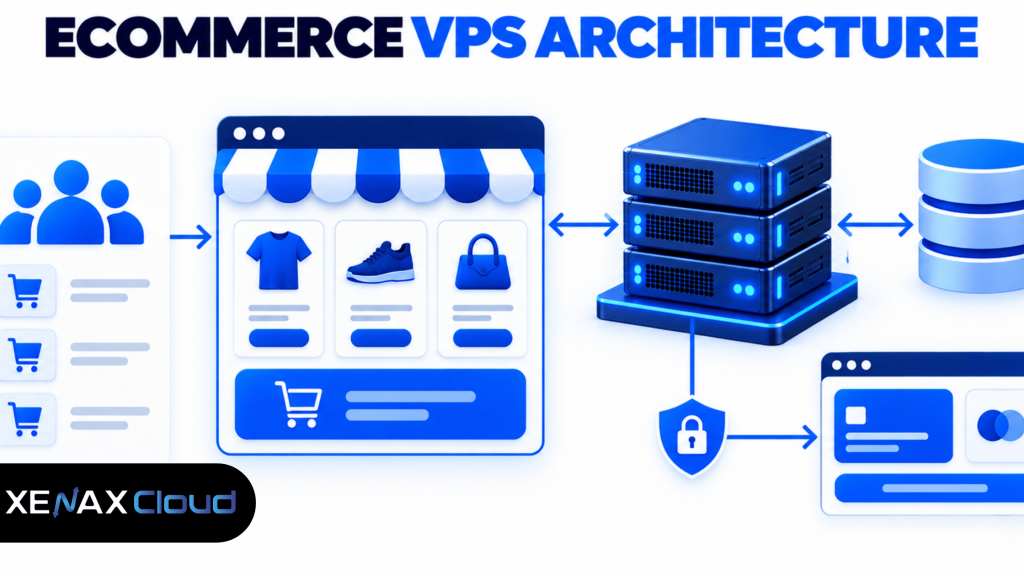
A practical selection should account for both normal traffic and short demand spikes. Product launches, seasonal sales, advertising campaigns and festive shopping can bring more concurrent requests than a typical day. Review server metrics during the busiest periods available, and leave enough headroom for checkout requests and background work.
Use these checks before ordering:
- Platform compatibility: Confirm the required operating system, PHP or runtime version, database and application dependencies.
- CPU: Check whether page generation, search, imports or background tasks are processor-intensive.
- RAM: Include the operating system, web server, application workers, database and cache in the estimate.
- Storage: Account for application files, product images, database growth, logs and temporary files.
- Network: Review the port capacity and expected transfer pattern alongside your actual application needs.
- Administration: Decide who will patch the system, configure services, monitor alerts and restore backups.
For WooCommerce-specific requirements, review the official WooCommerce server recommendations. Use those requirements as a compatibility baseline, then size the VPS for your store’s plugins, catalogue, traffic and operational needs.
How Much RAM Does a VPS for an Online Store Need?
A VPS for an online store needs enough RAM for the operating system, application workers, database, caching and the busiest expected workload. There is no single RAM size that suits every ecommerce site.
For a small WooCommerce store, a configuration with 4 GB RAM may be a starting point if the theme, plugins and traffic are modest and the software requirements fit. A store with several resource-heavy plugins, frequent catalogue imports or sustained concurrent checkout activity may need more memory. Monitor actual use before moving to a larger configuration.
Use these decision rules:
- Start with 4 GB RAM when the store is small, its software fits the configuration and monitoring shows memory headroom during normal work.
- Evaluate 8 GB RAM or more when memory pressure persists, the database and application workers compete for memory, or the store uses several demanding plugins.
- Investigate CPU first if processor use remains high while memory is available; adding RAM alone may not resolve the bottleneck.
- Review storage if product uploads, logs or database growth are approaching the allocated capacity.
- Test the checkout path after changing resources or server settings, because a homepage loading correctly does not prove that payment and order processing work.
These are starting points for evaluation, not guaranteed traffic limits. The number of products alone does not determine resource demand: a catalogue with many optimised static pages may use fewer resources than a smaller store with complex filters, dynamic pricing and many active plugins.
Ecommerce VPS Hosting: Which Server Resources Matter Most?
Ecommerce VPS hosting works best when CPU, RAM, storage and application configuration are balanced for the store’s workload.
| Resource | What it affects | What to check |
| vCPU | Dynamic page generation, search and background tasks | CPU use during busy traffic and imports |
| RAM | Application workers, database caching and concurrent requests | Memory pressure, swapping and process usage |
| NVMe storage | File access and database operations | Available capacity, database growth and I/O demand |
| Network port | Communication between the store and visitors or external services | Port capacity and the site’s traffic pattern |
| Backups | Recovery after accidental changes or data loss | Schedule, retention and successful restore tests |
NVMe storage can be useful for workloads with frequent storage access, but it does not fix inefficient queries, unoptimised images or slow third-party services. Likewise, adding vCPU can help a processor-bound store but will not solve a payment gateway outage or a poorly configured database.
Xenax Cloud offers three Linux KVM VPS families. Speed VPS uses NVMe storage and has configurations ranging from 2 vCPU, 4 GB RAM and 40 GB storage to 32 vCPU, 64 GB RAM and 200 GB storage. General VPS provides more RAM per vCPU, while Gold VPS uses high-frequency Xeon Gold processors.
All three VPS families include full root access, one IPv4 address, a 500 Mbps port and weekly backups. Root access provides flexibility, but it also means you must secure administrative access and carefully manage system changes.
VPS for Online Store Security and Checkout Reliability
A VPS for online store hosting needs secure server administration, valid HTTPS, tested backups and a checkout flow that handles payment-provider communication correctly.
Start with the security basics:
- Keep the operating system, ecommerce platform, themes and plugins updated.
- Use strong, unique administrator credentials and multi-factor authentication where supported.
- Restrict SSH and other administrative access to trusted users and networks where possible.
- Configure HTTPS using a valid TLS certificate and redirect website traffic to the secure version.
- Remove unused plugins and services that expand the attack surface.
- Monitor disk space, service health, failed logins and application errors.
Do not store payment card details on your server unless your business is specifically designed and authorised to handle that responsibility. For most stores, using a reputable payment gateway and its supported integration reduces the amount of sensitive payment data the store itself needs to handle. Confirm the gateway’s integration and compliance requirements before launch.
Backups require a separate safety check. Xenax Cloud includes weekly VPS backups, but you should verify the available retention and recovery process and keep an independent copy of critical business data when appropriate. Before a major plugin update, migration or database change, create a suitable backup and test that it can be restored.
A VPS does not automatically make checkout reliable. DNS, application code, database availability, payment services and email notifications can fail independently. Test a complete order from product selection through payment confirmation and order fulfilment, including the failure paths your customers might encounter.
Which Xenax Cloud VPS Fits an Ecommerce Website?
The suitable Xenax Cloud VPS family depends on whether your store needs balanced resources, more memory per vCPU or a high-frequency processor.
- Speed VPS: Consider this family when NVMe storage and a broad range of CPU and memory configurations suit your application.
- General VPS: Consider this family when the database and application need more RAM per vCPU.
- Gold VPS: Consider this family when your workload benefits from its high-frequency Xeon Gold processor family and measured CPU demand supports the choice.
Choose based on evidence rather than the plan name. For a WooCommerce store, check PHP worker use, database performance, memory pressure, storage growth and the response time of key pages. If you are launching a new store without production metrics, begin with a configuration that meets the application’s requirements and review the resource usage after real traffic arrives.
The Xenax Cloud VPS hosting plans page lists the available VPS families and their configurations. Compare the actual CPU, RAM and storage specifications against your platform’s needs before selecting a size.
A VPS is not the right choice if you do not have the skills or support to administer the operating system and your store requires a managed environment. In that case, consider suitable managed WordPress or ecommerce hosting rather than running an unmanaged server without a maintenance plan.
Worked Example: Choosing a VPS for a Jaipur Online Store
A Jaipur store selling clothing online should select its VPS based on the ecommerce platform, catalogue, concurrent shoppers and observed resource use rather than a guessed visitor limit.
Imagine the store runs WooCommerce with product variations, image galleries, a payment gateway and several business plugins. The owner expects traffic to rise during festive campaigns and wants control over PHP, database and caching settings. The first step is to check the software requirements and measure resource use during a representative load test.
If the store is small and its application fits the configuration, Speed VPS with 2 vCPU, 4 GB RAM and 40 GB NVMe storage is a reasonable starting point to evaluate. It supplies a defined CPU and memory allocation alongside NVMe storage, but the owner should test catalogue browsing, search, cart updates and checkout before depending on it for sales.
If monitoring shows sustained memory pressure because the database and application workers need more RAM, General VPS with 2 vCPU and 8 GB RAM is the next configuration to evaluate. Its higher memory allocation may suit a memory-bound workload better; if CPU is the actual bottleneck, investigate the application and consider a configuration with more CPU capacity instead.
The decision rule is concrete: start with Speed VPS at 2 vCPU and 4 GB RAM when the workload fits, then evaluate General VPS at 2 vCPU and 8 GB RAM when memory pressure is the constraint. Do not assume either configuration supports a fixed number of visitors or orders without testing.
How to Prepare an Ecommerce Store Before Launch
Prepare an ecommerce VPS before launch by validating the software stack, securing access, testing checkout and confirming that recovery procedures work.
Use this launch checklist:
- Confirm the operating system and application dependencies.
- Install the web server, runtime, database and store software.
- Configure DNS, HTTPS and required firewall rules.
- Secure administrator accounts and remove unused services.
- Optimise product images, caching and database settings.
- Test product pages, cart operations, payment and order notifications.
- Verify backups and document the restoration process.
Keep a staging environment if your store frequently changes themes, plugins or custom code. Test updates there before applying them to the live store, and take a backup before changing the production database. A successful homepage test is not enough: place a test order through the full checkout flow using the payment gateway’s supported testing method.
After launch, monitor response times, resource usage, error logs and failed checkout events. Use those records to decide whether the store needs more RAM, CPU, storage or application optimisation. A larger VPS should be a response to measured demand, not a substitute for diagnosing slow queries or faulty plugins.
VPS for Ecommerce Website: FAQs
Is a VPS good for an ecommerce website?
Yes, a VPS can suit an ecommerce website when the store needs allocated resources and greater control over its application environment. It is particularly useful when you need custom server settings or your workload exceeds the limits of your current hosting. You must still manage security, updates, monitoring and recovery.
How much RAM does a VPS for ecommerce website hosting need?
A small store may be able to start with 4 GB RAM if its software and traffic fit that configuration. Stores with heavier plugins, database activity or concurrent shoppers may need 8 GB RAM or more. Monitor memory use and test checkout before deciding to scale.
Is ecommerce VPS hosting better than shared hosting?
Ecommerce VPS hosting provides more control over server resources and configuration than typical shared hosting, but it also requires more administration. Shared hosting may be sufficient for a small store with modest needs. Choose a VPS when measured resource requirements, software compatibility or configuration needs justify it.
Can I run WooCommerce on a Linux VPS?
Yes, WooCommerce can run on a compatible Linux VPS with WordPress, a supported PHP environment, a database and a suitable web server. Check the current WooCommerce server recommendations and plugin dependencies before installation. Configure HTTPS, backups, updates and monitoring before accepting real customer orders.
Which Xenax Cloud VPS is suitable for an online store?
Speed VPS is a reasonable starting point when NVMe storage and balanced resources fit your store. General VPS is worth evaluating if you need more RAM per vCPU, while Gold VPS suits workloads that benefit from its high-frequency Xeon Gold processor family. Use monitoring and software requirements to decide.
Is a VPS secure enough for an online store?
A VPS can host a secure online store when it is configured and maintained properly, but the server alone does not guarantee security. Keep software updated, restrict administrator access, enable HTTPS, monitor logs and maintain tested backups. Use a supported payment gateway and avoid storing payment data unnecessarily.
Do I need a managed VPS for an ecommerce website?
You may need managed hosting if you cannot maintain Linux, patch software, secure remote access, monitor failures and restore backups yourself. An unmanaged VPS gives you more control but places more operational responsibility on your team. Choose a managed environment if you need administration handled by a provider.
For a new WooCommerce store with modest resource needs, evaluate Speed VPS with 2 vCPU, 4 GB RAM and 40 GB NVMe storage first. If testing identifies persistent memory pressure, compare General VPS with 2 vCPU and 8 GB RAM; if you cannot administer Linux safely, choose a suitable managed ecommerce hosting service instead.