VDI vs Remote Desktop comes down to one question: does each user get a whole Windows machine, or a session on a shared one? Remote Desktop Services (RDS) puts many people on one Windows server, each in their own session. VDI gives every person a separate virtual desktop. RDS costs less per user; VDI isolates users better.
Both look the same to the employee: they open the Remote Desktop app and see Windows. The difference is behind the login, and it decides your cost, your licences and how much one user can affect another.
What is Remote Desktop (RDS)?
Remote Desktop Services is a Windows Server role that lets several people log in to the same server at the same time, each with their own desktop session. They share the server’s CPU, RAM and installed programs, but their files, settings and open windows are separate.
Think of a Jaipur jewellery exporter with eight office staff who all use Tally, Excel and email. One Windows server with enough RAM serves all eight sessions. The owner installs Tally once, updates Windows once, and backs up one machine.
Plain Remote Desktop without the RDS role allows two simultaneous sessions, which Microsoft intends for administration. Our guide on Windows RDP for multiple users explains exactly where that limit applies.
What is VDI?
VDI (virtual desktop infrastructure) gives each user a desktop running on its own virtual machine. A user’s programs, memory use and crashes stay inside their own machine, so a heavy Excel macro on one desktop cannot slow down anyone else.
For a small business, the simplest VDI is one Windows RDP server per person. A Pune software team might give each of its five developers their own server: they install their own tools, reboot when they like, and never fight over RAM. For a fuller introduction, read what is VDI.
VDI vs Remote Desktop: the real differences
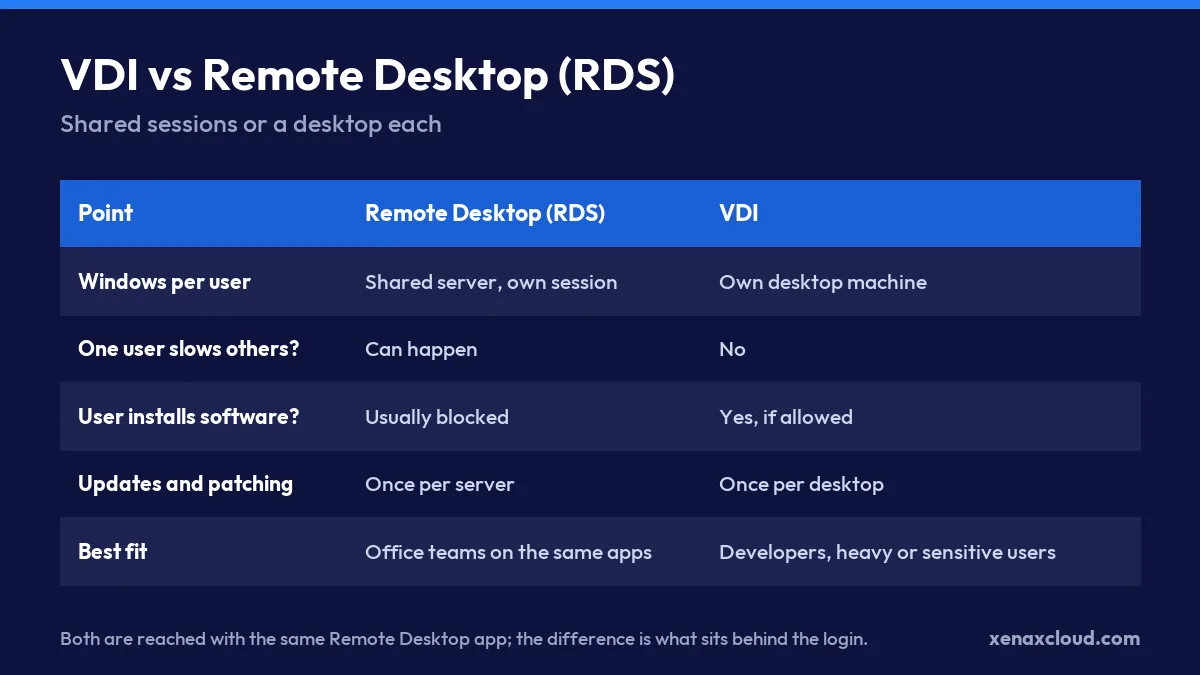
The real differences between VDI vs Remote Desktop are isolation, admin freedom and cost. Everything else, such as the app users open, the screen they see and the internet speed they need, is the same.
Isolation between users
On an RDS server, everyone shares one Windows. If one person runs a large report that eats all the RAM, the others feel it. With VDI, each desktop has its own fixed RAM and CPU.
Admin rights and software
RDS users are normal users. They cannot install software, because a change affects everyone. On a personal VDI desktop, you can give a trusted user admin rights to install their own tools.
Patching and maintenance
RDS means one server to patch, back up and monitor. VDI means one per user. With 10 users that is 10 machines to keep updated, which is real work without an IT person.
Licences
Shared RDS sessions beyond two at once need Microsoft RDS client access licences, one per user or per device. A one-desktop-per-person VDI on separate Windows servers avoids that particular licence, but each server carries its own Windows licence, which a rented server includes.
Which costs less per user?
Remote Desktop usually costs less per user, because one larger server is cheaper than several small ones and the Windows licence is shared. VDI costs more per user but buys isolation.
A worked example for six office users:
| Setup | What you rent | RAM math | Extra licences |
|---|---|---|---|
| RDS shared server | 1 server, 16 GB RAM | 2 GB Windows + 6 × 1.5 GB = 11 GB, with headroom | RDS CALs for 6 users |
| VDI, desktop each | 6 servers, 4 GB RAM each | 4 GB each, no sharing | None for sessions |
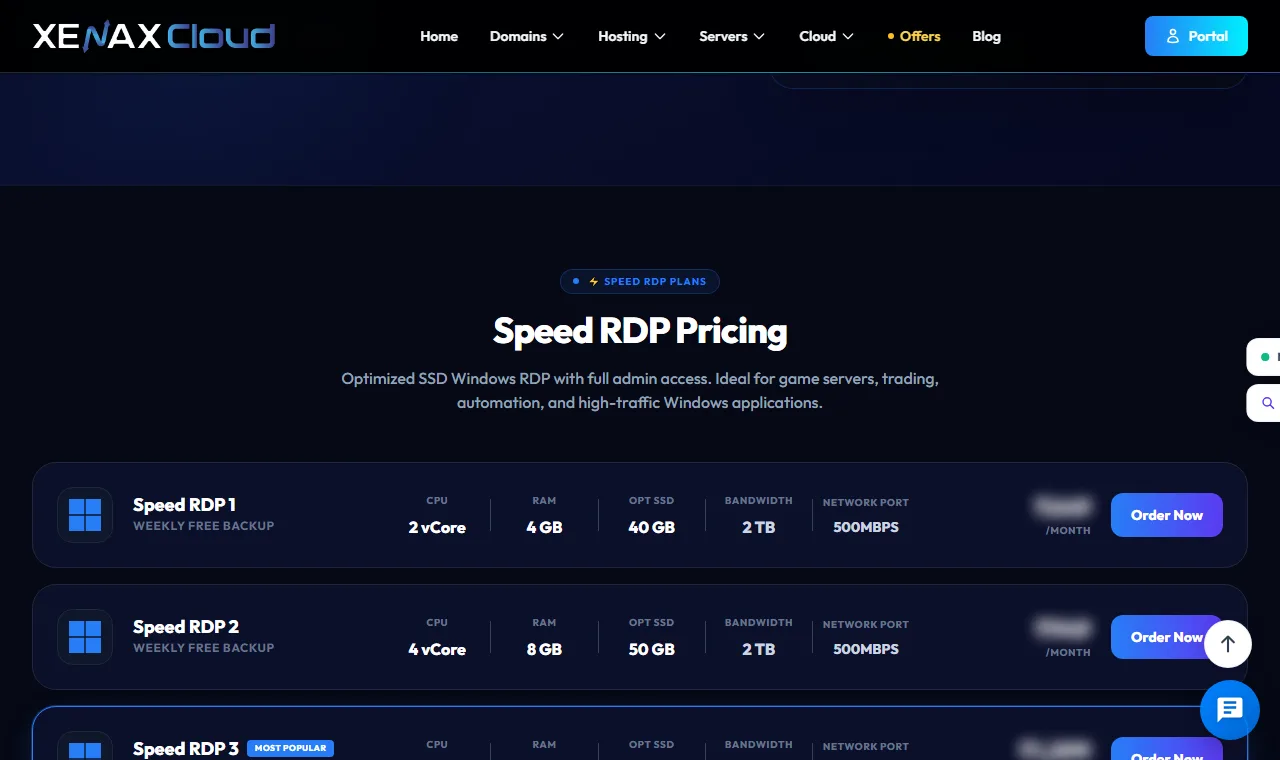
Compare the two rows using the live prices in the plan boxes, then add the RDS licence cost from your licence supplier. For small teams that only use Tally, a ready-made Tally pack is often simplest.
When should you choose Remote Desktop?
Choose Remote Desktop (a shared RDS server) when your users run the same few programs, nobody needs to install software, and you want one machine to manage. It suits accounts teams, back-office staff, data entry and call centre agents.
Signs RDS is right:
- Everyone uses the same three or four applications.
- Users are light: Tally, Excel, a browser, a CRM.
- You want one backup and one update schedule.
- You can buy RDS licences for more than two people at once.
When should you choose VDI?
Choose VDI, meaning a desktop per person, when users need admin rights, run heavy software, or must be fully separated from each other. It suits developers, designers, testers, and staff who handle sensitive client data.
Signs VDI is right:
- A user installs or updates their own software every week.
- One user’s workload would slow everyone else down.
- A client contract requires that their data sits on a separate machine.
- You want to give a contractor a desktop and delete it when the project ends.
Many teams mix both. Picture a Delhi CA firm that runs a shared server for articles doing data entry and gives the two partners their own desktops.
Does the user notice any difference?
Usually not. In both setups the employee opens the same Remote Desktop app, types a server address and a password, and sees a Windows desktop with their programs. Printing, copy and paste, and file transfer work the same way.
The differences show up only under load or when something breaks. On a shared RDS server, a slow afternoon for everyone often means one user is running something heavy. On VDI, a slow desktop affects only its owner, and restarting it does not log anyone else out. That second point matters more than it sounds: on a shared server, a reboot for a Windows update has to wait until everyone has saved their work.
How do you move from one to the other?
You can move from Remote Desktop to VDI one user at a time. Rent a new server for the heavy user, copy their profile folder and data, install their programs, and remove them from the shared server’s Remote Desktop Users group.
To check who belongs to that group on the shared server, run in PowerShell:
Get-LocalGroupMember -Group "Remote Desktop Users"The output lists every account allowed to log in remotely. Remove a moved user with Remove-LocalGroupMember -Group "Remote Desktop Users" -Member "username". Then make sure the shared server’s sessions stay secure with our secure remote desktop checklist.
Xenax Cloud Windows RDP vs the usual alternatives
| Feature | Xenax Cloud | Typical Indian shared host | Global budget host |
|---|---|---|---|
| Starting price | ₹649/mo | ₹199/mo | ₹149/mo (renews ₹499) |
| Storage | 40 GB SSD storage | 10 GB SSD | 25 GB SSD |
| DDoS protection | 100 Gbps, always on | Basic | Cloudflare only |
| Support | 24×7, in-house engineers | Tickets, business hours | Chat, outsourced |
| Data centre | India (NVMe) | India | Singapore / US |
| Control panel | cPanel / WHM included | cPanel | Custom panel |
Entry-level plans, list prices including GST where shown. Check each provider before buying — prices change.
See Windows RDP plansVDI vs Remote Desktop: FAQs
Is RDP the same as VDI?
No. RDP is the protocol that carries the screen. Both RDS and VDI on Windows use RDP to show the desktop, so the user experience is the same while the setup behind it differs.
How many users can use Remote Desktop at once?
Windows Server allows two simultaneous Remote Desktop sessions for administration. For more people at the same time, install the RDS Session Host role and buy RDS client access licences.
Is VDI more secure than Remote Desktop?
VDI isolates users more, so one compromised account cannot see another user’s session memory. A well-configured RDS server with separate accounts and restricted permissions is still safe for normal office work.
Can I run Tally on both?
Yes. Tally runs on a shared RDS server and on personal desktops. Each Tally user still needs a Tally licence that allows that number of users.
Which is better for a team of five?
If all five use the same light software, a shared Remote Desktop server is usually better value. If two of them are heavy users, give those two their own desktop and keep the rest shared.
For a small office on the same apps, start with one Xenax Cloud Windows RDP server as a shared desktop; give a desktop of its own only to the people who need admin rights or heavy resources.